
Ingnok YN02B
Ingnok 15.6-inch FHD 1080P Portable Monitor YN02B Instruction Manual
Your guide to setting up and using your new Ingnok portable monitor.
1. Вступ
The Ingnok 15.6-inch FHD 1080P Portable Monitor YN02B is designed to enhance your productivity and entertainment experience on the go. Featuring a Full HD 1080P resolution and a 1200:1 contrast ratio, it delivers clear and vibrant visuals. Its ultra-thin and lightweight design ensures easy portability, making it an ideal companion for various environments, from business trips to home offices. The monitor supports universal compatibility with a wide range of devices through simple plug-and-play connectivity.
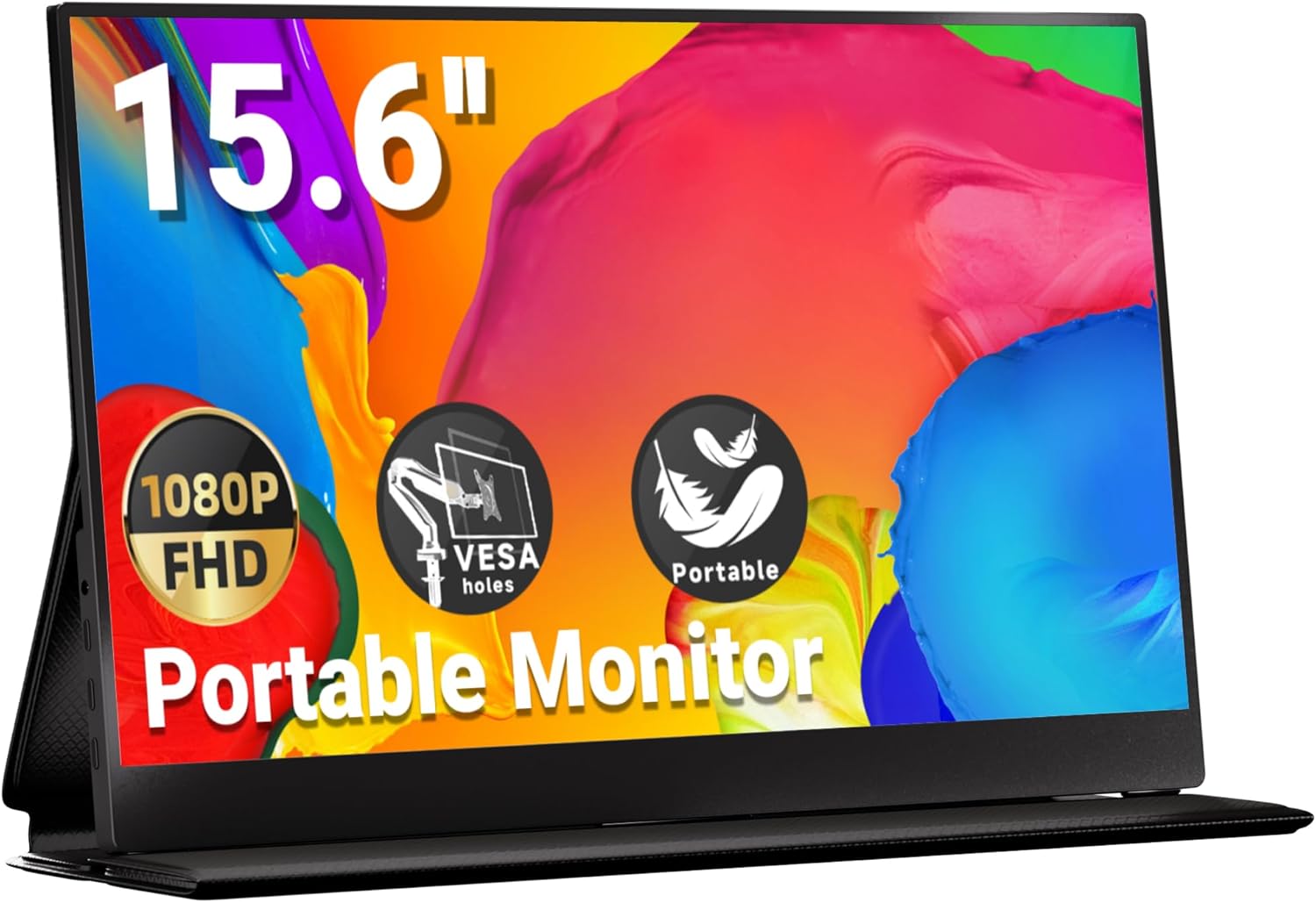
Image: The Ingnok 15.6-inch Portable Monitor, showcasinйого елегантний дизайн та яскраві можливості відображення.
2. Вміст упаковки
Please check the box contents upon unboxing to ensure all items are present:
- Ingnok 15.6-inch FHD 1080P Portable Monitor YN02B
- Magnetic Cover Stand
- Кабель USB-C – USB-C (для відео та живлення)
- Кабель HDMI до Mini HDMI
- USB-A to USB-C Cable (for power supply)
- VESA Screws (for mounting)
- Тканина для чищення
- Посібник користувача (цей документ)

Image: All accessories included with the Ingnok Portable Monitor, such as various cables, the cover stand, VESA screws, and a cleaning cloth.
3. Продукт закінчивсяview
3.1. Фізичний дизайн
The Ingnok YN02B monitor features an ultra-thin design, measuring approximately 0.26 inches in thickness and weighing around 1.44 lbs, making it highly portable. Its sleek black finish and durable construction ensure it can withstand travel and daily use.

Image: The Ingnok portable monitor demonstrating its ultra-slim profile and ease of transport.
3.2. Порти та елементи керування
The monitor is equipped with multiple ports and intuitive controls for seamless operation:
- 2x Full-feature USB-C 3.1 Ports: For power supply and video signal (MacBook/Laptop Plug & Play).
- 1x Mini HDMI Port: For video signal (requires extra power supply via USB-C).
- 1x Headphone Jack: Для виведення звуку.
- Brightness Shortcut: Регулює яскравість екрана.
- Volume Shortcut: Регулює гучність звуку.
- Кнопка меню: Accesses the On-Screen Display (OSD) menu for advanced settings.
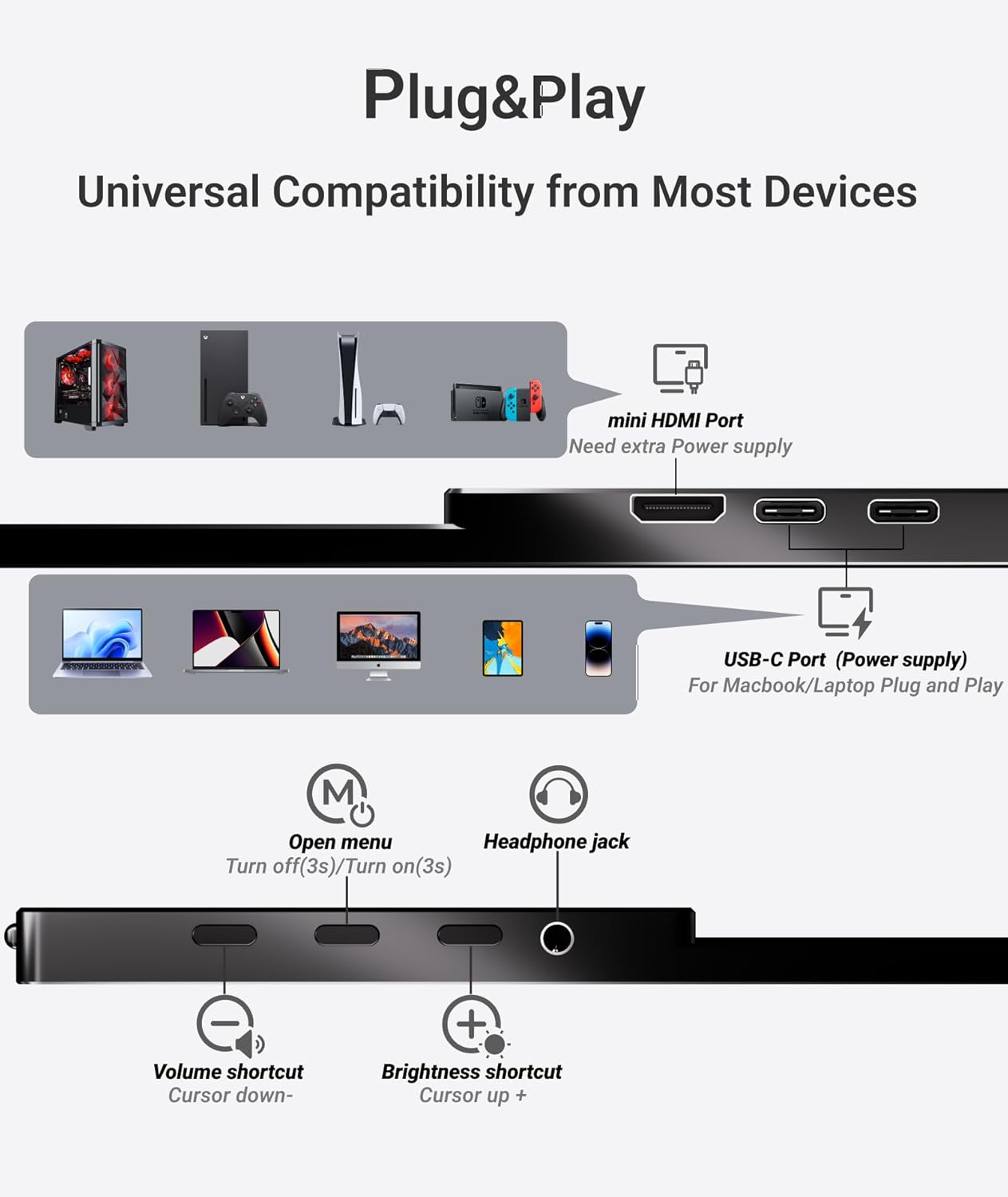
Зображення: Детальний view of the monitor's ports and control buttons, including USB-C, Mini HDMI, headphone jack, and OSD controls.
4. Налаштування
4.1. Using the Magnetic Cover Stand
The included magnetic cover doubles as a stand, offering flexible viewing angles. To set up the stand:
- Place the monitor on a flat surface with the screen facing up.
- Attach the magnetic cover to the back of the monitor.
- Fold the cover into a triangular shape to create a stable stand.
- Adjust the folds to achieve your desired viewкут.

Image: Visual instructions demonstrating how to configure the magnetic cover into a stable stand for the monitor.
Video: An official Ingnok video demonstrating the proper way to set up and use the monitor's magnetic cover as a stand.
4.2. Підключення до пристроїв
Монітор пропонує різноманітні варіанти підключення:
- USB-C Connection (Single Cable): For devices with a full-feature USB-C port (e.g., modern laptops, MacBooks, some smartphones). Connect one end of the USB-C to USB-C cable to your device and the other end to either of the monitor's USB-C ports. This single connection provides both power and video signal.
- HDMI Connection (Dual Cables): For devices with an HDMI output (e.g., older laptops, PCs, gaming consoles like Switch/PS5). Connect the Mini HDMI to HDMI cable from your device to the monitor's Mini HDMI port. Additionally, connect the USB-A to USB-C cable from a power source (e.g., your device's USB-A port or a wall adapter) to one of the monitor's USB-C ports for power.

Image: The portable monitor set up next to a laptop, demonstrating an extended display configuration.
5. Експлуатація монітора
5.1. Режими відображення
Once connected, your device should automatically detect the monitor. You can configure the display mode through your device's operating system settings:
- Розширений режим: Uses the portable monitor as an additional screen, allowing you to multitask across two displays.
- Режим дублювання: Mirrors your primary screen's content onto the portable monitor.
5.2. Adjusting Settings (OSD Menu)
Use the control buttons on the side of the monitor to access and navigate the On-Screen Display (OSD) menu. Here you can adjust various settings:
- Яскравість/Контрастність: Adjust the screen's luminance and contrast levels.
- Параметри кольору: Точне налаштування колірної температури, відтінку та насиченості.
- Параметри звуку: Control the volume of the built-in speakers or connected headphones.
- Інші налаштування: Access additional display and system options.

Зображення: Моніторна виставкаasing its FHD 1080P resolution, 1200:1 contrast ratio, 300 cd/m² brightness, and 178° viewing angle for optimal visual quality.
5.3. Вбудовані динаміки
The monitor includes built-in stereo speakers for audio output. You can also connect external headphones via the 3.5mm headphone jack for private listening.

Image: The monitor highlighting its integrated stereo speakers and headphone jack for versatile audio options.
6. Технічне обслуговування
To ensure the longevity and optimal performance of your Ingnok portable monitor, follow these maintenance guidelines:
- Прибирання: Use the provided cleaning cloth or a soft, lint-free cloth to gently wipe the screen. For stubborn smudges, lightly dampПротріть тканину водою або засобом для чищення екранів. Уникайте агресивних хімікатів або абразивних матеріалів.
- Обробка: Always handle the monitor by its edges. Avoid applying pressure directly to the screen.
- Зберігання: When not in use, store the monitor in its magnetic cover to protect the screen from scratches and impacts. Keep it in a cool, dry place away from direct sunlight and extreme temperatures.
7. Вирішення проблем
If you encounter issues with your Ingnok portable monitor, refer to the following common solutions:
- Немає сигналу / Чорний екран:
- Ensure all cables are securely connected to both the monitor and your device.
- If using HDMI, confirm the USB-C power cable is also connected to a power source.
- Check your device's display settings to ensure the monitor is detected and configured correctly (e.g., Extend or Duplicate mode).
- Try a different cable or port on your device if available.
- Без звуку:
- Increase the monitor's volume using the control buttons.
- Check your device's audio output settings to ensure the Ingnok monitor is selected.
- If using headphones, ensure they are properly plugged into the headphone jack.
- Display Not Bright Enough:
- Adjust the brightness settings via the monitor's OSD menu.
- Ensure the monitor is receiving sufficient power, especially if using a single USB-C cable with a low-power device.
If these steps do not resolve the issue, please contact Ingnok customer support for further assistance.
8. Технічні характеристики
| Розміри продукту | 15.51 x 9.92 x 2.8 дюймів |
| Вага товару | 3.22 фунта |
| Номер моделі товару | YN02B |
| Розмір дисплея стоячого екрана | 15.6 дюймів |
| Співвідношення сторін | 16:9 |
| роздільна здатність | 1920 x 1080 пікселів (FHD 1080p) |
| Яскравість зображення | 300 Кандела |
| Загальна кількість портів USB | 2 |
| Опис поверхні екрана | Матовий |
9. Гарантія та підтримка
Ingnok is committed to providing excellent customer service and product reliability:
- Lifetime Unlimited Warranty: Your Ingnok portable monitor is covered by a lifetime unlimited warranty.
- Довічна підтримка клієнтів: The Ingnok team is available to answer your questions and provide guidance throughout your product journey.
- No Worry Return/Replacement: Ingnok offers a hassle-free return and replacement policy.
- Free Accessories: Enjoy complimentary accessories with your purchase.
For any inquiries or support needs, please refer to the contact information provided on the product packaging or the official Ingnok webсайт.
Ask a question about this manual
Ask about setup, troubleshooting, compatibility, parts, safety, or missing instructions. Manuals+ will review the question and use this page’s manual context to help answer it.