
youkey P320
youkey P320 Wi-Fi Outdoor Camera
Інструкція з експлуатації
вступ
This manual provides detailed instructions for the installation, operation, and maintenance of your youkey P320 Wi-Fi Outdoor Camera. Please read this manual thoroughly before using the product to ensure proper function and safety. The youkey P320 is designed to provide reliable outdoor surveillance with advanced features such as 2.5K resolution, Color24 enhanced night vision, and AI-powered detection.
Що в коробці
Перш ніж продовжувати встановлення, перевірте наявність усіх компонентів.
- youkey P320 Wired Wire-free Outdoor Camera
- Адаптер живлення
- Монтажні гвинти та дюбелі
- Інструкція з експлуатації (цей документ)
Продукт закінченийview
The youkey P320 camera features a robust design suitable for outdoor environments, equipped with a powerful lens and integrated spotlight for enhanced visibility.

малюнок 1: youkey P320 Wi-Fi Outdoor Camera. This image shows the front view of the white bullet-style camera with its lens and integrated spotlight.
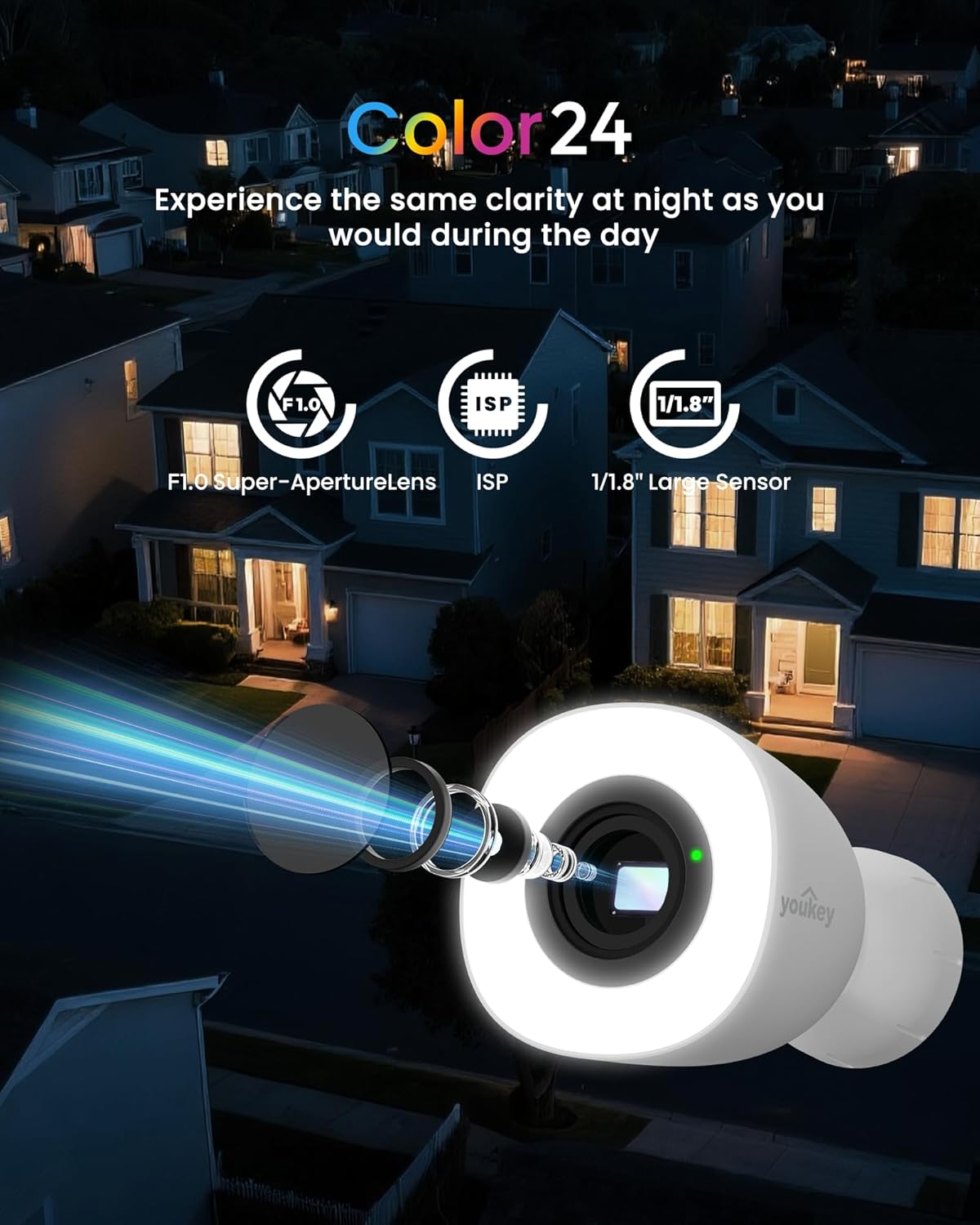
малюнок 2: Color24 Night Vision Technology. An exploded view of the camera lens assembly highlighting the F1.0 Super-Aperture Lens, ISP, and 1/1.8" Large Sensor, illustrating how these components contribute to clear night vision.

малюнок 3: Adjustable Spotlight for Yard Lighting. This image displays the camera's spotlight illuminating a house entrance, with sliders indicating adjustable light brightness and color temperature settings.

малюнок 4: 2.5K QHD Resolution Comparison. A side-by-side comparison showing the superior clarity of 2.5K QHD (4 Megapixels) video capture versus 1080p FHD (2 Megapixels) in a home setting.
Налаштування
1. Увімкнення
Connect the provided power adapter to the camera and plug it into a standard electrical outlet. The camera will power on automatically.
2. Встановлення та сполучення програм
Download the official youkey app from your smartphone's app store (iOS or Android). Follow the in-app instructions to add your new camera. The camera supports dual-band 2.4GHz and 5GHz Wi-Fi 6 for stable connectivity and features Bluetooth for quick pairing.

малюнок 5: Easy Setup with Wi-Fi 6 and Bluetooth. An illustration showing a smartphone displaying a "Link Successful" message next to the camera, indicating successful pairing via Wi-Fi 6 and Bluetooth.
3. Фізичне встановлення
Choose a suitable outdoor location for mounting the camera. Ensure the area provides a clear view and is within Wi-Fi range. Use the included mounting screws to securely attach the camera to a wall or other stable surface. The camera is IP67 rated for weather resistance and includes a 16-ft cable (9.8 ft main + 6.5 ft extension) for flexible installation.
Операція
1. Жити View і Запис
Access the live feed from your camera through the youkey app. You can initiate manual recordings or rely on the 24/7 continuous recording feature (with an installed microSD card).
2. Night Vision and Spotlight Control
The camera automatically switches to Color24 enhanced night vision in low-light conditions, providing full-color images. The integrated 300-lumen spotlight can be adjusted for brightness and color temperature (3000K to 5000K) via the app. It offers three modes: Off, Auto (activates on motion), and Fixed (always on).
3. AI Human/Vehicle Detection
Utilize the NeuraMind On-Device Smart AI Detection to receive real-time alerts for motion, people, and vehicles. This local processing minimizes false alarms. You can also set up customizable detection zones and privacy zones within the app to focus on specific areas and protect sensitive regions.

малюнок 6: NeuraMind Smart AI Detection. This image illustrates the camera's AI capabilities, detecting and highlighting a person, a vehicle, and a pet within its field of view.
4. Two-Way Audio and Alarm
Use the two-way talk feature to communicate with visitors or deter intruders. The camera also features a sound and light alarm that can be triggered manually or automatically upon detection.

малюнок 7: Sound and Light Alarm. A visual representation of the camera emitting red sound waves and a bright light, with a speech bubble saying "Get away!" to deter an approaching figure.
5. Інтеграція «Розумний дім».
The youkey P320 is compatible with Amazon Alexa and Google Home. You can stream live feeds to compatible devices like Echo Shows or Google Displays and use voice commands for control.
Параметри зберігання
The youkey P320 offers flexible storage solutions for your recordings.
1. Локальне сховище (карта MicroSD)
The camera supports local storage via a microSD card (not included) up to 256GB. This allows for 24/7 continuous recording without monthly fees. Insert the microSD card into the designated slot on the camera.

малюнок 8: Micro SD Card Slot. A close-up view of the camera's side, showing the slot for inserting a 256GB microSD card, with icons for Cloud Storage and Local Storage (Up to 256GB, Not Included).
2. Хмарне сховище
Optional cloud storage plans may be available through the youkey app for additional backup and accessibility. Refer to the app for details on subscription options.
Технічне обслуговування
- Прибирання: Обережно протріть об'єктив і корпус камери м'якою губкоюamp тканина. Уникайте використання агресивних хімікатів або абразивних матеріалів.
- Оновлення прошивки: Regularly check the youkey app for available firmware updates to ensure optimal performance and access to new features.
- Перевірка кабелю: Periodically inspect the power cable for any signs of wear or damage, especially in outdoor environments.
Усунення несправностей
| проблема | Можлива причина | Рішення |
|---|---|---|
| Камера не вмикається | Адаптер живлення не підключено; проблема з розеткою. | Ensure power adapter is securely connected and the outlet is functional. Try a different outlet. |
| Неможливо підключитися до Wi-Fi | Incorrect Wi-Fi password; camera too far from router; router settings. | Verify Wi-Fi password. Move camera closer to router. Ensure router supports 2.4GHz/5GHz and is not blocking new devices. Restart router and camera. |
| Погана якість відео вночі | Lens obstruction; insufficient ambient light for Color24. | Clean the camera lens. Ensure the spotlight is enabled or adjust its brightness. |
| Часті помилкові тривоги | Detection sensitivity too high; unoptimized detection zones. | Adjust detection sensitivity in the app. Configure detection zones to exclude areas with frequent irrelevant motion (e.g., trees swaying). |
| Карта MicroSD не записує | Картка заповнена; картка не відформатована; несумісна картка. | Format the microSD card via the app. Ensure the card is Class 10 or higher and within the supported capacity (up to 256GB). |
Технічні характеристики
| Назва моделі | P320 |
| Бренд | тиключ |
| Використання в приміщенні/зовні | Відкритий |
| Технологія підключення | Wireless (Wi-Fi 6, Bluetooth) |
| Джерело живлення | Провідний електричний |
| Роздільна здатність захоплення відео | 2.5K QHD (4 МП) |
| Viewкут нахилу | 130 градусів |
| Діапазон нічного бачення | 33 Feet (Color24 Night Color) |
| Підтримка зберігання | Карта MicroSD до 256 ГБ (не входить до комплекту) |
| Стійкість до погодних умов | IP67 Водонепроникний |
| Робоча температура | Від -4°F до 122°F (від -20°C до 50°C) |
| Розміри (Д x Ш x В) | 3.16 x 4.96 x 3.16 дюймів |
| Вага товару | 1.65 фунта |
| Особливості | NeuraMind AI Detection (Motion/Person/Vehicle/Pet/Sound), 2-Way Audio, Dual Band WiFi 6, Color24 Night Vision, Adjustable Spotlight |
Гарантія та підтримка
For warranty information, please refer to the product packaging or the official youkey website. For technical support, product inquiries, or assistance with troubleshooting, please contact youkey customer support:
- Електронна адреса служби підтримки: support@youkey.com
- Лінія підтримки: +1 888-555-3333 (Example number, please refer to official documentation for actual number)
- Інтернет-ресурси: Visit the youkey official webсайт із поширеними запитаннями, оновленими посібниками та завантаженням програмного забезпечення.
Пов'язані документиP320


Ask a question about this manual
Ask about setup, troubleshooting, compatibility, parts, safety, or missing instructions. Manuals+ will review the question and use this page’s manual context to help answer it.