
вступ
Welcome to your Akozon Mini Theremin Musical Instrument Kit. This manual provides essential information for setting up, operating, and maintaining your device. Please read these instructions carefully before use to ensure optimal performance and longevity of your instrument.
Продукт закінченийview
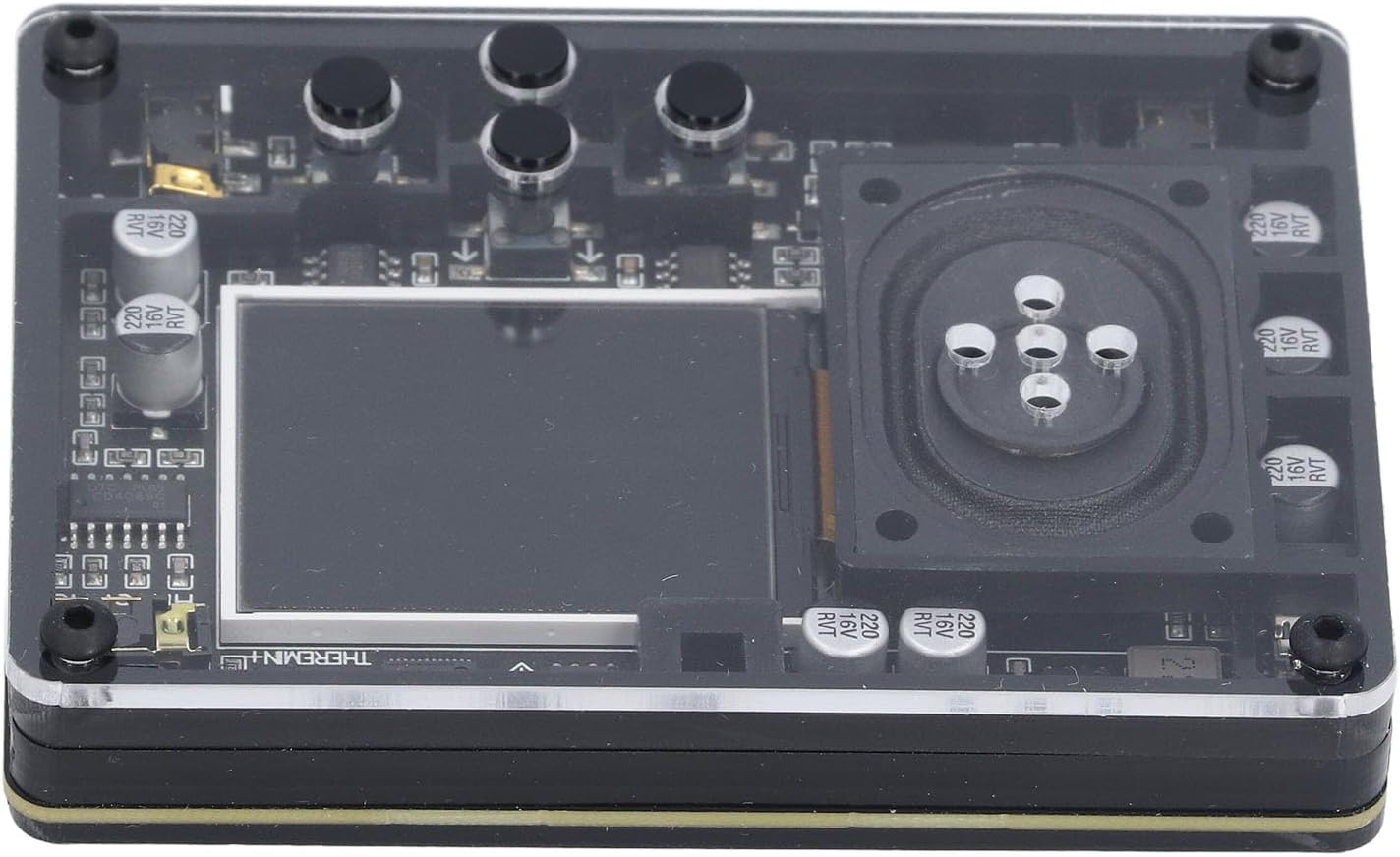
The Akozon Mini Theremin is a compact musical instrument designed for creating unique sounds through electromagnetic fields. It features an interactive screen display, adjustable tuning, and a variety of instrument types and tones, offering a versatile musical experience.
- Adjustable tuning settings for diverse sound creation.
- Compact and portable design for use anywhere.
- Interactive screen display provides real-time feedback.
- Detailed display information includes waveform, timing, frequency, volume, and corresponding piano pitch (display can be disabled).
- Offers 20 distinct instrument types and 70 tones.
- Conveniently powered via a Type-C USB interface.
Вміст упаковки
Будь ласка, перевірте, чи всі перелічені нижче предмети входять до вашої упаковки:
- 1 x Theremin Module
- 1 x USB-кабель типу C
- 2 х антени
- 1 x Посібник користувача (цей документ)

Інструкції з налаштування
Підключення антен
The Theremin operates using two antennas, which are crucial for detecting hand movements to control pitch and volume.
- Locate the two antenna ports on the side of the Theremin module.
- Carefully insert each antenna into its respective port. Ensure they are securely connected to prevent signal loss.

Живлення пристрою
The Theremin is powered via a standard Type-C USB interface.
- Connect the provided Type-C USB cable to the Theremin's Type-C port.
- Підключіть інший кінець USB-кабелю до сумісного USB-джерела живлення (наприклад, USB-порту комп’ютера, USB-адаптера).
- The device will power on automatically once connected to a power source.

Інструкція з експлуатації
Основна операція
The Theremin is played by moving your hands in the air around its antennas. One antenna typically controls pitch, and the other controls volume. Experiment with hand proximity and movement to produce different sounds.
The interactive screen display provides real-time visual feedback on your performance, aiding in control and understanding of the sound output.
Відображення інформації на екрані
The screen can display the following information to assist with your musical endeavors:
- Waveform of the sound being produced.
- Time and Frequency (this display can be turned off if preferred).
- Current Volume level.
- Corresponding Piano Pitch for easy reference.
Use the control buttons located near the screen to navigate menus and adjust display settings according to your preference.
Adjusting Tones and Instrument Types
The device offers a wide range of sonic possibilities with 20 different instrument types and 70 tones.
Refer to the on-screen menu for options to select and adjust these settings. This allows you to customize your sound and explore various musical textures.
Технічне обслуговування
прибирання
To maintain the appearance and functionality of your Theremin, use a soft, dry cloth to gently clean the exterior. Avoid using liquid cleaners, solvents, or abrasive materials, as these can damage the device's surface or internal components.
Зберігання
Store the device in a cool, dry place away from direct sunlight, high humidity, and extreme temperatures. For extended storage periods, it is recommended to disconnect the antennas and the power cable.
Усунення несправностей
Немає виходу звуку
- Перевірка живлення: Ensure the device is properly powered on and the Type-C USB cable is securely connected to a working power source.
- Підключення антени: Verify that both antennas are securely inserted into their respective ports. Loose connections can prevent proper operation.
- Налаштування гучності: Check that the volume settings on the device are not set to minimum or muted.
- Положення руки: Confirm your hands are positioned correctly near the antennas. The Theremin requires specific hand movements to generate sound.

Дисплей не працює
- Джерело живлення: Ensure the device is receiving power.
- Налаштування дисплею: Check if the display has been intentionally turned off via the device's settings menu.
- Постійна проблема: If the display remains unresponsive after checking the above, contact customer support for further assistance.
Технічні характеристики
| Особливість | Деталь |
|---|---|
| Номер моделі товару | Akozon7pkyecr5di |
| Вага товару | 8.2 унції |
| Розміри упаковки | 6.69 x 6.3 x 1.97 дюймів |
| Джерело живлення | Інтерфейс типу C |
| Типи інструментів | 20 |
| Тони | 70 |
| Показати вміст | Waveform, time and frequency (can be turned off), volume and corresponding piano pitch |
| Потрібні батареї | немає |
Гарантія та підтримка
Інформація про гарантію
This product comes with a standard manufacturer's warranty. Please refer to the warranty card or documentation included in your package for specific terms, conditions, and duration of the warranty.
Підтримка клієнтів
For technical assistance, troubleshooting not covered in this manual, or warranty claims, please contact Akozon customer support. You can find more information and contact details by visiting the official Akozon store on Amazon: