
1. Вступ
Thank you for choosing the Motast 1.96" HD Smart Watch. This manual provides essential information for setting up, operating, and maintaining your device. Please read it thoroughly to ensure optimal performance and a satisfying user experience.
2. Продукт закінчивсяview
The Motast Smart Watch features a 1.96-inch HD display, Bluetooth calling capabilities, and comprehensive health and fitness tracking. It is designed to be a versatile companion for daily activities and sports.
Ключові характеристики:
- 1.96" HD Touch Screen: Clear visuals and responsive interaction.
- Bluetooth Call & Notifications: Answer/make calls and receive alerts from your smartphone.
- 110+ спортивних режимів: Track various indoor and outdoor activities.
- Цілодобовий моніторинг здоров'я: Heart Rate, SpO2, and Sleep tracking.
- Водонепроникність IP68: Suitable for daily use, including hand washing and rain.
- Тривалий термін служби батареї: Up to 7 days of daily use, 30 days standby.
- Настроювані циферблати: Personalize your watch face with 200+ options or your own photos.

Малюнок 1: Закінченоview of the multifunctional features of the Motast Smart Watch.
3. Що в коробці
- Розумний годинник x1
- Зарядний кабель x1
- Інструкція з експлуатації x1

Figure 2: Package contents and watch dimensions.
4. Налаштування
4.1 Завантаження та сполучення застосунків
- Завантажити "GloryFit" App from Google Play Store (for Android) or Apple App Store (for iOS).
- Переконайтеся, що Bluetooth увімкнено на вашому смартфоні.
- Open the GloryFit App and follow the on-screen instructions to search for and bind your device (e.g., "Y66").
4.2 Bluetooth Calling Function Setup
- After successfully binding your watch to the GloryFit App, open the Bluetooth Call feature within the app.
- On your watch, open the Bluetooth Call menu.
- Find and connect to "Y66" in your phone's Bluetooth settings.
- Once connected, you can use your watch to answer and make calls.

Figure 3: Connection and Bluetooth calling setup guide.
Video 1: Demonstrates the 1.96" HD Smart Watch features, including answering and making calls, for men and women.
Video 2: Shows the Smart Watch's ability to answer and make calls.
5. Інструкція з експлуатації
5.1 Основна навігація
The watch features a full touch screen. Swipe left, right, up, or down to navigate through menus and access different functions. Press the side button to return to the home screen or wake the device.
5.2 Налаштування циферблатів годинника
The Motast Smart Watch offers over 200 watch faces through the GloryFit App. You can also upload your own photos to create personalized watch faces directly from your phone gallery.

Figure 4: Customizable watch faces and 1.96" HD color touch screen details.

Figure 5: Extensive collection of watch faces and DIY options.
5.3 Моніторинг здоров'я
- Монітор серцевого ритму: Continuously tracks your heart rate 24/7. Access detailed trends in the GloryFit App.
- SpO2 (Blood Oxygen) Monitor: Вимірює рівень кисню у вашій крові.
- Відстеження сну: Monitors your sleep patterns (deep sleep, light sleep, awake time) and provides analysis to help improve sleep quality.

Figure 6: Health monitoring features including heart rate, SpO2, and sleep tracking.

Figure 7: Detailed heart rate monitoring interface.

Figure 8: Blood oxygen monitoring interface.

Figure 9: Sleep tracking data and analysis.
5.4 Спортивні режими та відстеження активності
The watch supports over 110 sports modes. It tracks all-day activity data including steps, calories burned, and distance. Connect to your phone's GPS to track outdoor workout routes.

Figure 10: Sports modes and activity tracking interface.

Малюнок 11: Детально view of sports modes and activity tracking.
Video 3: Demonstrates the features of the Aycy Smart Watch, including fitness tracking.
5.5 Сповіщення
Receive intelligent notifications from apps like Facebook, Messenger, Instagram, Gmail, WhatsApp, and Twitter directly on your watch. Raise your wrist to view повідомлення.

Figure 12: Bluetooth call and message notification display.

Figure 13: Message notification feature from connected apps.
5.6 Керування музикою
Керуйте відтворенням музики на своєму смартфоні безпосередньо з годинника.
5.7 Керування камерою
Use your watch as a remote shutter to control your smartphone's camera.
5.8 Інші функції
The watch includes additional practical functions:
- Будильник: Встановіть кілька будильників.
- Таймер і секундомір: Для різних потреб у визначенні часу.
- Відображення погоди: Отримуйте оновлення погоди в режимі реального часу.
- Голосовий помічник: Взаємодійте з голосовим помічником вашого телефону.
- Сидячий нагадування: Спонукає вас рухатися після періодів бездіяльності.
- Жіноче здоров'я: Specific tracking features for women.
- Тренування дихання: Керовані дихальні вправи.

Figure 14: Additional practical functions of the smartwatch.

Figure 15: Weather, music, camera, alarm, and voice assistant features.
Video 4: Instructions on how to turn off music playing on the P66D Smart Watch.
6. Акумулятор і зарядка
The Motast Smart Watch is equipped with a large-capacity battery, providing approximately 5-7 days of daily use and up to 30 days on standby mode. Charging takes 1.5-2 hours using the magnetic charging cable provided.
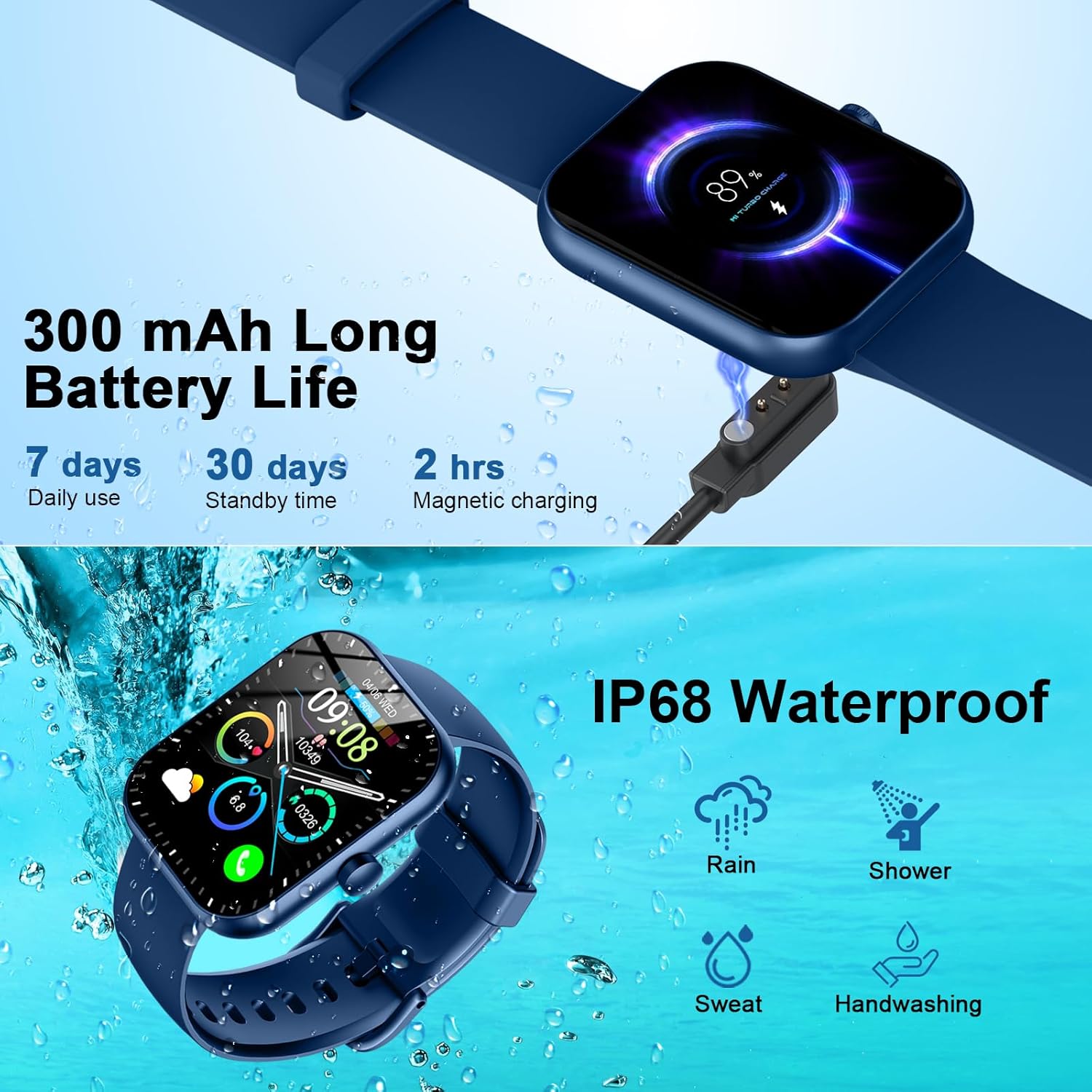
Figure 16: Battery life and magnetic charging details.

Figure 17: Battery capacity and charging method.
7. Гідроізоляція
The smartwatch is IP68 waterproof, meaning it is resistant to dust and can withstand immersion in water up to 1.5 meters for 30 minutes. You can wear it while washing hands or in the rain. Примітка: Do not use in showers, saunas, or hot tubs, as steam and hot water can damage the device.
Figure 18: IP68 Waterproof rating for the smartwatch.
8. Технічне обслуговування
- Keep the watch clean and dry. Wipe it with a soft, dry cloth regularly.
- Уникайте тривалого перебування годинника під екстремальними температурами або прямими сонячними променями.
- Do not attempt to disassemble or repair the watch yourself. Contact customer support if issues arise.
- Ensure the charging contacts on the back of the watch and the charging cable are clean to prevent charging issues.
9. Вирішення проблем
- Годинник не вмикається: Переконайтеся, що годинник повністю заряджений. Підключіть його до магнітного зарядного пристрою щонайменше на 30 хвилин.
- Не вдається підключитися до телефону: Make sure Bluetooth is enabled on your phone and the watch is within range. Restart both devices and try pairing again through the GloryFit App.
- Не отримано сповіщень: Check app notification settings on your phone and within the GloryFit App to ensure they are enabled for the watch. Ensure the watch is connected via Bluetooth.
- Неточні дані про стан здоров'я: Переконайтеся, що годинник щільно прилягає до зап'ястя, не надто туго і не надто вільно. Тримайте сенсор чистим.
- Проблеми із зарядкою: Verify the magnetic charging cable is properly aligned with the contacts on the back of the watch. Try a different USB power source.
10. Технічні характеристики
| Особливість | Деталь |
|---|---|
| Номер моделі | 6db02fca-707d-49d2-b627-85fa94df7f3f |
| Розмір екрана | 1.96 дюймів |
| Тип дисплея | TFT HD Color Display (320*386 resolution) |
| Підключення | Bluetooth 5.3 |
| Рейтинг водонепроникності | IP68 |
| Ємність акумулятора | 300 mAh (1 A battery included) |
| Час зарядки | 1.5-2 годин |
| Термін служби батареї (щоденне використання) | 5-7 днів |
| Термін служби батареї (в режимі очікування) | 30 днів |
| Сумісність | Android 6.0+ / iOS 10.0+ |
| Вага товару | 3.2 унції |
| Виробник | Мотаст |
11. Гарантія та підтримка
For warranty information and customer support, please refer to the contact details provided in your product packaging or visit the official Motast webсайт. Зберігайте чек про покупку для гарантійних претензій.