
1. Вступ
This manual provides detailed instructions for the installation, operation, and maintenance of your Olvy 10.26-inch Wireless CarPlay & Android Auto Display. Please read this manual thoroughly before using the device to ensure proper functionality and safety. This device is designed to enhance your driving experience with seamless smartphone integration, navigation, and entertainment features.
2. Особливості продукту
- Бездротове підключення: Supports Wireless Apple CarPlay and Android Auto for hands-free operation.
- Large Touchscreen: 10.26-inch Full HD display for clear visibility and responsive interaction.
- Задня View Підтримка камери: Integrates with a rear view камера для підвищення безпеки паркування.
- Функціональність дзеркального посилання: Allows mirroring of smartphone content (Android Cast & AirPlay iOS) to the display.
- Голосове керування: Compatible with Siri and Google Assistant for voice-activated commands.
- Multiple Audio Output Options: Connects via Bluetooth, AUX, FM Transmitter, or built-in speakers.
- GPS-навігація: Вбудований GPS для надійної навігації.
- Відтворення мультимедіа: Supports online and offline music/video playback.
- USB зарядка: Extra USB port for phone charging during CarPlay use.
- Широка сумісність: Works with various car brands.
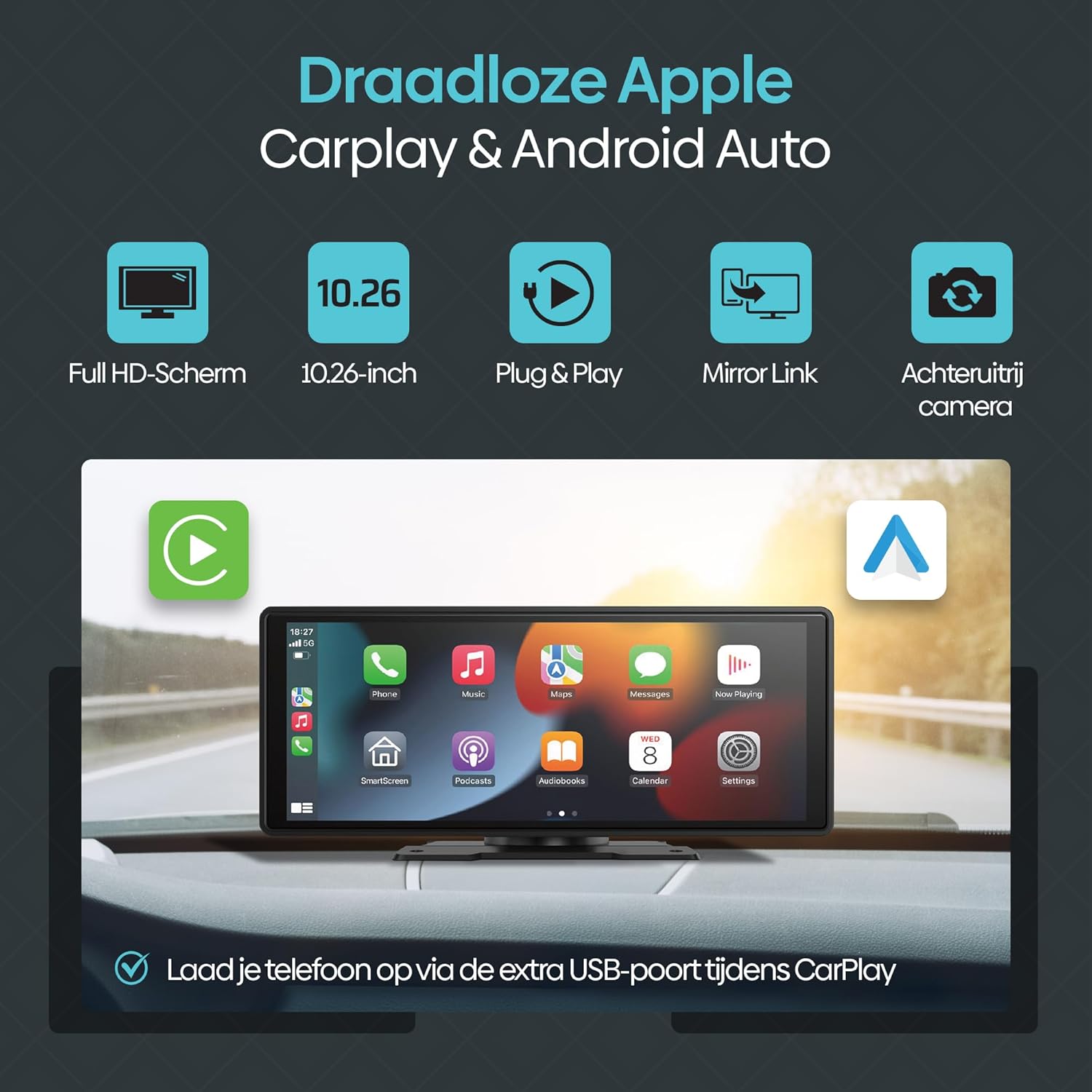
Малюнок 2.1: Закінченоview of Olvy CarPlay Display key features including Full HD screen, 10.26-inch size, plug & play functionality, mirror link, rear view camera support, and USB charging.

Figure 2.2: The display supports voice control and GPS navigation, showing common app icons for a safer driving experience.

Figure 2.3: Key benefits of the Olvy CarPlay Display, highlighting its full touchscreen, screen projection capabilities, easy installation, media playback, integrated navigation and entertainment, included 64GB SD card and rear camera, and combined CarPlay with charging functionality.
3. Що в коробці
The Olvy CarPlay Display package includes the following components:
- Olvy 10.26-inch Touchscreen Display
- Задня View Камера
- Шнур живлення (для підключення до прикурювача)
- Кріплення присоски
- SD-карта на 64 ГБ
- 3-метровий AUX-кабель
- Self-adhesive Mount
- Посібник користувача
- Luxe Packaging Box

Figure 3.1: All components included in the Olvy CarPlay Display package.
4. Налаштування та встановлення
The Olvy CarPlay Display offers flexible installation options to suit your vehicle's interior.
4.1 Монтаж дисплея
You can choose between a suction cup mount or a self-adhesive mount. Ensure the mounting surface is clean and dry for optimal adhesion. Position the display to ensure clear visibility without obstructing your view дороги.

Figure 4.1: Various ways to install the Olvy CarPlay Display in a vehicle.
4.2 Підключення живлення
Connect the provided power cord to the display and plug the other end into your vehicle's cigarette lighter socket. The device is designed for easy plug-and-play operation.
4.3 Задня частина View Встановлення камери (необов'язково)
If using the rear view camera, connect it to the designated input on the display. For automatic activation, the camera typically needs to be wired to your vehicle's reverse lights. Refer to the camera's specific instructions for detailed wiring.
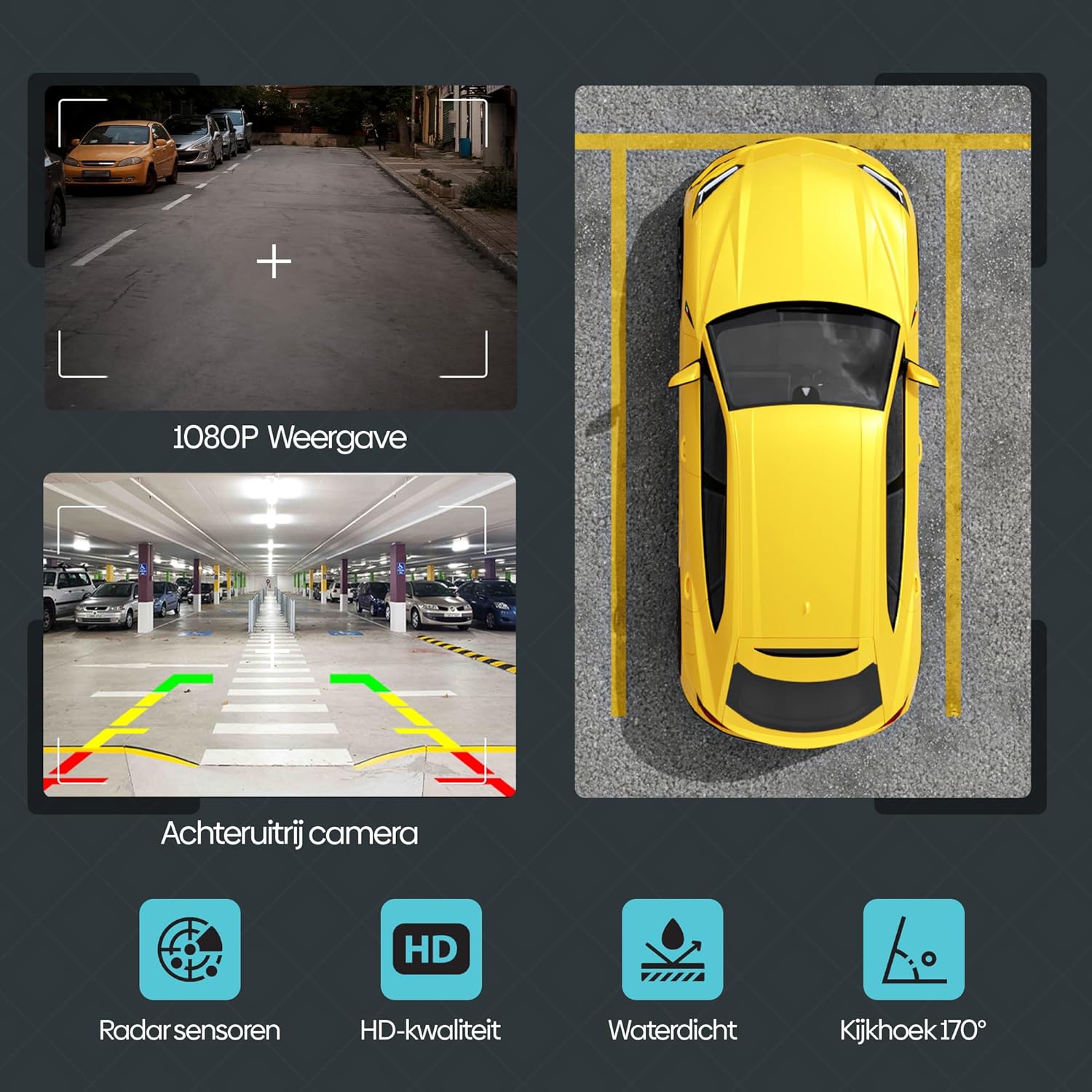
Малюнок 4.2: Задня частина view camera features, including 1080P display, radar sensors, HD quality, waterproofing, and a 170-degree viewкут.
5. Інструкція з експлуатації
5.1 Бездротовий CarPlay та Android Auto
Щоб підключити смартфон бездротовим способом:
- Переконайтеся, що Bluetooth і Wi-Fi увімкнено на вашому смартфоні.
- On the Olvy display, navigate to the CarPlay or Android Auto option.
- шукати the display's Bluetooth name (e.g., "SML-BT") on your phone and pair.
- Confirm the pairing on both devices. The display will automatically connect to CarPlay or Android Auto.
5.2 Інтелектуальне голосове керування
Utilize voice commands for navigation, calls, and music playback. Activate your phone's voice assistant (Siri for iOS, Google Assistant for Android) and speak your commands. This feature promotes hands-free and safe driving.
5.3 Wireless Mirror Link (Android Cast & AirPlay iOS)
This feature allows you to mirror your smartphone's screen directly onto the Olvy display. This is ideal for passengers to view videos or other content from a connected phone.

Figure 5.1: Streaming content from a smartphone to the Olvy display using Android Cast or AirPlay iOS.
5.4 Параметри аудіовиходу
The display supports four methods for audio output:
- Вбудовані динаміки: Audio plays directly from the display's integrated speakers.
- Bluetooth: Connect to your car's Bluetooth system for audio output.
- FM-передавач: Передайте аудіо на FM-радіо вашого автомобіля, налаштувавши обидва пристрої на однакову частоту.
- Підключення AUX: Use the provided 3m AUX cable to connect the display to your car's AUX input.
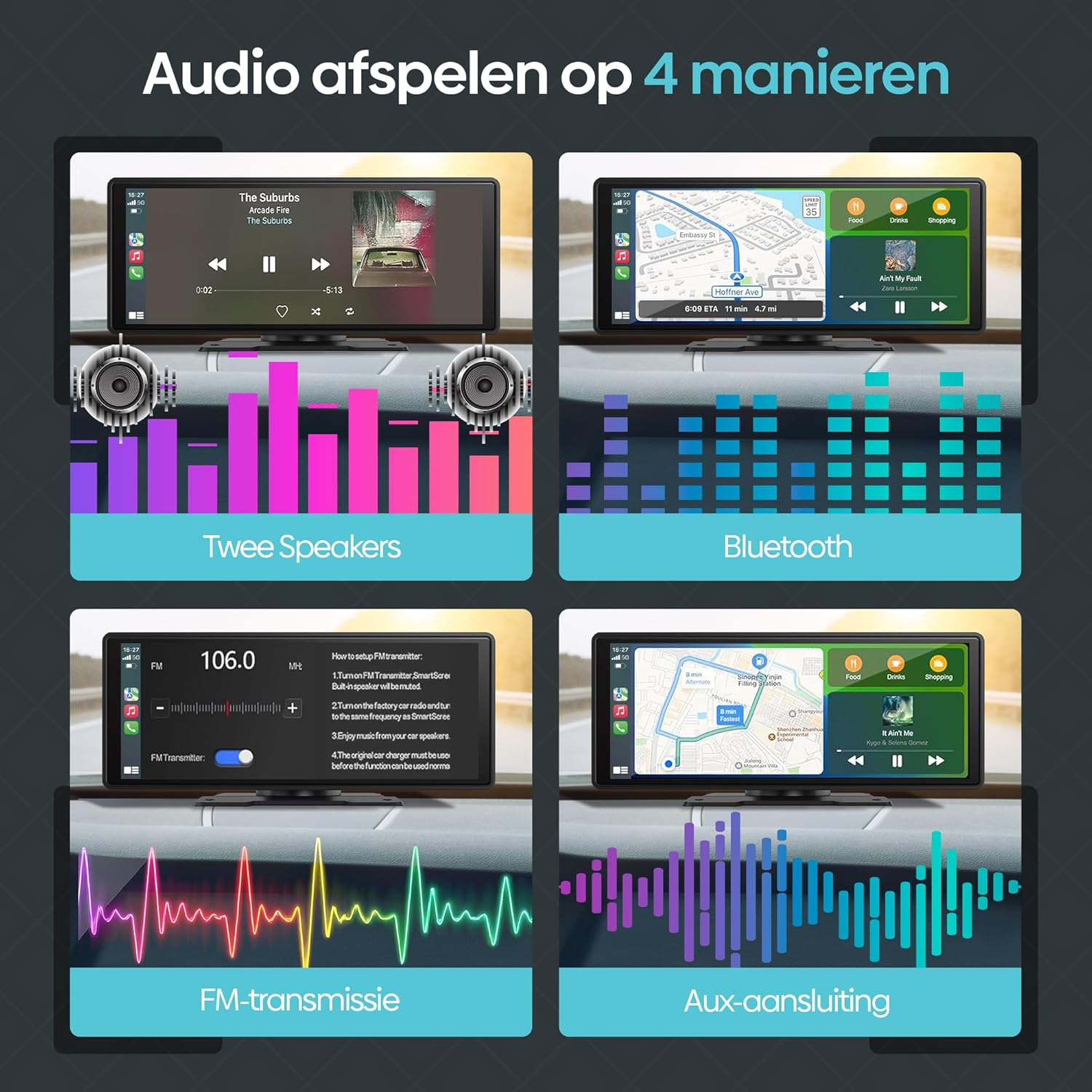
Figure 5.2: Illustration of the four available audio output methods.
5.5 Налаштування та персоналізація
The settings menu allows you to personalize your display experience:
- звук: Adjust equalizer settings (Jazz, Classic, Rock, Pop, Flat) and loudness.
- Налаштування дисплею: Control brightness, contrast, and saturation.
- Шпалери: Choose from various pre-installed wallpapers.
- Збереження екрана: Configure screen saver parameters.
- Основні налаштування: Access options like built-in speaker control, reverse mute, touch calibration, and factory reset.
- годинник: Налаштуйте параметри часу та дати.
- мова: Виберіть потрібну мову.
6. Вирішення проблем
If you encounter issues with your Olvy CarPlay Display, refer to the following common solutions:
- Немає живлення: Ensure the power cord is securely connected to both the display and the car's cigarette lighter. Check the car's fuse for the cigarette lighter socket.
- Проблеми з підключенням Bluetooth/Wi-Fi: Restart both the display and your smartphone. Ensure no other devices are interfering with the connection. Forget and re-pair the device in your phone's Bluetooth settings.
- Без звуку: Verify your selected audio output method (Bluetooth, AUX, FM Transmitter, or built-in speakers) is correctly configured. If using FM Transmitter, ensure the frequency matches your car radio. Check volume levels on both the display and your car stereo.
- Сенсорний екран не реагує: Try restarting the device. If the issue persists, perform a touch calibration from the 'Basic Setup' menu.
- Задня View Камера не відображає: Check all camera connections. Ensure the camera is receiving power and is correctly wired to the reverse lights if automatic activation is desired.
- CarPlay/Android Auto не запускається: Ensure your smartphone's operating system is up to date and compatible. Try connecting with a different USB cable if using a wired connection (though this device primarily supports wireless).
If problems persist, contact Olvy customer support for further assistance.
7. Технічні характеристики
- Розміри продукту (Д x Ш x В): 24 х 9 х 9 см; 1.19 кілограма
- Виробник: Olvy
- Назва моделі: CarPlay Scherm Draadloze (Wireless CarPlay Screen)
- Тип обслуговування автомобіля: автомобіль
- Розмір екрана: 10.26 дюймів
- Особливості: Smart Multimedia, GPS Navigation, Multi-brand Compatibility, Android Auto, Apple CarPlay, Wireless Connectivity, Integrated Bluetooth and Wi-Fi
- Технологія підключення: Bluetooth
- Тип карти: Європа
- Включені компоненти: CarPlay (main unit)
- Режим аудіовиходу: Стерео
- Touchscreen Type: Ємнісні
- Сумісний тип транспортного засобу: автомобіль
- Human Input: Сенсорний екран
- Сумісні пристрої: Smartphone, Television, Game Consoles, Personal Computer
- Метод контролю: Дотик
- Батареї в комплекті: немає
- Supported Satellite Navigation System: GPS
- Кількість одиниць: 1 Всього
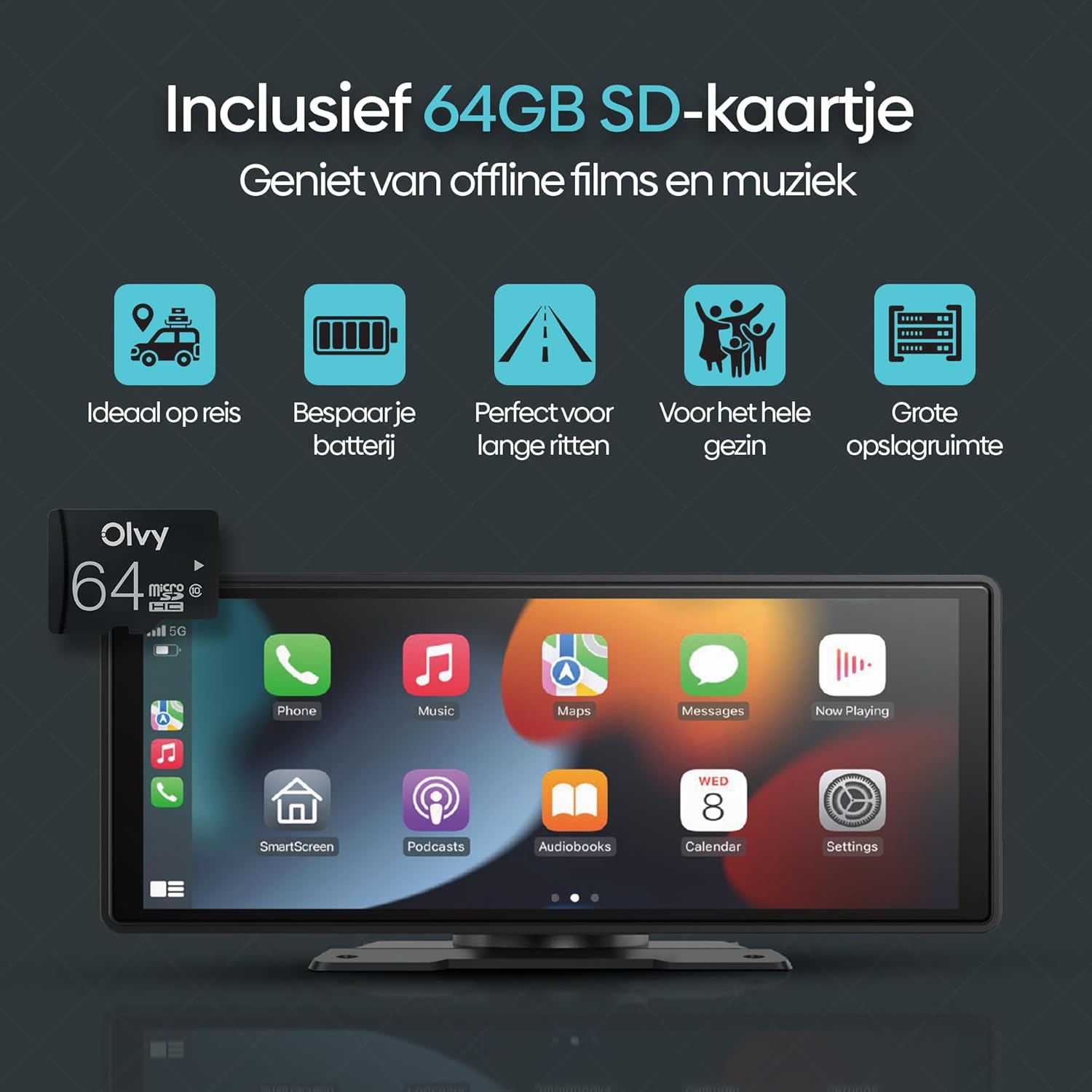
Figure 7.1: Screen size comparison, illustrating the optimal 10.26-inch format for an improved driving experience.
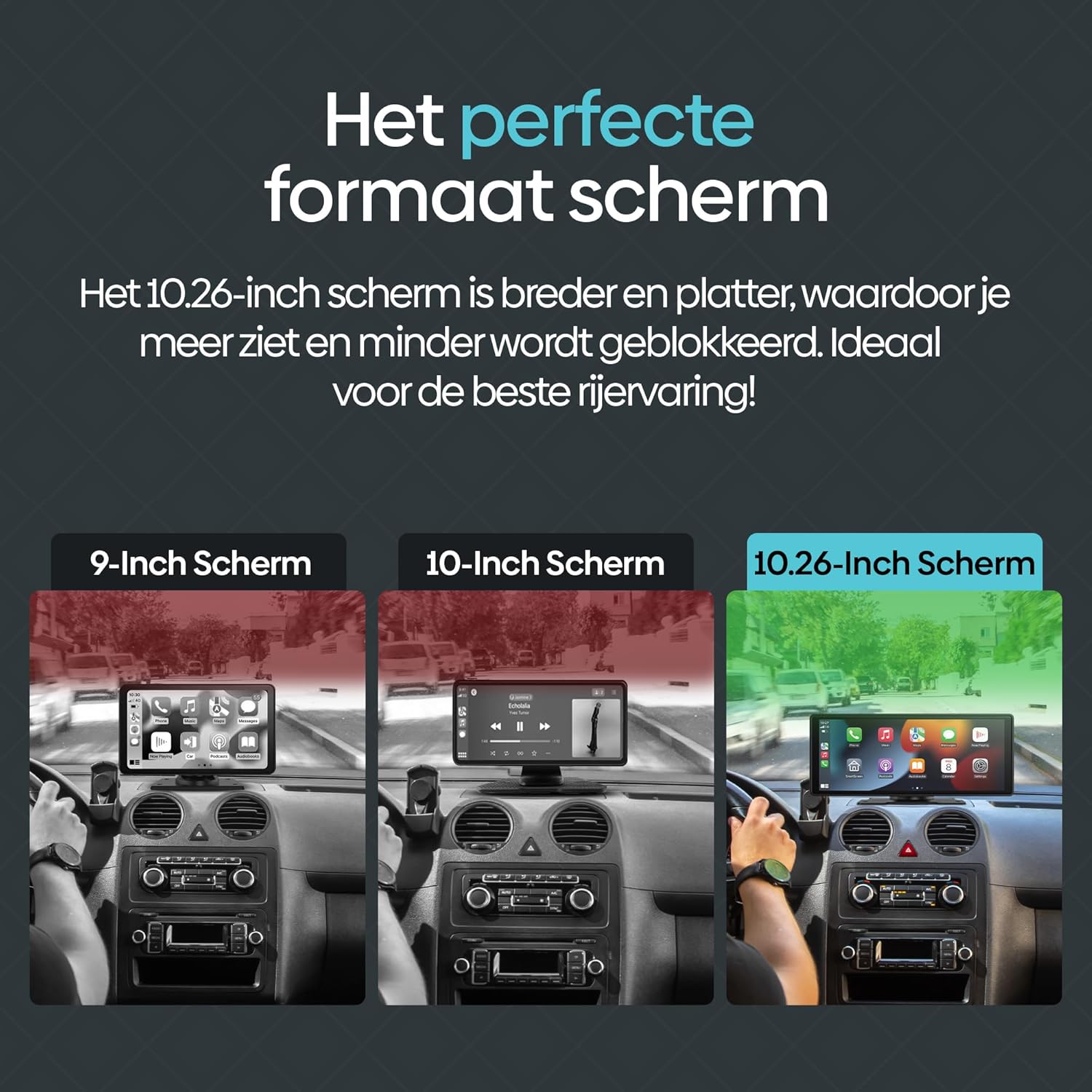
Figure 7.2: The included 64GB SD card allows for offline media playback, enhancing convenience during travel.
8. Технічне обслуговування
To ensure the longevity and optimal performance of your Olvy CarPlay Display, follow these maintenance guidelines:
- Прибирання: Use a soft, dry cloth to clean the screen and exterior. Avoid abrasive cleaners or solvents that could damage the display.
- температура: Avoid exposing the device to extreme temperatures, both hot and cold, as this can affect its performance and lifespan.
- Управління кабелем: Ensure all cables are neatly routed and secured to prevent damage or interference with driving controls.
- Оновлення програмного забезпечення: Periodically check for any available software updates from Olvy to ensure you have the latest features and bug fixes.
9. Гарантія та підтримка
The Olvy CarPlay Display comes with a manufacturer's warranty. Please refer to the warranty information provided in your product packaging for details on coverage and duration. For technical support, troubleshooting assistance, or warranty claims, please contact Olvy customer service through their official webсайт або контактну інформацію, надану в документації до вашого продукту.
Опис гарантії: 1 (This typically refers to a 1-year warranty, but please confirm with the manufacturer's official documentation).