
вступ
This manual provides essential information for the setup, operation, and maintenance of your PowerA Enhanced Wireless Controller, featuring the unique Pikachu vs. Gengar design. This officially licensed controller is designed to enhance your gaming experience on Nintendo Switch, Nintendo Switch Lite, and Nintendo Switch (OLED Model) consoles.
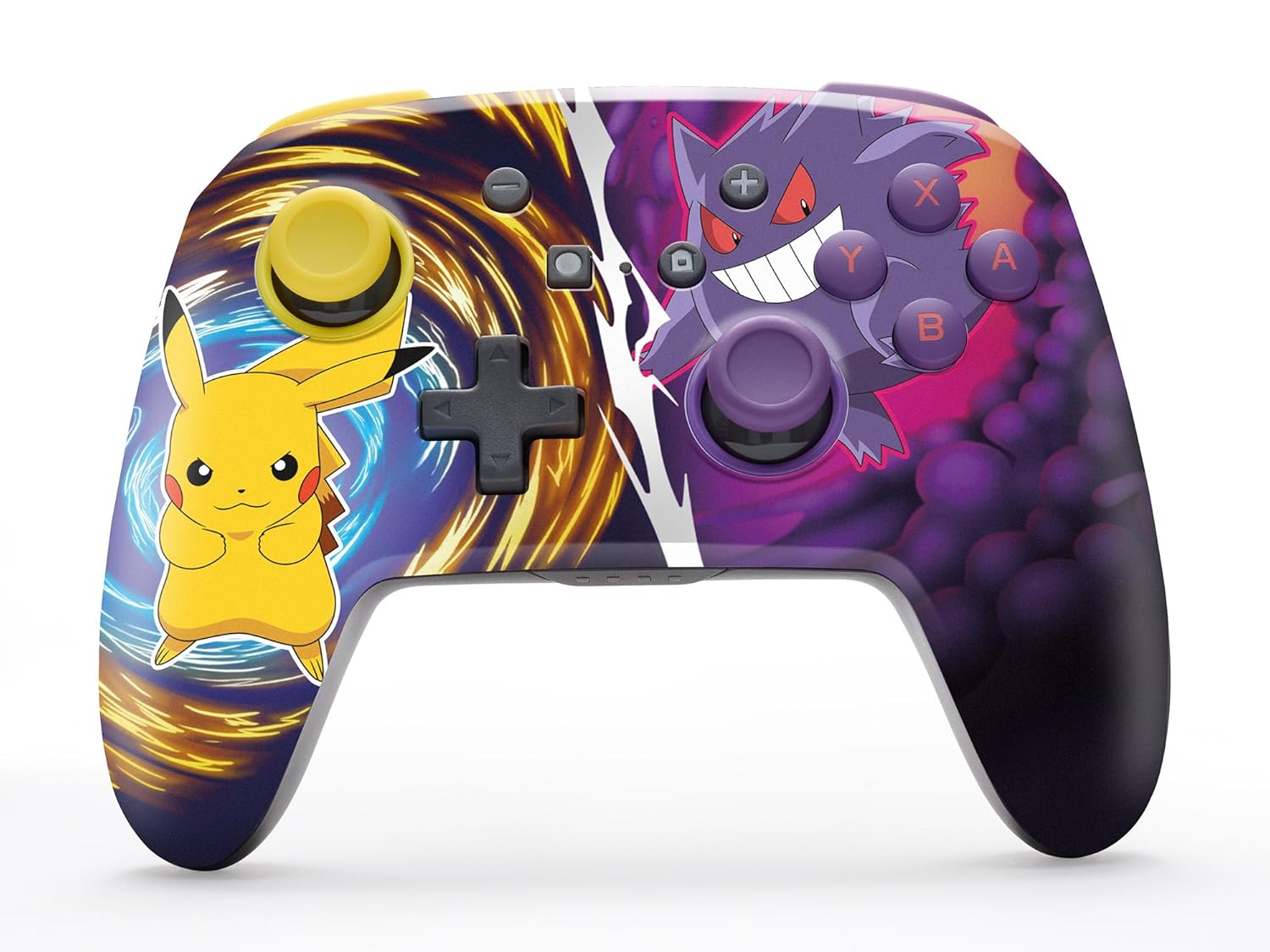
The PowerA Enhanced Wireless Controller with Pikachu vs. Gengar artwork.
Ключові характеристики
- Бездротове підключення: Utilizes Bluetooth 5.0 technology for a stable connection.
- Акумуляторна батарея: Integrated lithium-ion battery provides up to 30 hours of gameplay per charge.
- Mappable Advanced Gaming Buttons: Two programmable buttons on the back for custom control.
- Ергономічний дизайн: Superior ergonomics for extended comfortable gaming sessions.
- Smooth Thumbstick Control: Embedded anti-friction rings ensure precise and fluid movement.
- Елементи управління рухом: Supports intuitive motion controls for compatible games.

Ергономічний дизайн для комфортної гри.
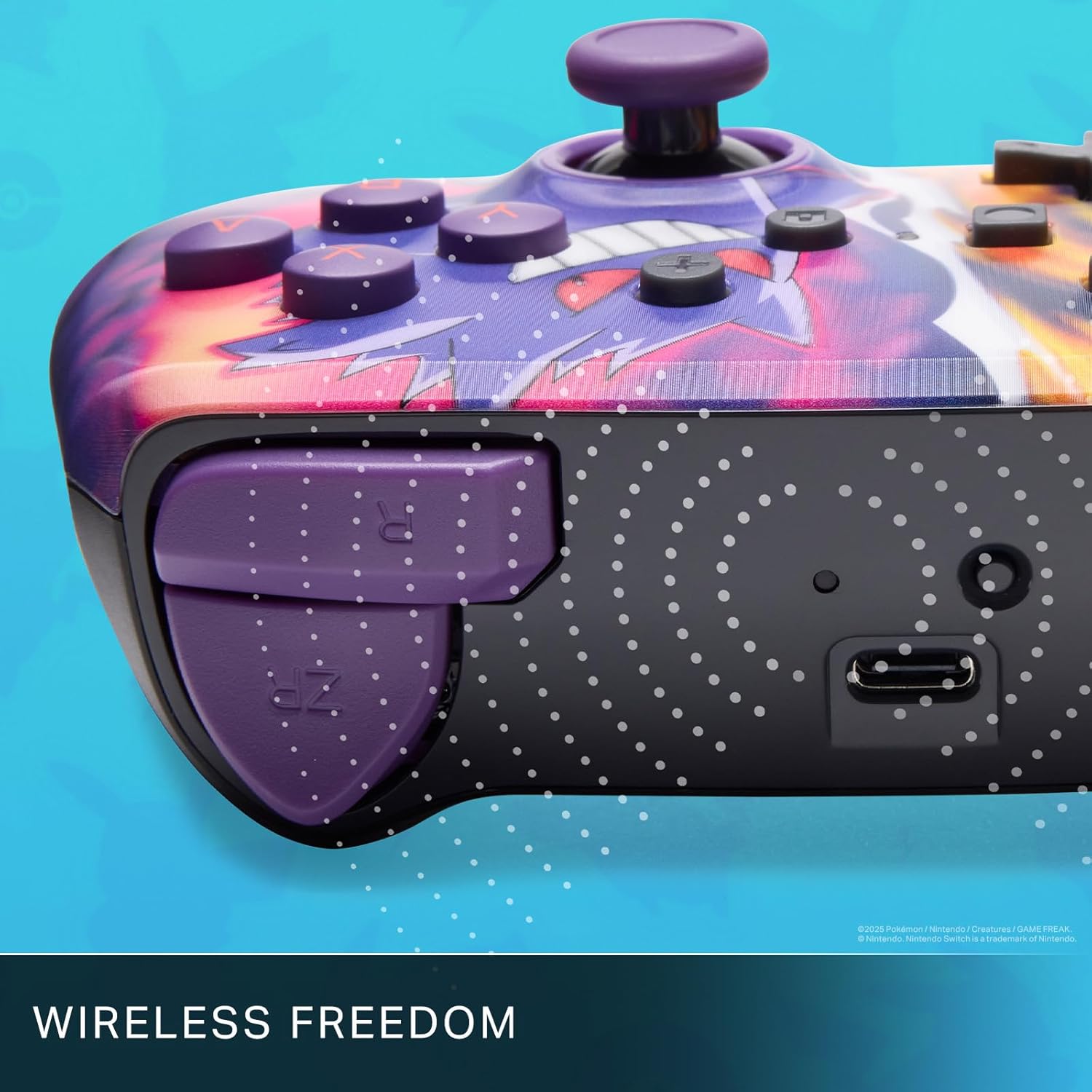
Enjoy wireless freedom with Bluetooth 5.0 technology.
Налаштування та сполучення
- Переконайтеся, що ваша консоль Nintendo Switch увімкнена та оновлена до останнього версії системного програмного забезпечення.
- У меню HOME виберіть Контролери, тоді Змінити захоплення/порядок.
- Натисніть і утримуйте Кнопка SYNC on the top edge of your PowerA Enhanced Wireless Controller for at least one second. The Player LED(s) will flash.
- Once paired, the Player LED(s) corresponding to the controller number will remain lit.
- Натисніть Кнопка to confirm and exit the menu. Your controller is now ready for use.
Зарядка контролера
The controller features an internal 900mAh lithium-ion rechargeable battery, providing up to 30 hours of gameplay on a single charge. To charge your controller:
- Connect the included 10ft (3m) USB-C charge cable to the USB-C port on the top of the controller.
- Connect the other end of the USB-C cable to a USB power source (e.g., Nintendo Switch dock, USB wall adapter, or computer USB port).
- The LED indicator on the controller will show charging status. It will typically turn off or change color when fully charged.

Connect the USB-C cable to charge your controller.
Розширені ігрові кнопки
Your PowerA Enhanced Wireless Controller includes two mappable Advanced Gaming Buttons (AGBs) on the back, allowing you to assign specific button functions for quick access during gameplay.
Programming AGBs:
- Натисніть Кнопка програми on the back of the controller. The Program LED will flash, indicating programming mode.
- Press the button you wish to map (A/B/X/Y/L/R/ZL/ZR/Left Stick Click/Right Stick Click/D-Pad). The Program LED will flash rapidly.
- Press the Advanced Gaming Button (AGB L or AGB R) you want to assign the function to. The Program LED will stop flashing, indicating the AGB is now programmed.
Resetting AGBs:
To reset all Advanced Gaming Buttons to their default (no function) state, press and hold the Кнопка програми for five seconds. The Program LED will flash slowly, then turn off, confirming the reset.
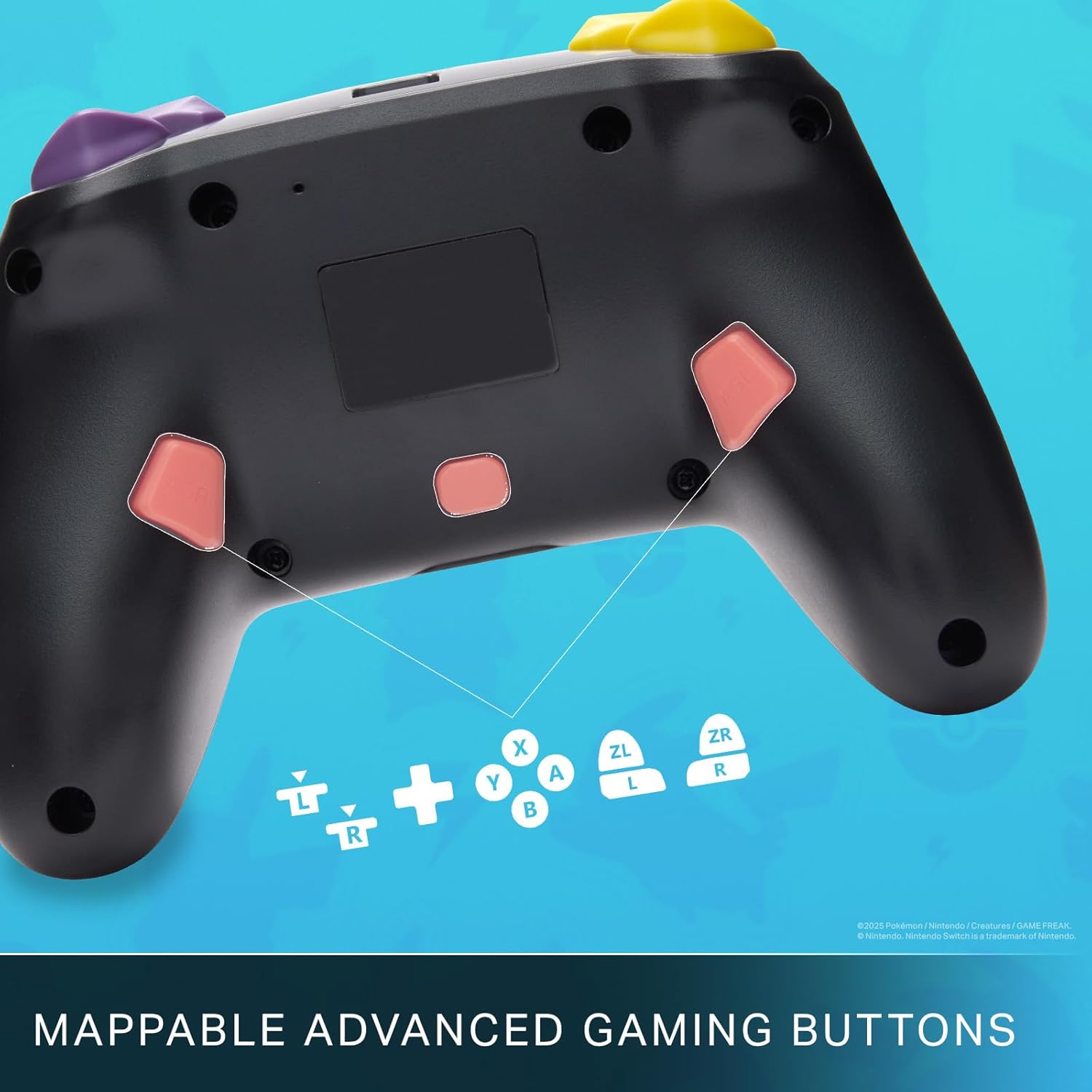
Mappable Advanced Gaming Buttons for personalized control.
Сумісність
This PowerA Enhanced Wireless Controller is compatible with the following Nintendo consoles:
- Nintendo Switch
- Nintendo Switch Lite
- Nintendo Switch (OLED Model)
- Nintendo Switch 2 (Note: C button not available)

The controller is compatible with Nintendo Switch 2, though the C button functionality is not available.
Технічні характеристики
| Особливість | Деталь |
|---|---|
| Сумісні пристрої | Nintendo Switch |
| Тип контролера | Геймпад |
| Технологія підключення | Bluetooth, USB |
| Додаткові функції | Ергономічний, бездротовий |
| Кількість кнопок | 12 |
| Апаратна платформа | Ігрова консоль |
| Джерело живлення | Живлення від акумулятора (літій-іонний акумулятор) |
| Сумісні моделі ігрових консолей | Nintendo Switch, Nintendo Switch Lite |
| Вага товару | 0.68 фунта |
| Розміри предмета | 6.02 x 4.41 x 2.48 дюймів |
| Колір | Pikachu vs Gengar |
| Назва моделі | Pikachu vs. Gengar |
| Номер моделі | NSGP0420-01R |
Догляд та обслуговування
- Keep the controller dry. Avoid exposure to moisture or extreme temperatures.
- Протирайте контролер м’якою сухою тканиною. Не використовуйте агресивні хімікати або абразивні матеріали.
- Зберігайте контролер у безпечному місці, коли він не використовується, щоб запобігти пошкодженню.
Усунення несправностей
Контролер не підключається:
- Переконайтеся, що контролер повністю заряджений.
- Verify the controller is within the Bluetooth range of your Nintendo Switch console.
- Attempt to re-pair the controller following the "Setup and Pairing" instructions.
Unresponsive Buttons/Joysticks:
- Перевірте наявність будь-яких фізичних перешкод або сміття навколо кнопок або джойстиків.
- Perform a hard reset by holding the SYNC button for 10 seconds, then attempt to re-pair.
- Ensure the controller's firmware is up to date (check PowerA's official webсайт для оновлень).
Гарантія та підтримка
This PowerA Enhanced Wireless Controller comes with a Дворічна обмежена гарантія. For detailed warranty information, product support, and troubleshooting assistance, please visit the official PowerA support webсайт: