
1. Вступ
The Yasola RC Drone Car Model 828 is a versatile 2-in-1 remote control vehicle designed for both ground driving and aerial flight. This manual provides essential instructions for safe operation, setup, and maintenance to ensure an enjoyable experience.
2. Заходи безпеки
- Нагляд дорослих: Always ensure adult supervision when children are operating the drone car.
- Польотне середовище: Operate the drone in open, clear areas, away from people, animals, buildings, and other obstacles. Avoid flying in strong winds or rain.
- Безпека батареї:
- Використовуйте лише зарядний кабель та акумулятори, що входять до комплекту.
- Не перезаряджайте та не закорачуйте акумулятори.
- Не піддавайте батареї впливу екстремальних температур або вогню.
- Якщо батарейки роздулися або протікають, негайно припиніть їх використання.
- Безпека пропелера: Тримайте пальці, волосся та вільний одяг подалі від обертових пропелерів.
- Уникнення ударів: Avoid collisions with objects or people to prevent damage to the drone car and potential injury.
- Вплив води: Do not expose the drone car to water or moisture.
3. Вміст упаковки
Будь ласка, перевірте наявність усіх предметів у упаковці:
- 1 x Yasola RC Drone Car (Model 828)
- 1 x Пульт дистанційного керування
- 2 x Lithium Batteries (for drone car)
- 1 x USB-кабель для зарядки
- 4 запасних пропелера
- 1 x Посібник користувача (цей документ)
4. Посібник із налаштування
4.1 Встановлення батареї
For the Drone Car:
- Locate the battery compartment on the underside of the drone car.
- Обережно відкрийте кришку батарейного відсіку.
- Connect the drone battery to the drone's power connector.
- Вставте батарейку всередину відсіку та щільно закрийте кришку.
- Use a small screwdriver to turn the battery cover screw to secure it.


Для пульта дистанційного керування:
- Відкрийте батарейний відсік на задній панелі пульта дистанційного керування.
- Insert 2 LR44 batteries (included) according to the polarity markings.
- Закрийте батарейний відсік.
4.2 Заряджання акумулятора дрона
- Підключіть USB-кабель для заряджання до акумулятора дрона.
- Підключіть USB-кабель до сумісного USB-джерела живлення (наприклад, комп’ютера, USB-адаптера).
- The indicator light on the USB cable will show charging status (refer to charger for specific light indications).
- Charging typically takes approximately 60-90 minutes. Do not leave unattended while charging.
4.3 Pairing the Remote Control with the Drone Car
- Ensure the drone car battery is installed and fully charged.
- Long press the power button on the drone car to turn it on. The LED lights will begin to flash.
- Увімкніть пульт дистанційного керування. Індикатор на пульті блиматиме.
- Move the left joystick (throttle) on the remote control up and then down. The remote control will beep, and the drone car's lights will become solid, indicating successful pairing.
- The default mode after pairing is typically Flight Mode.
5. Інструкція з експлуатації
5.1 Дистанційне керуванняview
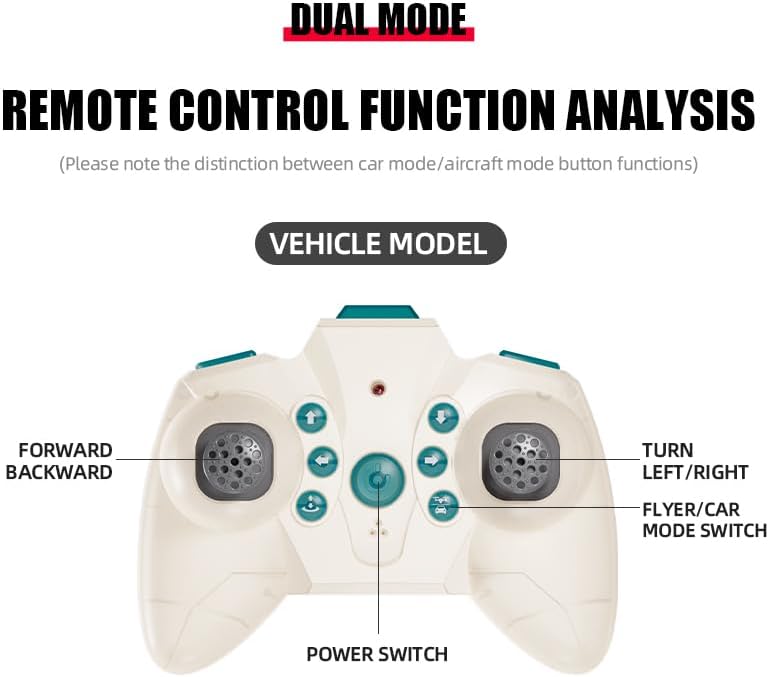
The remote control features dual modes for car and flight operation. Familiarize yourself with the controls:
- Лівий джойстик (дросель): Controls forward/backward movement in car mode, and ascent/descent in flight mode.
- Right Joystick (Steering/Direction): Controls left/right turns in car mode, and directional flight (forward, backward, left, right) in flight mode.
- Кнопка перемикання режимів: Toggles between Flight Mode and Car Mode.
- One-Key Take Off/Landing Button: Initiates automatic take-off or landing in flight mode.
- Speed Shift Button: Adjusts the speed setting (low/high).
- Кнопка безголового режиму: Activates headless mode for simplified flight control.
- Кнопка вимикача світла: Toggles the LED lights.
5.2 Switching Between Flight Mode and Car Mode
- After pairing, the drone car is typically in Flight Mode.
- Для переходу на Автомобільний режим: Ensure the drone car has landed and propellers have stopped spinning. Press the Mode Switch button on the remote control. The lights on the drone car will turn red to indicate Car Mode.
- Для переходу на Режим польоту: Press the Mode Switch button again. The lights on the drone car will turn blue to indicate Flight Mode.

5.3 Виконання польотів
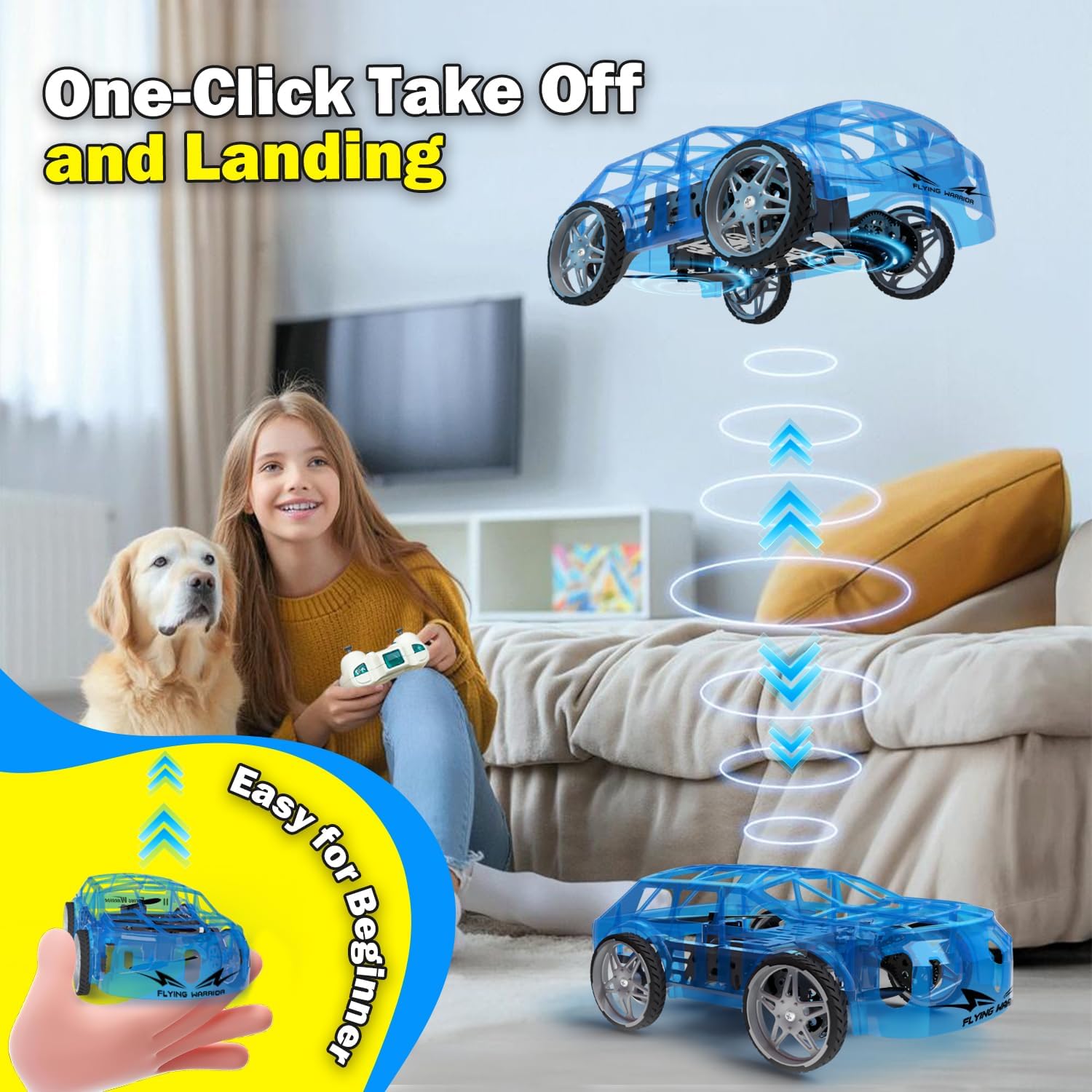
- One-Key Take Off: With the drone car in Flight Mode, press the One-Key Take Off/Landing button. The drone will automatically ascend to a stable hovering altitude.
- Контроль висоти: Натисніть лівий джойстик вгору, щоб піднятися, і вниз, щоб спуститися.
- Directional Flight: Push the right joystick forward to fly forward, backward to fly backward, left to fly left, and right to fly right.
- Обертання: Push the left joystick left or right to rotate the drone car.
- Регулювання швидкості: Press the Speed Shift button to toggle between low and high-speed modes.
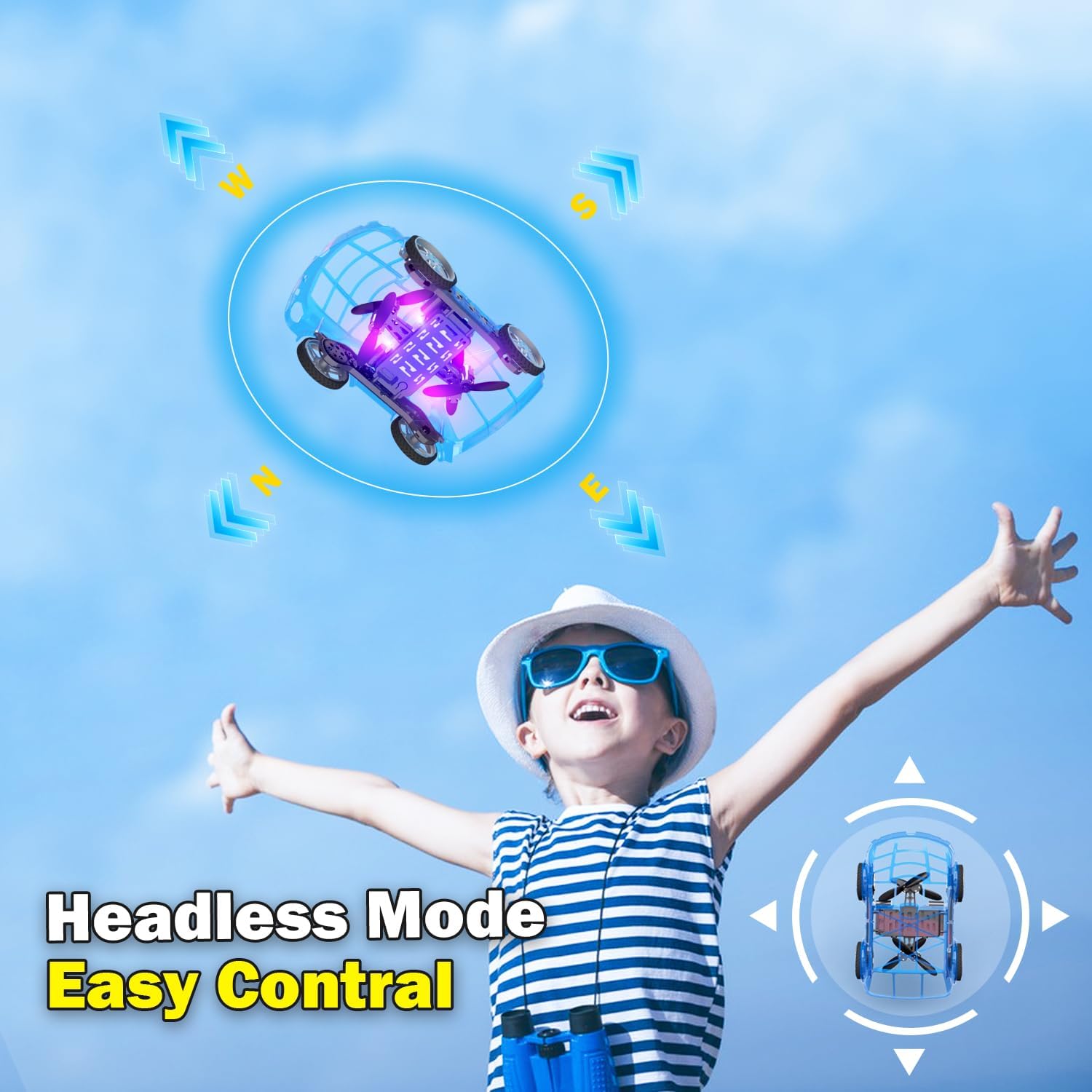
- Безголовий режим: Press the Headless Mode button to activate. In this mode, the drone's orientation is relative to the pilot, regardless of the drone's front direction. Press again to exit.
- Посадка одним ключем: Press the One-Key Take Off/Landing button again to initiate an automatic landing. The drone will slowly descend and land.

5.4 Car Operations
- Вперед/Назад: Push the left joystick up to drive forward and down to drive backward.
- Точіння: Push the right joystick left to turn left and right to turn right.
- Регулювання швидкості: Press the Speed Shift button to toggle between low and high-speed modes.
6. Технічне обслуговування
- Прибирання: Use a soft, dry cloth to clean the drone car. Do not use water or chemical cleaners.
- Заміна гвинта: If a propeller is damaged, carefully remove it and replace it with a spare propeller, ensuring correct orientation.
- Догляд за акумулятором:
- Зберігайте батареї в прохолодному сухому місці, коли вони не використовуються.
- Do not store fully charged or completely depleted batteries for extended periods.
- Charge batteries at least once every three months to maintain their health.
7. Вирішення проблем
| проблема | Можлива причина | Рішення |
|---|---|---|
| Drone car does not respond to remote control. | Not paired; low battery in drone or remote; drone not powered on. | Ensure drone and remote are powered on. Re-pair the remote control (Section 4.3). Charge drone battery. Replace remote control batteries. |
| Drone car cannot take off or flies unstably. | Low drone battery; damaged propellers; incorrect calibration; operating in windy conditions. | Charge drone battery. Check and replace damaged propellers. Perform "Outer eight calibration" (refer to video demonstration). Operate in calm conditions. |
| Short flight time (e.g., 3-5 minutes). | Normal battery capacity for mini drones; battery not fully charged. | Ensure battery is fully charged before use. Utilize the second included battery for extended play. |
| Drone car drifts during flight. | Needs fine-tuning/trimming; environmental factors (e.g., slight breeze). | Use the direction fine-tuning buttons on the remote control to correct drift. Ensure operation in a calm environment. |
8. Технічні характеристики
- Бренд: Yasola
- Назва моделі: 828
- Розміри продукту: 9.56 см (Д) x 5.11 см (Ш) x 3.54 см (В)
- Вага товару: 9.4 унції (0.59 фунта)
- матеріал: пластик
- колір: Синій
- Технологія підключення: Remote control 2.4G
- Ємність батареї: 600 міліamp Години (літій-іонний)
- Віковий діапазон (опис): Kid (recommended for ages 8-12)
- Особливості: Drone car, UFO, flying and running RC drone, flying car, One-Key Take Off/Landing, LED Lights, 2 Mode Control, Headless Mode, High-Low Speed Shift.
9. Гарантія та підтримка
For warranty information, technical support, or any inquiries regarding your Yasola RC Drone Car Model 828, please refer to the contact information provided on the product packaging or visit the official Yasola webсайт.