
вступ
Thank you for choosing the Micool DY20PLUS Bluetooth 5.4 Headset. This single-ear wireless headset is designed for clear communication and extended use, featuring advanced noise cancellation and long battery life. This manual provides detailed instructions to help you get the most out of your device.

Image: The Micool DY20PLUS Bluetooth 5.4 Headset, showcasing its sleek black and gold design with an ear hook and LED battery indicators.
Що в коробці
Upon opening your Micool DY20PLUS package, you should find the following items:
- Bluetooth-гарнітура Micool DY20PLUS
- Зарядний кабель USB-C
- Посібник користувача
- Додаткові вушні насадки (різні розміри)
Відео: Розпакування та все іншеview of the Micool DY20PLUS headset and its included accessories, such as the charging cable and various eartips.
Налаштування
1. Заряджання гарнітури
Before first use, fully charge your headset. The Micool DY20PLUS features a Type-C charging port for convenience.
- Підключіть наданий зарядний кабель USB-C до зарядного порту гарнітури.
- Підключіть інший кінець кабелю до сумісного джерела живлення USB (наприклад, адаптера живлення, USB-порту комп’ютера).
- Повна зарядка займає приблизно 1.5-2 години.
- The LED Power Display Light on the headset indicates the remaining battery level. There are four levels, with each grid representing 25% of the battery. Double-click the Volume+ button to check the remaining power.

Image: Visual representation of the headset's quick charge capability, showing that 10 minutes of charging provides 4 hours of continuous use.
2. Сполучення з вашим пристроєм
The DY20PLUS uses Bluetooth 5.4 for a stable and efficient connection.
- Переконайтеся, що гарнітура заряджена та вимкнена.
- Press and hold the Multi-Function Button (MFB) on the headset for more than 3 seconds until the indicator light flashes, indicating it's in pairing mode.
- На вашому пристрої (смартфоні, планшеті, комп’ютері) увімкніть Bluetooth та знайдіть доступні пристрої.
- Select "DY20PLUS" from the list of found devices to connect.
- Once successfully paired, the indicator light will stop flashing.
The headset offers a wireless connection distance of up to 50 meters (150 feet) in a straight line and can be connected to two devices simultaneously, allowing you to seamlessly switch between music and calls.
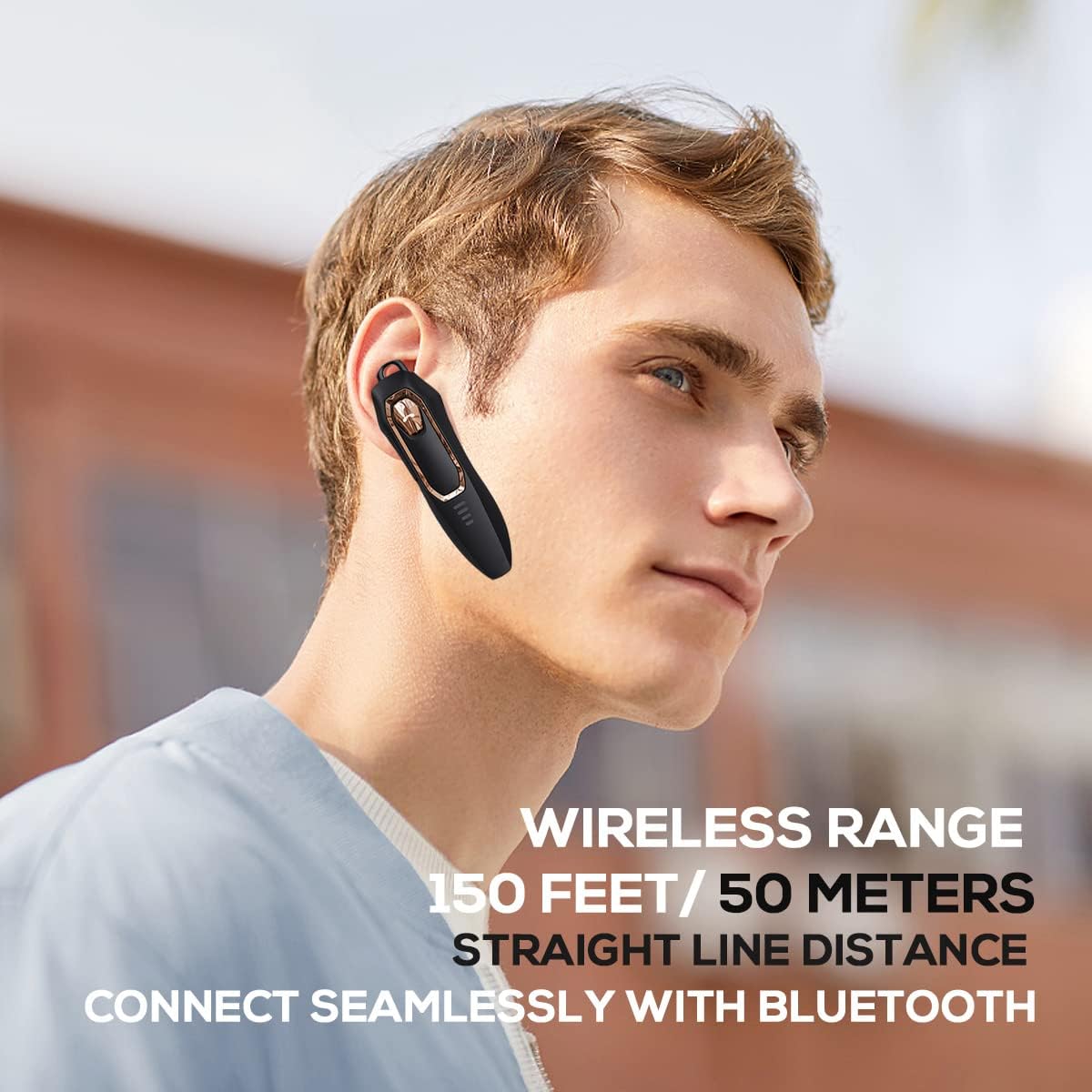
Image: A person wearing the headset, illustrating the 150 feet / 50 meters wireless range and seamless Bluetooth connectivity.
Інструкція з експлуатації
Ознайомтеся з елементами керування гарнітурою для оптимального використання.
Функції кнопок:

Image: A detailed diagram showing the location and function of each button on the Micool DY20PLUS headset, including the Multi-Function Button (MFB), volume controls, and mute button.
- Увімкнення/вимкнення живлення: Press and hold the MFB for >3 seconds.
- Відтворення/пауза музики: One-tap the MFB.
- Відповісти/закінчити виклик: One-tap the MFB.
- Відхилити виклик: Press and hold the MFB for >2 seconds.
- Активуйте голосовий помічник (Siri/Google Assistant): Двічі торкніться багатофункціональної панелі (МФБ).
- Переключити пісні: Press Volume+ for 2 seconds for next song, Volume- for 2 seconds for previous song.
- Регулювання гучності: Short press Volume+ to increase volume, short press Volume- to decrease volume.
- Функція відключення звуку: Press the dedicated mute button for >2 seconds to mute/unmute your microphone during a call.
- Змінити мову: Three-tap the MFB.
- Повторний набір останнього вихідного дзвінка: Three-tap the call button (MFB).
Ключові характеристики
Advanced Noise Cancellation
The DY20PLUS headset is equipped with two microphones for noise reduction and omnidirectional silicon microphone technology. It filters out approximately 80% of external noise. An updated Bluetooth 5.4 version with an integrated digital noise reduction algorithm further enhances noise reduction by 30%, ensuring clearer calls even in noisy environments.

Image: An illustration demonstrating how the two noise-cancelling microphones work to block background noise and maintain clear call quality.
Video: A demonstration highlighting the noise-cancelling capabilities of the Micool DY20PLUS Bluetooth Headset, particularly useful for truck drivers and noisy environments.
Подовжений термін служби батареї
The headset provides up to 36 hours of talk time and 45 hours of music playback on a single charge. With a standby time of 20 days, it's designed for long-lasting performance, suitable for extended meetings or travel.

Image: An illustration emphasizing the headset's 36+ hour talk time and 45 hours of music playback, designed to power through work calls and daily activities.
Comfortable and Lightweight Design
Weighing only 12 grams, the DY20PLUS is ultra-small and light. Its ergonomic design ensures a secure and comfortable fit for all-day wear without causing ear fatigue. The ear canal-mouth canal design is airtight and optimized for bass.

Image: A person wearing the headset, highlighting its 12g ultra-lightweight design and compatibility with various devices like laptops, computers, pads, and phones.
Широка сумісність
The Micool DY20PLUS is compatible with a wide range of devices, including telephones, smart speakers, and cellphones, making it versatile for various communication needs.
Технічне обслуговування
- Прибирання: Використовуйте м’яку суху тканину для очищення гарнітури. Уникайте використання агресивних хімікатів або абразивних матеріалів.
- Зберігання: Зберігайте гарнітуру в прохолодному, сухому місці, подалі від екстремальних температур та прямих сонячних променів.
- Водонепроникність: The headset is water-resistant. However, avoid submerging it in water or exposing it to heavy rain for prolonged periods.
- Зарядка: Always use the provided USB-C cable or a certified equivalent for charging to prevent damage.
Усунення несправностей
| проблема | Можливе рішення |
|---|---|
| Гарнітура не вмикається. | Ensure the headset is fully charged. Press and hold the MFB for more than 3 seconds. |
| Не вдається з’єднати пристрій. |
|
| Немає звуку або гучність низька. |
|
| Якість дзвінків погана. |
|
Технічні характеристики
| Особливість | Деталь |
|---|---|
| Назва моделі | DY20PLUS |
| Бренд | Мікул |
| Технологія підключення | Бездротовий (Bluetooth) |
| Версія Bluetooth | 5.4 |
| Термін служби батареї (час розмови) | До 36 годин |
| Термін служби батареї (відтворення музики) | До 45 годин |
| Час зарядки | 1.5 - 2 годин |
| Порт зарядки | USB-C |
| Дальність бездротового зв'язку | До 50 метрів (150 фути) |
| шумозаглушення | Dual-Mic Noise Reduction (80% filtered, 30% enhanced by algorithm) |
| вага | 12 грами |
| Форма навушника | Вухо |
| Рівень водонепроникності | Водостійкий |
| Сумісні пристрої | Telephones, Smart Speaker, Cellphones |
Гарантія та підтримка
For warranty information and customer support, please refer to the documentation included with your purchase or contact Micool customer service directly. Details can typically be found on the manufacturer's official webсайті або через точку продажу.