
вступ
This manual provides detailed instructions for the Micool Bluetooth Headset V5.4 (Model DY20PLUS). Please read this manual carefully before using the product to ensure proper operation and to maximize its features and lifespan. This headset is designed for clear communication and comfortable wear, featuring advanced noise cancellation and long battery life.
Інформація про безпеку
To ensure safe and proper use of your headset, please observe the following guidelines:
- Do not expose the headset to extreme temperatures, direct sunlight, or high humidity.
- Avoid dropping or subjecting the headset to strong impacts, which may damage internal components.
- Do not attempt to disassemble, repair, or modify the headset. This will void the warranty and may cause harm.
- Зберігайте гарнітуру та її аксесуари у недоступному для дітей та домашніх тварин місці.
- Use only the provided USB-C charging cable or a certified equivalent to prevent damage to the battery.
- Уникайте прослуховування на високій гучності протягом тривалого часу, щоб запобігти пошкодженню слуху.
Вміст упаковки
Будь ласка, перевірте наявність усіх предметів у вашій упаковці:
- Micool Bluetooth Headset (DY20PLUS)
- Зарядний кабель USB-C
- Посібник користувача
- Additional Eartips (Sizes L, M, S)
- Вушний гачок

Image: Micool Bluetooth Headset and its accessories, including different sized eartips and a charging cable.
Продукт закінченийview
Familiarize yourself with the various components and controls of your Micool Bluetooth Headset:

Зображення: спереду view of the Micool Bluetooth Headset, highlighting the main call button, volume controls, and the LED battery indicator lights.
- Багатофункціональна кнопка: Used for power on/off, answering/ending calls, and playing/pausing music.
- Кнопки регулювання гучності +/-: Adjust volume, skip tracks, and check battery level.
- Світлодіодний дисплей живлення: Indicates the remaining battery level with four segments.
- Мікрофон: Equipped with dual-mic noise reduction for clear voice input during calls.
- Порт зарядки USB-C: For connecting the charging cable to power the headset.
Налаштування
1. Заряджання гарнітури
Before initial use, fully charge your headset to ensure optimal battery performance.
- Підключіть зарядний кабель USB-C до зарядного порту гарнітури.
- Під’єднайте інший кінець кабелю до джерела живлення USB (наприклад, комп’ютера, настінного адаптера).
- The LED power display will illuminate to indicate charging. A full charge typically takes approximately 1.5-2 hours.
2. Сполучення з пристроєм
The headset utilizes Bluetooth 5.4 for a stable and efficient wireless connection up to 50 meters.
- Ensure the headset is powered off and fully charged.
- Press and hold the Multi-function Button for approximately 3-5 seconds until the LED indicator flashes blue and red alternately. This indicates the headset is in pairing mode.
- On your desired device (smartphone, tablet, laptop), enable Bluetooth and search for available devices.
- Виберіть «DY20PLUS» зі списку знайдених пристроїв.
- Once successfully connected, the LED indicator will flash blue slowly.
3. Connecting to Two Devices Simultaneously (Multi-point Connection)
The DY20PLUS supports connecting to two Bluetooth devices concurrently, allowing seamless switching between them.
- Pair the headset with the first device following the steps above.
- Disable Bluetooth on the first device. The headset will re-enter pairing mode (flashing blue and red).
- Сполучіть гарнітуру з другим пристроєм.
- Re-enable Bluetooth on the first device. The headset should automatically connect to both devices. You can now receive calls or play audio from either device.
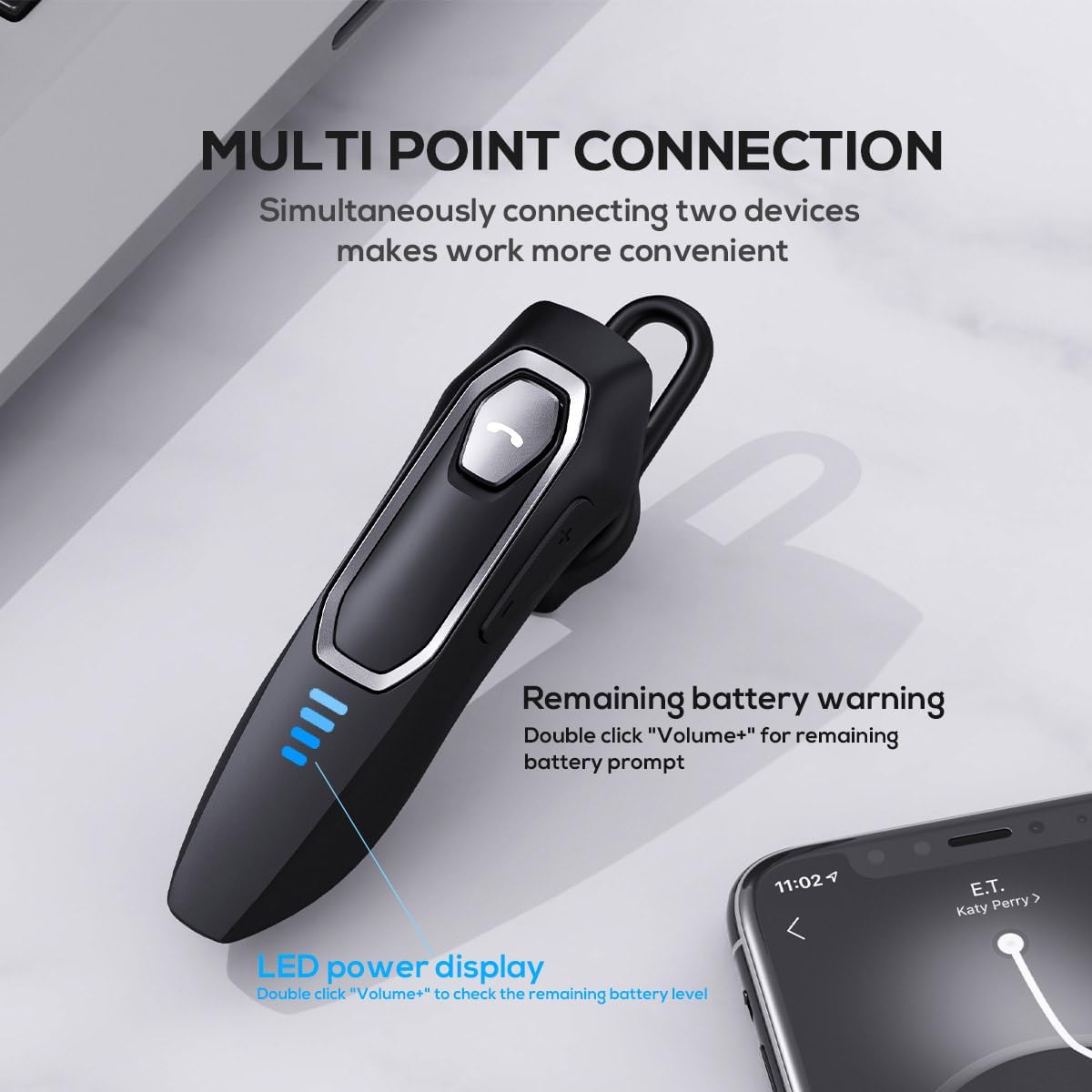
Image: The Micool headset demonstrating its multi-point connection capability, allowing simultaneous connection to two devices.
Інструкція з експлуатації
Увімкнення/вимкнення живлення
- Увімкнення: Натисніть і утримуйте багатофункціональну кнопку протягом 3 секунд.
- Вимкнення живлення: Натисніть і утримуйте багатофункціональну кнопку протягом 5 секунд.
Управління дзвінками
- Відповісти/закінчити виклик: Короткочасне натискання багатофункціональної кнопки.
- Відхилити виклик: Натисніть і утримуйте багатофункціональну кнопку протягом 2 секунд.
- Вимкнути/увімкнути мікрофон: During a call, press and hold the Volume "-" button for approximately 2 seconds.
- Повторний набір останнього вихідного дзвінка: Triple-tap the Multi-function Button.

Image: Illustration of the mute function, activated by holding the Volume '-' button.
Відтворення музики
- Відтворення/пауза: Короткочасне натискання багатофункціональної кнопки.
- Наступний трек: Press and hold the Volume "+" button for 2 seconds.
- Попередній трек: Press and hold the Volume "-" button for 2 seconds.
Регулювання гучності
- Збільшити гучність: Short press the Volume "+" button.
- Зменшити гучність: Short press the Volume "-" button.
Голосовий помічник
- Активуйте голосового помічника (Siri, Google Assistant тощо): Double-click the Multi-function Button.
Світлодіодний дисплей живлення
- The four LED lights indicate the remaining battery level, with each light representing approximately 25% charge.
- To check the remaining power, double-click the Volume "+" button.
Image: The LED power display on the headset, indicating battery level.
Технічне обслуговування
Proper maintenance will help extend the life of your Micool Bluetooth Headset:
- Clean the headset regularly with a soft, dry, lint-free cloth.
- Не використовуйте абразивні засоби для чищення, розчинники або сильні хімічні речовини, оскільки вони можуть пошкодити поверхню або внутрішні компоненти.
- Зберігайте гарнітуру в прохолодному, сухому місці, подалі від прямих сонячних променів та екстремальних температур.
- Ensure the USB-C charging port is free of dust and debris to maintain proper charging connection.
- If the headset gets wet, wipe it dry immediately. Do not charge it until it is completely dry.
Усунення несправностей
If you encounter any issues with your headset, please refer to the following common problems and solutions:
| проблема | Можлива причина | Рішення |
|---|---|---|
| Гарнітура не вмикається. | Низький або розряджений акумулятор. | Повністю зарядіть гарнітуру за допомогою кабелю USB-C, що постачається в комплекті. |
| Не вдається з’єднати пристрій. | Гарнітура не в режимі сполучення; Bluetooth вимкнено на пристрої; пристрій знаходиться занадто далеко. | Ensure headset is in pairing mode (flashing red/blue); enable Bluetooth on your device; move device closer (within 50m). Clear previous Bluetooth connections if necessary. |
| Немає звуку або погана якість звуку. | Volume too low; headset not connected; audio source issue; interference. | Adjust headset and device volume; re-pair headset; check audio source; move away from other wireless devices. |
| Мікрофон не працює. | Mute function active; microphone blocked; device settings. | Deactivate mute function (hold Volume "-" for 2s); ensure microphone is clear; check microphone settings on your device. |
| Короткий час автономної роботи. | Headset not fully charged; high volume usage; aging battery. | Ensure full charge before use; reduce volume; if issue persists after full charge, contact support. |
Технічні характеристики
- Назва моделі: DY20PLUS
- Технологія підключення: Бездротовий (Bluetooth)
- Версія Bluetooth: 5.4
- Діапазон Bluetooth: До 50 метрів
- Battery Life (Talk Time): До 36 годин
- Термін служби батареї (відтворення музики): До 45 годин
- Час зарядки: Приблизно 1.5-2 години
- Порт зарядки: USB-C
- Контроль шуму: Активне шумозаглушення (подвійний мікрофон)
- Сумісні пристрої: Смартфони, планшети, розумні колонки
- вага: 2.08 унції (приблизно 59 грамів)
- матеріал: Акрилонітрилбутадієнстирол (АБС)
- Рівень водонепроникності: Водостійкий
- Діапазон частот: 20 Гц - 20 000 Гц
Гарантія та підтримка
Micool products are designed for reliability and performance. For detailed warranty information, including coverage and terms, please refer to the warranty card included with your product or visit the official Micool webсайт.
For technical support, troubleshooting assistance, or any inquiries regarding your Micool Bluetooth Headset, please contact our customer service team through the contact information provided on your product packaging or via the Micool Amazon Store:
Micool Amazon Store: Відвідати магазин
Our support team is available to assist you with any questions or concerns you may have.