
1. Вступ
This manual provides detailed instructions for the installation, operation, and maintenance of your WENMENGDE 10-inch Android Car Radio. This device features a 10-inch IPS full touch screen, Android operating system, 4-core processor, 2GB RAM, 32GB storage, and supports Apple CarPlay, Android Auto, WiFi, Bluetooth, MirrorLink, Split Screen, Picture-in-Picture (PIP), and GPS Navigation. Please read this manual thoroughly before use to ensure proper functionality and safety.
2. Вміст упаковки
Перед встановленням перевірте, чи всі перелічені нижче елементи присутні у вашій упаковці:
- Головний блок
- Адаптер живлення
- GPS антена
- Кабелі RCA
- USB кабель
- Зворотний кабель
- 9&10" Adapter Panel (for specific vehicle types)
- Зворотна камера
- мікрофон

Image: Contents of the WENMENGDE 10-inch Android Car Radio package, including the head unit, various cables, GPS antenna, reverse camera, and microphone.
3. Налаштування та встановлення
The WENMENGDE 10-inch Android Car Radio is designed to fit most general-purpose double DIN car center consoles. Installation may vary depending on your vehicle model. Professional installation is recommended.
3.1. Universal 2-DIN Installation
For vehicles with a standard 2-DIN radio panel, the head unit can be installed directly using metal brackets for fixing.

Image: Diagram illustrating the installation of the head unit into a universal 2-DIN car radio panel using metal brackets.
3.2. Specialized Vehicle Installation (with Adapter Panel)
For certain vehicle types, a specialized 9-inch or 10-inch adapter panel may be required for a seamless fit. The adapter panel is used to integrate the head unit into the vehicle's dashboard.

Image: Diagram showing the installation process with a 9-inch adapter panel for specialized vehicle types.

Image: Diagram illustrating the installation process with a 10-inch adapter panel for specialized vehicle types.
3.3. Підключення проводів
Connect the power adapter, GPS antenna, RCA cables, USB cables, reverse cable, and microphone to their respective ports on the head unit. Ensure all connections are secure.

Зображення: спереду view of the 10.2-inch display and rear view showing the various connection ports and internal components of the head unit. Dimensions are indicated as 255mm width and 164mm height.
4. Інструкція з експлуатації
4.1. CarPlay та Android Auto
The device supports both Apple CarPlay and Android Auto, offering both wireless and wired connection options.
- Бездротове підключення: Connect your mobile phone's Bluetooth to the car radio. Then, open the pre-installed application named "Zlink" on the head unit and wait for the automatic connection.
- Дротове підключення: Connect your mobile phone to the head unit using a USB cable.
Video: Demonstration of CarPlay and Android Auto functionality on the WENMENGDE car radio, showing connection and interface usage.
4.2. GPS-навігація та Wi-Fi
The car radio includes a built-in GPS module and comes with offline maps pre-installed in the "Maps" application. For online navigation and additional features, connect the device to a WiFi network.
- Офлайн-карти: Utilize the pre-installed "Maps" app for navigation without an internet connection.
- Онлайн-карти та додатки: Connect to WiFi to access online maps (e.g., Google Maps, Waze) and download other applications from the Play Store, such as YouTube, TikTok, and Spotify.
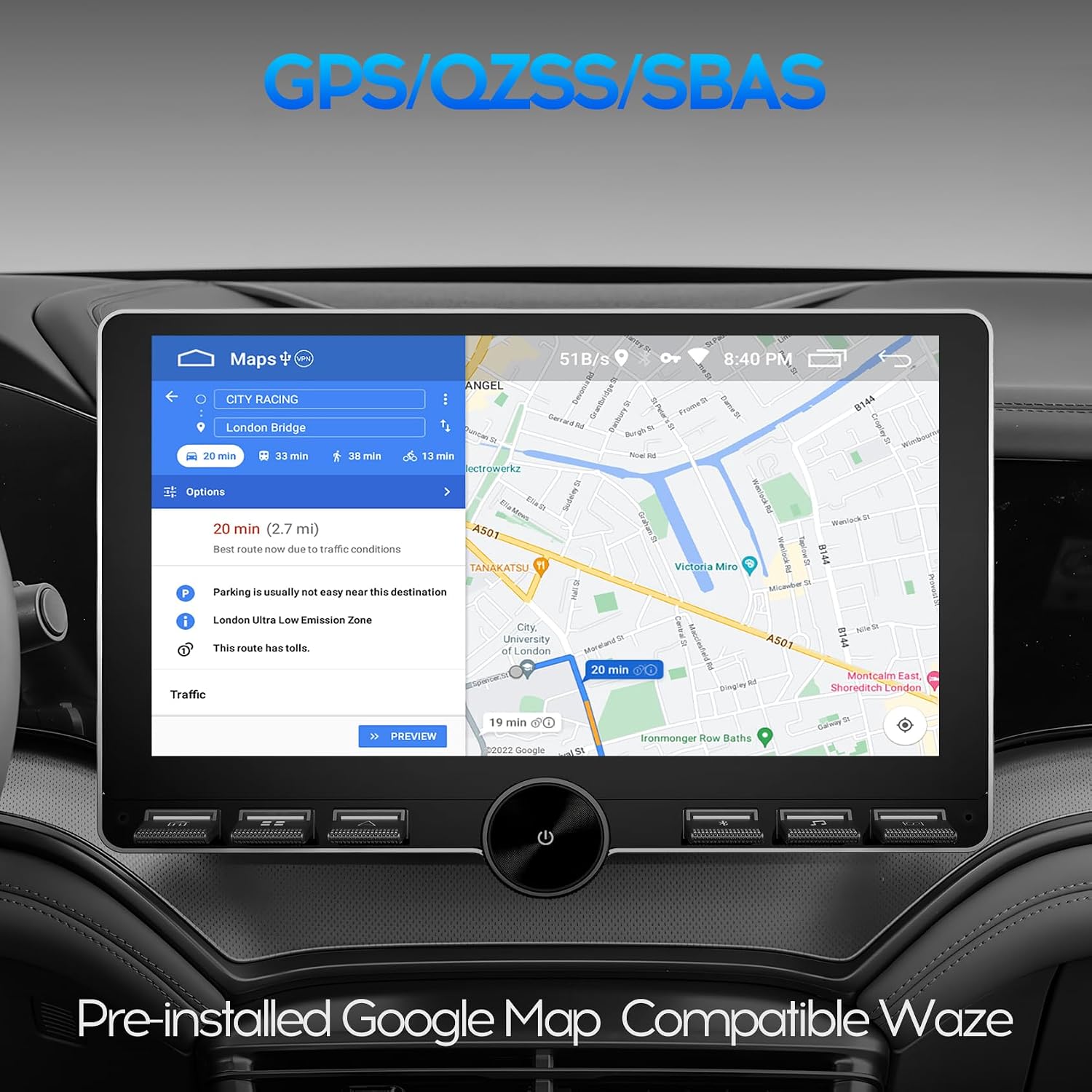
Image: The car radio display showing GPS navigation with pre-installed Google Maps, indicating route information and compatible with Waze.
4.3. Підключення Bluetooth
The unit features built-in Bluetooth 4.0 with A2DP support, enabling hands-free calling, phone book synchronization, and music streaming.
- Дзвінок без використання рук: Pair your phone via Bluetooth to make and receive calls directly from the car radio.
- Потокове передавання музики: Stream audio from your Bluetooth-enabled device to the car stereo.
- Синхронізація телефонної книги: Synchronize your phone's contacts for easy access.

Image: The car radio display showing the Bluetooth interface, indicating paired and available devices, with a focus on fast connection and long-distance transmission.
4.4. Керування на кермі (SWC)
The device supports steering wheel control functionality. Manual learning is required to map your vehicle's steering wheel buttons to the car radio functions. Two Key/SW wires are provided for analog steering wheel control.
- Процес навчання: Access the SWC settings in the car radio menu. Follow the on-screen instructions to assign functions (e.g., volume control, track skip, answer call) to your steering wheel buttons.
- функції: Control volume, switch music, answer calls, and more directly from your steering wheel.

Image: The car radio display showing the Steering Wheel Control learning interface, with options for short press and long press learning for various functions.
4.5. Задній View Camera & DVR Function
The car radio is equipped to work with a waterproof night vision reversing camera (included). It also supports video input for a USB dash cam.
- Задня View Дисплей: When you engage reverse gear, the car stereo will automatically display the rear view image from the connected camera.
- DVR Support: Connect a USB dash cam to record driving footage.

Image: The car radio display showing the reverse rear view with parking guidelines, providing assistance for safe maneuvering.
4.6. Split Screen Mode & PIP
The split screen mode allows you to run two applications simultaneously on the 10-inch display, enhancing multitasking capabilities. Picture-in-Picture (PIP) provides a floating video window while using other apps.
- Розділений екран: Navigate with GPS on one side and control music on the other, or use any two compatible apps side-by-side.
- PIP: Watch a video in a small, movable window while interacting with other applications.
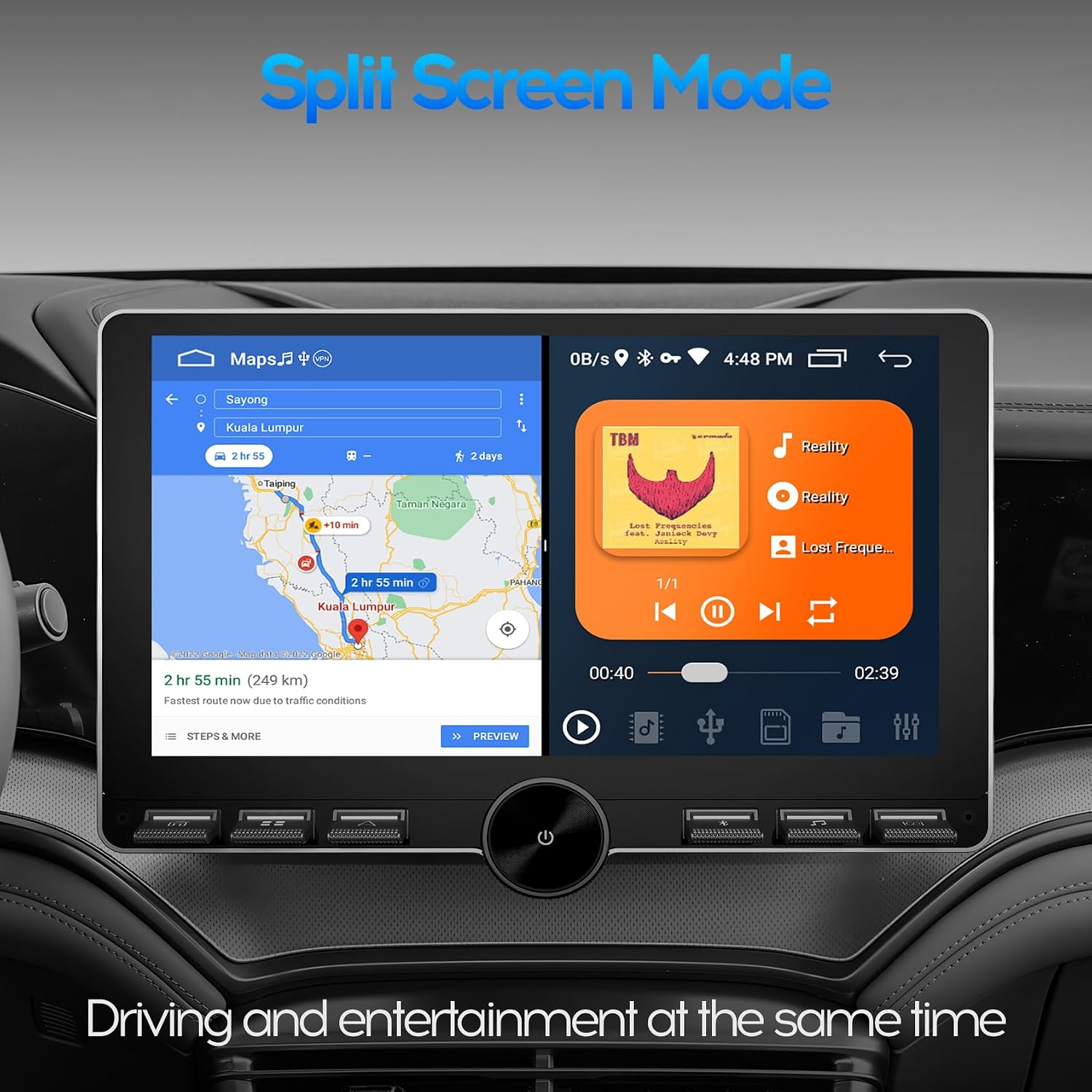
Image: The car radio display showing split screen mode, with GPS navigation on one side and a music player on the other, allowing for simultaneous driving and entertainment functions.
4.7. Функціональність радіо
The unit features an MT6625LN Radio Module, ensuring stable signal reception and clear audio quality for FM/AM radio stations.

Image: The car radio display showing the radio interface with the MT6625LN Radio Module, displaying current frequency and preset stations, emphasizing stable signal and clear sound.
5. Технічне обслуговування
To ensure the longevity and optimal performance of your WENMENGDE car radio, follow these maintenance guidelines:
- Прибирання: Використовуйте м’яку суху тканину для очищення екрана та зовнішньої поверхні. Уникайте абразивних засобів для чищення або розчинників.
- Оновлення програмного забезпечення: Periodically check for and install available software updates to ensure the system runs efficiently and has the latest features.
- Умови навколишнього середовища: Уникайте тривалого перебування пристрою під екстремальними температурами, прямими сонячними променями або надмірною вологістю.
6. Вирішення проблем
Якщо у вас виникли проблеми з автомобільним радіо, зверніться до наступних поширених кроків усунення несправностей:
- Немає живлення: Перевірте всі підключення живлення та блок запобіжників автомобіля. Переконайтеся, що запалювання увімкнено.
- Немає звуку: Перевірте підключення динаміків, рівні гучності та вибір джерела аудіо.
- Сенсорний екран не реагує: Спробуйте перезавантажити пристрій. Якщо проблема не зникає, можливо, знадобиться скинути налаштування до заводських (див. системні налаштування).
- Втрата сигналу GPS: Переконайтеся, що GPS-антена правильно встановлена та має чіткий сигнал view неба.
- Проблеми з підключенням Bluetooth: Переконайтеся, що Bluetooth увімкнено як на автомобільному радіо, так і на вашому мобільному пристрої. Спробуйте роз’єднати пристрої та повторно їх з’єднати.
- CarPlay/Android Auto не підключається: Check USB cable connection (for wired) or Bluetooth/WiFi connection (for wireless). Ensure the "Zlink" app is running.
У разі постійних проблем зверніться до служби підтримки клієнтів.
7. Технічні характеристики
| Бренд | WENMENGDE |
| Номер моделі | B0DRYHH6ZP |
| Розмір екрана | 10 дюйми |
| Тип дисплея | Capacitive 2.5D Tempered Glass IPS Touch Screen |
| роздільна здатність | 1024*600 |
| Операційна система | Android |
| Процесор | Чотири ядра |
| ОЗУ | 2 ГБ |
| Внутрішня пам'ять | 32 ГБ |
| Підключення | Bluetooth, USB, Wi-Fi |
| Версія Bluetooth | 4.0 with A2DP |
| GPS | Built-in GPS/QZSS/SBAS module |
| Підтримувані функції | Apple CarPlay, Android Auto, MirrorLink, Split Screen, PIP, Rear View Camera, DVR Function, Steering Wheel Control |
| Режим аудіовиходу | Стерео (конфігурація каналів об'ємного звуку 2.0) |
| Тип аудіовиходу | Bluetooth, RCA |
| Кодування відео | H.264, MPEG-4, H.265/HEVC |
| Підтримувані Інтернет-послуги | YouTube, TikTok, Spotify |
8. Гарантія
This WENMENGDE car radio comes with a Гарантія 1 рік from the date of purchase. Please retain your proof of purchase for warranty claims. The warranty covers manufacturing defects and malfunctions under normal use. It does not cover damage caused by improper installation, misuse, accidents, or unauthorized modifications.
9. Підтримка
For any questions, technical assistance, or support regarding your WENMENGDE car radio, please do not hesitate to contact our professional technical team. We are committed to providing prompt assistance.
- Спосіб зв'язку: Refer to the contact information provided with your product packaging or on the official WENMENGDE webсайт.
- Час відгуку: Our professional technical team aims to reply within 24 hours.