
1. Більшеview
The Amazon Basics USB Flash Drive is a versatile storage solution designed for seamless data transfer between various devices. Featuring both USB-C and USB-A dual ports, this 128GB thumb drive offers broad compatibility and efficient performance for your storage needs. Its durable metal construction and rotating design ensure protection and convenience.
2. Ключові характеристики
- 128 GB Storage Capacity: Забезпечує ample space for documents, photos, videos, and other files. Note: Actual usable capacity may be slightly less due to formatting and system files.
- Двопортовий дизайн: Equipped with both USB-C and USB-A connectors for universal compatibility with a wide range of devices.
- Ефективна продуктивність: Offers reliable data transfer with a default exFAT format, ensuring lower power consumption and broad device support.
- Висока швидкість читання: Capable of read speeds up to 400 Megabytes Per Second. Actual speeds may vary based on device, file size, and type.
- Преміальна конструкція: Features a robust metal exterior casing with a rotating open/close design to protect the connectors, and a hanging hole for convenient attachment to keychains or lanyards.
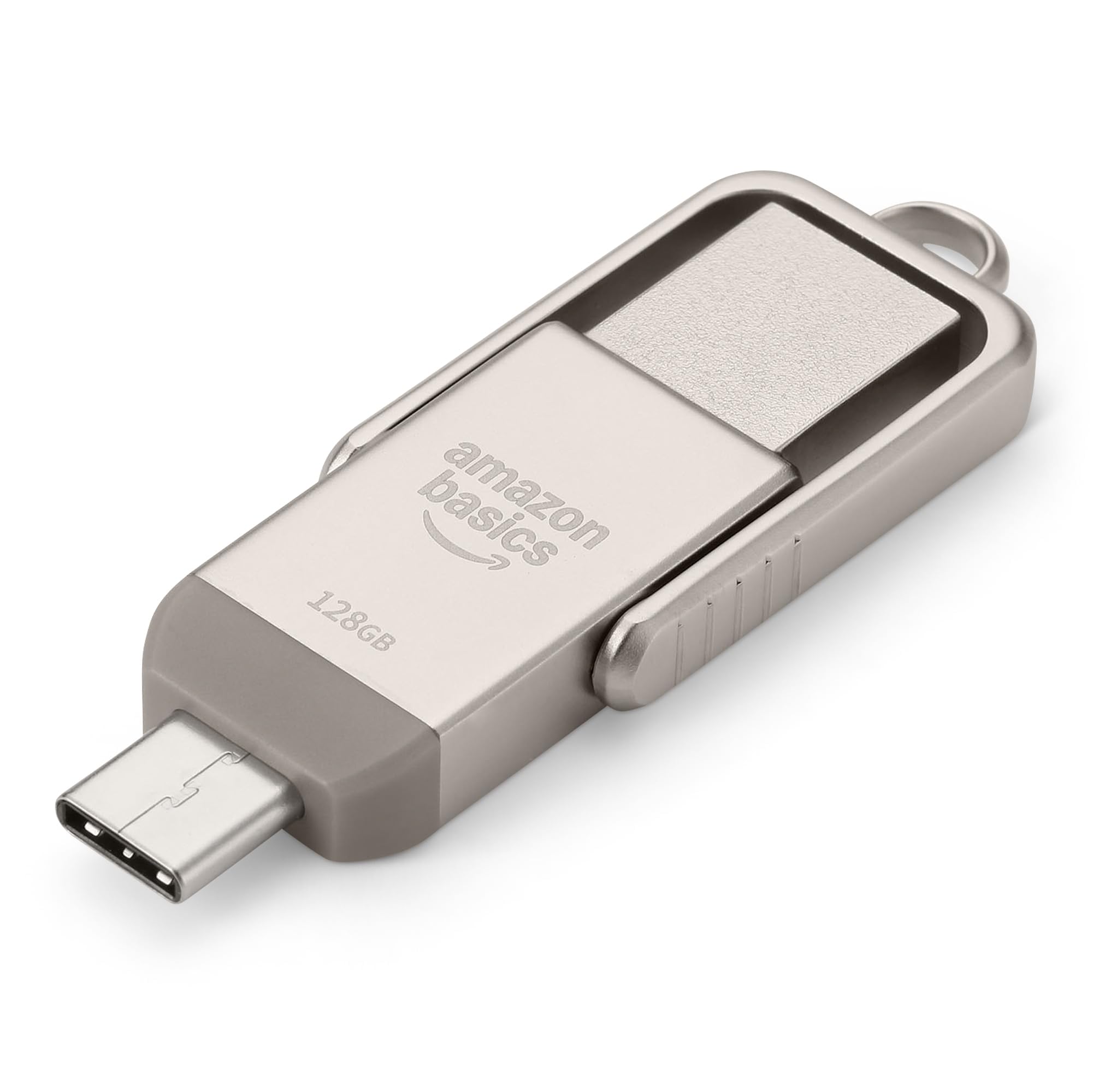
Figure 1: Amazon Basics 128GB USB Flash Drive, showcasinзавдяки компактному дизайну та подвійним роз'ємам.
3. Налаштування
- Визначити порт пристрою: Determine whether your device (phone, tablet, computer) uses a USB-A or USB-C port.
- Select Correct Connector: Rotate the metal casing of the flash drive to expose the appropriate connector (USB-A or USB-C).
- Вставте флеш-накопичувач: Carefully insert the exposed connector into the corresponding port on your device. Ensure a secure connection.
- Розпізнавання пристрою: Your device should automatically detect the flash drive. On most operating systems, a notification will appear, or the drive will be accessible through your file manager (e.g., File Explorer on Windows, Finder on macOS, Files app on mobile devices).

Figure 2: USB Flash Drive connected to a laptop's USB-A port.
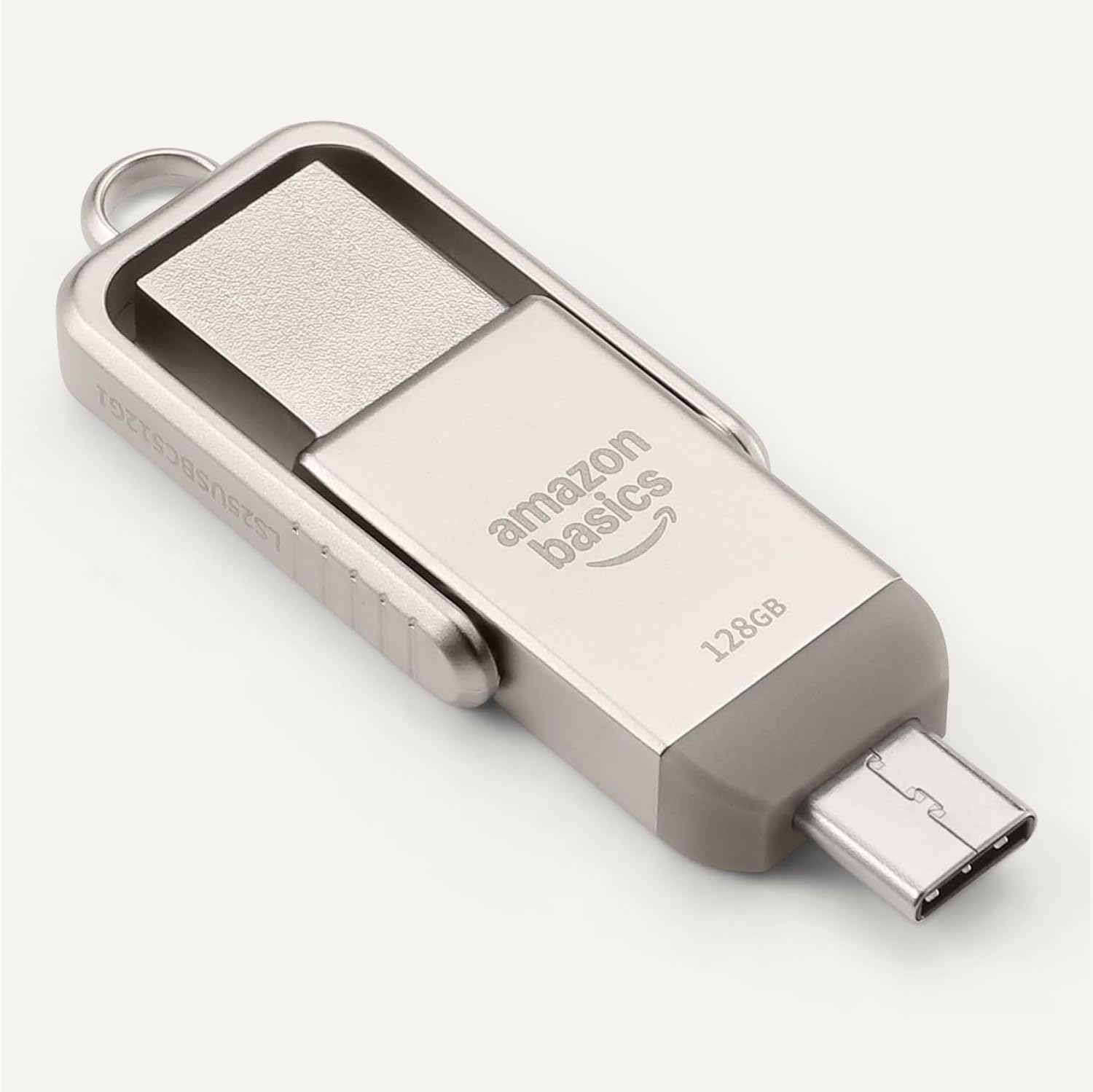
Figure 3: USB Flash Drive connected to a smartphone's USB-C port.
4. Інструкція з експлуатації
4.1. Перенесення Files
- Копіювати Вставити: Перейдіть до files you wish to transfer. Select them, then right-click (or long-press on touch devices) and choose 'Copy'. Navigate to the flash drive's directory, right-click (or long-press), and select 'Paste'.
- Перетягніть і опустіть: Відкрийте свій file manager and arrange windows so you can see both the source folder and the flash drive's folder. Click and drag the desired files from the source folder to the flash drive's folder.
4.2. Безпечне видалення
To prevent data corruption, always safely remove the flash drive before physically disconnecting it.
- Windows: Click the 'Safely Remove Hardware and Eject Media' icon in the taskbar, then select the flash drive.
- macOS: Drag the flash drive icon from your desktop to the Trash, or right-click the icon and select 'Eject'.
- Android/iPadOS: Look for an 'Eject' or 'Unmount' option within the file manager app or notification panel.
5. Сумісність
The Amazon Basics USB Flash Drive is designed for broad compatibility:
- Операційні системи: Compatible with Windows, macOS, Linux, Android, and iPadOS devices that support USB mass storage.
- Типи пристроїв: Works with computers, laptops, tablets, and smartphones featuring USB-A or USB-C ports.
- File система: Pre-formatted with exFAT for maximum compatibility across different operating systems and larger file розміри.
- Важлива примітка: This flash drive is incompatible with Lightning ports found on some Apple devices.
5.1. Compatibility Demonstration
Video 1: Demonstration of the Amazon Basics USB Flash Drive's compatibility with various phone cases and devices, highlighting successful and unsuccessful fits.
Video 2: Demonstration of using a thumb drive with a mini projector, showing file format requirements (FAT32) for video, audio, and image playback.
6. Продуктивність
The Amazon Basics USB Flash Drive is engineered for efficient data handling:
- Швидкість читання: Up to 400 Megabytes Per Second.
- Швидкість запису: Varies depending on the device, file розмір, file типи та інші фактори навколишнього середовища.
- Нижче енергоспоживання: Designed for energy efficiency, contributing to longer battery life on connected mobile devices.
For optimal performance, ensure your device's USB port supports USB 3.2 Gen 1 or higher standards.
7. Технічне обслуговування та догляд
- Захист роз'ємів: Always rotate the metal casing to cover the unused connector when not in use to prevent dust and physical damage.
- Обережно поводьтеся: Avoid dropping the drive or subjecting it to excessive force.
- температура: Store the drive in a cool, dry place away from extreme temperatures.
- Прибирання: Use a soft, dry cloth to clean the exterior. Avoid liquid cleaners or solvents.
8. Вирішення проблем
- Диск не розпізнано:
- Ensure the drive is fully inserted into the correct USB port.
- Спробуйте інший USB-порт на вашому пристрої.
- Перезавантажте пристрій і повторіть спробу.
- Перевірте свій пристрій file manager or disk management utility to see if the drive is listed.
- Низька швидкість передачі даних:
- Ensure you are using a USB 3.0 (or higher) compatible port for optimal speeds. USB 2.0 ports will result in slower transfers.
- Перенесення багатьох дрібних fileможе бути повільнішим, ніж передача одного великого file однакового загального розміру.
- Закрийте інші програми, які можуть використовувати системні ресурси.
- "Unsupported File" Error:
- This error typically occurs when the device you are connecting the flash drive to (e.g., a projector or smart TV) does not support the file format (e.g., .mov, .mp4, .txt, .png) or the file system (e.g., NTFS vs. FAT32/exFAT).
- Забезпечити files are formatted to FAT32 or exFAT for broad compatibility.
- конвертувати files to a format supported by your playback device. Common formats include .mp4 for video, .mp3 or .wav for audio, and .jpeg for images.
- Drive Gets Warm:
It is normal for the metal casing of the flash drive to become warm during prolonged use or heavy data transfers. This does not indicate a malfunction.
9. Технічні характеристики
| Особливість | Специфікація |
|---|---|
| Назва моделі | LS25USBC128G1 |
| Ємність пам'яті | 128 ГБ (номінально) |
| Технологія підключення | USB |
| Апаратний інтерфейс | USB 3.2 Gen 1 |
| Технологія підключення апаратного забезпечення | USB типу A, USB типу C |
| Швидкість читання | 400 мегабайт на секунду |
| Особливість | Подвійний USB-роз'єм |
| Колір | ChampАгне Сільвер |
| Вага товару | 2.11 унції |
| Розміри упаковки | 9.21 x 7.01 x 0.71 дюймів |
10. Гарантія та підтримка
This Amazon Basics product is backed by Amazon's customer service and return policies.
- Політика повернення: Typically 30 days for refunds or replacements. Please refer to Amazon's current return policy for specific details.
- Додаткові плани захисту: Additional photo and data recovery plans are available for purchase (e.g., 2-year or 3-year plans).
- Підтримка клієнтів: For assistance, please visit the Amazon Basics Store or contact Amazon Customer Service directly through your Amazon account.