
1. Вступ
This manual provides comprehensive instructions for the installation, operation, maintenance, and troubleshooting of your ASUS TUF Gaming Radeon RX 9070 XT OC Edition 16GB GDDR6 Graphics Card. Please read this manual thoroughly before using the product to ensure proper functionality and longevity.

Image 1.1: ASUS TUF Gaming Radeon RX 9070 XT OC Edition Graphics Card and its retail packaging.
2. Продукт закінчивсяview
The ASUS TUF Gaming Radeon RX 9070 XT OC Edition is a high-performance graphics card designed for demanding computing tasks and gaming. It features advanced cooling solutions and durable components to ensure stable operation.
Ключові характеристики:
- PCIe® 5.0 Interface: Provides high-bandwidth connectivity for optimal performance.
- 16 ГБ пам'яті GDDR6: Ampпам'ять для текстур високої роздільної здатності та складних сцен.
- HDMI/DP 2.1 Outputs: Supports multiple high-resolution displays.
- 3.125-слотовий дизайн: Robust physical design for enhanced cooling.
- Компоненти військового класу: Ensures rock-solid power delivery and extended lifespan.
- Захисне покриття друкованої плати: Guards against environmental factors like moisture and dust.
- Термопрокладка для графічного процесора зі зміною фази: Improves thermal conductivity and heat dissipation.
- Axial-tech Fans with Dual Ball Bearings: Enhanced airflow and durability.
- MaxContact Design: Increases heat spreader contact with the GPU for improved thermal transfer.
- Vented Exoskeleton: High-quality shroud and backplate with vents for better heat dissipation.
Деталі компонента:

Image 2.1: Military-Grade Components. TUF Chokes and MOSFETs provide stable power, while TUF 5K metallic capacitors offer increased temperature tolerance and lifespan.

Image 2.2: Ultimate Durability Features. The Phase-Change GPU Thermal Pad ensures optimal thermal performance, the Protective PCB Coating prevents short circuits, and Dual Ball Fan Bearings extend fan lifespan.

Image 2.3: Cooling Mastery. MaxContact Design enhances heat transfer, Axial-tech fans improve airflow, and the Vented Exoskeleton aids heat dissipation.
3. Налаштування та встановлення
Proper installation is crucial for the performance and stability of your graphics card. Always ensure your system is powered off and unplugged before beginning installation.
3.1 Системні вимоги
- PCI Express® 5.0 compliant motherboard with one x16 graphics slot.
- Minimum 750W power supply unit (PSU) recommended. For optimal performance and stability, a TUF Gaming Gold 850W PSU is suggested.
- Sufficient space within your PC case for a 3.125-slot graphics card.
- Сумісна операційна система (наприклад, Windows 10/11 64-розрядна).

Image 3.1: The graphics card paired with a recommended TUF Gaming Gold PSU for reliable power delivery.
3.2 Фізичне встановлення
- Підготуйте свою систему: Вимкніть комп'ютер та від'єднайте всі кабелі. Відкрийте корпус ПК.
- Знайдіть слот PCIe: Знайдіть вільний слот PCI Express x16 на вашій материнській платі.
- Зніміть кришки слотів: Зніміть необхідні кришки слотів розширення з корпусу ПК.
- Вставте відеокарту: Carefully align the graphics card with the PCIe slot and press down firmly until it is securely seated. Ensure the retention clip on the motherboard engages.
- Захистіть картку: Fasten the graphics card to the PC case using screws. Due to the card's size and weight, it is highly recommended to use the included TUF Gaming Graphics Card Holder or a third-party sag bracket to prevent GPU sag.
- Підключення кабелів живлення: Connect the required PCIe power cables from your power supply to the graphics card's power connectors. Refer to Image 3.2 for connector locations.

Image 3.2: Power connector locations on the graphics card.
3.3 Підключення дисплеїв
Connect your display cables (HDMI or DisplayPort) to the corresponding ports on the graphics card. This card supports Native DisplayPort 2.1a x 3 and Native HDMI 2.1b.
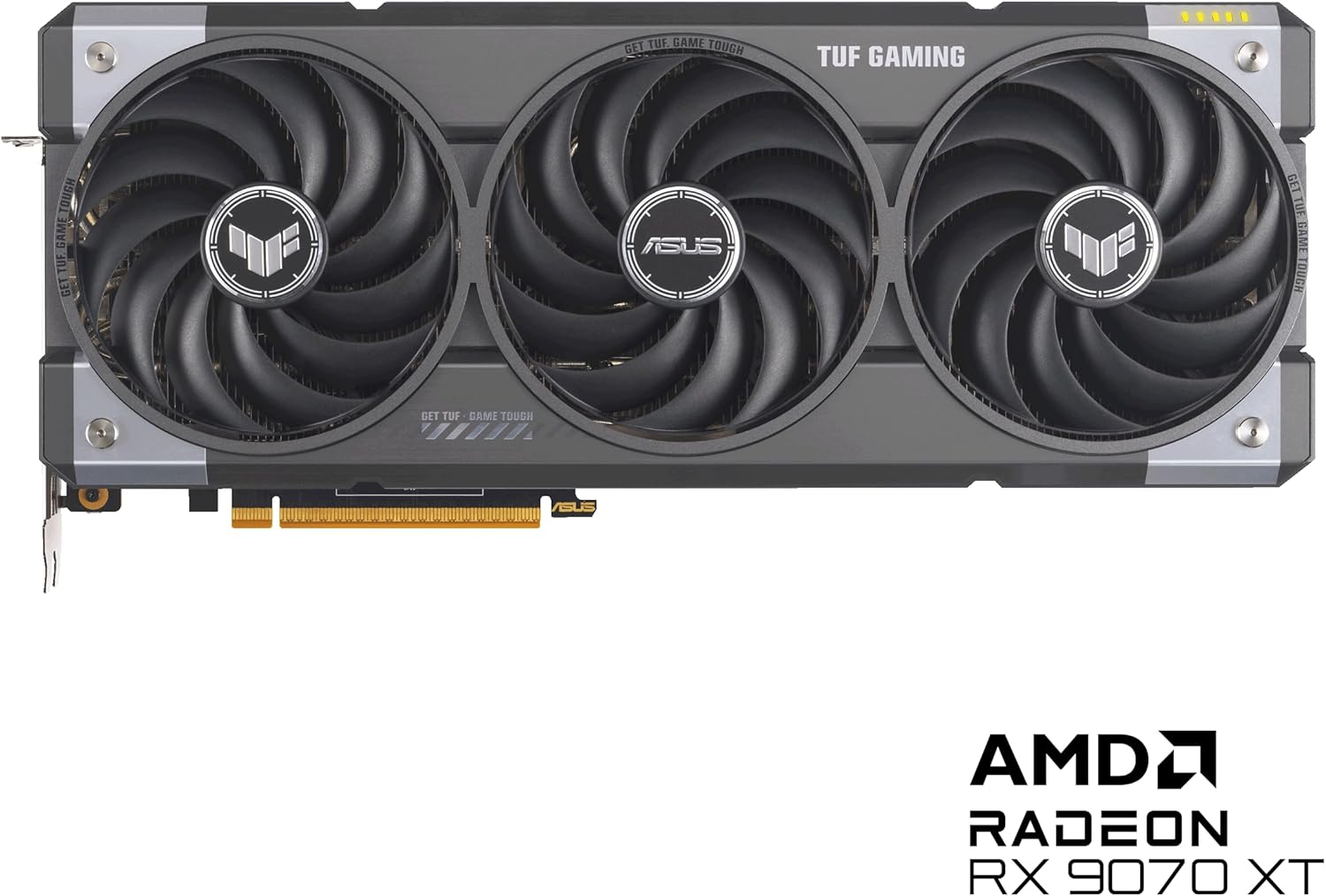
Image 3.3: Display output ports (HDMI and DisplayPort) on the graphics card.
4. Інструкція з експлуатації
After physical installation, software setup is required to utilize your graphics card fully.
4.1 Встановлення драйвера
- Увімкнення: Close your PC case, plug in all cables, and power on your computer.
- Початкове завантаження: Your system may boot using generic display drivers.
- Завантажити драйвери: Відвідайте офіційну службу підтримки ASUS webсайт (www.asus.com/support/). Navigate to 'Graphics Cards', select your model (TUF-RX9070XT-O16G-GAMING), and download the latest AMD Radeon drivers for your operating system.
- Встановити драйвери: Run the downloaded driver installer and follow the on-screen prompts. A system restart may be required.
4.2 Програмні утиліти
ASUS provides software to enhance your graphics card experience:
- Налаштування графічного процесора III: This utility allows for monitoring, overclocking, and fine-tuning of your graphics card's performance, cooling, and power settings.
- Програмне забезпечення AMD Adrenaline: Provides comprehensive control over your AMD Radeon graphics card, including game optimization, display settings, and advanced features like AMD FidelityFX Super Resolution and AMD HYPR-RX.

Image 4.1: Software integration for customization and enhanced functionality.
5. Технічне обслуговування
Regular maintenance helps ensure optimal performance and extends the lifespan of your graphics card.
- Видалення пилу: Періодично очищайте вентилятори та радіатор від пилу за допомогою стисненого повітря. Перед чищенням переконайтеся, що система вимкнена та відключена від мережі.
- Перевірка вентилятора: Check the axial-tech fans for any obstructions or unusual noises. The dual ball bearings are designed for long-lasting, reliable operation.
- Оновлення програмного забезпечення: Keep your graphics drivers and utility software (e.g., GPU Tweak III, AMD Adrenaline) updated to benefit from performance improvements and bug fixes.
- Захист навколишнього середовища: The protective PCB coating helps guard against moisture and dust, but avoid exposing the card to extreme conditions.
6. Вирішення проблем
Якщо у вас виникли проблеми з відеокартою, зверніться до наступних поширених кроків усунення несправностей:
- Немає виводу на дисплей:
- Переконайтеся, що монітор підключено до відеокарти, а не до вбудованої графіки материнської плати.
- Переконайтеся, що всі кабелі живлення надійно підключені до відеокарти та блоку живлення.
- Перевстановіть відеокарту в слот PCIe.
- Перевірте з іншим кабелем дисплея або монітором.
- Проблеми з драйверами:
- Perform a clean installation of the latest graphics drivers from the ASUS support webсайт.
- If issues persist, try an older, stable driver version.
- Перегрів:
- Забезпечте достатню циркуляцію повітря всередині корпусу ПК.
- Clean dust from the graphics card's fans and heatsink.
- Monitor temperatures using GPU Tweak III or AMD Adrenaline software.
- Нестабільність/збої системи:
- Ensure your power supply unit meets the recommended wattage.
- Check for system memory (RAM) stability.
- If overclocked, revert to default settings.
For further assistance, please contact ASUS customer support or visit their official support webсайт.
7. Технічні характеристики
| Особливість | Специфікація |
|---|---|
| Номер моделі | TUF-RX9070XT-O16G-GAMING |
| Графічний співпроцесор | AMD RX9070 |
| Бренд чіпсетів | AMD |
| Розмір оперативної пам'яті відеокарти | 16 ГБ GDDR6 |
| Швидкість пам'яті | 4000 МГц |
| Максимальна роздільна здатність екрана | 7680x4320 пікселів |
| Інтерфейс відеовиходу | Native DisplayPort 2.1a x 3, Native HDMI 2.1b |
| Вага товару | 5.66 фунта |
| Розміри упаковки | 16.85 x 9.06 x 5 дюймів |
| Колір | ЧОРНИЙ |
8. Гарантія та підтримка
Your ASUS TUF Gaming Radeon RX 9070 XT OC Edition Graphics Card comes with a TUF Certificate of Reliability, signifying its adherence to stringent quality standards.
For warranty information, technical support, driver downloads, and software updates, please visit the official ASUS support webсайт:
Please have your product model number (TUF-RX9070XT-O16G-GAMING) and serial number ready when contacting support.

Image 8.1: Included accessories, including the TUF Certificate of Reliability and Speedsetup Manual.