
ELEPHAS BL128-PLUS
Інструкція користувача проектора ELEPHAS
Model: BL128-PLUS
1. Вступ
Thank you for choosing the ELEPHAS Projector. This projector is designed to provide a high-quality home theater experience with its 800 ANSI lumens brightness, 1080p HD resolution, and versatile connectivity options. Enjoy officially licensed streaming apps like Netflix, Prime Video, and YouTube directly from the device, along with seamless dual-band WiFi and Bluetooth 5.0 for enhanced audio. This manual will guide you through the setup, operation, and maintenance of your new projector.
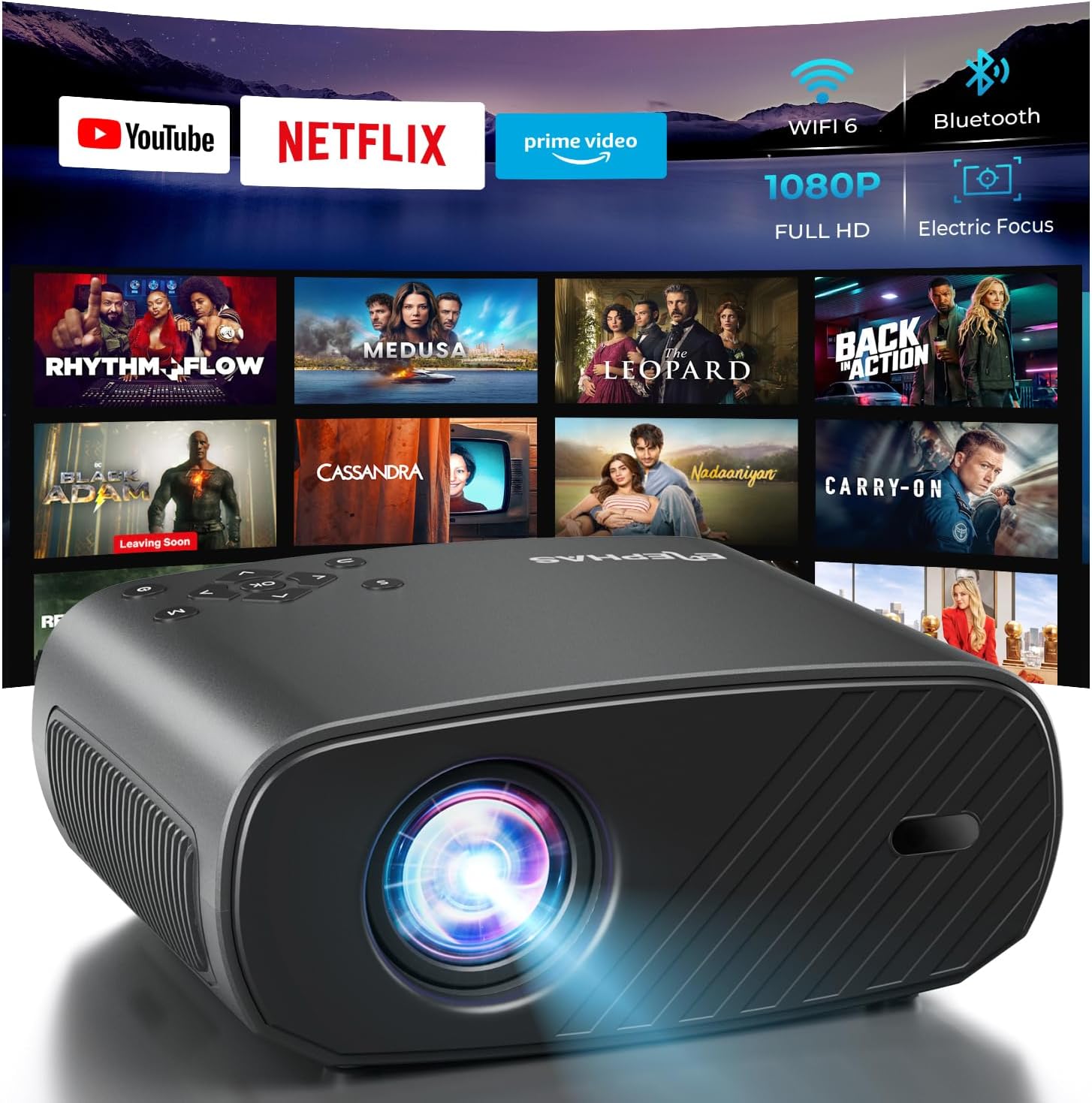
The ELEPHAS Projector offers a comprehensive entertainment solution with integrated streaming services and advanced display technology.
2. Інформація про безпеку
- Не блокуйте вентиляційні отвори. Забезпечте достатній потік повітря навколо проектора, щоб запобігти перегріву.
- Не дивіться безпосередньо в об'єктив проектора, коли він увімкнений.amp увімкнено, оскільки яскраве світло може пошкодити очі.
- Keep the projector away from water or any liquids. Do not expose it to rain or moisture.
- Використовуйте лише адаптер живлення, що постачається з проектором.
- Уникайте розміщення проектора на нестійких поверхнях, з яких він може впасти.
- Від’єднуйте проектор від мережі під час грози або якщо він не використовується протягом тривалого часу.
3. Вміст упаковки
Будь ласка, поставте позначку у відповідному полі для наступних пунктів:
- ELEPHAS Projector (BL128-PLUS)
- Кабель живлення
- Кабель HDMI
- Пульт дистанційного керування
- Посібник користувача
4. Продукт закінчивсяview
Familiarize yourself with the various components and ports of your ELEPHAS Projector.

The projector features multiple connectivity options for diverse media sources.
Передня панель:
- Об'єктив: Проектує зображення на екран.
Задня панель:
- Порти HDMI (HDMI1, HDMI2): Connect to devices like laptops, gaming consoles, or streaming sticks.
- USB-порти (USB1, USB2): Connect USB drives for media playback or power external devices.
- AV-порт: Connect to older devices using an AV cable.
- Порт гарнітури: Connect external headphones or speakers via a 3.5mm audio jack.
- Споживана потужність: Підключіть кабель живлення.
5. Налаштування
5.1 Розміщення
Розташуйте проектор на стійкій, рівній поверхні. Для оптимального viewing, ensure the projector is aligned with your projection surface (wall or screen). The projector can project images up to 150 inches. The ideal projection distance will vary based on desired screen size.

The ELEPHAS Projector delivers stunning brightness and clarity for an immersive viewнабутий досвід.
5.2 Підключення живлення
- Підключіть кабель живлення до вхідного порту живлення проектора.
- Вставте інший кінець кабелю живлення в розетку.
- Натисніть кнопку живлення на проекторі або пульті дистанційного керування, щоб увімкнути його.
5.3 Початкове налаштування зображення
The ELEPHAS Projector features cutting-edge electric focus and auto keystone correction for instant image perfection.
- Автоматична корекція трапецеїдальних спотворень: The projector will automatically adjust the image to correct trapezoidal distortion, ensuring a rectangular picture even if the projector is not perfectly aligned.
- Електричний фокус: The projector will automatically adjust the focus for a sharp image. Manual adjustments can typically be made via the remote control if needed.
6. Інструкція з експлуатації
6.1 Підключення пристроїв
Your projector supports various input sources:
- HDMI: Connect your laptop, gaming console, Blu-ray player, or streaming devices (e.g., Firestick) to the HDMI ports. Select the corresponding HDMI input from the projector's source menu.
- USB: Вставте флеш-накопичувач USB у порт USB для відтворення медіафайлів files (videos, photos, music). Navigate to the media player application on the projector's interface.
- Wireless Connectivity (Wi-Fi): The projector supports dual-band WiFi (2.4G and 5G) for seamless screen mirroring from iOS and Android devices. Access the screen mirroring function from the main menu and follow the on-screen instructions to connect your device.

Effortlessly connect your mobile devices wirelessly for screen mirroring.
6.2 Програми для потокового передавання
The ELEPHAS Projector comes with officially licensed Netflix, Prime Video, and YouTube apps pre-installed, allowing direct access to a vast library of content.

Enjoy seamless access to popular streaming platforms directly from the projector.
- Navigate to the desired app from the home screen using the remote control.
- Log in with your account credentials to start streaming.
6.3 Аудіо Bluetooth
Enhance your audio experience by connecting external Bluetooth speakers or headphones.

Connect wirelessly to your favorite audio devices via Bluetooth 5.0.
- Перейдіть до меню налаштувань проектора.
- Виберіть «Bluetooth» та увімкніть його.
- Переведіть аудіопристрій Bluetooth у режим сполучення.
- Select your device from the list of available devices on the projector screen to connect.
7. Технічне обслуговування
7.1 Очищення об'єктива
Use a soft, lint-free cloth specifically designed for optical lenses. Do not use abrasive cleaners or cloths, as they can scratch the lens.
7.2 Очищення корпусу проектора та вентиляційних отворів
Wipe the projector's exterior with a soft, dry cloth. Use a small brush or vacuum cleaner with a soft brush attachment to gently clean the ventilation openings to prevent dust buildup, which can affect performance and lifespan.
8. Вирішення проблем
| проблема | Можлива причина | Рішення |
|---|---|---|
| На екрані немає зображення | Від’єднано кабель живлення; вибрано неправильне джерело вхідного сигналу; пристрій не увімкнено. | Check power connection; Select correct input source (HDMI1/2, USB); Ensure connected device is on. |
| Зображення розмите | Out of focus; Projector not perpendicular to screen. | Allow auto-focus to adjust or manually adjust focus via remote; Auto keystone correction should fix image shape. |
| Ні звуку | Volume too low/muted; External audio device not connected properly; Incorrect audio output selected. | Increase volume; Check Bluetooth connection or 3.5mm cable; Ensure projector's audio output is set correctly. |
| Проблеми з підключенням Wi-Fi/Bluetooth | Out of range; Interference; Incorrect password. | Move closer to router/device; Reduce interference; Re-enter password. |
| Помітний шум вентилятора | Normal operation; Blocked vents. | A slight fan noise is normal for projectors. Ensure vents are not blocked and are clean. |
9. Технічні характеристики
| Особливість | Деталь |
|---|---|
| Бренд | ЕЛЕФА |
| Номер моделі | BL128-PLUS |
| Роздільна здатність дисплея | 1920 x 1080 (Full HD) |
| Яскравість | 800 ANSI Lumens |
| Коефіцієнт контрастності | 10,000:1 |
| Технологія підключення | Bluetooth, HDMI, USB, Wi-Fi |
| Особливості | Auto Focus, Built-In Speaker, Netflix Official License, Prime Video, YouTube Support |
| Рекомендоване використання | Домашній кінотеатр |
| Вага товару | 4.64 фунта |
| Розміри упаковки | 13.98 x 10.87 x 5.28 дюймів |
10. Гарантія та підтримка
The ELEPHAS Projector is backed by a Гарантія 1 рік з дати покупки. Ця гарантія покриває виробничі дефекти та гарантує надійну роботу вашого пристрою.
For any questions, setup assistance, troubleshooting, or warranty claims, please contact ELEPHAS customer support. Our dedicated team is available 24/7 to provide prompt and helpful service.
Please refer to the contact information provided on the ELEPHAS official webсайт або в документації щодо придбання, щоб отримати найактуальніші канали підтримки.
Ask a question about this manual
Ask about setup, troubleshooting, compatibility, parts, safety, or missing instructions. Manuals+ will review the question and use this page’s manual context to help answer it.