
SelfieShow C15
Інструкція з експлуатації алюмінієвої селфі-палиці SelfieShow C15 зі штативом для телефону
Model: C15 | Brand: SelfieShow
1. Вступ
This manual provides detailed instructions for the proper setup, operation, and maintenance of your SelfieShow C15 Aluminum Selfie Stick Phone Tripod. Please read this manual thoroughly before using the product to ensure optimal performance and longevity.
Вміст упаковки
- Штатив для телефону Selfie Stick
- Wireless Remote Control (with 1 CR2032 battery included)
- Інструкція з експлуатації

Figure 1: The SelfieShow C15 Aluminum Selfie Stick Phone Tripod shown collapsed, extended as a selfie stick, and set up as a tripod with the remote control.
2. Компоненти Overview
Familiarize yourself with the main parts of your SelfieShow C15 device:
- Extendable Aluminum Pole: The main shaft that extends for selfie stick use or tripod height adjustment.
- База штатива: Foldable legs at the bottom for stable freestanding use. Features anti-slip silicone pads.
- Тримач телефону: Регульований клamp to secure your smartphone. Detachable.
- Кульова головка, що обертається на 360°: Allows for flexible angle adjustments of the phone holder. Includes a 1/4" screw for other accessories and a cold shoe interface.
- Бездротовий пульт дистанційного керування: Bluetooth-enabled remote for capturing photos or starting videos from a distance. Stores securely in the handle.
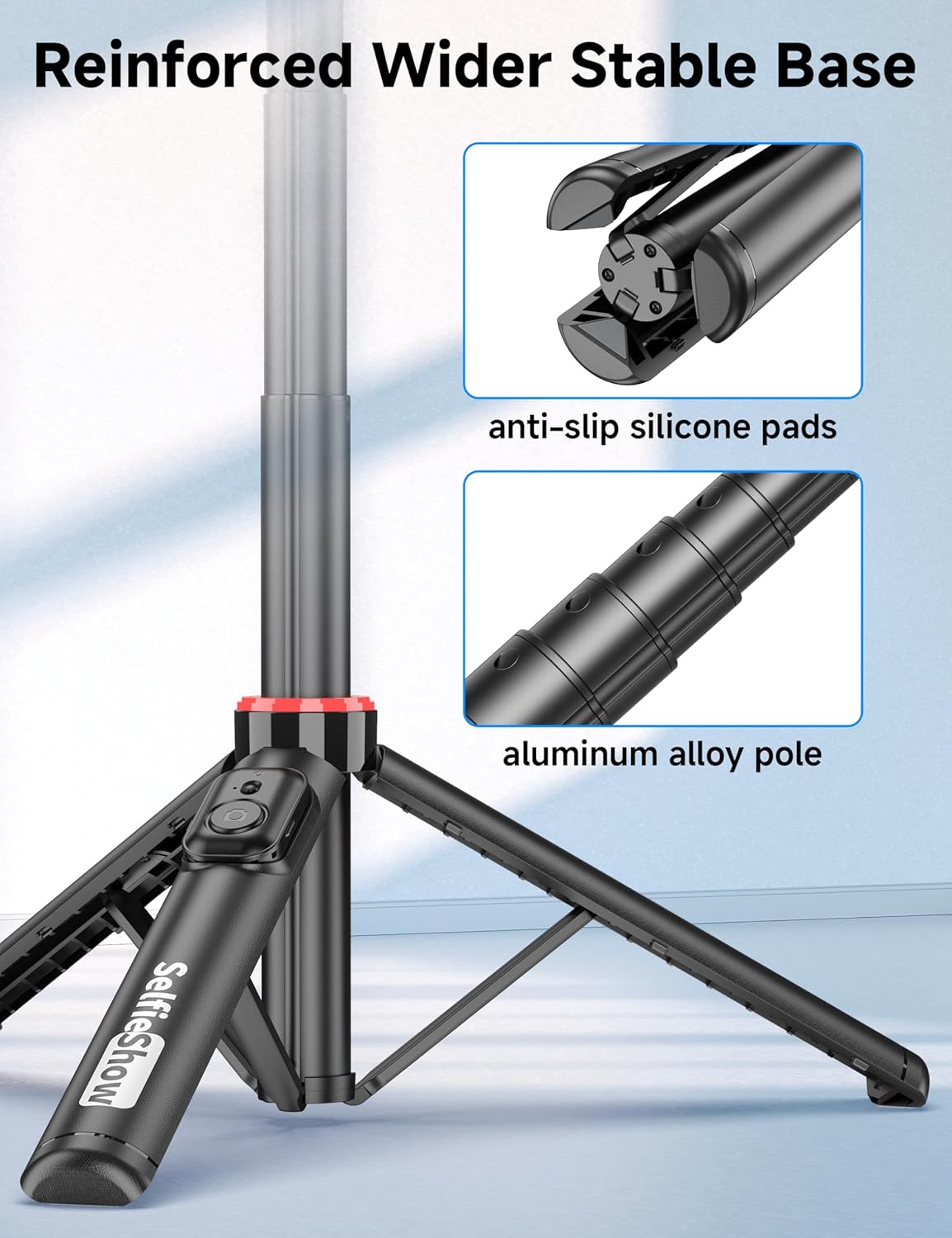
Малюнок 2: Збільшений план view of the reinforced tripod base, highlighting the anti-slip silicone pads and the durable aluminum alloy pole construction.
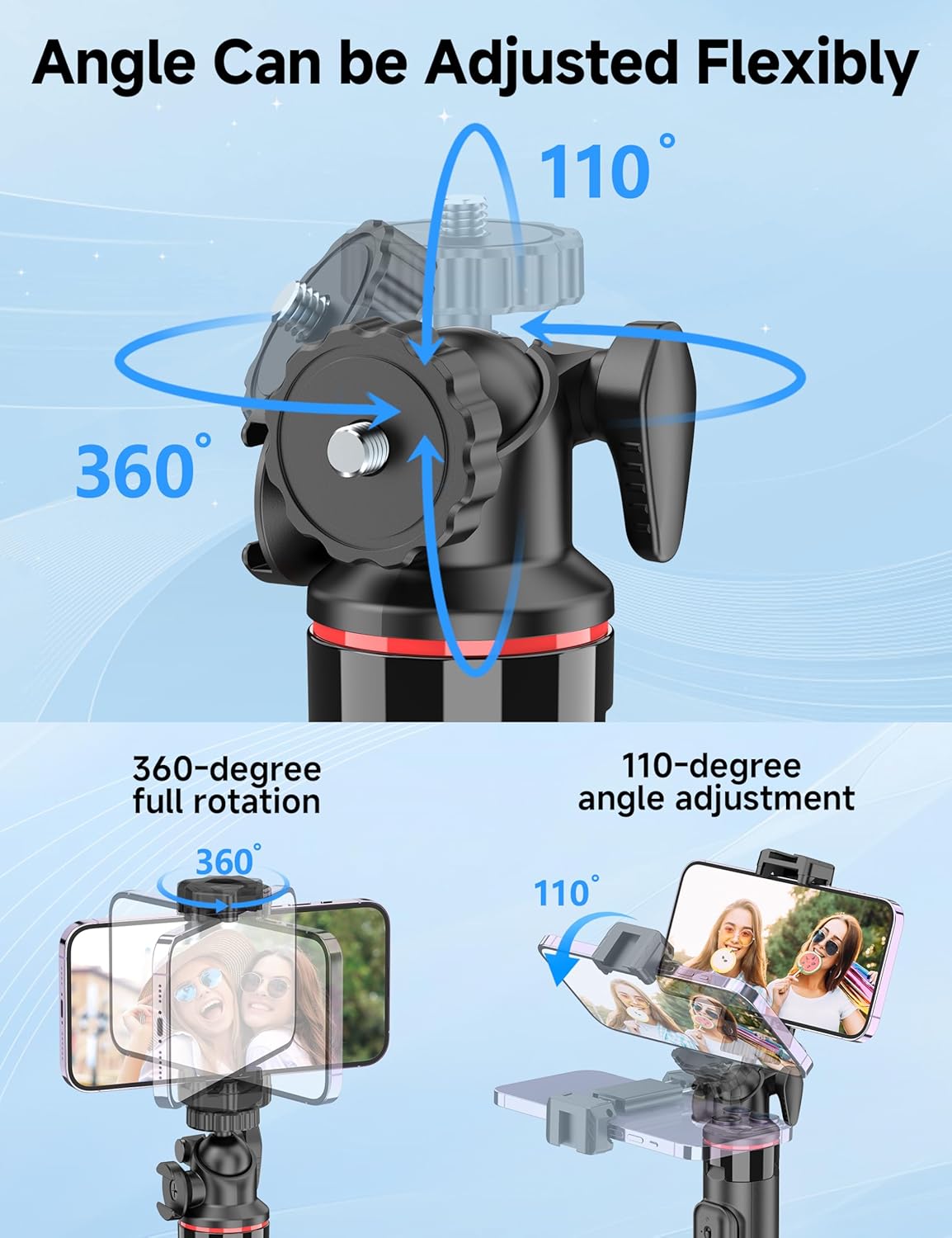
Figure 3: Illustration of the 360-degree full rotation and 110-degree angle adjustment capabilities of the ball head for flexible phone positioning.
3. Інструкції з налаштування
3.1 Сполучення дистанційного керування
- Переконайтеся, що пульт дистанційного керування має справну батарейку CR2032.
- Press and hold the button on the remote control until the indicator light flashes, indicating it is in pairing mode.
- На своєму смартфоні перейдіть до налаштувань Bluetooth та знайдіть доступні пристрої.
- Select "SelfieShow" from the list to pair. The indicator light on the remote will stop flashing once successfully paired.
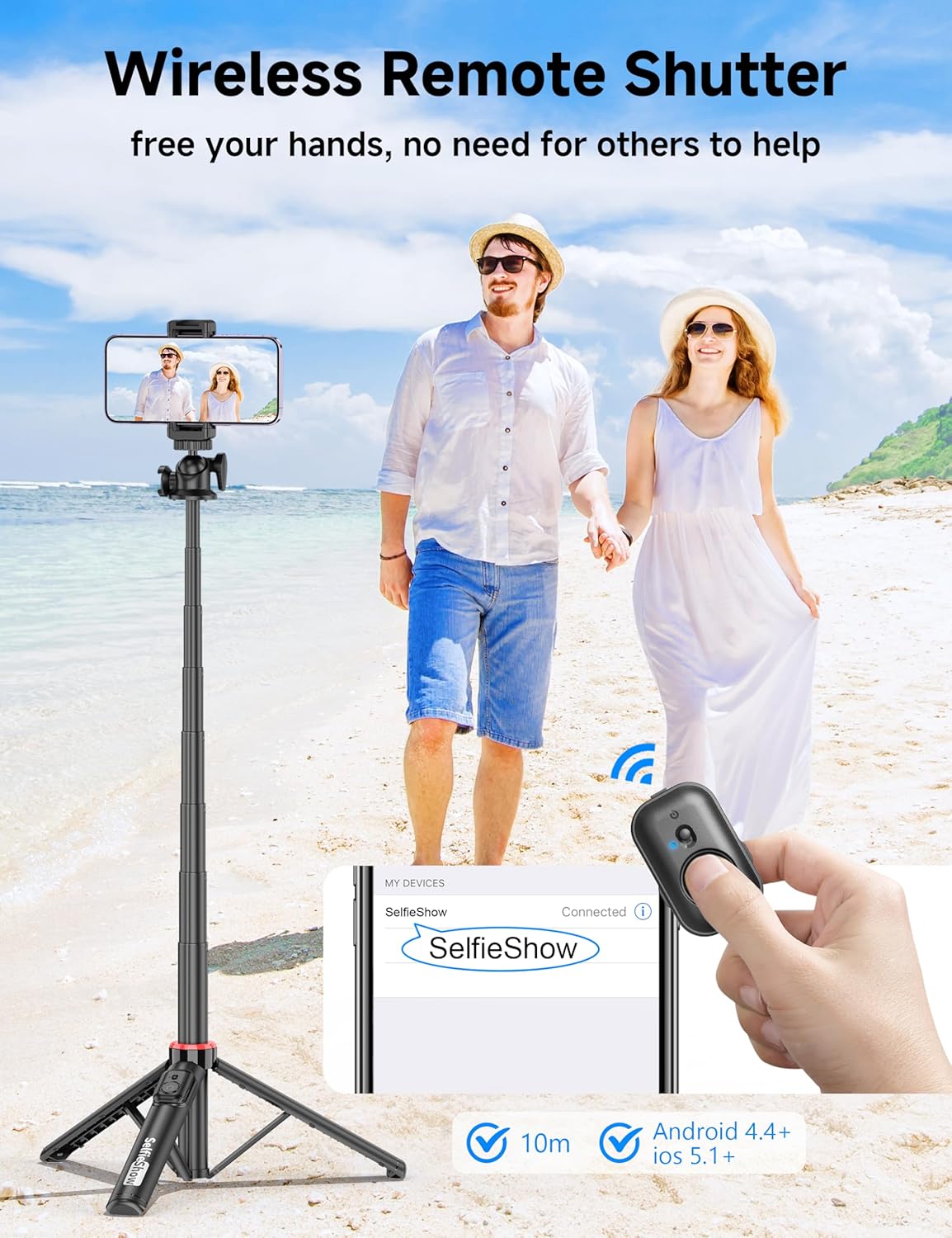
Figure 4: Visual guide for pairing the wireless remote shutter via Bluetooth, showing the remote and a phone screen with 'SelfieShow' connected.
3.2 Підключення смартфона
- Обережно розтягніть тримач телефонуamps to expand them.
- Insert your smartphone into the holder, ensuring it is securely gripped by both clamps. The holder accommodates phones between 2.5 to 3.7 inches (6.5 to 9.5 cm) in width.
- Переконайтеся, що кнопки вашого телефону не заблоковані та не натискаютьсяamps.
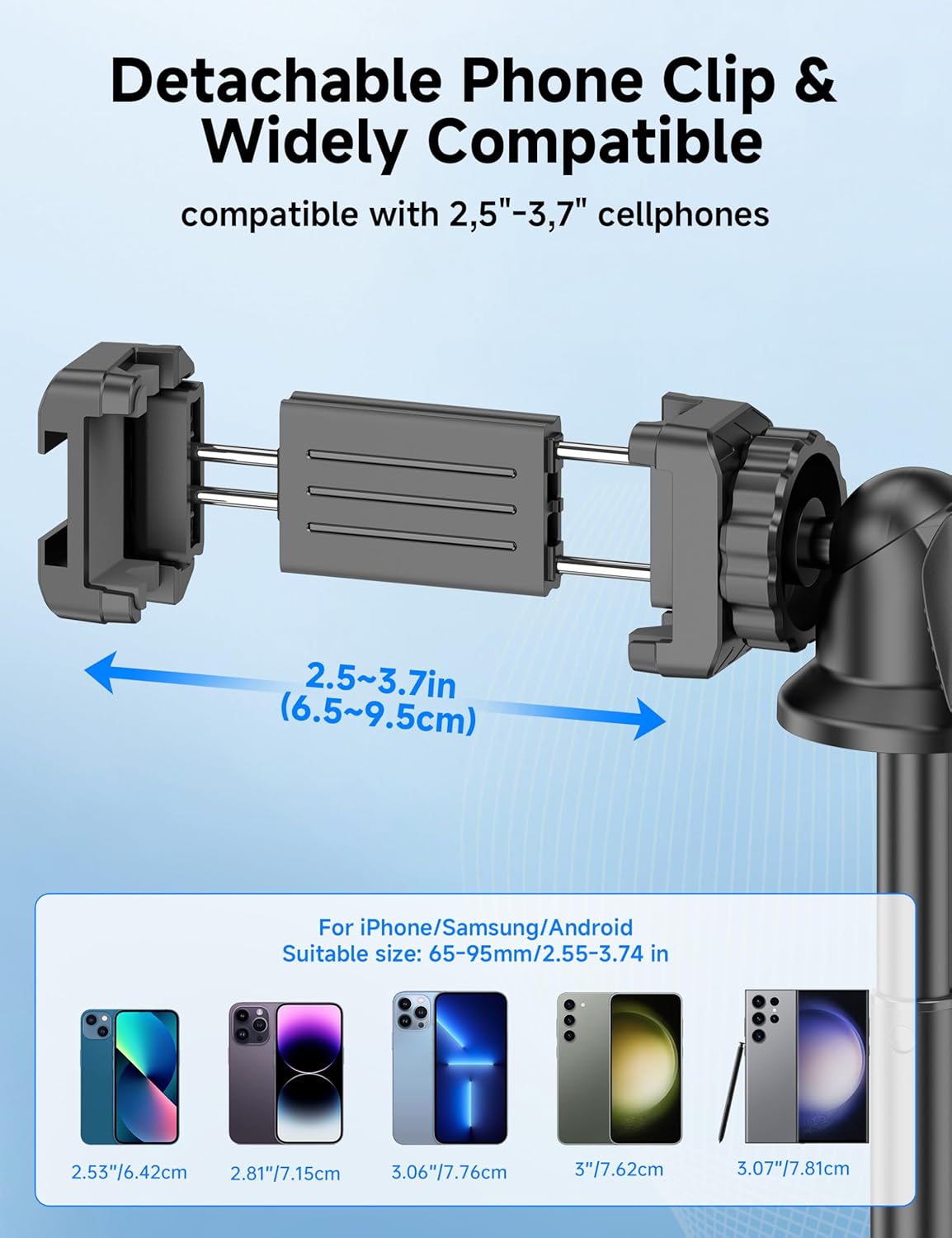
Figure 5: Diagram illustrating the adjustable width of the phone clip (2.5-3.7 inches) and its compatibility with various smartphone models.
4. Інструкція з експлуатації
4.1 Використання як селфі-палки
- Міцно тримайте ручку.
- Extend the aluminum pole to your desired length. The pole can extend from 9.8 inches (25 cm) to 49 inches (126 cm).
- Adjust the phone holder's angle using the ball head to achieve the desired shot.
- Use the paired wireless remote control to capture photos or start/stop video recording.
4.2 Використання як штатива
- From the collapsed position, gently pull the bottom handle downwards to deploy the tripod legs. Ensure the legs are fully spread for maximum stability.
- Розмістіть штатив на рівній, стійкій поверхні.
- Extend the aluminum pole to your desired height.
- Adjust the phone holder's angle using the ball head.
- Use the paired wireless remote control to capture photos or start/stop video recording.
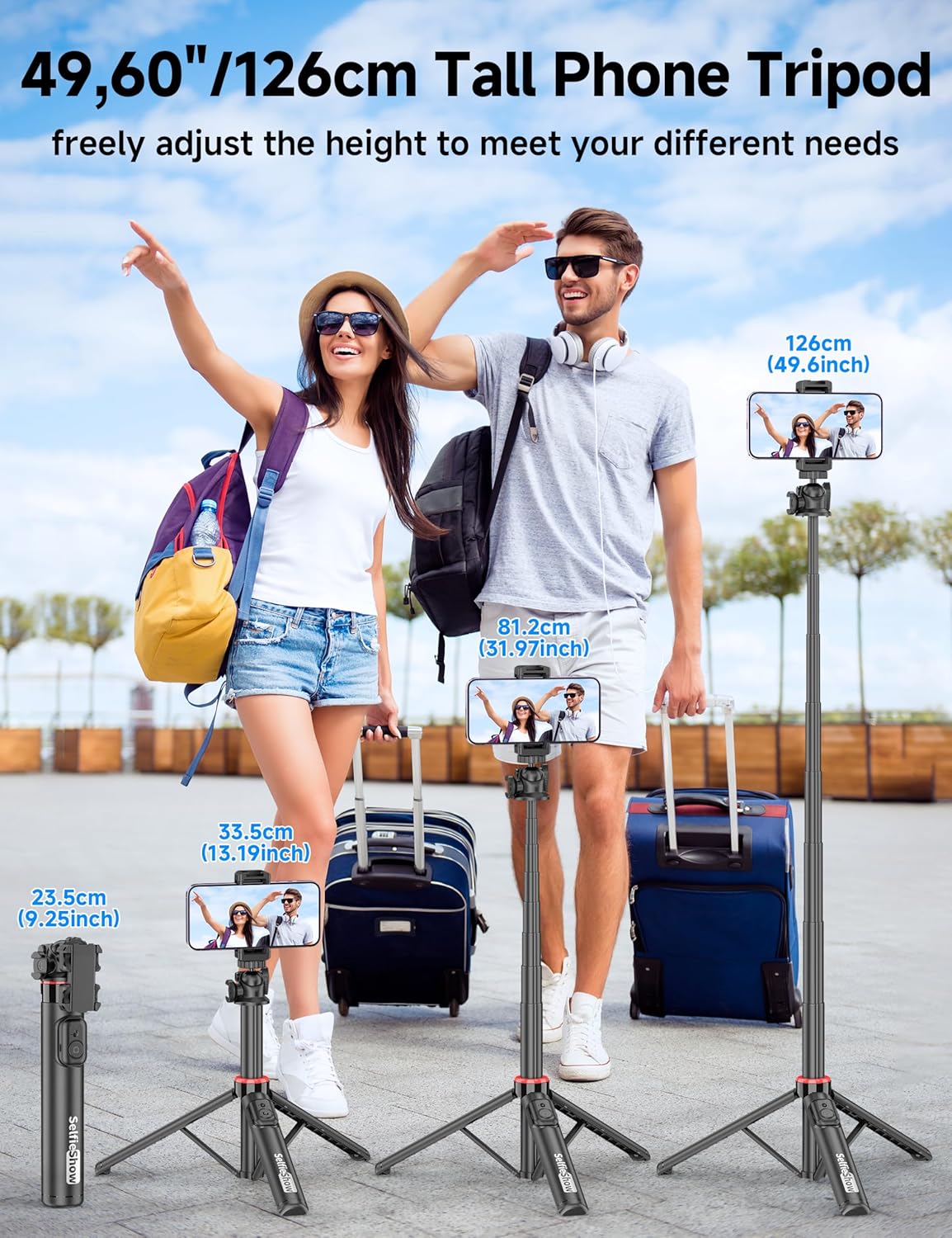
Figure 6: Visual guide demonstrating the adjustable height of the tripod from its folded state to various extended heights, up to 49 inches (126 cm).
4.3 Using the Cold Shoe and 1/4" Screw Mount
The SelfieShow C15 features a cold shoe interface and a standard 1/4" screw mount for expanded functionality:
- Холодний черевик: Located on top of the phone holder, this allows you to attach accessories such as external microphones or LED fill lights.
- Кріплення з гвинтом 1/4 дюйма: The ball head features a universal 1/4" screw, allowing direct attachment of compact cameras, action cameras (like GoPro), or other compatible accessories when the phone holder is detached.
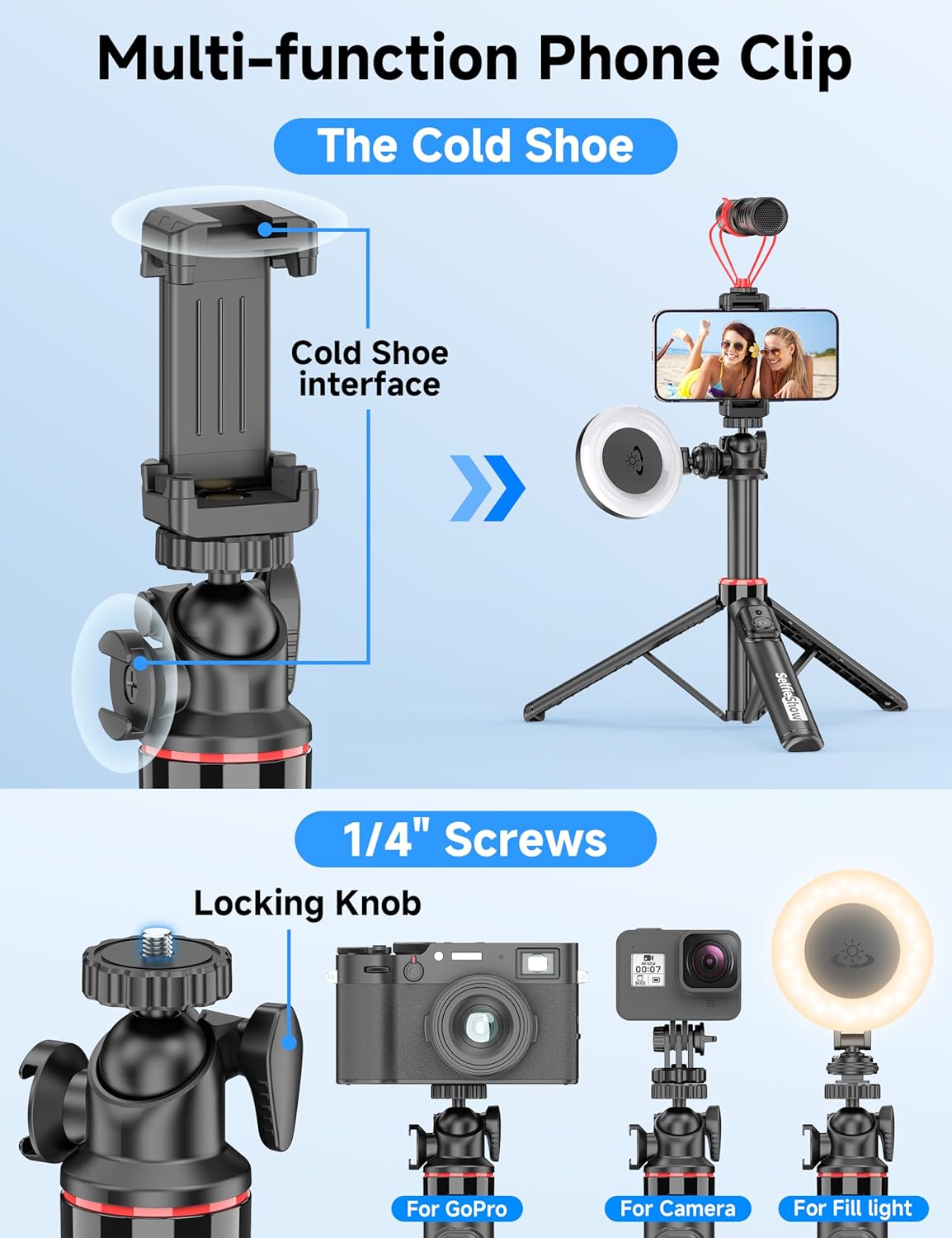
Малюнок 7: Детально view of the multi-function phone clip, highlighting the cold shoe interface for attaching external accessories.
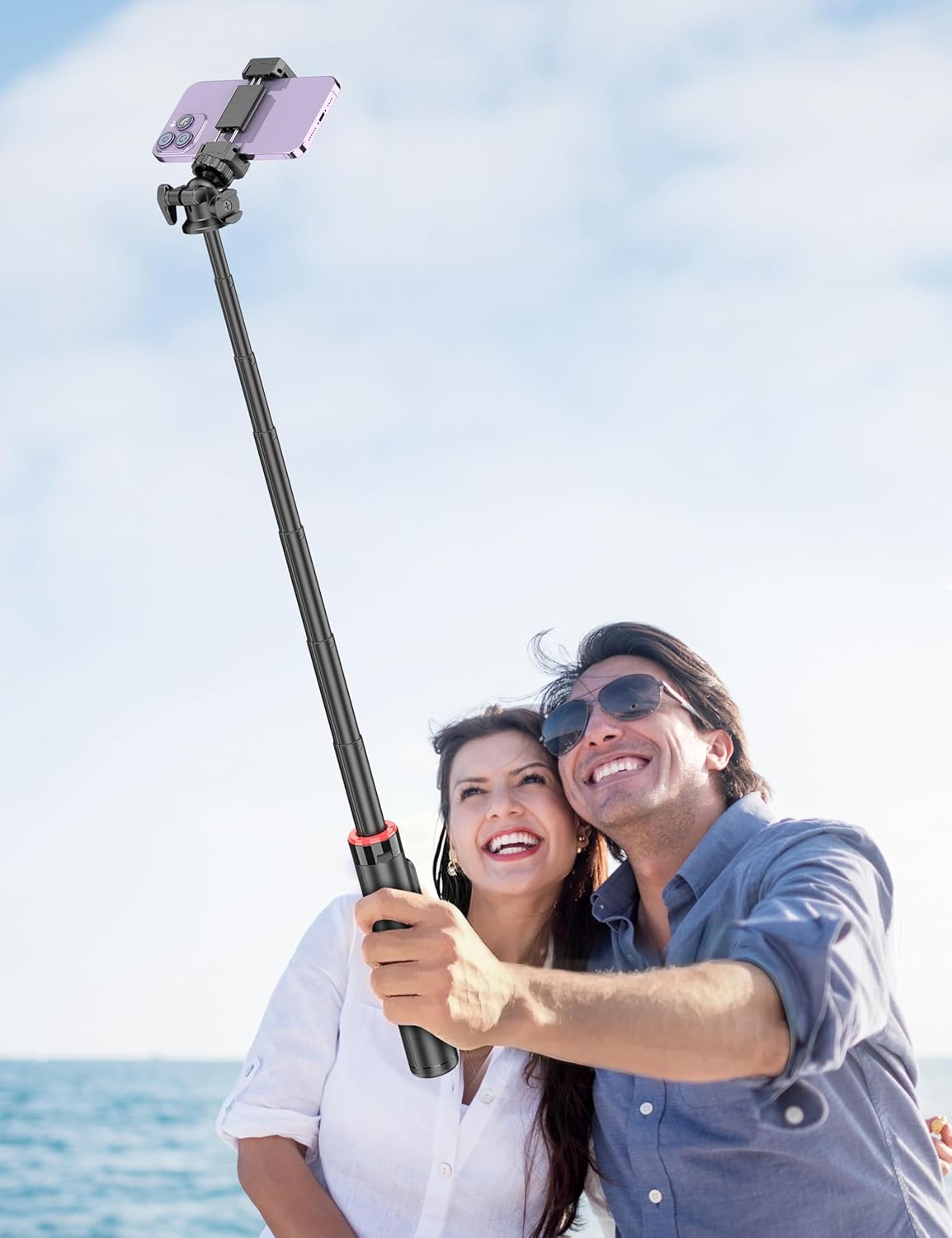
Figure 8: Image demonstrating the 1/4 inch screw mount for connecting cameras, GoPros, or fill lights, showcasing the versatility of the tripod head.
5. Технічне обслуговування
5.1 Очищення
- Протріть пристрій м’якою сухою тканиною.
- Не використовуйте агресивні хімікати або абразивні миючі засоби.
- Уникайте впливу надмірної вологи на пристрій.
5.2 Зберігання
- Зберігайте селфі-палицю в прохолодному, сухому місці, коли вона не використовується.
- Ensure the remote control is securely placed in its designated slot to prevent loss.
5.3 Заміна батарейки пульта дистанційного керування
The remote control uses a CR2032 coin cell battery. To replace:
- Знайдіть батарейний відсік на пульті дистанційного керування.
- Use a small coin or tool to open the compartment.
- Вийміть стару батарейку та вставте нову батарейку CR2032 позитивним (+) полюсом догори.
- Надійно закрийте батарейний відсік.
6. Вирішення проблем
6.1 Пульт дистанційного керування не підключається
- Переконайтеся, що батарейка пульта дистанційного керування не розряджена. За потреби замініть її.
- Переконайтеся, що Bluetooth увімкнено на вашому смартфоні.
- Try unpairing and re-pairing the remote control in your phone's Bluetooth settings.
- Ensure the remote is within the 30 ft (10 m) operating range of your phone.
6.2 Нестабільність штатива
- Ensure the tripod legs are fully extended and locked into position on a flat, stable surface.
- Уникайте розгортання жердини на максимальну висоту за вітряної погоди або на нерівній місцевості.
- Verify that your smartphone is securely seated in the phone holder and balanced.
6.3 Phone Not Fitting in Holder
- Check that your phone's width is within the compatible range of 2.5 to 3.7 inches (6.5 to 9.5 cm).
- Remove any bulky phone cases if they prevent a secure fit.
7. Технічні характеристики
| Особливість | Деталь |
|---|---|
| Назва моделі | C15 |
| Бренд | SelfieShow |
| матеріал | Алюміній |
| Вага товару | 10.5 унцій (297.67 грам) |
| Розмір у складеному вигляді | 9.8 дюйма (25 см) |
| Мінімальна висота | 9.8 дюйма (25 см) |
| Максимальна висота | 49 дюйма (124.5 см) |
| Ширина тримача телефону | 2.5 - 3.7 дюйма (6.5 - 9.5 см) |
| Тип головки штатива | Ball Head (360° rotation) |
| Діапазон дистанційного керування | До 30 футів (10 м) |
| Батарея пульта дистанційного керування | 1 x CR2032 (у комплекті) |
| Сумісні пристрої | Смартфони (iPhone, Android) |
| Додаткові функції | Cold Shoe, 1/4" Screw Mount |
8. Інформація про гарантію
SelfieShow products are manufactured to high-quality standards. For specific warranty details, please refer to the warranty card included with your purchase or contact customer support. Typically, products are covered against manufacturing defects for a period specified at the time of purchase.
9. Підтримка клієнтів
If you encounter any issues or have questions regarding your SelfieShow C15 Aluminum Selfie Stick Phone Tripod that are not addressed in this manual, please contact our customer support team. Refer to your product packaging or the SelfieShow official webсайт для контактної інформації.
Ask a question about this manual
Ask about setup, troubleshooting, compatibility, parts, safety, or missing instructions. Manuals+ will review the question and use this page’s manual context to help answer it.