
AINAVIGO 10.2'' TouchScreen 2+32G
AINAVIGO 10.2-inch TouchScreen Car Radio Stereo Upgrade User Manual
Model: 10.2'' TouchScreen 2+32G
1. Вступ
This manual provides detailed instructions for the installation, operation, and maintenance of your AINAVIGO 10.2-inch TouchScreen Car Radio Stereo Upgrade. This advanced system features Android 12, Wireless CarPlay, Android Auto, GPS Navigation, and support for a backup camera, designed to enhance your driving experience with modern connectivity and entertainment options.
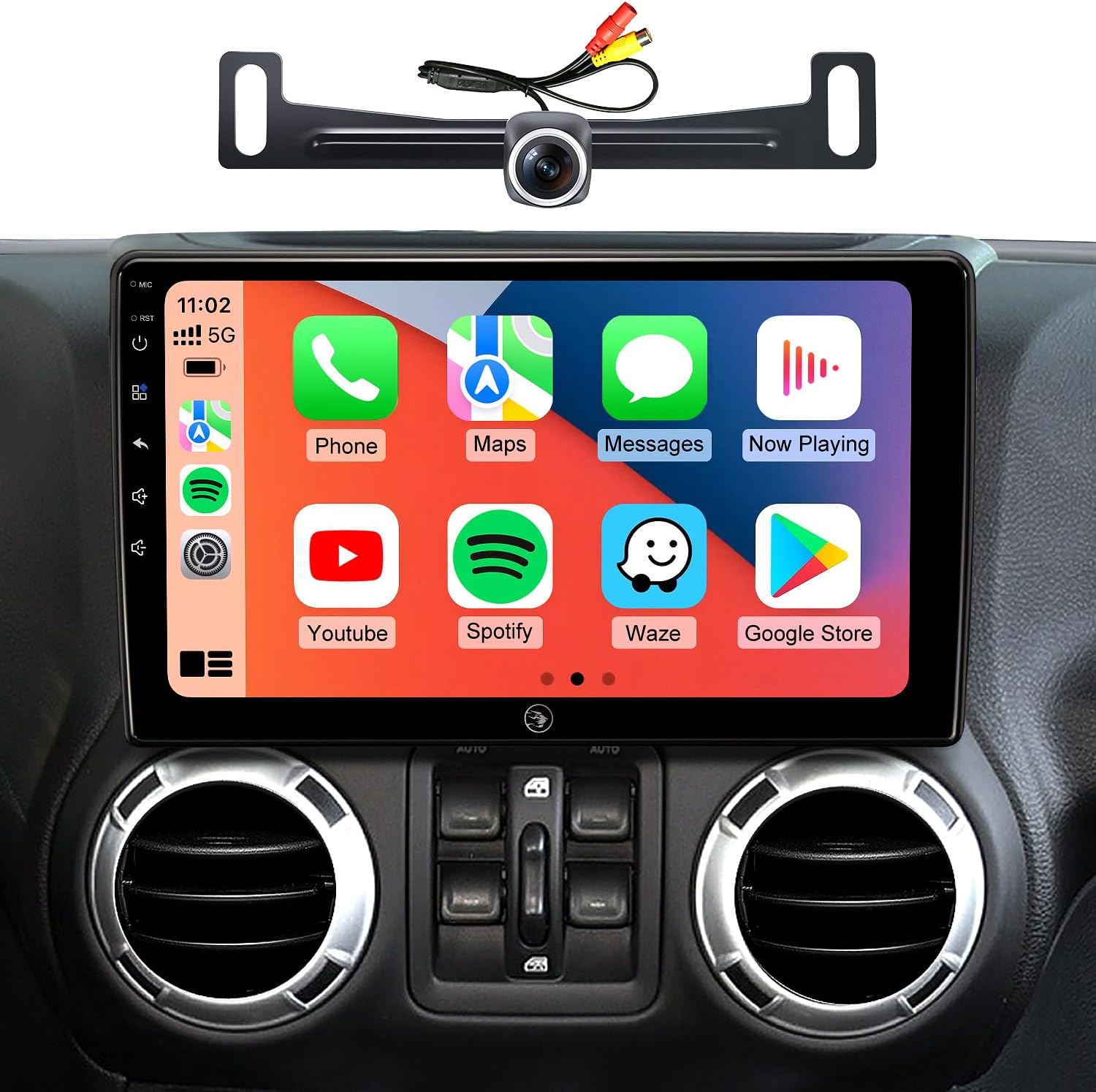
Image 1.1: AINAVIGO 10.2-inch TouchScreen Car Radio Stereo with CarPlay interface.
2. Сумісність з транспортними засобами
This car radio stereo upgrade is compatible with the following vehicle models:
- Jeep Wrangler JK/Unlimited: 2007-2018
- Jeep Compass: 2009-2016
- Jeep Patriot: 2009-2016
- Jeep Grand Cherokee: 2011-2013 р.в
- Jeep Liberty: 2008-2011
- Jeep Commander: 2008-2011
- Chrysler Sebring: 2007-2010
- Chrysler Town & Country: 2007-2010
- Dodge Grand Caravan: 2011-2014
- Dodge Charger: 2008-2010
- Dodge Ram Pickup 1500/2500/3500: 2009-2012

Image 2.1: Before and After installation comparison, demonstrating the 1:1 replica fit.
3. Що входить до комплекту
Комплектація містить усі необхідні компоненти для встановлення та експлуатації:
- 1x AINAVIGO Car Radio Stereo GPS Navigation Head Unit
- 1x кабель RCA
- 1x кабель живлення
- 1x Car Microphone
- 1x Задній View Камера 1080P
- 1x Reversing Control Cable (approximately 16.40 ft)
- 1x GPS-антена
- 1x Frame Removal Tool
- 2x кабелі USB
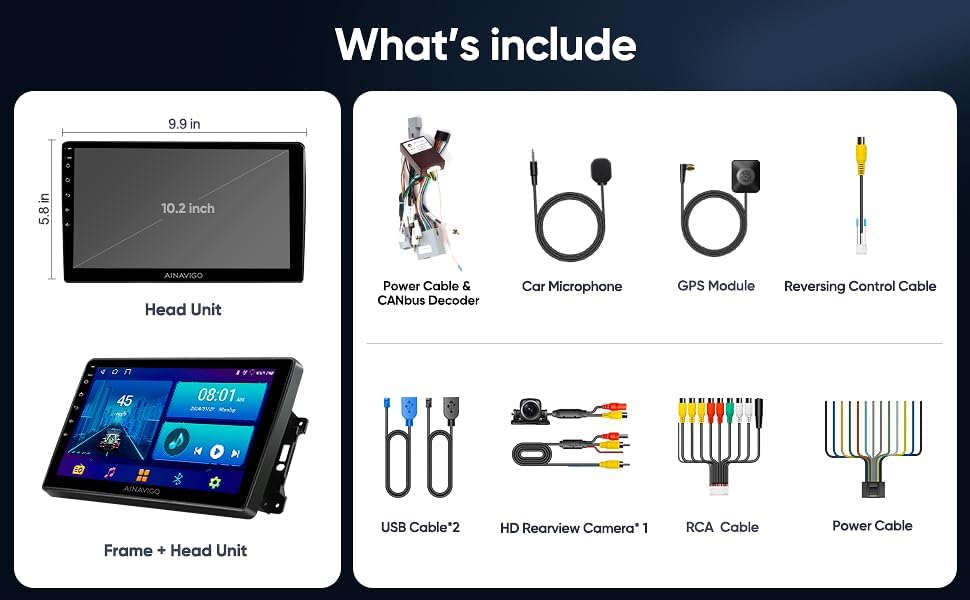
Зображення 3.1: закінченоview of included accessories and the head unit dimensions.
4. Налаштування та встановлення
Installation of the AINAVIGO car radio requires basic automotive electrical knowledge. It is recommended to consult a professional installer if you are unfamiliar with car stereo installations.
4.1 Контрольний список перед установкою
- Перед початком встановлення переконайтеся, що акумулятор автомобіля від’єднаний.
- Перевірте наявність усіх включених компонентів, як зазначено в Розділі 3.
- Identify the existing car radio and dashboard panel for removal.
4.2 Етапи встановлення
- Видалити існуючий блок: Use the provided frame removal tool to carefully pry open and remove the original car radio and dashboard trim. Disconnect all wiring harnesses.
- Підключіть проводку: Connect the new power cable, RCA cable, USB cables, GPS antenna, and microphone to the corresponding ports on the AINAVIGO head unit. Ensure all connections are secure.
- Backup Camera Installation (Optional): If installing the backup camera, route the reversing control cable from the rear of the vehicle to the head unit. Connect the camera to the designated input.
- Монтаж головного блоку: Secure the AINAVIGO head unit into the dashboard opening. Ensure a snug and stable fit.
- Повторне підключення батареї: Знову підключіть акумулятор автомобіля.
- Початкове ввімкнення: Turn on the vehicle's ignition and power on the head unit. Follow any on-screen prompts for initial setup.
For detailed wiring diagrams specific to your vehicle model, please refer to your vehicle's service manual or consult with a professional installer.
5. Інструкція з експлуатації
5.1 System Overview
The AINAVIGO unit runs on Android 12, providing a familiar and customizable interface. It features a 10.2-дюймовий HD-дисплей з 2 ГБ оперативної пам'яті і Пам'ять 32 ГБ, allowing for smooth operation and app installation from the Google Play Store.

Image 5.1: Key features of the AINAVIGO Car Radio.
5.2 Wired/Wireless CarPlay & Android Auto
Seamlessly integrate your smartphone with the car's infotainment system using CarPlay or Android Auto. This allows access to navigation, music, messages, and calls directly from the unit's display.
- Підключення: Connect your smartphone via USB for wired connection or pair via Bluetooth and Wi-Fi for wireless functionality.
- Голосове керування: Activate Siri or Google Assistant for hands-free operation, including making calls, sending messages, getting directions, and controlling music.
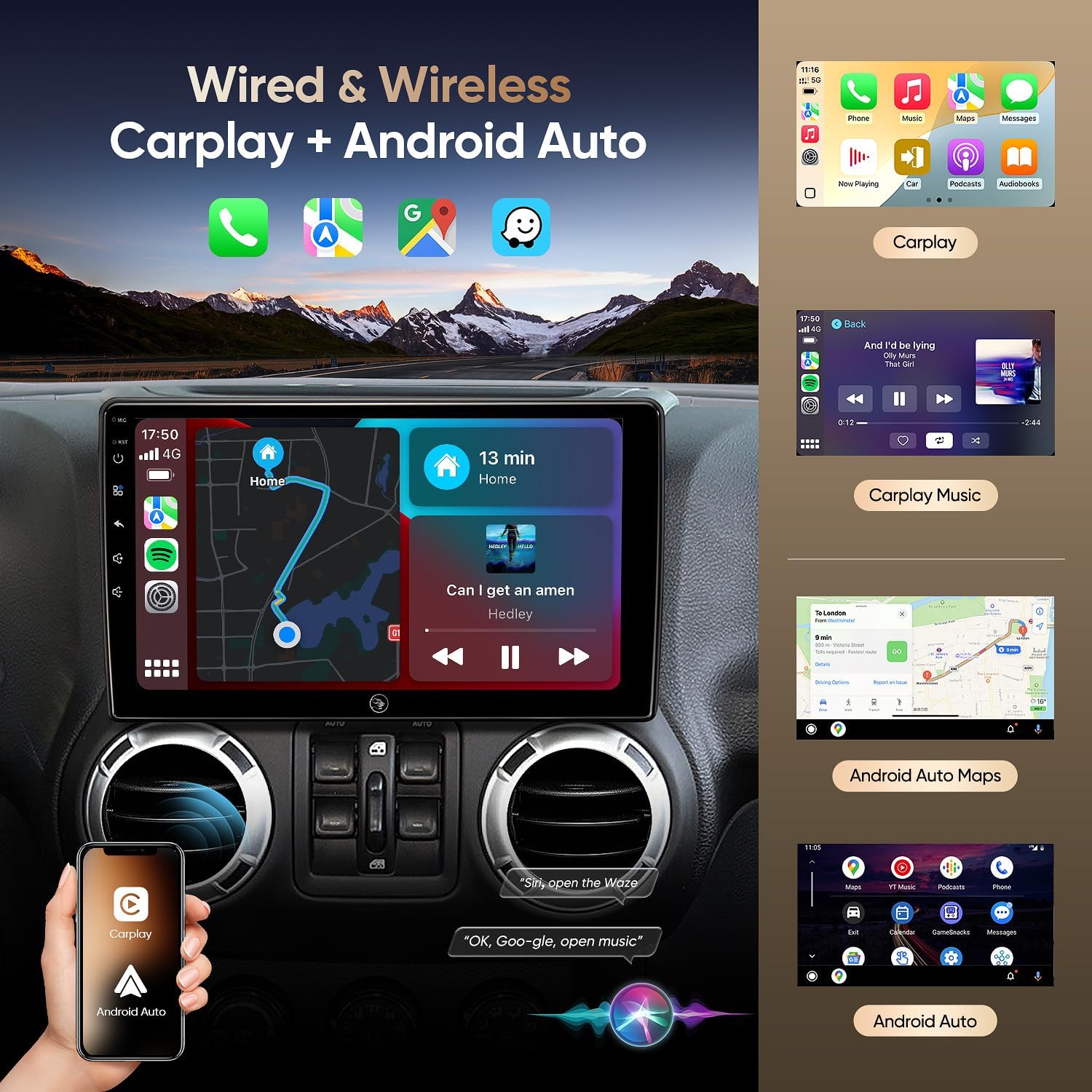
Image 5.2: Wired & Wireless CarPlay and Android Auto functionality.
5.3 GPS-навігація
The unit comes pre-loaded with North American maps and supports various online navigation apps. The included GPS antenna ensures accurate positioning.
- Онлайн-навігація: Connect to Wi-Fi to use apps like Google Maps, Waze, or other preferred navigation services.
- Офлайн-навігація: Download maps for offline use to navigate without an internet connection.

Image 5.3: Online and Offline GPS Navigation capabilities.
5.4 Bluetooth 5.0
Connect your smartphone via Bluetooth 5.0 for faster data transfer speeds and stable connections.
- Дзвінки в режимі Hands-Free: Make and receive calls using the built-in and external microphones for clear audio.
- Потокове аудіо: Play music from your phone directly through the car's speakers.
- Синхронізація контактів: Download your phone's contact book to the unit.
5.5 FM-радіо
Tune into FM radio stations to stay updated with real-time traffic, news broadcasts, and weather forecasts.
5.6 Вбудований DSP (цифровий звуковий процесор)
Adjust audio settings precisely to your preference with the built-in DSP, enhancing the acoustics of your vehicle for an immersive sound experience.

Image 5.4: Built-in DSP interface for sound customization.
5.7 AHD 1080P Rear Camera
The included AHD 1080P waterproof backup camera provides a 170° viewing angle. When reversing, the unit automatically displays a clear image on the screen, aiding in safer parking.

Image 5.5: AHD 1080P Rear View Дисплей камери.
5.8 Підключення до Wi-Fi
Utilize the built-in Wi-Fi hotspot feature to connect to the internet, browse, and download online navigation apps or social media platforms from the Play Store.
5.9 Функція розділеного екрана
Multitask efficiently by using the split-screen function, allowing you to run two applications simultaneously, such as navigation and music playback.
5.10 Голосове керування
Enhance driving safety and convenience with voice control features. Use commands to play music, check the weather, or navigate to destinations without taking your hands off the wheel.

Зображення 5.6: закінченоview of 5G WiFi, Split Screen, FM Radio, and Voice Control.
6. Технічне обслуговування
6.1 Очищення екрана
Використовуйте м’яку тканину без ворсу, щоб обережно протерти сенсорний екран. Для стійких плям злегкаampПротріть тканину водою або засобом для чищення екранів. Уникайте агресивних хімікатів або абразивних матеріалів.
6.2 Оновлення програмного забезпечення
Periodically check for software updates through the system settings to ensure optimal performance and access to the latest features and security patches. Connect to a stable Wi-Fi network for updates.
6.3 Загальний догляд
Уникайте тривалого впливу екстремальних температур, прямих сонячних променів або надмірної вологи на пристрій. Переконайтеся, що всі кабелі надійно підключені та не перетиснуті.
7. Вирішення проблем
If you encounter issues with your AINAVIGO car radio, refer to the following common solutions:
- Немає живлення: Перевірте всі з'єднання живлення та переконайтеся, що акумулятор автомобіля правильно підключений. Переконайтеся, що запобіжники справні.
- Немає звуку: Check speaker connections, volume levels, and audio settings (including DSP). Ensure the correct audio source is selected.
- Сенсорний екран не реагує: Try restarting the unit. If the issue persists, perform a system reset (refer to the system settings for this option).
- CarPlay/Android Auto Disconnection: Ensure your phone's Bluetooth and Wi-Fi are enabled and properly paired. Check for any software updates on your phone or the head unit. Try reconnecting the USB cable if using a wired connection.
- Втрата сигналу GPS: Переконайтеся, що GPS-антена правильно встановлена та має чіткий сигнал view неба. Перевірте наявність перешкод.
- Не відображається камера заднього виду: Verify the camera's power and video connections. Ensure the reversing control cable is correctly wired to trigger the display when in reverse gear.
- Unit Shuts Down Randomly: This could indicate a power supply issue. Check wiring for loose connections or insufficient power. In some cases, a hard reset (disconnecting and reconnecting power) may be necessary.
If these steps do not resolve the issue, please contact technical support.
8. Технічні характеристики
| Особливість | Специфікація |
|---|---|
| Назва моделі | HC-JEEP |
| Операційна система | Android 12 |
| ОЗУ | 2 ГБ |
| Зберігання | 32 ГБ |
| Розмір екрана | 10.2 дюймів |
| Роздільна здатність дисплея | 1280 * 720 IPS |
| Технологія підключення | Bluetooth 5.0, Wi-Fi, Wired/Wireless CarPlay & Android Auto |
| Особливості | HD Backup Camera Support, Touchscreen, Built-in DSP, GPS Navigation |
| Тип карти | Північна Америка |
| Режим аудіовиходу | Стерео |
| Тип монтажу | Кріплення для приладової панелі |
| Вага товару | 4.29 фунта |
| Розміри упаковки | 13.78 x 9.76 x 5.28 дюймів |
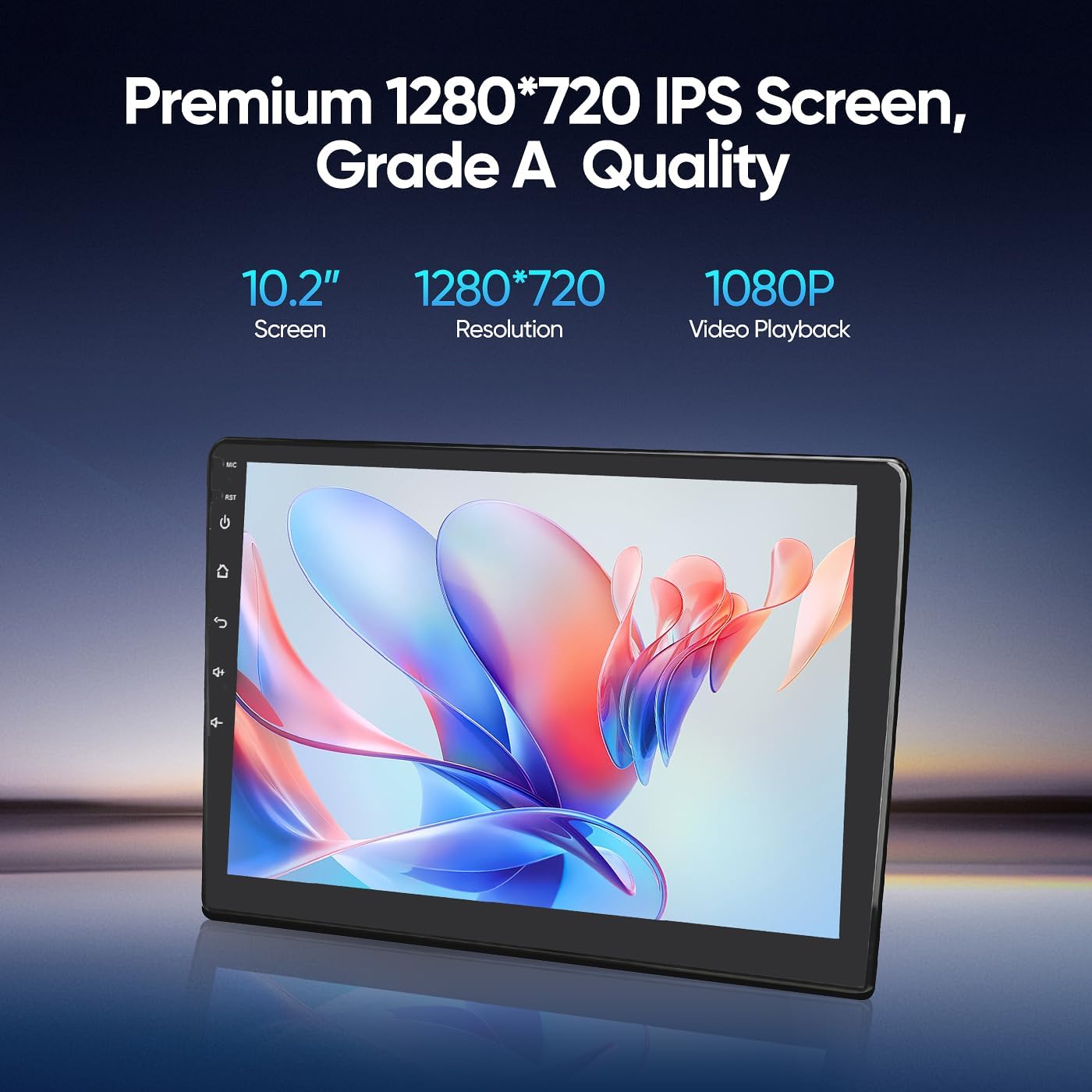
Image 8.1: Premium 1280*720 IPS Screen details.

Image 8.2: G+G Full Fit Ultra Clear Screen technology.
9. Інформація про гарантію
The AINAVIGO 10.2-inch TouchScreen Car Radio Stereo Upgrade comes with a Гарантія 12 місяців з дати покупки. Ця гарантія поширюється на виробничі дефекти та несправності за умов нормального використання. Вона не поширюється на пошкодження, спричинені неправильним встановленням, неправильним використанням, нещасними випадками або несанкціонованими модифікаціями.
Зберігайте підтвердження покупки для гарантійних претензій.
10. Технічна підтримка
For any installation assistance or technical inquiries, our professional technical support team is available to help. Please follow these steps to contact us:
- Visit the AINAVIGO Store page on Amazon.
- Locate and click the "Ask a question" button to send your inquiry.
We aim to respond to all queries as soon as possible.

Image 10.1: Steps to contact technical support.
Ask a question about this manual
Ask about setup, troubleshooting, compatibility, parts, safety, or missing instructions. Manuals+ will review the question and use this page’s manual context to help answer it.