
1. Вступ
Thank you for choosing the MorePro Smart Watch. This manual provides essential information to help you set up, operate, and maintain your new smartwatch. Designed for both men and women, this device offers comprehensive health monitoring, extensive fitness tracking, and convenient communication features to support your active lifestyle.
2. Що в коробці
- MorePro Smart Watch with Band
- Зарядний кабель
- Посібник користувача

Image: The MorePro Smart Watch, charging cable, and user manual as packaged in the box.
3. Налаштування
3.1 Заряджання смарт-годинника
Before first use, fully charge your MorePro Smart Watch. Connect the magnetic charging cable to the charging points on the back of the watch. Plug the USB end of the cable into a compatible USB power adapter (not included). A full charge typically takes about 2 hours and provides up to 7 days of daily use or 20 days of standby time.
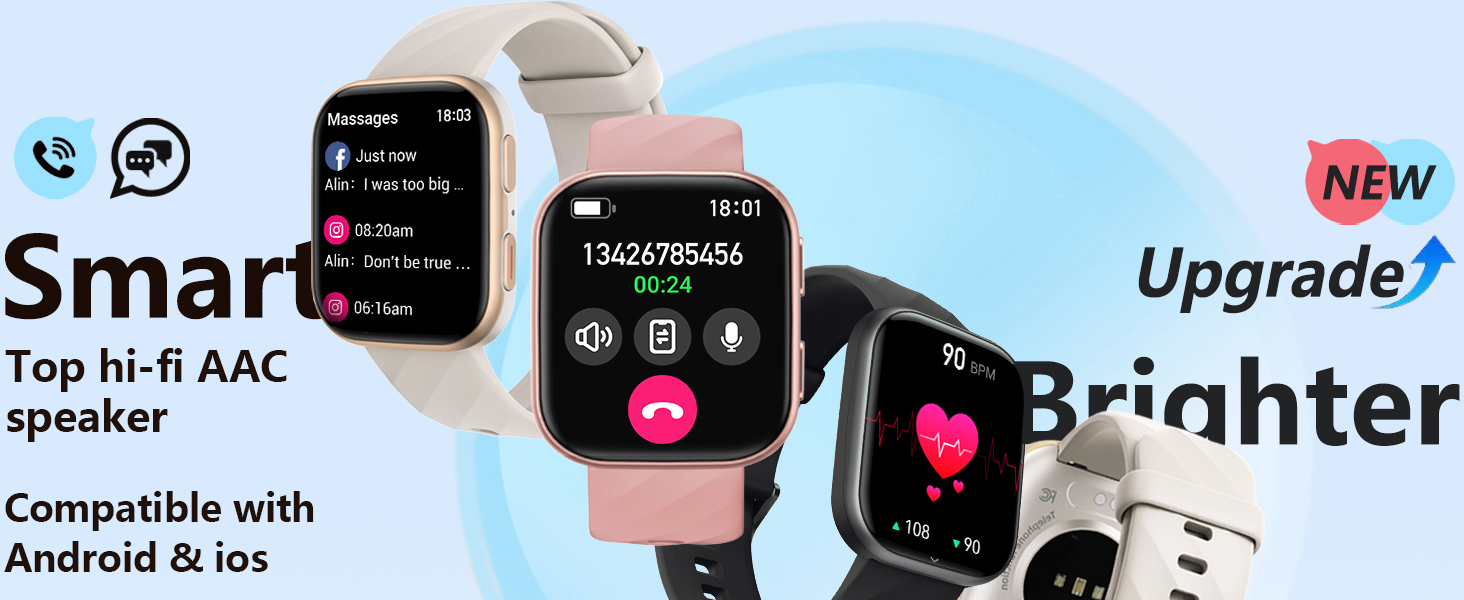
Image: The MorePro Smart Watch connected to its magnetic charging cable, illustrating the 300mAh battery capacity and fast charging capability (2 hours for 7 days of use).
3.2 Сполучення зі смартфоном
The MorePro Smart Watch uses fast and stable Bluetooth 5.2 technology for seamless connection with your smartphone. It is compatible with Android 6.0 / iOS 10.0 and above (not suitable for PCs or tablets).
- Download the 'FitCloudPro' app from your smartphone's app store (Google Play or Apple App Store).
- Увімкніть Bluetooth на телефоні.
- Open the 'FitCloudPro' app and follow the on-screen instructions to connect with your HM57 Smart Watch.
Video: Official MorePro HM57 Smart Watch Fitness Tracker overview, демонструючи розпакування та початкові кроки налаштування.
4. Інструкція з експлуатації
4.1 Дисплей та навігація
The MorePro Smart Watch features a vibrant 1.85-inch HD screen. You can customize your watch face from over 150 options available in the app, or even upload your own photos as dials.

Image: A collage of various customizable watch faces available for the MorePro Smart Watch.
4.2 Call and Message Reception
With dual built-in microphones and an AAC high-fidelity speaker, you can make and answer calls directly from your wrist. The watch supports real-time reminders and displays for emails, text messages, and popular social media notifications (e.g., Facebook, WhatsApp, Instagбаран).
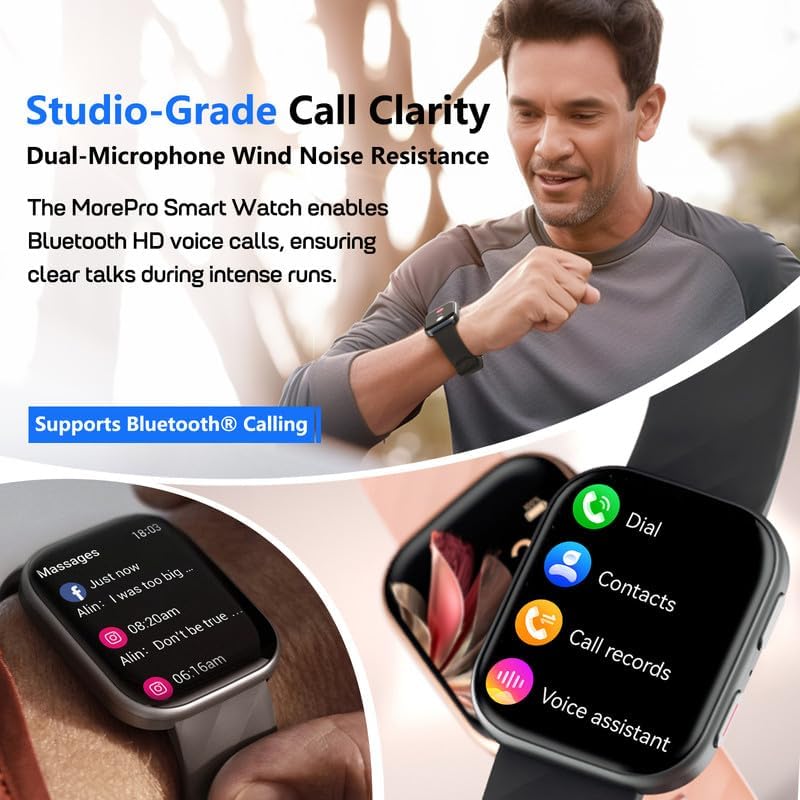
Image: The MorePro Smart Watch displaying incoming call and message notifications, highlighting its Bluetooth calling and voice assistant capabilities.
4.3 Моніторинг здоров'я
This smartwatch serves as your 24/7 health companion, continuously monitoring your heart rate and blood pressure. It also tracks blood oxygen levels and provides detailed insights into your sleep patterns (deep, light, wake-ups, naps) to help optimize sleep habits. Guided breathing exercises are also available to help you relax and de-stress. Note: This device is designed to inspire a healthy life and is not intended for medical use or diagnosis.

Image: Visual representation of the MorePro Smart Watch's health monitoring features, including heart rate, blood pressure, sleep, and blood oxygen tracking.
4.4 Fitness Tracking Functions
The MorePro fitness tracker offers over 120 sports modes, including running, cycling, walking, climbing, and more. Through its excellent sensor, it captures detailed exercise data such as steps taken, distance covered, calories burned, heart rate during activity, and training time. This data provides valuable references for exercise intensity, making your workouts safer and more efficient.

Image: The MorePro Smart Watch displaying various sports modes and daily activity metrics like calories burned, step count, and distance tracked.
4.5 Handy Life Reminders & Other Features
The smart sports watch helps maintain an organized lifestyle with features like sedentary reminders (prompting you to move), drinking water reminders, and women's wellness management (menstrual cycle, ovulation period, security period prediction). Other practical features include IP67 water resistance (not suitable for diving or surfing), real-time weather updates, quick dial for contacts, calendar, stopwatch, timer, built-in calculator, camera remote control, and music control.

Image: The MorePro Smart Watch showing its weather display, music control, and camera remote control features.
5. Технічне обслуговування
5.1 Очищення та догляд
To ensure the longevity and accuracy of your MorePro Smart Watch, regularly clean the device and its sensors. Use a soft, lint-free cloth to wipe the screen and watch body. For the sensors on the back, gently clean with a cotton swab. Avoid using harsh chemicals or abrasive materials.
5.2 Оптимізація часу роботи від батареї
While the watch boasts a long battery life, certain factors can affect it. To optimize battery performance, consider adjusting screen brightness, reducing the frequency of notifications, and disabling features you don't frequently use. Ensure the watch is fully charged before extended periods of inactivity.
6. Вирішення проблем
If you encounter any issues with your MorePro Smart Watch, please refer to the following common troubleshooting tips:
- Проблеми з підключенням: Ensure Bluetooth is enabled on your phone and the watch is within range. Restart both the watch and your phone.
- Проблеми із синхронізацією програм: Check if the 'FitCloudPro' app is updated to the latest version. Ensure the app has necessary permissions on your phone.
- Неточні показання: Переконайтеся, що годинник щільно прилягає до зап'ястя, не надто туго і не надто вільно. Регулярно очищуйте датчики.
- Швидко розряджається акумулятор: Review your notification settings and screen brightness. Close any unnecessary background apps on the watch.
For more detailed troubleshooting steps, please consult the full Посібник користувача (PDF).
7. Технічні характеристики
| Особливість | Деталь |
|---|---|
| Бренд | MorePro |
| Номер моделі | Smart Watch Fitness Tracker Black |
| Розмір екрана | 1.85 дюймів |
| Технологія підключення | Bluetooth 5.2 |
| Операційна система | Android & iOS (6.0+ / 10.0+) |
| Термін служби батареї (щоденне використання) | До 7 днів |
| Час очікування | Близько 20 днів |
| Водонепроникність | IP67 (Not suitable for diving or surfing) |
| Ємність пам'яті | 128 Мб |
| Вага товару | 4.6 унції |
8. Гарантія та підтримка
MorePro stands behind the quality of its products. This Smart Watch comes with a 2-Year Replacement Lifetime Service. For any quality issues, a new one will be sent. MorePro also offers a 12-Hour Quick Reply for customer inquiries.
Для отримання додаткової допомоги або view the complete user manual, please visit the official MorePro webсайт або зверніться до Посібник користувача (PDF).