
1. Продукт закінчивсяview
The Lenovo Legion 5 (Model 15IRX9) is a high-performance gaming laptop designed for demanding tasks and immersive gaming experiences. It features a 13th Gen Intel Core i7-13650HX processor and NVIDIA GeForce RTX 4060 graphics, ensuring powerful performance for both gaming and professional applications.
Ключові особливості:
- Процесор: Intel Core i7-13650HX (13th Gen) with speeds up to 4.9GHz, 14 Cores, 20 Threads, and 24MB Cache.
- Графіка: NVIDIA GeForce RTX 4060 with 8GB GDDR6 dedicated memory, Boost Clock 2370MHz, and 140W max TGP. Supports Free-Sync and G-Sync.
- Дисплей: 15.6-inch FHD (1920x1080) IPS panel, 300 nits brightness, anti-glare, 100% sRGB, and a 144Hz refresh rate.
- Пам'ять: 24GB DDR5-4800 RAM (2x12GB), expandable up to 24GB.
- Зберігання: 512GB SSD M.2 2280 PCIe 4.0x4 NVMe.
- Охолодження: Legion ColdFront Hyper thermal system with innovative fan design and a dedicated hyperchamber for efficient heat dissipation.
- Двигун штучного інтелекту+: Enhances FPS and performance with Auto Detect and Auto Optimisation modes.
- Операційна система: Windows 11 Домашня версія.
- Підключення: Wi-Fi 6E (11ax 2x2) and Bluetooth 5.2.
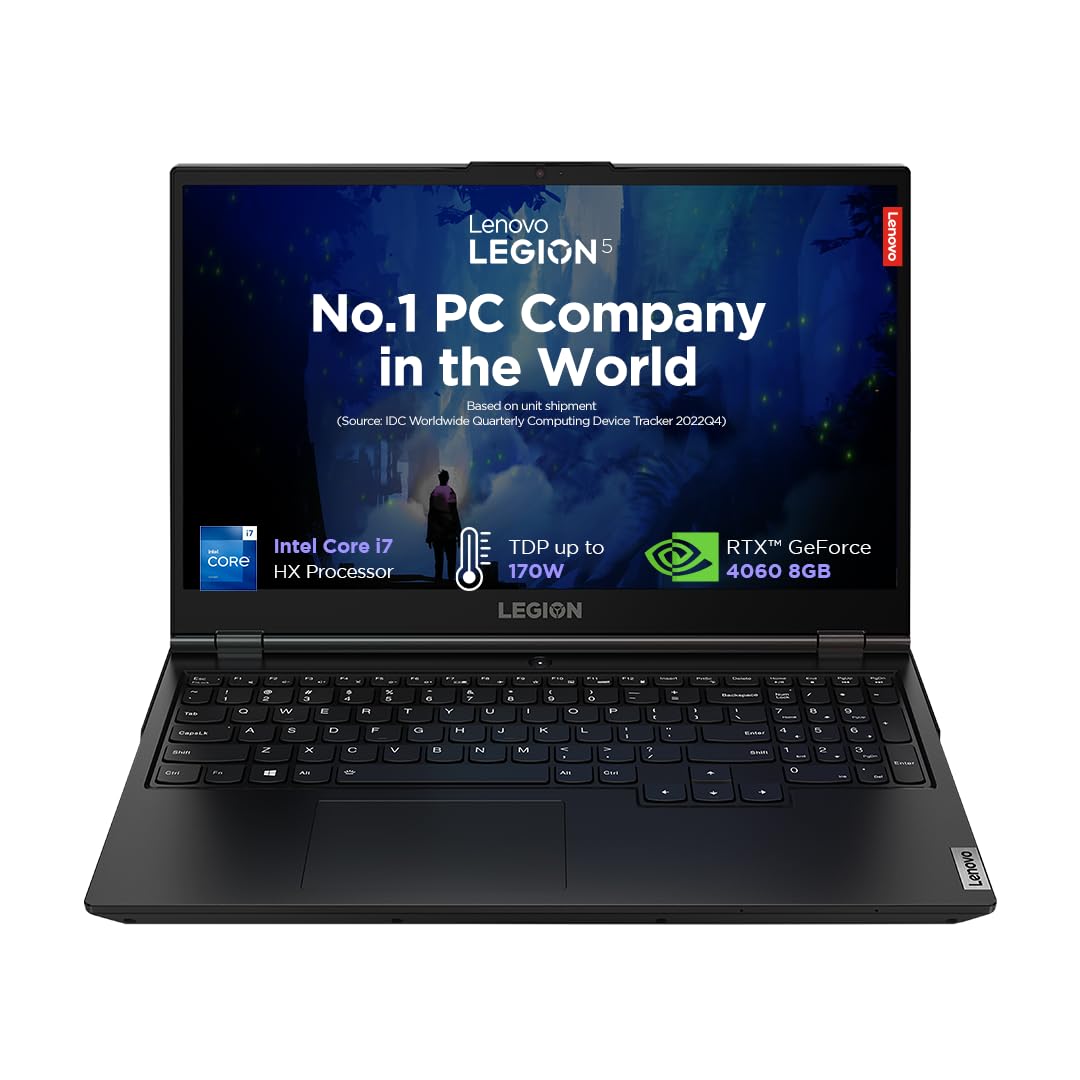
Figure 1: Lenovo Legion 5 Gaming Laptop. This image shows the laptop from the front, open, with a game displayed on the screen, highlighting its sleek design and display capabilities.
2. Початкове налаштування
2.1 Розпакування та вміст
Обережно вийміть усі компоненти з упаковки. Переконайтеся, що є такі предмети:
- Ноутбук Lenovo Legion 5
- Адаптер живлення
- Посібник користувача (цей документ)
2.2 Підключення адаптера живлення
- Connect the power adapter cable to the power connector port on the rear of the laptop.
- Підключіть адаптер живлення до заземленої електричної розетки.
2.3 Перше ввімкнення
Press the power button located on the laptop to turn it on. Follow the on-screen instructions to complete the initial Windows 11 setup, including language selection, network connection, and user account creation.
2.4 Підключення периферійних пристроїв
Connect external devices such as a mouse, keyboard, or external display using the available ports. Refer to the 'Ports' section for port locations and types.
3. Керування ноутбуком
3.1 Функції дисплея
The 15.6-inch Full HD IPS display offers vibrant visuals with a 144Hz refresh rate for smooth motion and G-SYNC support to eliminate screen tearing. The anti-glare coating reduces reflections, enhancing visibility in various lighting conditions.

Figure 2: Display Features. This image highlights the key specifications of the laptop's display, including its size, resolution, brightness, aspect ratio, refresh rate, and G-SYNC compatibility.
3.2 Клавіатура та введення
The Legion TrueStrike keyboard features a white backlight, 1.5mm key travel distance, and 100% anti-ghosting for precise input during gaming. Swappable keycaps allow for customization.

Figure 3: Keyboard Features. This image illustrates the design and features of the laptop's keyboard, emphasizing its gaming-oriented attributes like anti-ghosting and key travel.
3.3 Аудіосистема
Experience optimized audio with stereo speakers (2W x2) enhanced by Nahimic Audio technology, providing immersive sound for gaming and multimedia.
3.4 Порти та підключення
The laptop offers a comprehensive selection of ports for various connectivity needs:
- Задні порти: Ethernet (RJ-45), HDMI®, USB-C (USB 10Gbps, with PD 140 & DP 1.4), USB-A (USB 5Gbps), Power connector.
- Бічні порти: USB-A (USB 5Gbps), USB-C (USB 10Gbps, with DP 1.4), Headphone/microphone combo jack (3.5mm), E-shutter switch.

Figure 4: Port Layout. This image provides a visual guide to all the input/output ports available on the Lenovo Legion 5 laptop, detailing their types and locations.
3.5 Керування батареєю
The laptop is equipped with a 60 Watt-hour Lithium Polymer battery, providing approximately 6 hours of battery life under normal usage. For optimal performance during gaming or intensive tasks, it is recommended to keep the laptop plugged into the power adapter.
4. Технічне обслуговування та догляд
4.1 Генеральне прибирання
Regularly clean the laptop's exterior with a soft, lint-free cloth. For the screen, use a specialized screen cleaner and a microfiber cloth. Avoid harsh chemicals or abrasive materials.
4.2 Догляд за системою охолодження
The Legion ColdFront Hyper cooling system requires clear airflow. Ensure that the air vents (located on the sides and rear) are not obstructed when using the laptop. Periodically inspect and gently clean any dust accumulation from the vents using compressed air.
Figure 5: Cooling System. This image provides an internal view of the laptop's advanced cooling system, highlighting its copper thermal components and fan design for efficient heat management.
4.3 Оновлення програмного забезпечення
Keep your operating system, drivers (especially graphics drivers), and Lenovo Vantage software updated to ensure optimal performance, security, and access to the latest features.
4.4 Керування сховищем
Ноутбук постачається з твердотільним накопичувачем на 512 ГБ. Регулярно керуйте своїм сховищем, видаляючи непотрібні files and uninstalling unused applications. For users requiring more space, consider upgrading the SSD or utilizing external storage solutions.
5. Вирішення проблем
This section addresses common issues you might encounter. For more complex problems, refer to the Lenovo support resources.
5.1 Проблеми з продуктивністю
- Повільна продуктивність: Ensure all drivers are updated. Check for background applications consuming resources. Verify that the laptop is in 'Performance' mode via Lenovo Vantage or Windows power settings when gaming.
- Перегрів: Ensure vents are clear. Use the laptop on a hard, flat surface. Monitor temperatures using Lenovo Vantage.
5.2 Проблеми з дисплеєм
- Розриви/заїкання екрана: Verify G-SYNC is enabled in NVIDIA Control Panel. Ensure graphics drivers are up to date.
- Привиди: If experiencing ghosting with G-SYNC, try disabling G-SYNC in the NVIDIA Control Panel to see if the issue resolves.
5.3 Battery Not Charging / Short Battery Life
- Ensure the power adapter is securely connected to both the laptop and the wall outlet.
- Check power settings in Windows to optimize battery usage. Reduce screen brightness and close unnecessary applications.
5.4 Шум вентилятора
High fan noise is normal during intensive tasks like gaming, as the cooling system works to dissipate heat. If fan noise is excessively loud during light usage, check for background processes or dust accumulation in the vents.
6. Технічні характеристики
| Особливість | Специфікація |
|---|---|
| Бренд | Lenovo |
| Назва моделі | Легіон 5 |
| Номер моделі | 15IRX9 |
| Процесор | Intel Core i7-13650HX (13th Gen) |
| Швидкість процесора | 2.6 GHz (Base) - 4.9 GHz (Max) |
| Ядра / потоки | 14 ядра / 20 потоки |
| Графіка | NVIDIA GeForce RTX 4060 8 ГБ GDDR6 |
| Max TGP | 140 Вт |
| Дисплей | 15.6" FHD (1920x1080) IPS, 300nits, 144Hz, 100% sRGB, Anti-glare, G-SYNC |
| ОЗУ | 24GB DDR5-4800 (2x12GB), Max 24GB |
| Зберігання | 512GB SSD M.2 2280 PCIe 4.0x4 NVMe |
| Операційна система | Windows 11 Домашня |
| Бездротове підключення | Wi-Fi 6E (11ax 2x2), Bluetooth 5.2 |
| Порти | 5x USB (various types), 1x HDMI, 1x Ethernet (RJ-45), 1x Headphone/mic combo jack |
| Акумулятор | 60 Wh Lithium Polymer, up to 6 hours |
| Dimensions (L x W x Thickness) | 26.1L x 35.8W x 2.1Th Centimeters |
| вага | 2.3 кг |
| Клавіатура | Backlit, Anti Glare Coating, HD Audio, Memory Card Slot |
| UPC | 198155448898 |
7. Гарантія та підтримка
7.1 Інформація про гарантію
Your Lenovo Legion 5 laptop comes with the following warranty coverage:
- 1 рік захисту від випадкових пошкоджень
- 1 Year Legion Ultimate Support
- 1 Year On-Site Warranty
For detailed terms and conditions, please refer to the warranty documentation included with your product or visit the official Lenovo support webсайт.
7.2 Manufacturer and Importer Contact
Виробник: Lenovo (Various manufacturing facilities, refer to packaging for specific details).
Контактна інформація імпортера:
Lenovo (India) Private Limited
RBD Icon, Level 2, Doddenakundi Village
Marathahalli Outer Ring Road, K. R. Puram Hobli
Bangalore 560037, Karnataka, India
7.3 Інтернет-підтримка
For further assistance, driver downloads, and troubleshooting guides, please visit the official Lenovo support webсайт: support.lenovo.com