
вступ
Thank you for choosing the RORSOU B8 Bluetooth Headphones. These over-ear headphones are designed to provide a superior audio experience with deep bass and Hi-Fi stereo sound, powered by a 40mm audio driver and advanced Bluetooth 5.4 technology. Enjoy extended listening with up to 50 hours of playtime and versatile connectivity options. This manual will guide you through the setup, operation, and maintenance of your new headphones.

Figure 1: RORSOU B8 Bluetooth Headphones (Beige White)
The RORSOU B8 headphones feature a sleek beige white finish with gold accents, designed for comfort and portability.
Що в коробці
- Посібник користувача
- Амбушури (попередньо встановлені)
- Protective Case (Drawstring Bag)
- Зарядний кабель USB-C
- Аудіокабель 3.5 мм AUX

Figure 2: Included accessories with the RORSOU B8 Headphones.
The box contains the headphones, a user manual, a USB-C charging cable, a 3.5mm AUX cable, and a soft drawstring protective case.
Продукт закінченийview & Елементи керування
Familiarize yourself with the buttons and ports on your RORSOU B8 headphones for optimal use.

Малюнок 3: Детально view керування навушниками та порти.
The right earcup features the main controls including the EQ button, USB-C charging port, 3.5mm audio jack, and power/playback buttons.
- Кнопка живлення/відтворення/паузи: Тривале натискання для ввімкнення/вимкнення живлення. Коротке натискання для відтворення/паузи музики або відповіді/завершення дзвінків.
- Кнопка збільшення гучності (+): Коротке натискання для збільшення гучності. Тривале натискання для переходу до наступного треку.
- Кнопка зменшення гучності (-): Коротке натискання для зменшення гучності. Тривале натискання для переходу до попереднього треку.
- Кнопка EQ: Press to cycle through 6 preset EQ modes (Standard, Classical, Metal, Jazz, Rock, Bass).
- Порт зарядки USB-C: Для зарядки навушників.
- 3.5 мм аудіороз’єм: For wired connection using the AUX cable.
- Мікрофон: Для дзвінків у режимі hands-free.
Налаштування
Зарядка навушників
- Підключіть зарядний кабель USB-C до зарядного порту навушників.
- Підключіть інший кінець USB-кабелю до сумісного USB-джерела живлення (наприклад, USB-порту комп’ютера, настінного адаптера).
- Світлодіодний індикатор показуватиме стан заряджання. Повне заряджання триває приблизно 2 години.
- Once fully charged, the headphones provide up to 50 hours of playtime.
Bluetooth-парування
- Переконайтеся, що навушники вимкнено.
- Long press the Power/Play/Pause button until the LED indicator flashes blue and red alternately. This indicates pairing mode.
- На вашому пристрої (смартфоні, планшеті, ПК) увімкніть Bluetooth та знайдіть доступні пристрої.
- Select "RORSOU B8" from the list of found devices.
- Once successfully paired, the LED indicator will turn solid blue or flash blue slowly.
- The headphones can be paired with two devices simultaneously and seamlessly switch between them.
Дротове підключення (AUX)
If your headphones run out of battery or you prefer a wired connection, you can use the included 3.5mm AUX cable.
- Connect one end of the 3.5mm AUX cable to the headphone's 3.5mm audio jack.
- Підключіть інший кінець до аудіовиходу вашого пристрою.
- Навушники автоматично перемикаються в дротовий режим.
Інструкція з експлуатації
Увімкнення/вимкнення живлення
- Увімкнення: Long press the Power/Play/Pause button until the LED indicator lights up.
- Вимкнення живлення: Long press the Power/Play/Pause button until the LED indicator turns off. The headphones will automatically shut down after 5 minutes if no device is connected.
Регулювання гучності
- Збільшити гучність: Коротко натисніть кнопку збільшення гучності (+).
- Зменшити гучність: Коротко натисніть кнопку зменшення гучності (-).
Керування відтворенням
- Відтворення/пауза: Коротко натисніть кнопку живлення/відтворення/паузи.
- Наступний трек: Тривале натискання кнопки збільшення гучності (+).
- Попередній трек: Тривало натисніть кнопку зменшення гучності (-).
Управління дзвінками
- Відповісти на вхідний дзвінок: Коротко натисніть кнопку живлення/відтворення/паузи.
- Завершити виклик: Коротко натисніть кнопку живлення/відтворення/паузи під час дзвінка.
- Відхилити виклик: Long press the Power/Play/Pause button when a call is incoming.
- Call Back Last Number: Double click the Power/Play/Pause button.
Режими еквалайзера
The RORSOU B8 headphones offer 6 preset EQ modes to optimize your listening experience for different music genres.
- Стандартний режим: Збалансований звук професійноfile.
- Classical Mode: Enhanced for classical music.
- Режим металу: Optimized for heavy metal and rock.
- Джазовий режим: Tailored for jazz music.
- Рок-режим: Boosted for rock music.
- Режим баса: Enhanced bass for powerful low-end sound.
To switch between modes, press the EQ button on the right earcup.
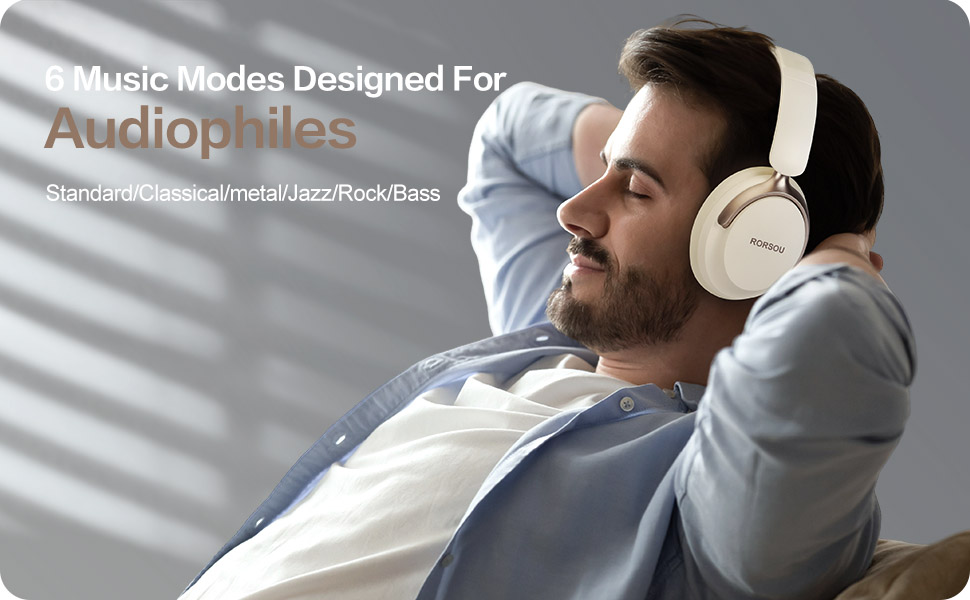
Figure 4: Experience optimized sound with 6 EQ modes.
The EQ modes allow users to customize the audio output to match their preferred music style.

