
1MORE P10
Інструкція користувача навушників 1MORE Piston-Fit USB-C
Модель: P10
вступ
Thank you for choosing the 1MORE Piston-Fit USB-C Headphones. This manual provides detailed instructions for the proper setup, operation, and maintenance of your new headphones. Please read this manual thoroughly before use to ensure optimal performance and longevity of your device.

Image: The 1MORE Piston-Fit USB-C Headphones in use, highlighting their design and comfort.
Вміст упаковки
Перевірте наявність усіх предметів у вашій упаковці:
- 1MORE Piston-Fit USB-C Headphones (2 pairs if 2-pack)
- Силіконові вушні насадки (різні розміри)
- Посібник користувача (цей документ)

Зображення: Повний view of the 1MORE Piston-Fit USB-C Headphones, including the USB-C connector and inline remote.
Продукт закінченийview
The 1MORE Piston-Fit USB-C Headphones are designed for clear audio and comfortable wear. Key components include:
- Навушники: Featuring a 45° angled fit for secure placement and noise isolation.
- Роз'єм USB-C: For direct connection to compatible devices.
- Вбудований пульт дистанційного керування: Integrated control button for music and call management.
- Мікрофон: Built into the inline remote for hands-free communication.
- Kevlar-Reinforced Cable: Designed for durability and tangle resistance.

Зображення: Детальний view of the earbuds, highlighting their construction.
Налаштування
- Виберіть вушні насадки: Choose the silicone eartips that provide the most comfortable and secure fit for your ears. A proper seal enhances sound quality and noise isolation.
- Підключення до пристрою: Insert the USB-C connector into the USB-C port of your compatible smartphone, tablet, or laptop. The headphones are plug-and-play and do not require additional drivers for most devices.

Image: Illustration of the 45° angled in-ear design for optimal fit and comfort.
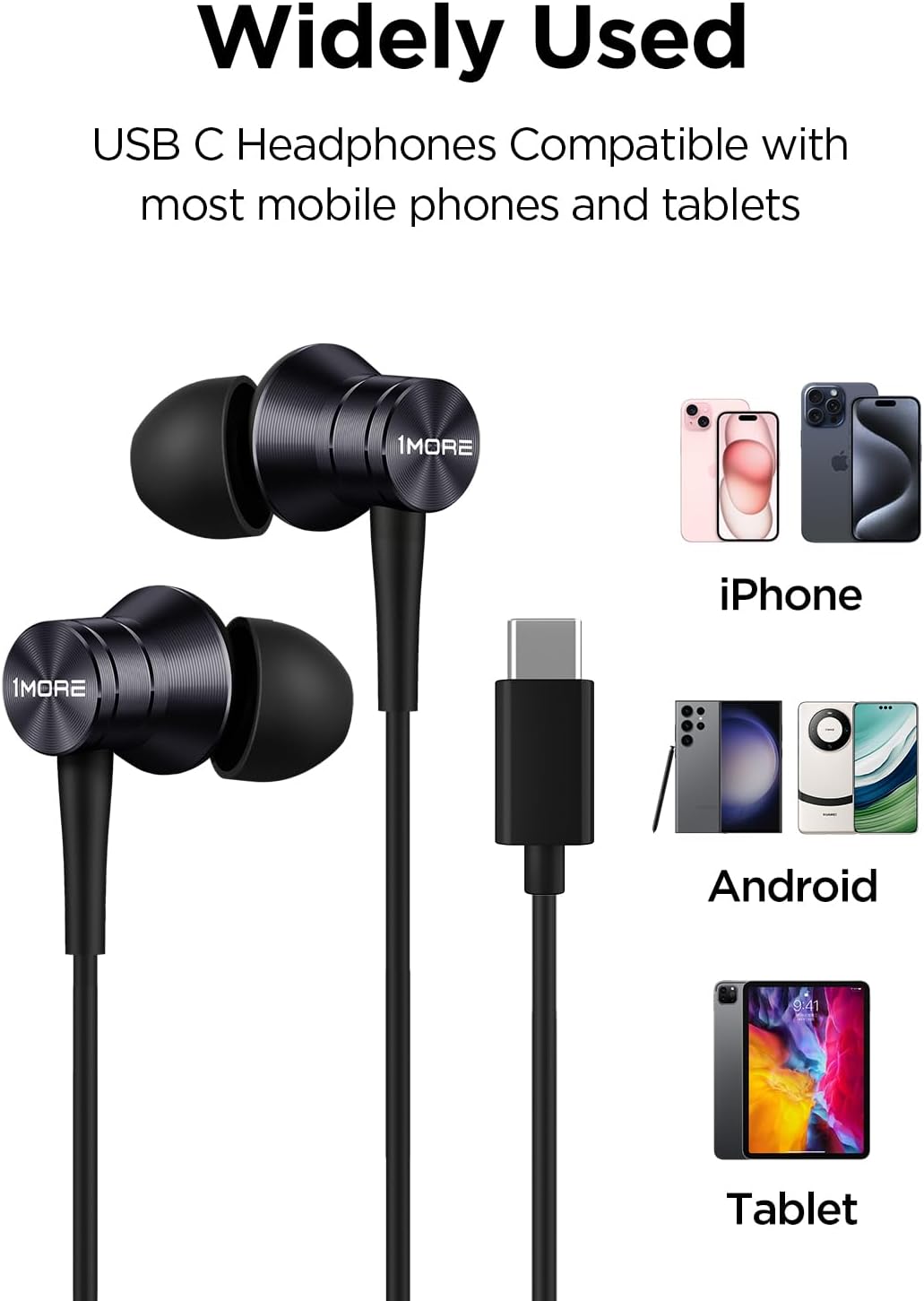
Image: Visual representation of the headphones' wide compatibility with USB-C devices.
Інструкція з експлуатації
The inline remote provides convenient control over your audio and calls.
Відтворення музики
- Відтворення/пауза: Натисніть кнопку управління один раз.
Управління дзвінками
- Відповісти на дзвінок: Натисніть кнопку управління один раз.
- Завершити виклик: Натисніть кнопку керування один раз під час дзвінка.
- Відхилити виклик: Натисніть і утримуйте кнопку керування приблизно 2 секунди.

Image: Detailed functions of the inline microphone and multi-function control button.
Технічне обслуговування та догляд
- Прибирання: Regularly clean the eartips with a soft, dry cloth. For deeper cleaning, remove the silicone eartips and wash them with mild soap and water, ensuring they are completely dry before reattaching.
- Зберігання: When not in use, store the headphones in a clean, dry place. Avoid extreme temperatures.
- Догляд за кабелем: The Kevlar-reinforced cable is designed to be durable and tangle-free. Avoid sharp bends or excessive pulling to prevent damage.
- Уникайте вологи: Не піддавайте навушники впливу води або надмірної вологи.
Усунення несправностей
| проблема | Можлива причина | Рішення |
|---|---|---|
| Ні звуку, ні низької гучності |
|
|
| Мікрофон не працює |
|
|
| Статичний або спотворений звук |
|
|
Технічні характеристики
- Назва моделі: P10
- Технологія підключення: Дротовий (USB-C)
- Розташування вуха: Вухо
- Контроль шуму: Звукоізоляція
- Тип аудіо драйвера: Dynamic Driver (Aerospace-grade composite diaphragm)
- Імпеданс: 32 Ом
- Функція кабелю: Tangle Free, Kevlar-Reinforced
- Метод контролю: Remote (Inline button)
- Вага товару: Approximately 14 grams (0.08 Kilograms)
- Сумісні пристрої: Cellphones, Laptops, Tablets (e.g., iPhone 15, Samsung Galaxy, Pixel 10, OnePlus)
- Включені компоненти: Вушні раковини

Image: Illustration of the aerospace-grade composite diaphragm for powerful sound.
Гарантія та підтримка
1MORE products are covered by a limited warranty. For detailed warranty information, please refer to the warranty card included with your product or visit the official 1MORE website. For technical support, troubleshooting assistance, or to inquire about replacement parts, please contact 1MORE customer service through their official channels.
Інтернет-підтримка: www.1more.com/support
Ask a question about this manual
Ask about setup, troubleshooting, compatibility, parts, safety, or missing instructions. Manuals+ will review the question and use this page’s manual context to help answer it.