

1. Продукт закінчивсяview
The OWON HDS241 is a versatile 3-in-1 handheld device integrating a single-channel oscilloscope, a 24000-count digital multimeter, and a 100kHz signal generator. Designed for both outdoor and indoor use, it offers a compact form factor with powerful measurement capabilities for various electrical and electronic applications.

Image 1.1: The OWON HDS241 device, highlighting its oscilloscope, multimeter, and signal generator functions.
2. Інформація про безпеку
Before using the OWON HDS241, please read and understand all safety instructions to prevent electric shock, injury, or damage to the device. Keep this manual for future reference.
- Загальна техніка безпеки: Always use the device within its specified voltage and current limits. Do not operate the device in wet or damp умови.
- Безпека зонда: Ensure probes are correctly connected and rated for the measurement being performed. Avoid touching exposed wiring or components when the device is powered on.
- Безпека батареї: Use only the specified battery type. Do not disassemble, crush, or expose the battery to extreme temperatures.
- Технічне обслуговування: Refer all servicing to qualified personnel. Do not attempt to repair the device yourself.
3. Ключові характеристики
- Цифровий мультиметр: 4 1/2 digit True RMS digital multimeter for measuring AC/DC voltage/current, resistance, diode, capacitance, and continuity. Maximum input voltage is AC 750V, DC 1000V.
- Signal Waveform Generator: 1-channel 100 kHz generator supporting sine, square, ramp, and pulse wave outputs. Maximum output amplitude is 2.5 Vpp.
- Осцилограф: Waveform refresh rate up to 10,000 wfms/s, 40MHz bandwidth, and real-time sampling rate up to 250MSa/s. Features auto-setup, multiple measurement functions, 8K record length, cursor measurement, and slow scan mode for long-term signal monitoring.
- Компактний дизайн: Portable form factor with a 3.5-inch high-definition color LCD screen, suitable for various environments.
- Тривалий термін служби батареї: Low-power design with a 2000 mAh high-capacity lithium battery and standard Type-C port for charging and power bank compatibility.
4. Вміст упаковки
The standard package for the OWON HDS241 includes:
- OWON HDS241 Handheld Oscilloscope Unit
- Test Leads for Multimeter
- Зонд осцилографа
- USB-кабель Type-C
- Посібник користувача (цей документ)
Note: Additional accessories such as a BNC-to-alligator clip cable or carrying case may need to be purchased separately.
5. Схема розташування та елементи керування пристроєм
Familiarize yourself with the physical components and controls of the HDS241.

Зображення 5.1: Передня та бічна частини view of the OWON HDS241 with key controls and ports labeled. Labels include: signal input connector, display area, multifunction keys, channel key, mode switching key, system settings, save settings, power button, relative value/activation menu key, multimeter input port, horizontal time base setting/signal adjustment, return key, range switch/measurement menu key, arrow keys, auto range/auto setting key, hold value/Stop/Run key, probe compensation output (2.5V/1kHz square wave or signal generator output), USB charging/communication interface, approximate weight (0.6 kg host, excluding battery), gross weight (1.2 kg).
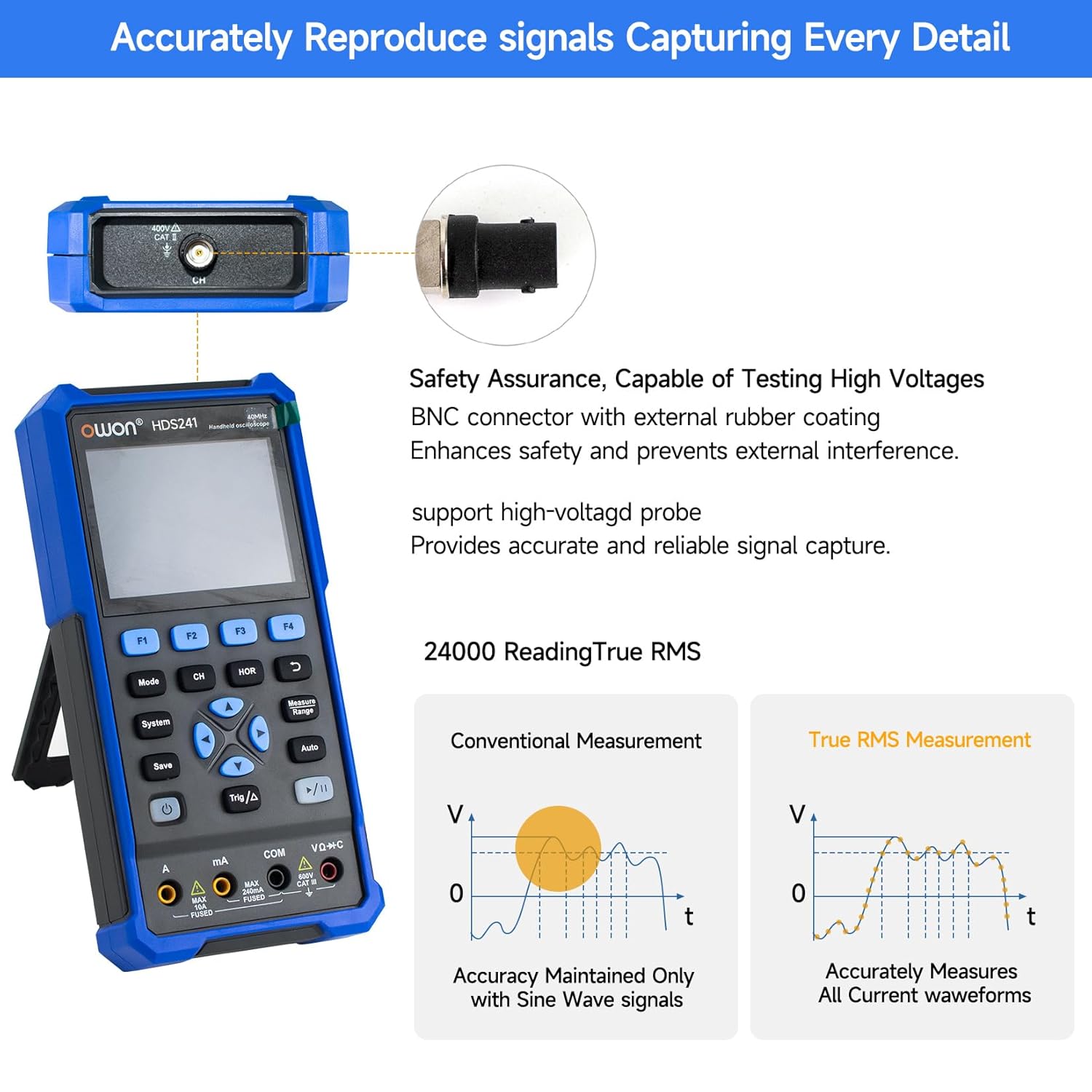
Image 5.2: Detail of the BNC connector, designed for safety and signal integrity, with external rubber coating.
6. Початкове налаштування
6.1 Зарядка пристрою
The HDS241 is equipped with a built-in 2000 mAh lithium battery. Before first use, fully charge the device using the provided USB Type-C cable and a compatible power adapter (not included) or a computer USB port.
- Connect the USB Type-C cable to the device's Type-C port.
- Підключіть інший кінець кабелю до джерела живлення USB.
- Індикатор заряджання показуватиме стан заряджання.

Image 6.1: The USB Type-C charging port and internal battery compartment, emphasizing long-lasting performance.
6.2 Увімкнення/вимкнення
Натисніть і утримуйте потужність кнопку, щоб увімкнути або вимкнути пристрій.
7. Режими роботи
The HDS241 features three primary operating modes: Oscilloscope, Multimeter, and Signal Generator. Press the Режим кнопку для перемикання між цими функціями.
7.1 Режим осцилографа
In Oscilloscope mode, the device displays real-time waveforms, allowing for detailed analysis of electrical signals. Connect the oscilloscope probe to the BNC connector on the top of the device.
- Автоматичне налаштування: Натисніть Авто button for automatic scaling and positioning of the waveform.
- Розміри: Використовуйте Виміряти menu (accessed via F1) to select automatic measurements like Frequency, Period, Amplitude, Max, Min, Peak-to-Peak, and RMS.
- Розміри курсору: Activate cursor measurements (accessed via F2) to manually measure voltage (ΔV) and time (ΔT) differences between points on the waveform.
- Налаштування тригера: Adjust trigger type, level, and mode using the Trig/Δ кнопку.
- Horizontal/Vertical Controls: Use the navigation arrows to adjust time base (horizontal) and voltage scale (vertical).

Зображення 7.1.1: Наприкладamples of oscilloscope display features including dual sampling mode, high refresh rate, 8 types of auto-measurements, and cursor measurements.

Зображення 7.1.2: Наприкладamples of actual measured waveforms, demonstrating the oscilloscope's signal capture capabilities for different signal types.
7.2 Режим мультиметра
In Multimeter mode, the HDS241 functions as a digital multimeter. Connect the test leads to the appropriate input ports (VΩ+C, COM, A, mA) at the bottom of the device.
- Вибір функції: Використовуйте Режим button to cycle through measurement types (Voltage, Current, Resistance, Capacitance, Diode, Continuity).
- Автоматичне визначення діапазону: The device supports auto-ranging for convenient measurement.
- Утримання даних: Використовуйте зберегти button or a dedicated hold function (if available) to freeze the current reading.
7.3 Режим генератора сигналів
The Signal Generator mode allows the device to output various waveforms. Connect the output to the circuit under test using the appropriate cable (e.g., BNC to alligator clips, not included).
- Вибір форми хвилі: Use the F-keys to select sine, square, ramp, or pulse waveforms.
- Налаштування параметрів: Adjust frequency and amplitude using the navigation arrows. The maximum output amplitude is 2.5 Vpp.
8. Управління даними
The HDS241 supports data transfer to a computer via its USB Type-C port for further analysis and record-keeping.
- Підключення до ПК: Use the provided USB Type-C cable to connect the device to your computer.
- програмне забезпечення: Зверніться до OWON website for any necessary drivers or software to facilitate data transfer and analysis.
- Збереження даних: Використовуйте зберегти button to store waveform images, settings, or measurement data directly on the device.
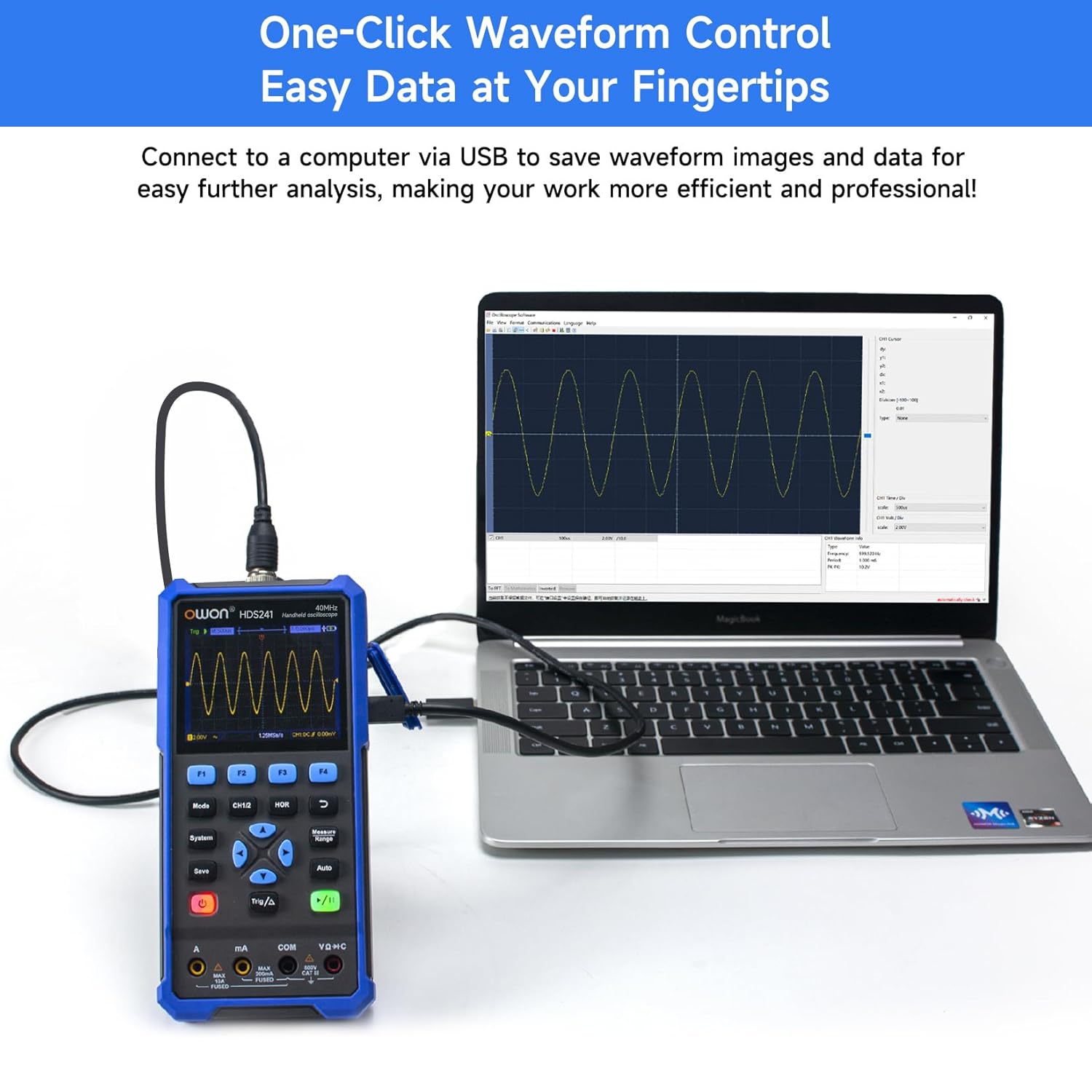
Image 8.1: The OWON HDS241 connected to a computer for data transfer and analysis, enabling easy waveform control.
9. Технічне обслуговування
- Прибирання: Протирайте пристрій м’якою сухою тканиною. Не використовуйте абразивні засоби для чищення або розчинники.
- Зберігання: Зберігайте пристрій у прохолодному, сухому місці, подалі від прямих сонячних променів та екстремальних температур.
- Догляд за акумулятором: For long-term storage, ensure the battery is partially charged (around 50%) and recharge it every few months to maintain battery health.
- Калібрування зонда: Periodically calibrate the oscilloscope probe using the dedicated probe compensation output to ensure accurate measurements.
10. Вирішення проблем
| проблема | Можлива причина | Рішення |
|---|---|---|
| Пристрій не включається. | Низький або розряджений акумулятор. | Connect the device to a power source using the USB Type-C cable and allow it to charge. |
| У режимі осцилографа не відображається форма сигналу. | Probe not connected correctly; signal too small or too large; incorrect time base or voltage масштаб. | Ensure probe is securely connected. Press Авто for automatic setup. Adjust vertical and horizontal scales manually. Check trigger settings. |
| Показники мультиметра неточні. | Test leads not properly connected; incorrect measurement function selected; external interference. | Verify test lead connections. Ensure the correct measurement mode (voltage, current, resistance) is selected. Minimize external electrical noise. |
| Signal generator output is not as expected. | Incorrect waveform type, frequency, or amplitude set. | Check the selected waveform, frequency, and amplitude settings in the signal generator menu. |
11. Технічні характеристики
Oscilloscope Specifications:
| Параметр | Значення |
|---|---|
| Пропускна здатність | 40 МГц |
| Канал | 1 |
| Sampлінг -курс | 250MSa / с |
| Режим отримання | Sample, Peak Detect |
| Довжина запису | Max. 8K |
| Дисплей | 3.5-дюймовий РК-дисплей |
| Частота оновлення сигналу | 10,000 XNUMX wfms/s |
| Вхідна муфта | DC, AC, Ground |
| Вхідний опір | 1 MΩ±2%, in parallel with 16 pF±10 pF |
| Затухання зонда | 1X, 10X, 100X, 1000X |
| Макс. Вхідний об'ємtage | 400V (DC + AC, PK-PK) |
| Sensitivity Resolution | 10 мВ/под.-10 В/под |
| Вертикальна роздільна здатність | 8 біт |
| Горизонтальний масштаб | 5ns/div-1000s/div, step 1-2-5 |
| Тип тригера | Край |
| Режим запуску | Авто, Нормальний, Поодинокий |
| Автоматичне вимірювання | Period, Frequency, Mean, PK-PK, Max, Min, Amplitude, RMS |
| Вимірювання курсору | ΔV, ΔT |

Image 11.1: Detailed oscilloscope specifications.
Digital Multimeter Specifications:
| Параметр | Значення |
|---|---|
| Кількість дисплей | 4½ digits (max 24000 counts) |
| Тестові режими | томtage, Current, Resistance, Capacitance, Diode, Continuity |
| Макс. Вхідний об'ємtage | 750 В змінного струму, 1000 В постійного струму |
| Максимальний вхідний струм | Змінний струм 10А, постійний струм 10А |
| Автоматичний діапазон | так |
| Справжня RMS | так |

Image 11.2: Detailed digital multimeter specifications.
Signal Waveform Generator Specifications:
| Параметр | Значення |
|---|---|
| Осцилограми | Синус, квадрат, Ramp, Пульс |
| Вихідна частота | 10 Гц-100 КГц |
| Ampлитуда | 2Vpp-2.5Vpp |

Image 11.3: Detailed signal waveform generator specifications.
Загальні характеристики:
- Розміри: 9.6 х 3.8 х 19.8 см
- Вага товару: 1.2 кілограма
- Джерело живлення: Battery Powered (2000 mAh Lithium Battery)
- колір: Синій
- Сертифікати: CE, True RMS
12. Гарантія та підтримка
Продукція OWON розроблена для надійності та продуктивності. Щоб отримати інформацію про гарантію, технічну підтримку або звернутися до офіційного веб-сайту OWON. webсайт або зверніться до місцевого дистриб'ютора.
- Гарантійний термін: Standard manufacturer's warranty applies. Please check your purchase documentation for specific terms and duration.
- Технічна підтримка: Visit the OWON official website for FAQs, software downloads, and contact information for technical assistance.
- Повернення: Refer to the retailer's return policy for details on product returns and exchanges.