
1. Вступ
Thank you for choosing the Codnida 5.5" LCD Baby Monitor Camera. This device is designed to provide a secure and reliable way to monitor your baby, offering high-definition video, two-way audio, and various smart features to ensure peace of mind. Please read this manual thoroughly before use to ensure proper operation and to maximize the lifespan of your product.
2. Важлива інформація з безпеки
Please keep this manual for future reference. Failure to follow these safety instructions could result in fire, electric shock, or other injury or damage.
- Небезпека удушення: Keep the camera and monitor cords out of reach of children (at least 3 feet / 1 meter away). Never place the camera or cords within the crib or playpen.
- Небезпека ураження електричним струмом: Do not expose the product to rain or moisture. Do not open the casing of the product. There are no user-serviceable parts inside.
- Перегрів: Do not place the product in direct sunlight or near heat sources. Ensure adequate ventilation around the camera and monitor.
- Перешкоди: Keep the product away from other electronic devices that may cause interference, such as microwaves or Wi-Fi routers.
- Безпека батареї: The monitor contains a rechargeable lithium-ion battery. Do not disassemble, crush, or expose the battery to extreme temperatures. Dispose of batteries properly according to local regulations.
- Розміщення: Place the camera on a flat, stable surface or mount it securely to a wall, ensuring a clear view дитини.
3. Вміст упаковки
Обережно розпакуйте коробку та переконайтеся, що всі перелічені нижче предмети присутні та знаходяться у належному стані. Якщо будь-які предмети відсутні або пошкоджені, зверніться до служби підтримки клієнтів.
- 5.5" LCD Baby Monitor (Parent Unit)
- 2K 3MP Baby Camera (Baby Unit)
- Адаптер живлення для монітора
- Адаптер живлення для камери
- USB Charging Cables (2)
- Wall Mounting Kit (Screws and Anchors)
- Посібник користувача

4. Продукт закінчивсяview
4.1 Батьківський блок (монітор)
The parent unit features a 5.5-inch LCD screen for clear viewing of your baby. It includes control buttons for navigation, volume, zoom, and two-way audio. The built-in rechargeable battery allows for portable use.
- 5.5-дюймовий РК-дисплей
- Кнопка живлення/меню
- Navigation Buttons (Up/Down/Left/Right/OK)
- Регулювання гучності
- Кнопка масштабування
- Two-Way Audio Button
- Мікрофон і динамік
- антена
- Порт зарядки
4.2 Дитячий блок (камера)
The baby unit is equipped with a 2K 3MP HD camera, infrared LEDs for night vision, and a microphone and speaker for two-way audio. It also features pan, tilt, and zoom (PTZ) capabilities for comprehensive room coverage.
- 2K 3MP HD Camera Lens
- Infrared LEDs (for Night Vision)
- Мікрофон і динамік
- Датчик температури/вологості
- Кнопка сполучення
- Порт живлення
- Монтажний отвір
5. Налаштування
5.1 Початкове заряджання
Before first use, fully charge the parent unit for approximately 8 hours. Connect the power adapter to the parent unit and a power outlet. The charging indicator will show the charging status.

5.2 Розміщення камери
Place the baby unit (camera) in a location that provides a clear view of your baby, but always keep it at least 3 feet (1 meter) away from the crib or playpen to avoid strangulation hazards from the power cord. You can place it on a flat surface or mount it to a wall using the provided kit.
5.3 Увімкнення
- Connect the power adapter to the baby unit (camera) and a power outlet. The camera will power on automatically.
- Press and hold the Power button on the parent unit (monitor) for a few seconds to turn it on.
- The parent unit and baby unit are pre-paired at the factory. If they do not connect automatically, refer to the "Pairing Camera and Monitor" section.
5.4 Pairing Camera and Monitor
If the monitor displays "No Signal" or you wish to add another camera (sold separately), follow these steps:
- On the parent unit, press the Menu button.
- Navigate to the "Camera" or "Add Camera" option and select it.
- Select an empty camera channel (e.g., CAM 2, CAM 3).
- The monitor will display a message to press the pairing button on the camera.
- Within 10 seconds, press the Pairing button on the back or bottom of the baby unit (camera).
- Once paired, the image from the camera will appear on the monitor.
5.5 App Installation and Connection (Optional)
The Codnida baby monitor also supports connection via the "Tuya" application for remote monitoring. This feature requires a Wi-Fi connection.
- Download the "Tuya Smart" or "Smart Life" app from your smartphone's app store (iOS App Store or Google Play Store).
- Зареєструйте новий обліковий запис або увійдіть, якщо у вас вже є обліковий запис.
- Follow the in-app instructions to add a new device. Select "Security & Video Surveillance" and then "Smart Camera (Wi-Fi)".
- Ensure your camera is powered on and in pairing mode (usually indicated by a flashing light).
- Підключіть телефон до мережі Wi-Fi 2.4 ГГц.
- Scan the QR code displayed on your phone with the baby unit camera, or follow alternative pairing methods if prompted.
- Після підключення ви можете view the live feed, control PTZ, and access other features via the app.
6. Операція
6.1 Базовий моніторинг
Once the camera and monitor are connected, the live video feed of your baby's room will be displayed on the 5.5" LCD screen.

6.2 Режим VOX (голосова станція)
VOX mode is an energy-saving feature. When enabled, the monitor screen will turn off to conserve battery. It will automatically activate and display the video feed when a sound (like crying) is detected in the baby's room.
- To activate/deactivate VOX mode: Press the Menu button, navigate to "VOX" or "Sound Activation", and select your desired sensitivity level (Low, Medium, High) or turn it off.

6.3 Двосторонній аудіозв'язок
Communicate with your baby remotely using the two-way audio feature.
- Press and hold the Talk button (microphone icon) on the parent unit to speak. Release the button to hear your baby.

6.4 Панорамування, нахил та масштабування (PTZ)
Керуйте камерою viewing angle and zoom level directly from the parent unit.
- Use the Navigation buttons (Up/Down/Left/Right) to pan and tilt the camera.
- Press the Zoom button (magnifying glass icon) to zoom in (up to 4X digital zoom). Press again to zoom out.

6.5 Нічне бачення
The camera automatically switches to infrared night vision in low-light conditions, providing a clear black-and-white image of your baby.

6.6 Колискові пісні
Soothe your baby with built-in lullabies played directly from the baby unit.
- To play lullabies: Press the Menu button, navigate to "Lullabies", and select a melody or play all.
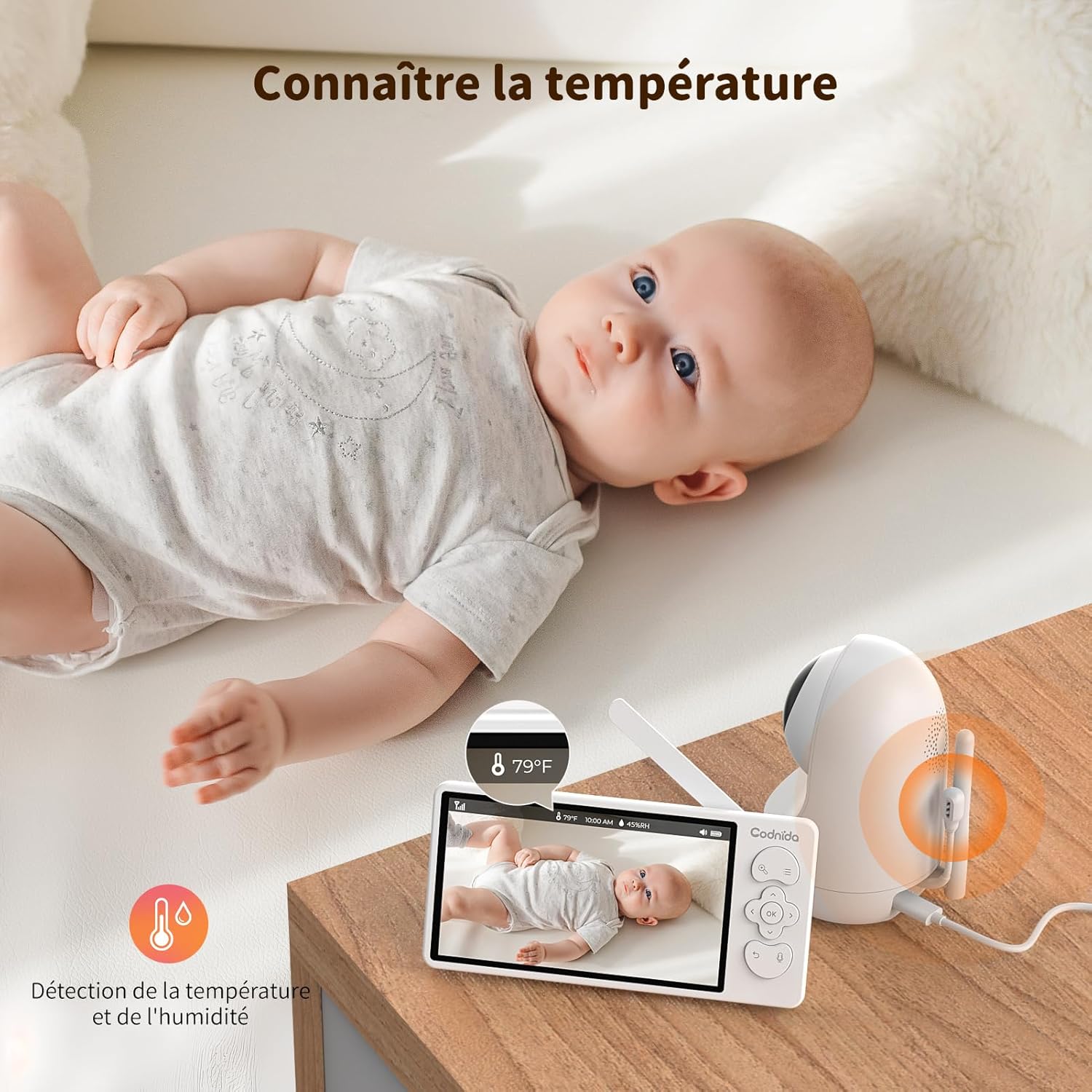
6.7 Temperature and Humidity Monitoring
The baby unit includes sensors to monitor the room's temperature and humidity, displayed on the parent unit screen. You can set alerts for out-of-range conditions.
6.8 Нагадування про годування
Set reminders for feeding times to help maintain your baby's schedule.
- To set a feeding reminder: Press the Menu button, navigate to "Feeding Reminder", and set the desired interval.

7. Технічне обслуговування
7.1 Очищення
To keep your baby monitor clean and functioning properly:
- Перед чищенням відключіть обидва пристрої від електромережі.
- Wipe the surfaces of the camera and monitor with a soft, dry, lint-free cloth.
- Do not use cleaning sprays or liquid cleaners directly on the units.
- Для стійких плям злегка протрітьampen the cloth with water and wipe gently, then dry immediately.
- Не використовуйте абразивні засоби чи розчинники.
7.2 Зберігання
If you do not plan to use the baby monitor for an extended period:
- Fully charge the parent unit before storing.
- Store the units in a cool, dry place, away from direct sunlight and extreme temperatures.
- Keep all components, including cables and adapters, neatly organized to prevent damage.
8. Вирішення проблем
If you encounter issues with your Codnida baby monitor, please refer to the following common problems and solutions:
| проблема | Можлива причина | Рішення |
|---|---|---|
| No signal on monitor / Screen is black |
|
|
| Погана якість зображення / Розмите зображення |
|
|
| Немає звуку або спотвореного звуку |
|
|
| Акумулятор не тримає заряд |
|
|
9. Технічні характеристики
| Особливість | Деталь |
|---|---|
| Номер моделі | MWM553+MWZ553C |
| Розмір дисплея | 5.5-дюймовий РК-дисплей |
| Роздільна здатність камери | 2K 3MP (1296p recording, 1440 effective video resolution) |
| Діапазон нічного бачення | До 5 метрів |
| Керування PTZ | Pan (350°), Tilt (90°), 4X Digital Zoom |
| Технологія підключення | Wireless (Wi-Fi for App) |
| Двостороннє аудіо | так |
| Режим VOX | так |
| Датчик температури/вологості | так |
| Колискові пісні | так |
| Нагадування про годування | так |
| Вхідна потужність | 5 вольт, 3.8 ват |
| матеріал | пластик |
| Розміри (Д x Ш x В) | 10 x 5 x 10 см (приблизно) |
| вага | 850 грамів (приблизно) |
| Тип батареї | Літій-іонний |
10. Гарантія та підтримка
10.1 Інформація про гарантію
The Codnida 5.5" LCD Baby Monitor Camera comes with a Гарантія 1 рік з дати покупки. Ця гарантія поширюється на виробничі дефекти та несправності за умов нормального використання. Вона не поширюється на пошкодження, спричинені неправильним використанням, аваріями, несанкціонованим ремонтом або нормальним зносом.
Крім того, a 30-денна політика повернення is offered. Please refer to your retailer's return policy for specific details.
10.2 Підтримка клієнтів
If you have any questions, concerns, or require technical assistance with your Codnida baby monitor, please contact our customer support team. For Amazon purchases, you can typically reach support by navigating to "Your account - Choose your order - Ask us your question" on the Amazon platform.
Please have your model number (MWM553+MWZ553C) and purchase date ready when contacting support to expedite the process.
11. Офіційні відео про продукт
No official product videos from the seller were found in the provided product data. For visual demonstrations or additional information, please refer to the product page or contact Codnida customer support.