
1. Вступ
Thank you for choosing the KOORUI N07 27-inch 4K UHD Monitor. This monitor is designed to provide a superior visual experience with its 3840x2160 resolution, IPS panel, 60Hz refresh rate, HDR10 support, and Adaptive Sync technology. This manual provides essential information for setting up, operating, and maintaining your monitor to ensure optimal performance and longevity. Please read this manual thoroughly before using the product.
2. Інформація про безпеку
- Завжди ставте монітор на стійку, рівну поверхню.
- Не перекривайте вентиляційні отвори.
- Використовуйте лише адаптер живлення, наданий виробником.
- Тримайте монітор подалі від води та надмірної вологи.
- Уникайте впливу прямих сонячних променів або високих температур на монітор.
- Від’єднуйте кабель живлення під час грози або якщо пристрій не використовується протягом тривалого часу.
3. Вміст упаковки
Будь ласка, перевірте вміст упаковки після відкриття. Якщо будь-які елементи відсутні або пошкоджені, зверніться до продавця.
- KOORUI N07 27-inch 4K UHD Monitor
- Підставка для монітора (основа та шия)
- Адаптер живлення та кабель живлення
- Кабель HDMI
- Кабель DisplayPort
- Посібник користувача
4. Збірка та налаштування монітора
4.1 Прикріплення підставки
- Обережно покладіть монітор екраном донизу на м’яку чисту тканину, щоб запобігти подряпинам.
- Прикріпіть шийку підставки до задньої панелі монітора, вирівнявши точки кріплення.
- Secure the stand neck with the provided screws.
- Attach the stand base to the stand neck and tighten the thumb screw.

Малюнок 4.1: Задня частина view of the monitor showing VESA mount and tilt adjustment.
4.2 З'єднувальні кабелі
The KOORUI N07 monitor offers versatile connectivity options. Ensure your computer is turned off before making any connections.
- Підключення живлення: Підключіть адаптер живлення до вхідного порту постійного струму монітора, а потім підключіть кабель живлення до розетки.
- Підключення відео: Connect one end of the HDMI or DisplayPort cable to the corresponding port on your computer's graphics card and the other end to an HDMI (HDMI1 or HDMI2) or DisplayPort (DP) input on the monitor.
- Аудіовихід: If desired, connect external speakers or headphones to the 3.5mm audio output port on the monitor.

Figure 4.2: Connectivity options for the KOORUI N07 monitor.
4.3 Увімкнення
After connecting all necessary cables, press the power button on the monitor to turn it on. The monitor will automatically detect the active input source.
5. Інструкція з експлуатації
5.1 Екранне меню (OSD)
Екранне меню дозволяє налаштовувати різні параметри монітора. Використовуйте кнопки, розташовані в правому нижньому куті монітора, для навігації та вибору опцій.
- Кнопка живлення: Вмикає/вимикає монітор.
- Кнопка меню: Відкриває екранне меню.
- Кнопки навігації: Використовується для переміщення між пунктами меню та налаштування значень.
- Кнопка виходу: Вихід з екранного меню.
5.2 Ключові налаштування екранного меню
- Параметри зображення: Налаштуйте яскравість, контрастність, різкість та колірну температуру.
- Кольорові режими: Select from various preset modes like Standard, Movie, Game, and Eye Care.
- Джерело введення: Manually select between HDMI1, HDMI2, or DisplayPort inputs.
- Адаптивна синхронізація: Enable or disable Adaptive Sync for smoother gameplay.
- HDR10: Activate HDR10 for enhanced dynamic range with compatible content.
6. Особливості понадview
6.1 4K UHD Resolution (3840x2160)
Experience incredible detail and clarity with a resolution four times higher than Full HD. This monitor provides 8.3 million pixels for a sharper and more colorful image.

Figure 6.1: 4K UHD resolution detail comparison.
6.2 IPS Panel Technology
The IPS panel offers a wide 178° viewing angle and vibrant color reproduction (90% DCI-P3, 99% sRGB), ensuring consistent image quality from almost any perspective. This is ideal for graphic designers, gamers, and movie enthusiasts.

Figure 6.2: IPS panel with 99% sRGB color accuracy.
6.3 Підтримка HDR10
Enjoy content with enhanced dynamic range. HDR10 provides brighter whites, deeper blacks, and more vivid colors, bringing your favorite movies and games to life with greater realism.

Figure 6.3: HDR10 technology for improved image quality.
6.4 Технологія адаптивної синхронізації
Adaptive Sync eliminates screen tearing and stuttering, providing a smoother and more fluid visual experience, especially during fast-paced gaming or video playback.

Рисунок 6.4: Адаптивна синхронізація в дії, запобігання розривам екрана.
6.5 Технологія догляду за очима
The monitor features a Blue Light Filter and Flicker-Free technology to reduce eye strain during prolonged use. The Eye Care mode optimizes settings to minimize blue light emission, promoting visual comfort.
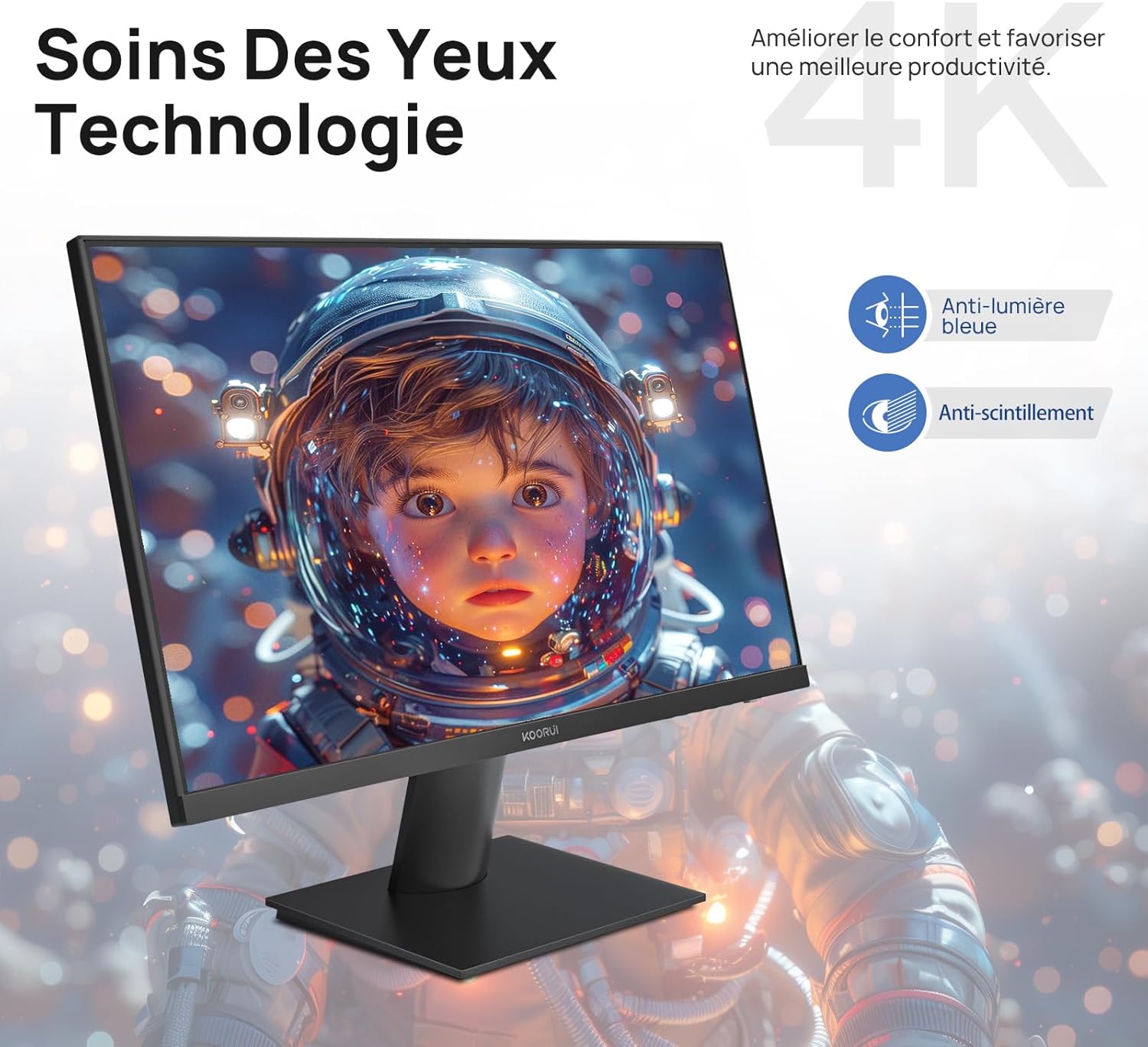
Figure 6.5: Eye Care technology for reduced eye strain.
6.6 Ергономічний дизайн
The monitor stand allows for tilt adjustment from -5° to 20°, enabling you to find the most comfortable viewing angle for your posture.
6.7 Сумісність кріплень VESA
The KOORUI N07 supports 100x100mm VESA mounting, allowing you to easily attach it to a wall mount or an articulated monitor arm for a flexible and clutter-free workspace.

Figure 6.6: VESA mount compatibility for flexible setup.
7. Відео продуктуview
Відео 7.1: Оверview of the KOORUI N07 27-inch 4K UHD monitor, highlighting its key features such as 4K resolution, DCI-P3 color gamut, HDR10 support, versatile usage for creation, viewing, and gaming, adjustable tilt, and VESA mounting capabilities.
8. Вирішення проблем
Якщо у вас виникли проблеми з монітором, зверніться до наступних поширених проблем та способів їх вирішення:
| проблема | Можливе рішення |
|---|---|
| На екрані немає зображення | Ensure power cable is securely connected. Check video cable connection (HDMI/DP) to both monitor and computer. Verify correct input source is selected in OSD. |
| Зображення розмите або спотворене | Check display resolution settings on your computer. Ensure it is set to 3840x2160. Adjust sharpness in the OSD menu. |
| Кольори виглядають неправильно | Adjust color temperature and color settings in the OSD menu. Try resetting picture settings to factory defaults. |
| Мерехтіння екрана | Ensure the video cable is securely connected. Disable Adaptive Sync if enabled, or update your graphics card drivers. |
9. Технічні характеристики
| Особливість | Деталь |
|---|---|
| Бренд | KOORUI |
| Номер моделі | N07 |
| Розмір екрана | 27 дюймів |
| роздільна здатність | 4K UHD (3840 x 2160 пікселів) |
| Тип панелі | IPS |
| Частота оновлення | 60 Гц |
| Час відгуку | 4 мілісекунд |
| Співвідношення сторін | 16:9 |
| Коефіцієнт контрастності | 1000:1 |
| Яскравість | 300 кд/м² |
| Viewкут нахилу | 178 градусів |
| Підключення | 2x HDMI 2.0, 1x DisplayPort 1.4, 1x аудіовихід |
| Сумісність VESA | 100х100 мм |
| Особливості | Blue Light Filter, Tilt Adjustment, Frameless, Flicker-Free, Adaptive Sync, HDR10 |
| Розміри (Д x Ш x В) | 20.5 дюйма x 61 дюйма x 45 дюйма заввишки |
| вага | 3 кілограма |
10. Технічне обслуговування
To ensure the longevity and optimal performance of your KOORUI N07 monitor, follow these maintenance guidelines:
- Очищення екрану: Обережно протріть екран м’якою тканиною без ворсу. Для стійких плям, dampЗлегка промокніть тканину водою або спеціалізованим засобом для чищення екранів. Ніколи не розпилюйте рідину безпосередньо на екран.
- Очищення Casing: Використовуйте м’яку суху тканину для очищення монітора casing. Уникайте абразивних засобів для чищення або розчинників.
- Вентиляція: Переконайтеся, що вентиляційні отвори на моніторі не заблоковані, щоб запобігти перегріву.
- Вимкнення живлення: Вимикайте монітор, коли він не використовується протягом тривалого часу.
11. Гарантія та підтримка
The KOORUI N07 monitor comes with a 2-річна гарантія виробника. This warranty covers defects in materials and workmanship under normal use. For warranty claims or technical support, please contact KOORUI customer service or your retailer with your proof of purchase.
For additional support, troubleshooting guides, and driver downloads, please visit the official KOORUI webсайт.