
вступ
This manual provides detailed instructions for the setup, operation, maintenance, and troubleshooting of your KOORUI S2721XO 27-inch QD-OLED Gaming Monitor. Please read this manual thoroughly before using the product to ensure proper functionality and to prevent damage.

Image: KOORUI S2721XO 27-inch QD-OLED Gaming Monitor showcasing its main features like 240Hz refresh rate, 0.03ms response time, QHD resolution, QD-OLED panel, VESA compatibility, 99% DCI-P3 color gamut, Eye Care, and Adaptive Sync.
Вміст упаковки
Перевірте наявність усіх компонентів в упаковці:
- KOORUI S2721XO 27-inch QD-OLED Gaming Monitor
- Підставка для монітора (основа та шия)
- Кабель живлення
- Кабель HDMI
- Кабель DisplayPort
- Посібник користувача (цей документ)
- Гарантійний талон (за наявності)
Інструкції з налаштування
1. Збірка підставки
- Обережно вийміть компоненти монітора та підставки з упаковки.
- Прикріпіть шийку підставки до панелі монітора. Переконайтеся, що вона надійно зафіксована на місці або закріплена гвинтами, як зазначено в короткому посібнику користувача.
- Прикріпіть основу підставки до шиї підставки, закріпивши її наданим гвинтом.
- Помістіть зібраний монітор на стійку, рівну поверхню.
Alternatively, the monitor supports VESA 75mm x 75mm mounting for wall mounts or monitor arms. Ensure the VESA mount is rated for the monitor's weight (3 kg).

Image: Illustrations showing the monitor's ergonomic adjustments including height adjustment (110mm), tilt (-20° to 20°), 90° pivot for vertical viewing, and swivel (-5° to 20°).
2. З’єднувальні кабелі
Identify the ports on the back of your monitor and connect the necessary cables.

Зображення: Задня частина view of the KOORUI S2721XO monitor showing the connectivity ports: 1. Power cable input, 2. HDMI 2.1, 3. HDMI 2.1, 4. DisplayPort 1.4, 5. Audio output interface. Also shows VESA 100x100mm mounting points.
- Кабель живлення: Підключіть один кінець кабелю живлення до входу живлення монітора, а інший кінець – до розетки.
- Відео вхід:
- For HDMI connection, use the provided HDMI cable to connect your computer's HDMI output to one of the monitor's HDMI 2.1 ports.
- For DisplayPort connection, use the provided DisplayPort cable to connect your computer's DisplayPort output to the monitor's DisplayPort 1.4 port.
- Аудіовихід: If desired, connect external speakers or headphones to the audio output jack.
3. Початкове увімкнення
- Натисніть кнопку живлення на моніторі.
- Turn on your computer. The monitor should automatically detect the input signal. If not, you may need to manually select the input source using the OSD menu.
Інструкція з експлуатації
Екранне меню (OSD).
The OSD menu allows you to adjust various monitor settings. Typically, a joystick or a set of buttons located on the back or bottom of the monitor is used to navigate the OSD.
- Press the OSD button/joystick to open the menu.
- Use the navigation controls to move through options.
- Натисніть кнопку вибору, щоб підтвердити вибір.
- Натисніть кнопку виходу, щоб закрити екранне меню.
Налаштування зображення
- Яскравість/Контрастність: Налаштуйте ці параметри відповідно до ваших потреб viewнавколишнього середовища.
- Колірна температура: Виберіть один із попередньо встановлених режимів (наприклад, Теплий, Холодний, Користувацький) або налаштуйте значення RGB.
- HDR (розширений динамічний діапазон): The monitor supports HDR 400. Enable HDR in your operating system and monitor settings for enhanced contrast and color detail.
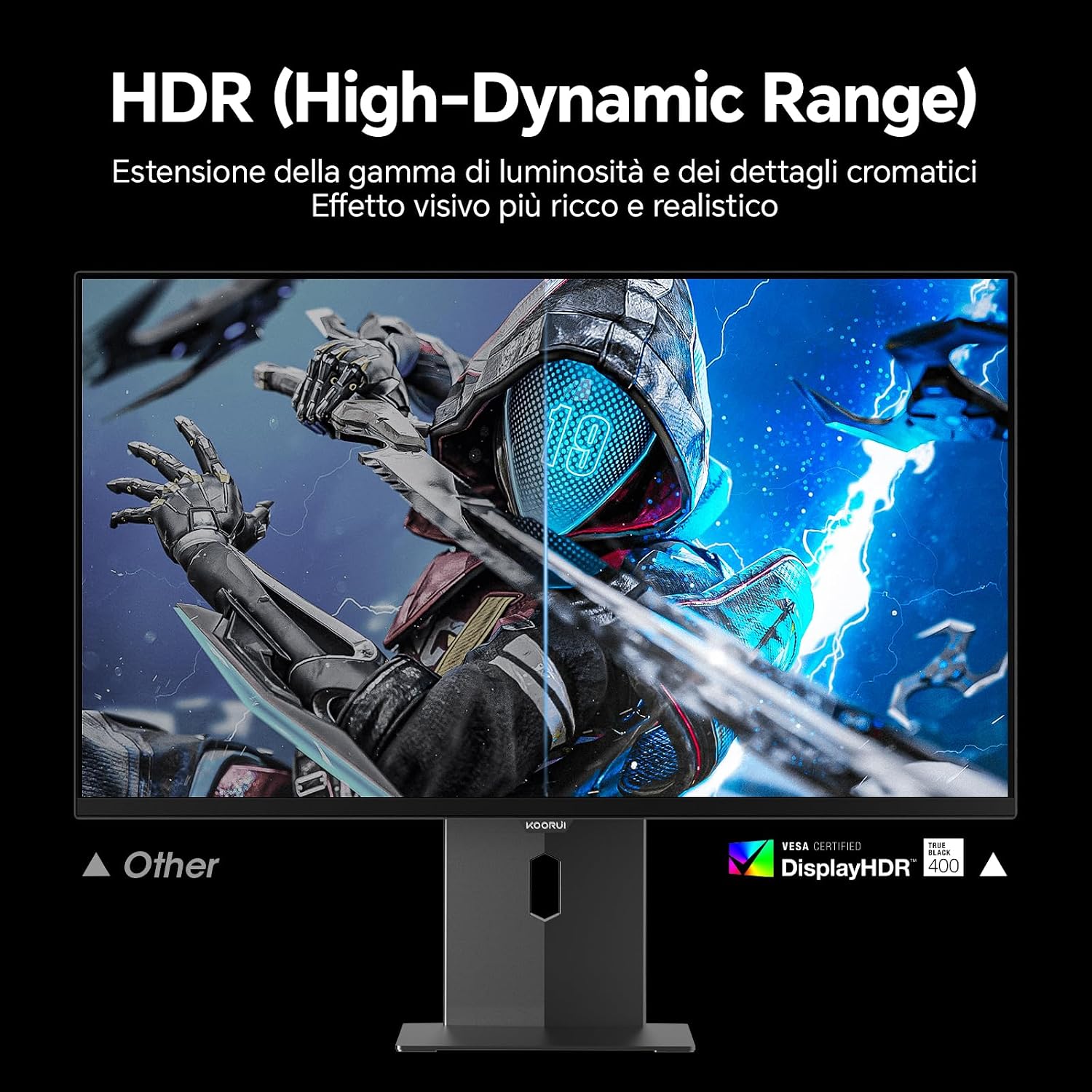
Image: Comparison of a standard display versus the KOORUI S2721XO monitor with HDR (High-Dynamic Range) enabled, showing richer visual effects and realistic details.
Ігрові особливості
- Частота оновлення: The monitor supports up to 240Hz. Ensure your graphics card and system settings are configured to utilize this refresh rate for smooth gameplay.
- Час відгуку: With a 0.03ms response time, motion blur is significantly reduced.
- Адаптивна синхронізація: This technology synchronizes the monitor's refresh rate with your GPU's frame rate, eliminating screen tearing and stuttering. Enable Adaptive Sync in the OSD menu and your graphics card control panel.
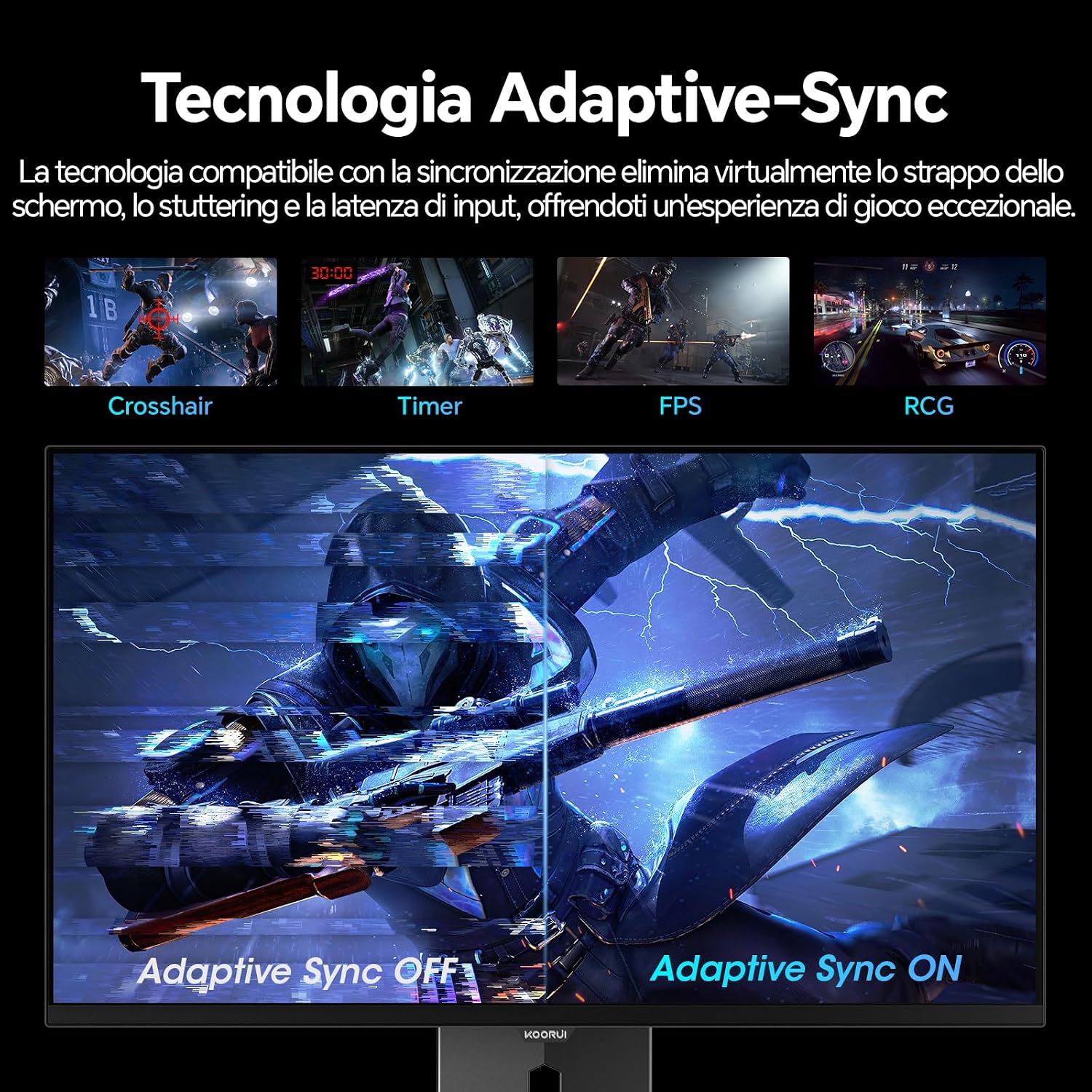
Image: A visual demonstration of Adaptive Sync technology, showing the difference between Adaptive Sync OFF (with screen tearing and stuttering) and Adaptive Sync ON (with smooth, tear-free visuals).

Image: A visual comparison illustrating the ultra-high refresh rate of 240Hz and 0.03ms response time, contrasting it with a 100Hz 5ms display to show the improved fluidity and reduced ghosting.
Режим догляду за очима
The monitor includes features designed to reduce eye strain during extended use. Access the Eye Care settings in the OSD menu to enable modes that reduce blue light emission or adjust flicker-free settings.
Технічне обслуговування
Очищення монітора
- Завжди вимикайте монітор та від’єднуйте кабель живлення перед чищенням.
- Злегка протріть м’якою тканиною без ворсу dampводою або спеціалізованим засобом для чищення екранів.
- Не розпилюйте засіб для чищення безпосередньо на екран.
- Уникайте використання абразивних засобів для чищення, воску або розчинників, оскільки вони можуть пошкодити поверхню екрана.
- Протріть монітор casing м’якою сухою тканиною.
Зберігання
When storing the monitor for an extended period, ensure it is powered off, unplugged, and stored in a cool, dry place away from direct sunlight and extreme temperatures. Use original packaging if available for best protection.
Усунення несправностей
| проблема | Можлива причина | Рішення |
|---|---|---|
| Немає живлення | Кабель живлення не підключено; розетка не працює; кнопка живлення монітора вимкнена. | Ensure power cable is securely connected. Test power outlet with another device. Press the monitor's power button. |
| Немає сигналу | Video cable not connected; Incorrect input source selected; Computer not powered on. | Check video cable connections (HDMI/DisplayPort). Select the correct input source via the OSD menu. Ensure your computer is powered on and outputting a signal. |
| Мерехтіння екрана | Incorrect refresh rate; Faulty cable; Graphics card driver issues. | Adjust refresh rate in display settings. Try a different video cable. Update graphics card drivers. |
| Погана якість зображення | Incorrect resolution; Picture settings misconfigured; Dirty screen. | Set display resolution to 2560x1440. Adjust brightness, contrast, and color settings in the OSD. Clean the screen as per maintenance instructions. |
Технічні характеристики
| Бренд | KOORUI |
| Номер моделі | S2721XO |
| Розмір екрана | 27 дюймів |
| Тип панелі | QD-OLED |
| роздільна здатність | QHD ширококутний 1440p (2560 x 1440) |
| Співвідношення сторін | 16:9 |
| Частота оновлення | 240 Гц |
| Час відгуку | 0.03 мс |
| Коефіцієнт контрастності | 1,500,000:1 |
| Яскравість | 280 кд/м² |
| Viewкут нахилу | 178 градусів |
| Кольорова гамма вартість | 99% DCI-P3 (100% sRGB) |
| Підключення | 2x HDMI 2.1, 1x DisplayPort 1.4, аудіовихід |
| Адаптивна синхронізація | FreeSync compatible |
| Особливості | HDR 400, Eye Care, Height Adjustment, Tilt Adjustment, Swivel Adjustment, Pivot Adjustment |
| Сумісність VESA | 75 мм х 75 мм |
| Розміри (Ш x В x Г) | 610.11 x 521.84 x 215.82 мм (24.02 x 20.54 x 8.50 дюйма) |
| вага | 3 кілограма |
Інформація про гарантію
The KOORUI S2721XO monitor comes with a Гарантія 2 рік from the date of purchase. This warranty covers manufacturing defects and malfunctions under normal use. Please retain your proof of purchase for warranty claims. For detailed terms and conditions, refer to the warranty card included in your package or visit the official KOORUI webсайт.
Підтримка та контакт
For further assistance, technical support, or customer service inquiries, please visit the official KOORUI website or contact their customer support team. You can also refer to the official PDF instructions for use: