
1. Налаштування та встановлення
1.1 Розпакування та вміст упаковки
Carefully unpack your new TCL 65Q5K QLED 4K Google TV. Ensure all components are present before proceeding with installation.
- TCL 65Q5K Television
- Пульт дистанційного керування
- Настільна підставка (якщо є)
- Кабель живлення
- Короткий посібник
- Гарантійний талон
1.2 Physical Dimensions and Placement
Before installation, consider the dimensions of your television to ensure proper fit and ventilation. The TV can be placed on a table stand or mounted on a wall using a VESA compatible mount (200 x 200 mm).

Зображення: Спереду та збоку view of the TCL 65Q5K television, illustrating its dimensions with and without the stand. The TV with stand measures 144.6 cm (width) x 87.8 cm (height) x 30.0 cm (depth). Without the stand, it measures 144.6 cm (width) x 83.3 cm (height) x 7.3 cm (depth).
- TV with Stand: 144.6 см (ширина) x 87.8 см (висота) x 30.0 см (глибина)
- TV without Stand: 144.6 см (ширина) x 83.3 см (висота) x 7.3 см (глибина)
- вага: 15 кілограма
- Стандарт кріплення VESA: 200 х 200 мм
1.3 Підключення периферійних пристроїв
Connect your external devices such as cable boxes, gaming consoles, or Blu-ray players to the available ports on the TV.
- Порти HDMI: Телевізор оснащений 3 портами HDMI для підключення аудіо та відео високої чіткості.
- З'єднання Wi-Fi: Connect to your home network wirelessly using the integrated Wi-Fi (802.11 b/g).
2. Operating Your TCL 65Q5K TV
2.1 Інтерфейс Google TV
Your TCL 65Q5K TV operates on the Google TV platform, providing a comprehensive and user-friendly interface for accessing streaming services, apps, and live TV. The system offers a fluid experience and intuitive content recommendations.

Image: A screenshot of the Google TV home screen, displaying recommended content and various streaming applications like Netflix, Amazon Prime Video, and Apple TV+.
2.2 Voice Control and Smart Connectivity
The TV supports hands-free voice control, allowing you to navigate, search for content, and control smart home devices using voice commands. It is compatible with Google Assistant, Alexa, Apple AirPlay, and Apple HomeKit.

Image: A person relaxing on a couch, using the TV remote to activate voice control, indicated by a speech bubble with "Hey Google".
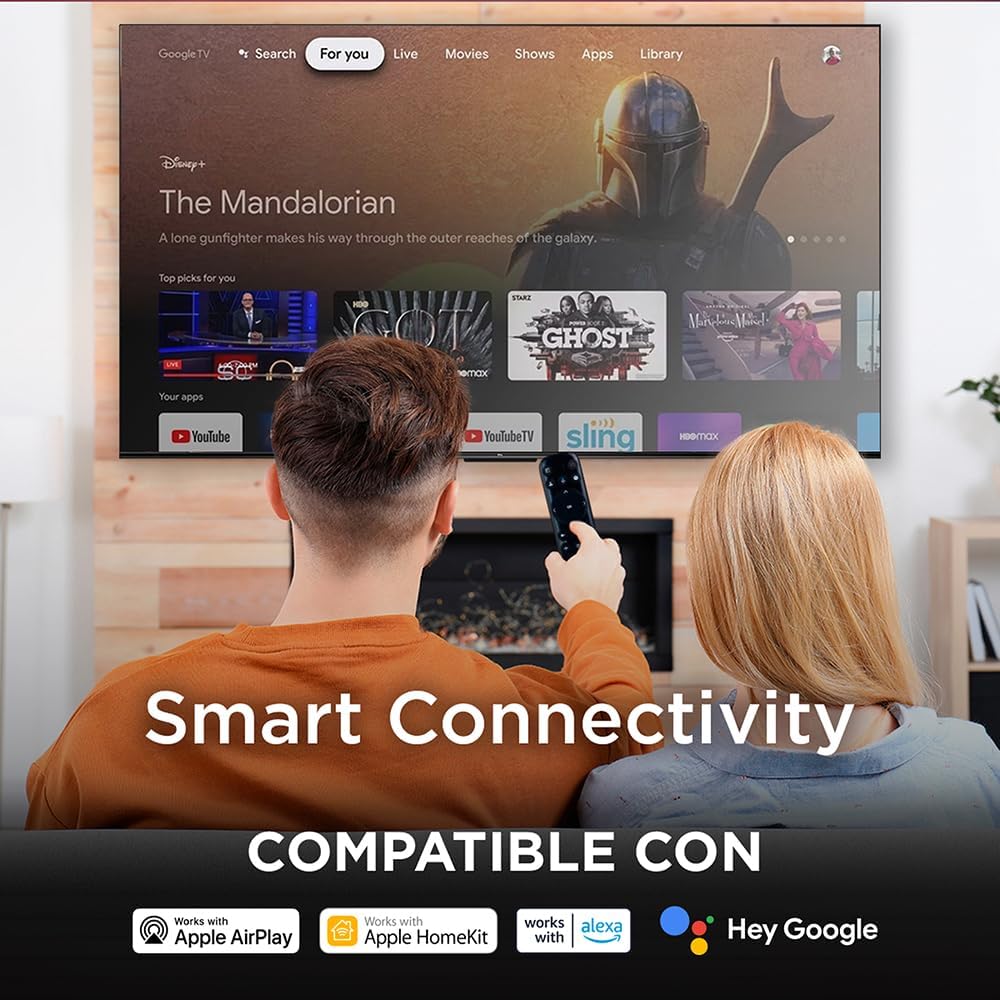
Image: A couple watching TV, with an overlay highlighting "Smart Connectivity" and logos indicating compatibility with Apple AirPlay, Apple HomeKit, Alexa, and Google.
2.3 Налаштування зображення та звуку
Your QLED TV offers advanced picture and sound technologies for an immersive viewнабутий досвід.
- Технологія QLED: Experience vibrant colors and enhanced brightness with Quantum Dot technology.
- Роздільна здатність 4K: Enjoy crisp, detailed images with 4K Ultra HD resolution.
- HDR10+ and VisionHDR10+: Supports high dynamic range content for greater contrast and color accuracy.
- Процесор AiPQ: The AiPQ engine optimizes picture quality by analyzing and enhancing various visual elements.
- Dolby Atmos: Integrated Dolby Atmos provides immersive, multi-dimensional audio.

Image: A split screen comparison demonstrating the enhanced color and vibrancy of QLED technology versus a non-QLED display.

Image: A living room scene with a TV displaying a vibrant image, accompanied by the Dolby Vision Atmos logo and visual representations of immersive sound waves.
2.4 Ігрові функції
For gamers, the TV includes features designed to enhance your experience:
- 60 Hz Panel: Provides a smooth viewing experience for various content.
- ALLM (режим автоматичної низької затримки): Автоматично перемикається в режим низької затримки для швидкої гри.
- VRR (змінна частота оновлення): Helps eliminate screen tearing and stuttering for smoother gameplay.

Image: A TV screen displaying a high-speed racing game, with text overlays highlighting "GAMING," "120Hz Game Accelerator," "ALLM (Auto Low Latency Mode)," and "VRR."
3. Технічне обслуговування
3.1 Очищення телевізора
To maintain the visual quality of your TV, follow these cleaning guidelines:
- екран: Обережно протріть екран м’якою, сухою тканиною без ворсу. Для стійких плям злегка протрітьampПротріть тканину водою або спеціалізованим засобом для чищення екранів. Уникайте агресивних хімікатів або абразивних матеріалів.
- Рама та підставка: Використовуйте м’яку суху тканину для очищення рами та підставки телевізора.
- Пульт дистанційного керування: Wipe the remote with a soft, dry cloth. Do not use liquids directly on the remote.
3.2 Оновлення програмного забезпечення
Your Google TV will periodically receive software updates to improve performance and add new features. Ensure your TV is connected to the internet to receive these updates automatically. You can also manually check for updates in the TV's settings menu.
4. Вирішення проблем
If you encounter issues with your TCL 65Q5K TV, refer to the following common troubleshooting steps. For more detailed solutions, consult the full instruction manual provided with your product.
- Немає живлення: Переконайтеся, що кабель живлення надійно підключено як до телевізора, так і до справної розетки. Спробуйте підключити інший пристрій до тієї ж розетки, щоб переконатися, що він має живлення.
- Немає зображення/звуку: Verify that the correct input source is selected. Check all cable connections (HDMI, etc.) for looseness. Restart the TV by unplugging it from the power outlet for a few minutes, then plugging it back in.
- Пульт дистанційного керування не відповідає: Замініть батарейки в пульті дистанційного керування. Переконайтеся, що між пультом дистанційного керування та ІЧ-датчиком телевізора немає перешкод.
- Проблеми з мережевим підключенням: Check your Wi-Fi router and modem to ensure they are working correctly. Restart your router. In the TV settings, try forgetting the network and reconnecting.
- Picture/Sound Quality: For optimal picture and sound, it may be necessary to adjust settings for different content types (e.g., normal, HDR). Explore the picture and sound settings menus to calibrate to your preference.
5. Технічні характеристики
| Особливість | Специфікація |
|---|---|
| Назва моделі | 65Q5K |
| Розмір екрана | 65 дюймів |
| Технологія дисплея | QLED |
| роздільна здатність | 4K (3840 x 2160) |
| Частота оновлення | 60 Гц |
| Підтримка формату HDR | HDR10+, VisionHDR10+ |
| Пікова яскравість | 350 НІТ |
| Технологія покращення зображення | AiPQ™ |
| Конфігурація підсвічування | Direct Illumination LED |
| Аудіоформат | Dolby Atmos |
| Опис спікера | Dolby Atmos Surround Sound System |
| Підключення | Wi-Fi (802.11 b/g) |
| Порти HDMI | 3 |
| Особливості | Chromecast, Flat Panel, Smart Voice Recognition |
| Операційна система | Google TV |
| Розміри (з підставкою) | 144.6 см (Ш) x 87.8 см (В) x 30.0 см (Г) |
| Розміри (без підставки) | 144.6 см (Ш) x 83.3 см (В) x 7.3 см (Г) |
| вага | 15 кілограма |
| Стандарт кріплення VESA | 200 х 200 мм |
| Рік моделі | 2025 |
6. Інформація про гарантію
Your TCL 65Q5K television comes with a 1 рік обмеженої гарантії на товар from the date of purchase. This warranty covers manufacturing defects under normal use. Please refer to the warranty card included in your package for full terms and conditions, including details on what is covered and how to make a claim.
Зберігайте чек про покупку для підтвердження гарантії.
7. Підтримка
For technical assistance or customer service, please contact TCL Support:
- телефон: 800 112 4656 (Monday to Saturday, 8:00 a.m. to 8:00 p.m.)
- WhatsApp: 55 7005 5159 (Monday to Saturday, 8:00 a.m. to 8:00 p.m.)
- Електронна пошта: servicio.mx@tcl.com
When contacting support, please have your TV model number (65Q5K) and serial number ready.