
1. Вступ
Thank you for choosing the MESWAO 15.6 inch Android 14 Tablet Pro. This tablet is designed to provide a superior visual and performance experience with its large Full HD display, powerful octa-core processor, and extended battery life. This manual will guide you through the setup, operation, maintenance, and troubleshooting of your new device, ensuring you get the most out of its advanced features.
2. Що в коробці
Будь ласка, перевірте вміст вашої упаковки. Якщо будь-які елементи відсутні або пошкоджені, зверніться до служби підтримки клієнтів.
- 1 x MESWAO 15.6 inch Android Tablet
- 1 x адаптер живлення
- 1 кабель Type-C
- 1 х посібник користувача
- 1 адаптер Type-C на USB
- 1 x Stuck pin (SIM ejector tool)

Image: Visual representation of the MESWAO tablet and its included accessories.
3. Продукт закінчивсяview
3.1 Основні характеристики
- 15.6-inch 1080P FHD IPS Display: Large screen with 1920x1080p resolution, 16:9 aspect ratio, 85% screen-to-body ratio, and 350 nits adjustable brightness for clear visuals.
- ОС Android 14: Latest Android version for faster app launches, intuitive user interface, split-screen multitasking, and GMS certification for Google Play access.
- MediaTek Helio G99 CPU: Octa-core processor (6nm, up to 2.2GHz) and ARM Mali-G57 GPU for smooth performance in multitasking, streaming, and gaming.
- 12,000mAh Mega Battery & 30W Fast Charging: Provides up to 15 hours of video playback and 12+ hours of daily use, with 90% charge in 3 hours.
- 6GB RAM + 128GB ROM (Expandable to 1TB): Ample storage for apps, photos, and videos, with expandable memory via microSD card (FAT32 format).
- Dual-band Wi-Fi & Bluetooth 5.0: High-speed 2.4G/5G Wi-Fi and efficient Bluetooth connectivity for peripherals.
- 5MP Front + 32MP Rear Cameras: Capture moments and conduct clear video calls.
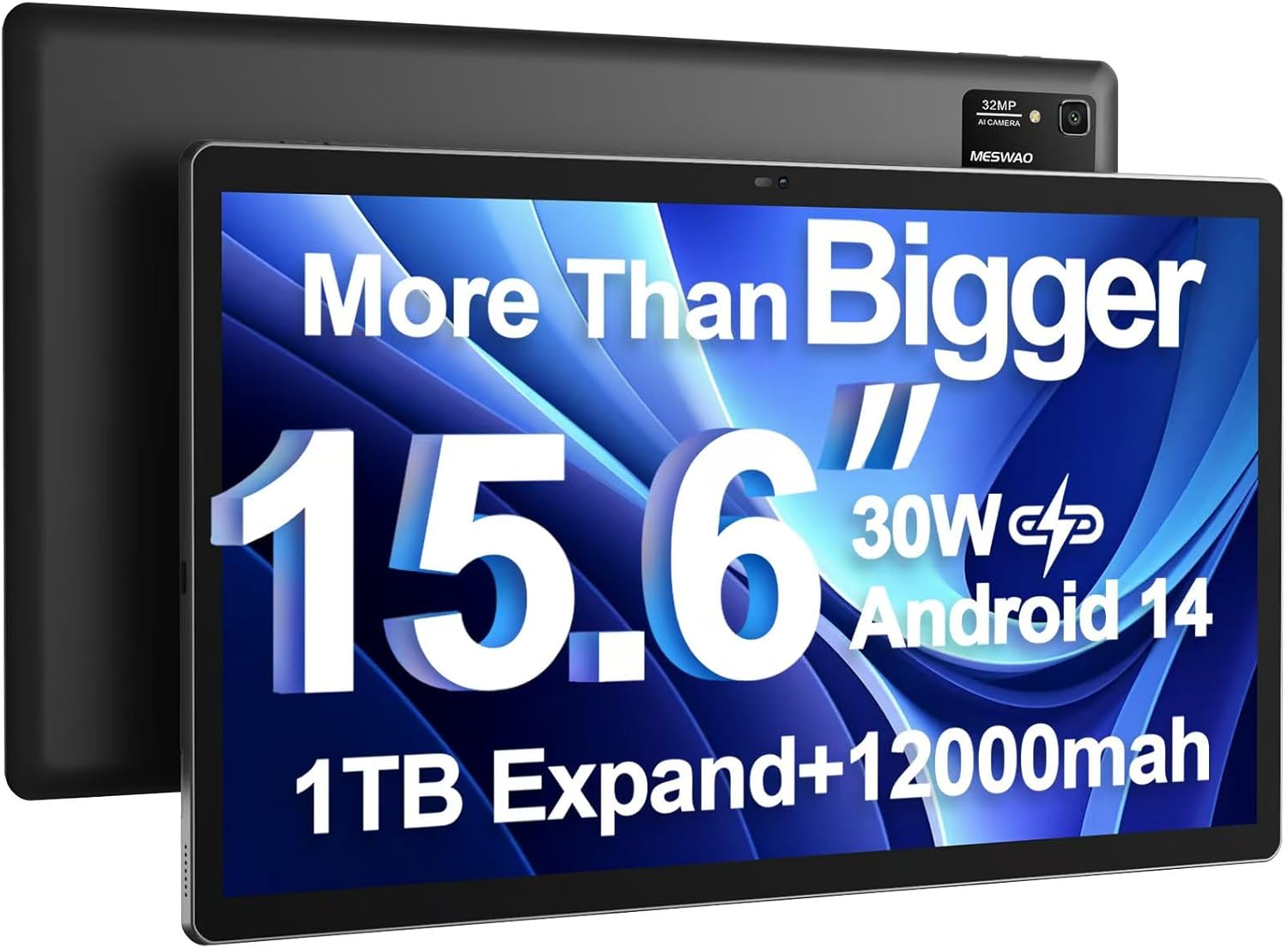
Image: The MESWAO 15.6 inch Android 14 Tablet Pro, showcasinйого великий дисплей і модуль задньої камери.

Image: Visual comparison highlighting the significantly larger screen area of the 15.6-inch tablet compared to a standard 10-inch tablet.

Image: Illustration of the tablet's 12,000mAh ultra-large capacity battery and 30W fast charging, indicating quick charge times and extended usage.
3.2 Компоненти планшета
Familiarize yourself with the physical components of your MESWAO tablet:
- Кнопка живлення: Розташований збоку, використовується для ввімкнення/вимкнення планшета або пробудження/переведення екрана в режим сну.
- Кнопки гучності: Adjust audio output levels.
- Фронтальна камера: 5-мегапіксельна камера для відеодзвінків та селфі.
- Задня камера: 32MP camera with flash for high-resolution photos and videos.
- Порт типу C: Для зарядки та передачі даних.
- Слот для картки TF: Для розширення пам'яті за допомогою карти microSD.
- Стереодинаміки: Чотири динаміки для покращеного звучання.
- Гніздо для гарнітури 3.5 мм: For wired audio connection (requires included Type-C to 3.5mm adapter).
4. Налаштування
4.1 Початкове ввімкнення
- Натисніть і утримуйте Кнопка живлення until the MESWAO logo appears on the screen.
- Дотримуйтесь підказок на екрані, щоб вибрати мову, регіон і підключитися до мережі Wi-Fi.
- Sign in with your Google account or create a new one to access Google Play Store and other services.
4.2 Заряджання планшета
Before first use, fully charge the tablet. Use the provided power adapter and Type-C cable.
- Connect the Type-C cable to the tablet's Type-C port.
- Підключіть адаптер живлення до настінної розетки.
- The charging indicator will appear on the screen. A full charge takes approximately 3 hours with the 30W fast charger.
4.3 Вставлення карти MicroSD
To expand storage, insert a microSD card (FAT32 format, up to 1TB, sold separately).
- Locate the TF card slot on the side of the tablet.
- Use the provided stuck pin to gently press into the small hole next to the slot to eject the tray.
- Place the microSD card into the tray with the gold contacts facing down.
- Обережно вставте лоток назад у гніздо, доки він не зафіксується на місці.
5. Інструкція з експлуатації
5.1 Основна навігація
- Головний екран: Проведіть пальцем ліворуч або праворуч, щоб переходити між головними екранами.
- Ящик програм: Access all installed applications (if using a launcher with an app drawer, otherwise apps are on home screens).
- Сповіщення та швидкі налаштування: Проведіть пальцем униз від верхньої частини екрана, щоб отримати доступ до сповіщень та швидких налаштувань (Wi-Fi, Bluetooth, яскравість тощо).
- Останні програми: Tap the square icon (or swipe up and hold from the bottom if using gesture navigation) to view та перемикатися між нещодавно використаними програмами.
5.2 Multitasking with Split Screen
The Android 14 OS supports split-screen functionality for enhanced productivity.
- Відкрийте першу програму, яку ви хочете використовувати.
- Go to the Recent Apps view.
- Торкніться значка програми у верхній частині картки першої програми та виберіть «Розділити екран».
- Choose the second app from your recent apps or app drawer to open it in the other half of the screen.
- Adjust the size of each app by dragging the divider in the middle.

Зображення: Оверview of key features of the Android 14 operating system on the tablet, including multitasking capabilities.
5.3 Підключення
- Wi-Fi: Перейти до Налаштування > Мережа та інтернет > Wi-Fi to connect to available networks. Supports 2.4Ghz and 5Ghz bands.
- Bluetooth: Перейти до Налаштування> Підключені пристрої> Параметри з'єднання> Bluetooth to pair with Bluetooth headphones, keyboards, or other devices.
- Трансляція екрана: The tablet supports wireless screen casting to compatible displays. Access this feature from Quick Settings or Settings > Connected devices > Connection preferences > Cast.

Image: Depiction of the tablet's stable dual-band Wi-Fi and Bluetooth 5.0 capabilities, enabling seamless wireless connections.
6. Технічне обслуговування
6.1 Догляд за акумулятором
- Уникайте екстремальних температур (високих або низьких), оскільки вони можуть знизити термін служби акумулятора.
- Не допускайте частої повної розрядки акумулятора. Заряджайте його, перш ніж він досягне 0%.
- Use only the provided charger or a certified 30W PD fast charger.
6.2 Очищення
- Використовуйте м’яку тканину без ворсу для очищення екрана та корпусу.
- Для стійких плям злегкаampпротріть тканину водою або засобом для чищення екранів. Уникайте агресивних хімікатів.
- Не розпилюйте рідини безпосередньо на планшет.
6.3 Оновлення програмного забезпечення
Регулярно перевіряйте наявність та встановлюйте оновлення системи, щоб забезпечити оптимальну продуктивність та безпеку.
- Connect your tablet to a stable Wi-Fi network.
- Перейти до Налаштування > Система > Оновлення системи.
- Дотримуйтесь інструкцій на екрані, щоб завантажити та встановити всі доступні оновлення.
7. Вирішення проблем
Якщо у вас виникли проблеми з планшетом, зверніться до наступних поширених рішень:
| проблема | Можлива причина | Рішення |
|---|---|---|
| Планшет не вмикається | Низький рівень заряду батареї; збій системи | Заряджайте планшет щонайменше 30 хвилин. Натисніть і утримуйте кнопку живлення протягом 10-15 секунд, щоб примусово перезавантажити його. |
| Slow performance/Lag | Занадто багато запущених програм; Недостатньо місця для зберігання; Застаріле програмне забезпечення | Close background apps. Clear cache. Free up storage. Check for system updates. |
| Проблеми з підключенням Wi-Fi | Неправильний пароль; Проблема з маршрутизатором; Wi-Fi планшета вимкнено | Ensure Wi-Fi is on. Re-enter password. Restart router. Forget and reconnect to network. |
| Акумулятор швидко розряджається | High screen brightness; Background apps; Heavy usage | Reduce screen brightness. Close unused apps. Limit background data. Check battery usage in settings. |
| Touchscreen unresponsive/Phantom touches | Temporary software glitch; Defective unit | Restart the tablet. If the issue persists, contact MESWAO customer support for assistance. |
If the problem persists after trying these solutions, please contact MESWAO customer support for further assistance.
8. Технічні характеристики
| Особливість | Деталь |
|---|---|
| Назва моделі | MES-B3 Pro |
| Операційна система | Android 14 |
| Розмір екрана | 15.6 дюймів |
| Роздільна здатність екрана | 1920 x 1080 пікселів (Full HD IPS) |
| Процесор | Восьмиядерний MediaTek Helio G99 (до 2.2 ГГц) |
| Графічний співпроцесор | ARM Mali-G57 |
| ОЗУ | 6 ГБ |
| Внутрішня пам'ять (ROM) | 128 ГБ |
| Розширюване сховище | Up to 1TB via MicroSD card (FAT32 format) |
| Ємність акумулятора | 12,000 мАг |
| Термін служби батареї (середній) | 13 годин (до 15 годин відтворення відео) |
| Зарядка | Швидка зарядка PD потужністю 30 Вт |
| Бездротове підключення | 802.11a/b/ac/ax (2.4G/5G Dual-band Wi-Fi), Bluetooth 5.0 |
| Фронтальна камера | 5 МП |
| Задня камера | 32 МП |
| Вага товару | 4.42 фунта (приблизно 2 кг) |
| Розміри продукту | 14.49 x 8.66 x 0.39 дюйми (36.8 x 22 x 1 см) |
9. Гарантія та підтримка
MESWAO products come with a standard manufacturer's warranty. Please refer to the warranty card included in your package for specific terms and conditions. For technical support, troubleshooting assistance, or warranty claims, please contact MESWAO customer service through the contact information provided on the official MESWAO webсайт або ваша платформа для покупок.
Контактна інформація: Please visit the official MESWAO website or refer to the support card included in your product packaging for the most up-to-date contact details.