
вступ
Welcome to the GUHUAVMI GT4 Pro Smartwatch user manual. This guide provides detailed instructions on how to set up, operate, and maintain your new smartwatch. The GT4 Pro combines advanced health monitoring, comprehensive fitness tracking, and smart connectivity features in a durable, stylish design. Please read this manual carefully to ensure optimal performance and longevity of your device.
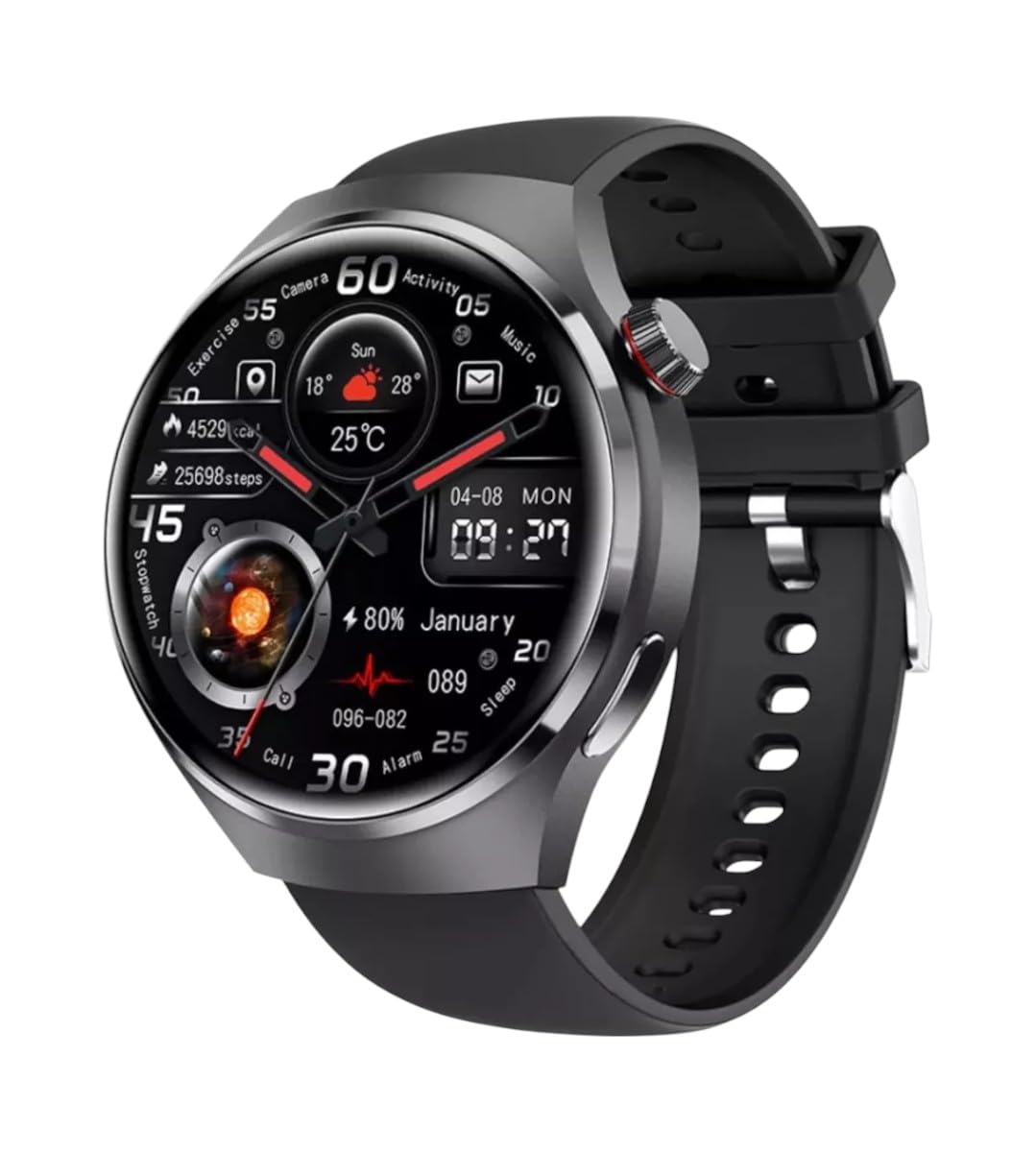
Зображення: спереду view of the GUHUAVMI GT4 Pro Smartwatch, showcasinйого елегантний дизайн та дисплей.
Налаштування
1. Розпакування та компоненти
Перш ніж почати, переконайтеся, що всі компоненти присутні в упаковці:
- GUHUAVMI GT4 Pro Smartwatch
- Бездротовий зарядний пристрій
- Посібник користувача (цей документ)
2. Заряджання смарт-годинника
For first-time use, fully charge your GT4 Pro Smartwatch. Connect the wireless charger to a USB power adapter (not included) and place the smartwatch onto the magnetic charging base. The watch will indicate charging status on its screen.
- Час зарядки: Приблизно 3 години для повної зарядки.
- Термін служби батареї: Typical usage provides 5-7 days of battery life.

Image: The GUHUAVMI GT4 Pro Smartwatch placed on its magnetic wireless charger, displaying battery life and charging time information.
3. Увімкнення/вимкнення живлення
- Увімкнення: Натисніть і утримуйте бічну кнопку, доки екран не засвітиться.
- Вимкнення живлення: Натисніть і утримуйте бічну кнопку, потім виберіть на екрані опцію «Вимкнути живлення».
4. Завантаження програми та створення пари
To unlock the full potential of your GT4 Pro, download the companion app on your smartphone. Scan the QR code provided in the watch's initial setup screen or search for the app name (usually indicated on the watch or packaging) in your phone's app store.
- Увімкніть Bluetooth на своєму смартфоні.
- Відкрийте супутній додаток і дотримуйтесь інструкцій на екрані, щоб створити обліковий запис або увійти.
- In the app, select 'Add Device' or 'Pair Device' and choose 'GT4 Pro' from the list of available devices.
- Підтвердьте запит на сполучення як на смартфоні, так і на смарт-годиннику.
Інструкція з експлуатації
1. Основна навігація
The GT4 Pro features a 1.6-inch HD AMOLED touchscreen and a side crown button for navigation.
- Проведіть вгору/вниз: Прокручуйте меню та сповіщення.
- Проведіть вліво/вправо: Отримайте доступ до швидких віджетів або різних циферблатів годинника.
- Торкніться: Виберіть елемент або відкрийте програму.
- Натисніть бічну кнопку: Повернення на головний екран або доступ до списку програм.
2. Голосовий помічник зі штучним інтелектом
Your GT4 Pro is equipped with an integrated AI voice assistant for hands-free operation.
- активація: Tap the voice assistant icon on the watch face or use a designated gesture/button press (refer to watch settings).
- Команди: Speak clearly to ask questions, set reminders, make calls, or control music.
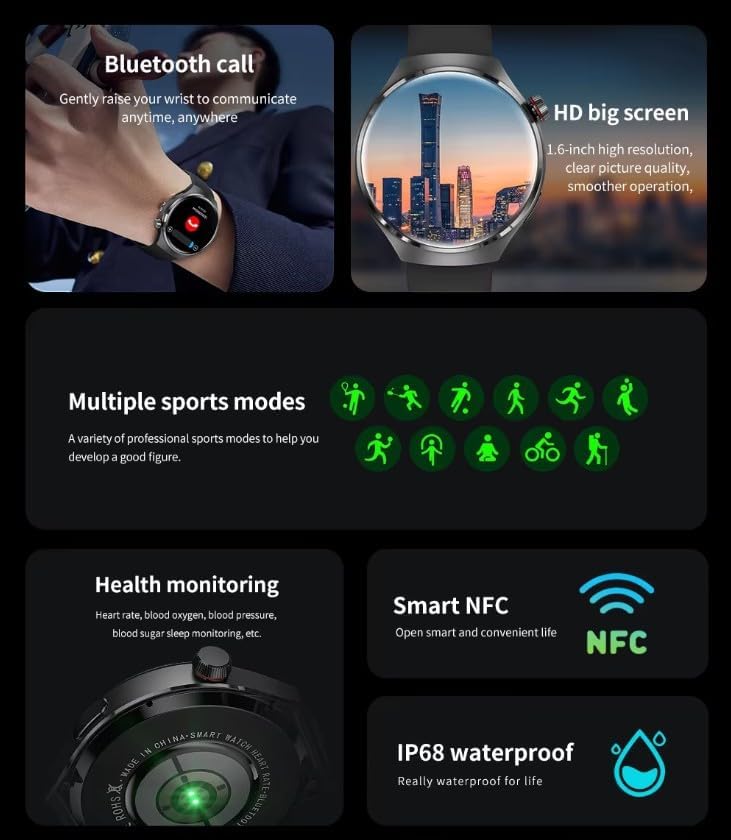
Image: The GUHUAVMI GT4 Pro Smartwatch displaying the AI voice assistant interface, showing exampкількість голосових команд.
3. Виклики через Bluetooth
Once paired with your smartphone, you can make and receive calls directly from your smartwatch.
- Здійснення дзвінків: Access the dialer or contacts list on your watch.
- Отримання дзвінків: Відповідайте на вхідні дзвінки або відхиляйте їх безпосередньо з екрана годинника.
4. Моніторинг здоров'я
The GT4 Pro provides real-time health data to help you monitor your well-being.
- ЧСС: Безперервний моніторинг протягом дня.
- Кисень крові (SpO2): Виміряйте рівень насичення крові киснем.
- Глікемія: Provides estimated blood sugar readings.
- Відстеження сну: Монітори снуtagта якість.
View detailed health reports in the companion app.
5. Відстеження фізичної активності
Track your workouts and daily activity with precision.
- Кілька спортивних режимів: Select from various activities like running, cycling, swimming, and more for accurate data.
- Вбудований GPS: Records your route, distance, and pace during outdoor activities.
- Компас: Provides directional guidance for outdoor adventures.

Image: The GUHUAVMI GT4 Pro Smartwatch showcasing icons for NFC, GPS, compass, heart rate, and Bluetooth call, highlighting its comprehensive features.
6. NFC Features
The GT4 Pro supports NFC for convenient interactions.
- Контроль доступу: Use your watch for compatible access systems.
- Find My iPhone: Utilize NFC to locate your paired iPhone.
7. Dynamic Island Function
Experience enhanced interactive displays for notifications, music, and charging status.
- Interactive Displays: Smart displays adapt to show relevant information dynamically.
- Оновлення OTA: New functional interactive displays may be added through future over-the-air updates.
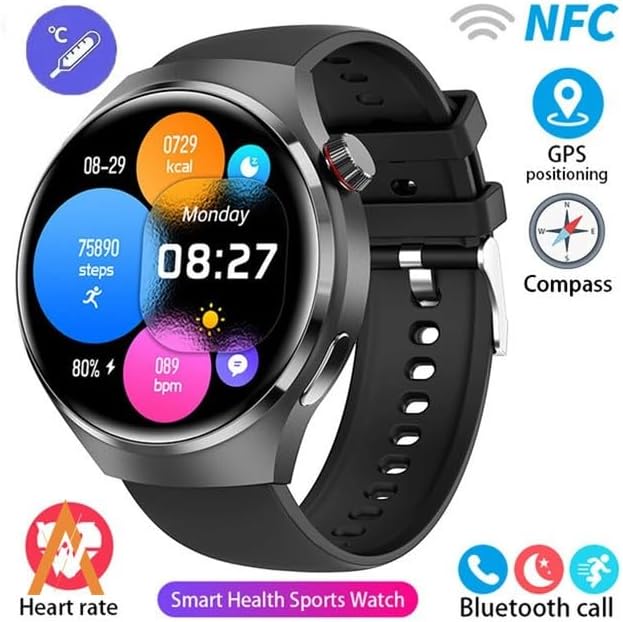
Image: The GUHUAVMI GT4 Pro Smartwatch screen demonstrating the Dynamic Island function, showing notifications and active processes.
8. Other Utility Features
Розумний годинник містить кілька зручних інструментів:
- Віддалена камера: Керуйте камерою свого смартфона дистанційно.
- Будильник: Встановлюйте будильники безпосередньо на зап'ясті.
- Секундомір і таймер: For precise timekeeping.
- Вимірювання температури: Monitor ambient temperature.
- Multi-Time Zone Settings: Keep track of different time zones.
- Керування відтворенням музики: Manage music on your paired smartphone.
Технічне обслуговування
1. Водостійкість (IP68)
The GT4 Pro has an IP68 waterproof rating, meaning it is resistant to dust and can withstand immersion in water up to 1.5 meters for 30 minutes. It is suitable for swimming and use in rainy conditions.
- Do not use in hot water, saunas, or steam rooms.
- Avoid exposure to high-velocity water.
- After exposure to water, wipe the watch dry with a soft cloth.
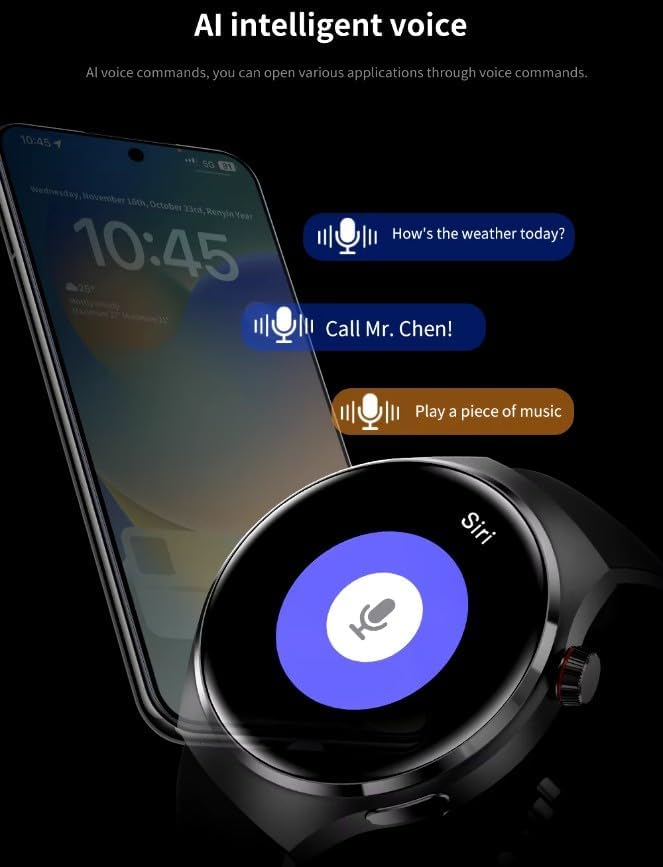
Image: Two GUHUAVMI GT4 Pro Smartwatches shown with water droplets, illustrating their IP68 waterproof capability.
2. прибирання
Regularly clean your smartwatch to maintain its appearance and sensor accuracy.
- Протріть екран і корпус м’якою губкоюamp, безворсова тканина.
- Clean the charging contacts and heart rate sensor on the back of the watch to ensure proper function.
- Уникайте використання агресивних хімікатів або абразивних матеріалів.
3. Оновлення програмного забезпечення
Periodically check for software updates through the companion app. Updates can provide new features, performance improvements, and bug fixes.
Усунення несправностей
- Годинник не вмикається: Переконайтеся, що годинник повністю заряджений. Підключіть його до зарядного пристрою щонайменше на 30 хвилин.
- Не вдається з’єднати пристрій зі смартфоном:
- Переконайтеся, що Bluetooth увімкнено на вашому телефоні та годиннику.
- Переконайтеся, що годинник знаходиться в зоні дії вашого телефону.
- Перезавантажте і годинник, і телефон.
- Перевірте, чи супутній додаток оновлено до останньої версії.
- Неточні дані про стан здоров'я:
- Переконайтеся, що годинник щільно прилягає до зап'ястя, не надто туго і не надто вільно.
- Очистіть датчики на задній панелі годинника.
- Уникайте надмірних рухів під час вимірювань.
- Короткий час автономної роботи:
- Зменшити яскравість екрана.
- Disable unnecessary notifications or features.
- Обмежте безперервний моніторинг серцевого ритму, якщо в цьому немає потреби.
Технічні характеристики
| Особливість | опис |
|---|---|
| Номер моделі | GT4 Pro |
| Дисплей | 1.6-inch HD AMOLED, 360x360 resolution |
| Підключення | Bluetooth 5.0 |
| Рейтинг водонепроникності | IP68 |
| Моніторинг здоров'я | Heart Rate, Blood Oxygen, Blood Sugar, Sleep Tracking |
| Відстеження фізичної активності | Built-in GPS, Compass, Multiple Sports Modes |
| Голосовий помічник | AI Voice Assistant Integrated |
| NFC | Supported (e.g., Find My iPhone, Access Control) |
| Тип зарядки | Магнітна бездротова зарядка |
| Типовий термін служби батареї | 5-7 днів |
| Час зарядки | прибл. 3 години |
| Включені компоненти | Smartwatch, User Manual, Wireless Charger |
Гарантія та підтримка
Інформація про гарантію
The GUHUAVMI GT4 Pro Smartwatch comes with a Гарантія 6 місяців з дати покупки. Ця гарантія поширюється на виробничі дефекти за умов нормального використання. Вона не поширюється на пошкодження, спричинені неправильним використанням, нещасними випадками, несанкціонованими модифікаціями або нормальним зносом.
Підтримка клієнтів
If you encounter any issues or have questions regarding your GUHUAVMI GT4 Pro Smartwatch, please refer to the troubleshooting section of this manual. For further assistance, contact your retailer or the manufacturer's customer support channel. Please have your purchase receipt and product model number (GT4 Pro) ready when contacting support.