
THINKYA Y19
THINKYA Portable CD Player User Manual
Model: Y19 | Brand: THINKYA
1. Вступ
Thank you for choosing the THINKYA Portable CD Player Y19. This multi-functional device combines classic CD playback with modern connectivity options, including Bluetooth, USB, AUX, and Optical modes. Featuring built-in HiFi stereo speakers and a convenient remote control, it offers a versatile audio experience for your home or on the go. Please read this manual thoroughly before use to ensure proper operation and longevity of your device.
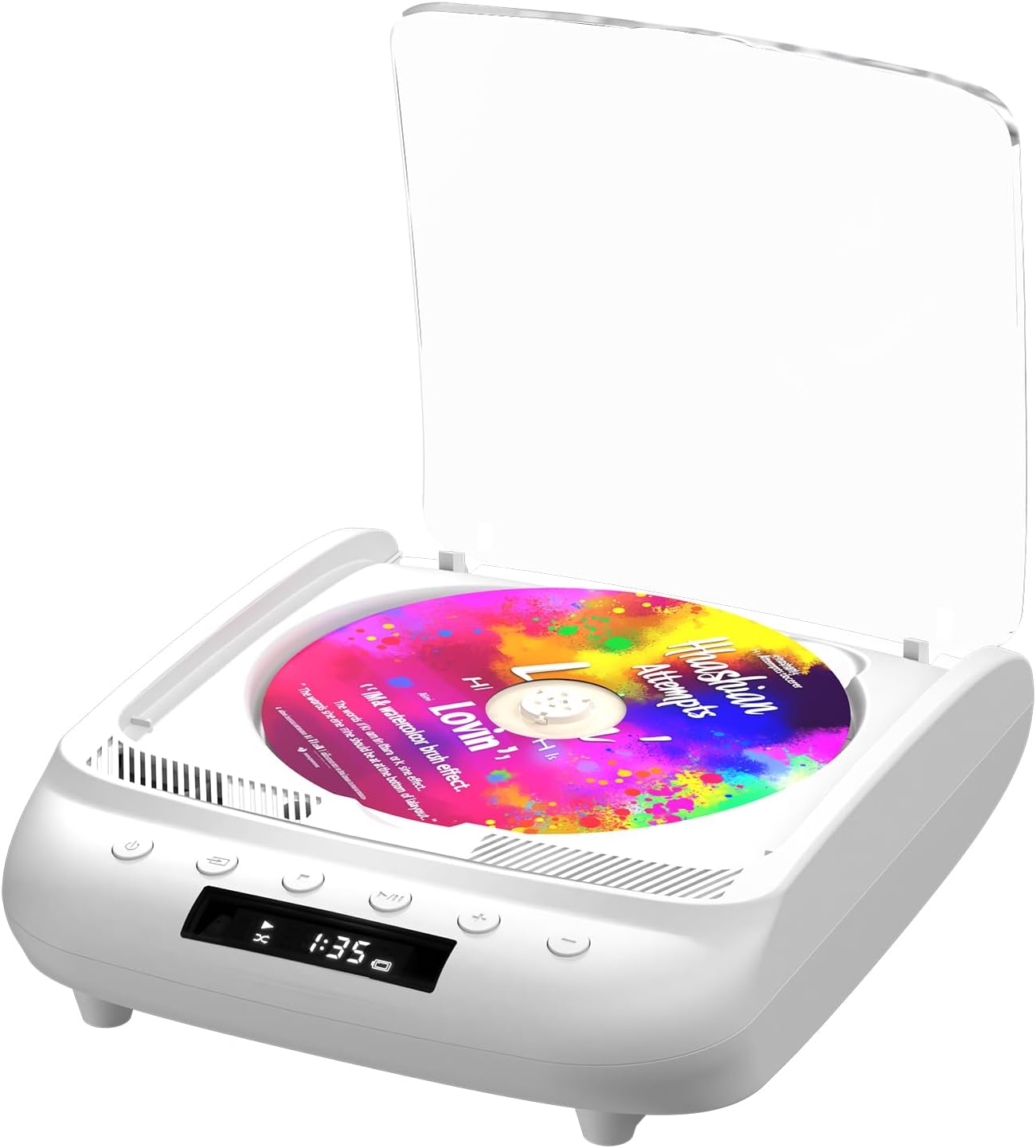
Figure 1.1: THINKYA Portable CD Player Y19
2. Вміст упаковки
Переконайтеся, що всі предмети присутні та знаходяться у належному стані після розпакування:
- Portable CD Player x 1
- Пульт дистанційного керування x 1
- Кабель USB-C x 1
- Кабель AUX 3.5 мм x 1
- Посібник користувача x 1
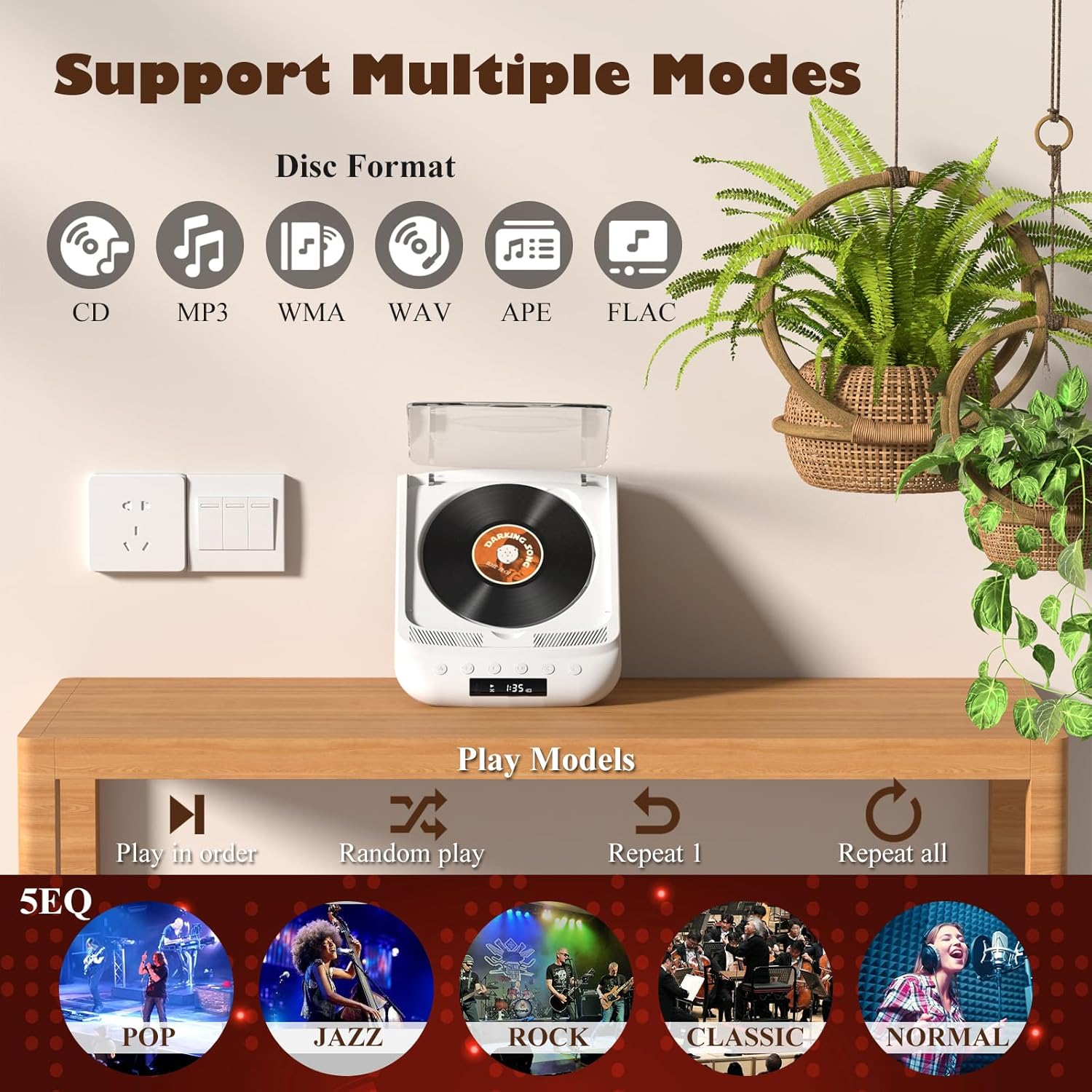
Рисунок 2.1: Усі елементи, що входять до комплекту.
3. Продукт закінчивсяview & Елементи керування
Familiarize yourself with the player's layout and functions:

Figure 3.1: Front panel controls and rear ports. (1) Optical, (2) Headphone, (3) AUX, (4) USB, (5) DCIN 5V, (6) On/Off switch.
Кнопки на передній панелі:
- Кнопка живлення: Вмикає/вимикає пристрій.
- Кнопка режиму: Cycles through playback modes (CD, USB, Bluetooth, AUX, Optical).
- Кнопка зупинки: Зупинка відтворення.
- Кнопка відтворення/паузи: Запуск або призупинення відтворення.
- Гучність - / Попередній трек: Зменшує гучність або переходить до попереднього треку.
- Гучність + / наступний трек: Збільшує гучність або переходить до наступного треку.
Порти на задній панелі:
- SPDIF (Optical) Output: Для підключення до зовнішніх аудіосистем за допомогою оптичного кабелю.
- Гніздо для навушників (3.5 мм): Для приватного прослуховування з навушниками.
- Вхід AUX (3.5 мм): Для підключення зовнішніх аудіопристроїв через AUX-кабель.
- Порт USB: Для відтворення аудіо files з USB-накопичувача.
- DCIN 5V (USB-C): Power input for charging and continuous operation.
- Вмикання/вимкнення: Головний вимикач живлення пристрою.

Малюнок 3.2: Детально view of 3.5mm Earphone Jack and USB Playback port.

Figure 3.3: Enjoying purer singing with Optical Mode connection to external speakers.
4. Початкове налаштування
4.1 Зарядка пристрою
The THINKYA CD Player has a built-in 2600mAh rechargeable battery. Before first use, fully charge the device.
- Connect the provided USB-C cable to the DCIN 5V port on the rear of the player.
- Connect the other end of the USB-C cable to a compatible 5V/2A USB power adapter (not included), power bank, or computer USB port.
- The LED screen will indicate charging status. A full charge takes approximately 3 hours and provides 4-8 hours of playback time.

Figure 4.1: Flexible charging options for the built-in rechargeable battery.
4.2 Вставлення компакт-диска
To insert a CD:
- Gently lift the transparent lid of the CD player.
- If present, remove the protective cardboard from the CD compartment.
- Place the CD onto the spindle with the label side facing up. Ensure it clicks securely into place.
- Закрийте прозору кришку.
Figure 4.2: Correct placement of a CD in the player.
5. Інструкція з експлуатації
The THINKYA CD Player supports multiple playback modes. Press the Кнопка режиму on the front panel or remote control to switch between them.
Режим відтворення компакт-дисків 5.1
After inserting a CD and powering on the device, it will automatically enter CD mode and begin playback. The LED screen will display the track number and playback time.
- Відтворення/пауза: Натисніть кнопку Відтворення/Пауза.
- Наступний / попередній трек: Use the Volume +/- buttons (short press) to skip tracks.
- Стій: Натисніть кнопку Стоп.

Figure 5.1: Dual HiFi Stereo Speakers and CD playback options (Repeat All, Random, In Order, Repeat 1).
5.2 Bluetooth Mode (Input & Output)
The player can act as both a Bluetooth transmitter and receiver.
Bluetooth Receiver (Connect your phone/tablet to the CD Player):
- Switch the CD player to Bluetooth mode (BT will flash on the LED screen).
- On your mobile device, search for "THINKYA Y19" in the Bluetooth settings.
- Select to pair. Once connected, the BT indicator will stop flashing. You can now play audio from your device through the CD player's speakers.
Bluetooth Transmitter (Connect the CD Player to Bluetooth headphones/speakers):
- Ensure the CD player is in CD, USB, or AUX mode.
- Увімкніть режим сполучення на навушниках Bluetooth або динаміку.
- The CD player will automatically search for and connect to nearby Bluetooth audio devices. Once connected, audio will be transmitted to your external Bluetooth device.

Figure 5.2: Bluetooth 5.0 connectivity for both transmitting and receiving audio.
Video 5.1: Demonstration of THINKYA Portable CD Player's Bluetooth functionality, including pairing with external speakers.
5.3 Режим відтворення з USB
Insert a USB flash drive into the USB port on the rear panel. The player supports MP3/WMA/WAV/APE/FLAC formats. Switch to USB mode using the Mode button.
5.4 Режим AUX
Connect an external audio device (e.g., smartphone, MP3 player) to the AUX input port using the provided 3.5mm AUX cable. Switch to AUX mode using the Mode button.
5.5 Optical Mode
Connect the SPDIF (Optical) output port to an external audio system with an optical input. This mode is for digital audio output from the CD player to a compatible receiver or soundbar.
6. Використання пульта дистанційного керування
The included remote control allows for convenient operation from a distance (up to 15ft). It requires 2 AAA batteries (not included).
Рисунок 6.1: Пульт дистанційного керування для зручного керування.
Функції дистанційного керування:
- Потужність: Увімкнення/вимкнення.
- VOL +/-: Регулює гучність.
- Попередній/Наступний: Skips tracks.
- Відтворення/пауза: Запуск або призупинення відтворення.
- Стій: Зупинка відтворення.
- EQ: Cycles through equalizer presets (POP, JAZZ, ROCK, CLASSIC, NORMAL).
- BT: Перемикається в режим Bluetooth.
- Інші кнопки: May include Bass, Treble adjustments depending on the remote version.
7. Технічні характеристики
| Особливість | Специфікація |
|---|---|
| Модель | Y19 |
| Вхідний об'ємtage | 5В-2А |
| Ємність акумулятора | 2600 мАг літій-іонний |
| Час зарядки | прибл. 3 години |
| Час відтворення | прибл. 4-8 години |
| Портативний розмір | 8.27 x 6.69 x 3.03 дюймів |
| вага | 2.2 lb (1.72 pounds listed in specs, using A+ content for consistency) |
| Спікер | 4Ω-2*2W (Independent Sound Cavity) |
| Підтримка формату CD | CD-DA, CD-R, MP3 |
| USB Format Support | MP3 / WMA / WAV / APE / FLAC |
| Інтерфейс | 3.5mm Audio, USB, Optical, Headphone, USB-C Charge |
| Режим гравця | CD Play, Bluetooth, USB, AUX, Optical |
8. Догляд і технічне обслуговування
- Прибирання: Use a soft, dry cloth to clean the exterior of the player. For the CD lens, use a specialized CD lens cleaner. Do not use abrasive cleaners or solvents.
- Обробка компакт-дисків: Always hold CDs by their edges. Avoid touching the playing surface. Store CDs in their cases to prevent scratches and dust accumulation.
- Зберігання: Якщо програвач не використовується протягом тривалого часу, зберігайте його в прохолодному, сухому місці, подалі від прямих сонячних променів та екстремальних температур.
- Догляд за акумулятором: Щоб продовжити термін служби акумулятора, уникайте частого повного розряджання акумулятора. Регулярно заряджайте пристрій, навіть якщо він не використовується активно.
9. Посібник з усунення несправностей
If you encounter issues with your THINKYA CD Player, refer to the common problems and solutions below:
9.1 Немає живлення / Пристрій не вмикається
- Ensure the main On/Off switch on the rear panel is in the 'On' position.
- Check if the device is properly charged. Connect the USB-C cable and verify the charging indicator.
- Спробуйте інший кабель USB-C або адаптер живлення.
9.2 CD Not Playing / Disc Error
- Ensure the CD is clean and free of scratches or smudges. Clean with a soft, lint-free cloth from the center outwards.
- Verify the CD is inserted correctly with the label side facing up and securely on the spindle.
- Make sure the player is in CD mode.
- Try a different CD to rule out a faulty disc.
9.3 Немає звуку
- Adjust the volume using the buttons on the player or the remote control.
- If using headphones or external speakers, ensure they are properly connected and functional.
- If in Bluetooth mode, ensure the player is correctly paired with your external device and the volume on both devices is adjusted.
- If in AUX mode, check the AUX cable connection and ensure the external device's volume is up.
- Ensure the correct playback mode is selected (CD, USB, BT, AUX, Optical).
9.4 Проблеми з підключенням Bluetooth
- Ensure the player is in Bluetooth mode (BT flashing).
- Keep the player and the Bluetooth device within the effective range (typically 10 meters/33 feet).
- Turn off and on the Bluetooth function on both the player and your external device, then try pairing again.
- Clear previous Bluetooth pairings on your external device and try to connect again.
10. Гарантія та підтримка клієнтів
10.1 Інформація про гарантію
THINKYA products are manufactured to the highest quality standards. For specific warranty details, please refer to the warranty card included in your product packaging or contact THINKYA customer support. Keep your purchase receipt as proof of purchase.
10.2 Підтримка клієнтів
Якщо вам потрібна додаткова допомога або у вас є питання, не розглянуті в цьому посібнику, зверніться до нашої служби підтримки клієнтів:
- Електронна пошта: support@thinkya.com
- Webсайт: www.thinkya.com
Ask a question about this manual
Ask about setup, troubleshooting, compatibility, parts, safety, or missing instructions. Manuals+ will review the question and use this page’s manual context to help answer it.