
1. Вступ
This manual provides essential information for setting up, operating, and maintaining your GMKtec Mini PC G10. Please read these instructions carefully before using the device to ensure optimal performance and longevity.
2. Вміст упаковки
Перевірте наявність усіх елементів в упаковці:
- Міні-ПК GMKtec Nucbox G10
- Адаптер живлення та кабель
- Кабель HDMI
- Кріплення та гвинти VESA
- Посібник користувача

Image: Contents of the GMKtec Mini PC G10 package, including the mini PC, power adapter, HDMI cable, VESA mount, and user manual.
3. Продукт закінчивсяview та інтерфейси
The GMKtec Mini PC G10 features a compact design with a variety of ports for connectivity. Familiarize yourself with the available interfaces:
Передня панель:
- 1x CTIA Audio Jack
- 2x USB 3.2 (5Gbps) Ports
- 1x кнопка живлення
Задня панель:
- 1x USB-C Power Input (PD Only)
- 1x USB-C (Full-function: DisplayPort, Data, Power Delivery)
- 1 порт USB 2.0
- 1x 2.5G Gigabit Ethernet (LAN) Port
- 1x HDMI 2.1 (4K@60Hz) Port
- 1x DisplayPort 1.4 (4K@60Hz)
- 1 слот для замка Kensington

Зображення: Детальне view of the front and rear ports of the GMKtec Mini PC G10, illustrating USB, HDMI, DisplayPort, Ethernet, and power connections.
4. Налаштування
Follow these steps to set up your GMKtec Mini PC G10:
- Підключення до дисплея: Connect your monitor(s) to the Mini PC using the HDMI, DisplayPort, or USB-C (DisplayPort Alt Mode) outputs. The device supports up to three displays simultaneously.
- Підключення периферійних пристроїв: Підключіть клавіатуру, мишу та інші USB-пристрої до доступних USB-портів.
- Підключення до мережі: For a wired connection, connect an Ethernet cable to the 2.5G LAN port. For wireless, ensure Wi-Fi is enabled in the operating system settings after initial boot.
- Увімкнення: Connect the power adapter to the Mini PC's USB-C power input and then to a power outlet. Press the power button on the front panel to turn on the device.
- Початкове налаштування: Дотримуйтесь інструкцій на екрані, щоб завершити налаштування Windows 11 Pro.
5. Операційна система
The GMKtec Mini PC G10 comes pre-installed with Windows 11 Pro. It is also compatible with Windows 10 and various Linux distributions.
Windows 11 Pro Features:
- Enhanced security features.
- BitLocker device encryption.
- Remote Desktop capabilities.
- Domain Join and Group Policy management.
Ensure your operating system is regularly updated for security and performance improvements.
6. Продуктивність та сховище
The Mini PC G10 is designed for efficient daily computing and light gaming, featuring robust components for smooth operation.
Процесор:
Оснащений AMD Ryzen 5 3500U Processor, a 64-bit quad-core CPU with 8 threads, based on AMD's 12nm Zen+ architecture. It offers a base frequency of 2.1 GHz and a boost frequency of up to 3.7 GHz, with a TDP of 15W (configurable up to 35W for higher performance).
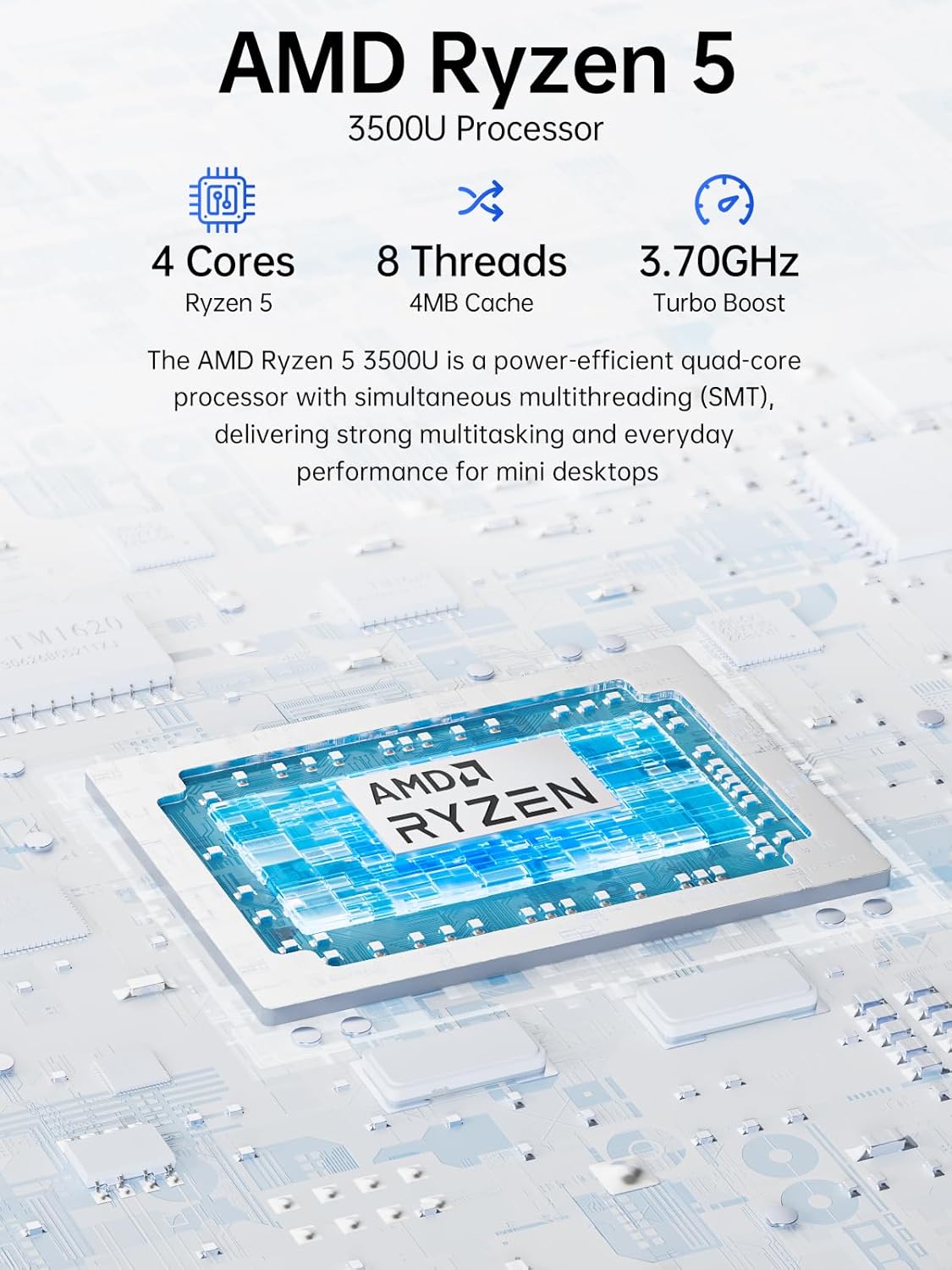
Image: Visual representation of the AMD Ryzen 5 3500U processor, highlighting its 4 cores, 8 threads, 4MB cache, and 3.70GHz turbo boost.
Графіка:
Інтегрований Графіка Radeon Vega 8 (up to 1.2 GHz) provides capable performance for video editing, multimedia playback, and casual gaming.
Пам'ять (RAM):
Система включає в себе 16GB of DDR4 SO-DIMM dual-channel RAM (2 x 8GB). The memory is expandable up to 32GB.
Зберігання:
Особливості a 1TB PCIe 3.0 x4 NVMe SSD, offering significantly faster data transfer speeds (up to 3500 MB/s) compared to traditional SATA SSDs. This results in quicker boot times, faster application loading, and smoother file перекази.
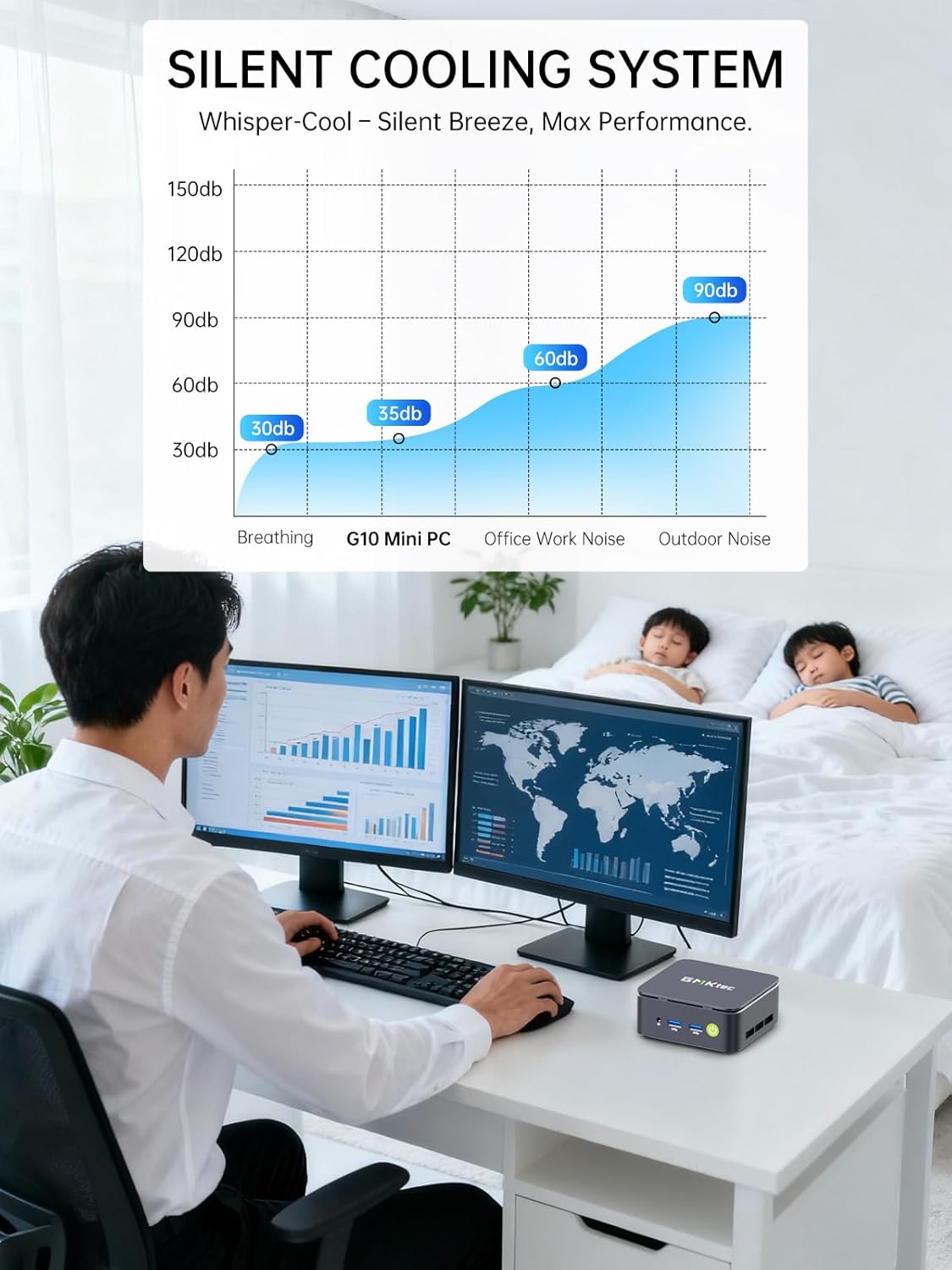
Image: Comparison illustrating the speed advantage of PCIe 3.0 NVMe SSDs (up to 3500 MB/s) over SATA SSDs (up to 550 MB/s).
Розширення пам’яті:
The Mini PC G10 is equipped with two M.2 2280 PCIe 3.0 slots, allowing for storage expansion up to 16TB (with 2 x 8TB SSDs, not included).

Image: Diagram showing the dual SO-DIMM DDR4 slots for RAM expansion up to 64GB and two M.2 2280 SSD slots for storage expansion up to 16TB.
7. Конфігурація дисплея
The GMKtec Mini PC G10 supports a triple display setup, allowing for enhanced productivity and immersive multimedia experiences.
- Connect up to three monitors simultaneously using the HDMI 2.1, DisplayPort 1.4, and full-function USB-C ports.
- All display outputs support 4K resolution at 60Hz.

Image: An illustration of a triple monitor setup connected to the Mini PC, demonstrating its multi-display capability for a productive workspace.
8. Підключення
The Mini PC G10 offers versatile connectivity options for both wired and wireless networks and peripherals.
- Wi-Fi 5: Provides fast wireless internet access.
- Bluetooth 5.0: Для підключення бездротових периферійних пристроїв, таких як клавіатури, миші та навушники.
- 2.5-гігабітний Ethernet: An ultra-fast wired network connection for high-speed data transfer and low-latency applications.

Image: A visual representation of the Mini PC connected wirelessly via Wi-Fi and Bluetooth, and wired via 2.5GbE Ethernet, highlighting its comprehensive connectivity.
9. Silent Cooling System
The GMKtec Mini PC G10 incorporates a silent turbo cooling fan designed to maintain optimal operating temperatures while minimizing noise output. This ensures stable performance even under load.

Зображення: Вибух view of the Mini PC G10 showing the internal silent turbo cooling fan and its airflow path.
10. Технічне обслуговування
Регулярне технічне обслуговування допомагає забезпечити довговічність та оптимальну продуктивність вашого міні-ПК.
- Прибирання: Periodically clean the exterior of the Mini PC with a soft, dry cloth. Use compressed air to clear dust from ventilation openings. Ensure the device is powered off and unplugged before cleaning.
- Оновлення програмного забезпечення: Оновлюйте операційну систему та драйвери до останніх версій. Це покращує безпеку, стабільність та продуктивність.
- Вентиляція: Ensure the Mini PC is placed in a well-ventilated area and that its vents are not obstructed. Proper airflow is crucial for cooling.
- Управління сховищем: Регулярно керуйте своїм сховищем, видаляючи непотрібні files and applications to maintain optimal SSD performance.
11. Вирішення проблем
If you encounter issues with your GMKtec Mini PC G10, refer to the following common troubleshooting steps:
No Power / System Not Starting:
- Переконайтеся, що адаптер живлення надійно підключений як до міні-ПК, так і до справної розетки.
- Перевірте справність розетки, підключивши інший пристрій.
- Міцно натисніть кнопку живлення.
Немає виводу на дисплей:
- Перевірте, чи кабель HDMI, DisplayPort або USB-C надійно підключено як до міні-ПК, так і до монітора.
- Переконайтеся, що монітор увімкнено та налаштовано на правильне джерело вхідного сигналу.
- Спробуйте інший кабель дисплея або монітор, якщо він є.
No Wi-Fi / Bluetooth Connection:
- Check if Wi-Fi or Bluetooth is enabled in the Windows settings.
- Перезавантажте міні-ПК та маршрутизатор/модем.
- Переконайтеся, що драйвери оновлені.
Повільна продуктивність:
- Закрийте непотрібні програми, що працюють у фоновому режимі.
- Перевірте наявність достатнього вільного місця на SSD-накопичувачі.
- Ensure the Mini PC is well-ventilated to prevent thermal throttling.
- Запустіть сканування системи на наявність шкідливих програм або вірусів.
If these steps do not resolve the issue, please contact GMKtec customer support.
12. Технічні характеристики
Detailed technical specifications for the GMKtec Mini PC G10:
| Особливість | Специфікація |
|---|---|
| Бренд | GMKtec |
| Модель | Nucbox G10 |
| Операційна система | Windows 11 Pro |
| Модель процесора | AMD Ryzen 5 3500U |
| Швидкість ЦП | 2.1 GHz (Boost up to 3.7 GHz) |
| Кількість процесорів | 4 (8 Threads) |
| Графічний співпроцесор | Radeon Vega 8 |
| RAM Installed | 16 ГБ DDR4 |
| Максимальний розмір оперативної пам'яті | 64 ГБ |
| RAM Speed | 2400 МГц |
| Ємність зберігання | 1 TB SSD (PCIe 3.0 x4 NVMe) |
| Розширення сховища | 2x M.2 2280 PCIe 3.0 slots (up to 16TB total) |
| Інтерфейс відеовиходу | HDMI 2.1, DisplayPort 1.4, USB-C (DP Alt Mode) |
| Максимальна роздільна здатність дисплея | 3840 x 2160 (4K) при 60 Гц |
| Бездротова технологія | Wi-Fi 5 (802.11ac), Bluetooth 5.0 |
| Дротове підключення | 2.5 гігабітний Ethernet |
| USB порти | 2x USB 3.2, 1x USB 2.0, 1x USB-C (full-function) |
| Аудіовихід | 1x CTIA Audio Jack |
| Вхідна потужність | USB-C (PD) |
| Рік моделі | 2023 |
13. Гарантія та підтримка
GMKtec provides comprehensive warranty and support for your Mini PC G10.
- Гарантія: Each Mini PC comes with a limited 3-year warranty from the date of purchase. This includes replacement during the first year and repair services for the subsequent two years, covering design and manufacturing defects.
- Підтримка клієнтів: For any inquiries or technical assistance, you can contact GMKtec's professional after-sales team.
Контактна інформація:
- Підтримка Amazon: Log in to your Amazon account, navigate to "Your Orders," and select "Ask Product Question" for direct assistance.
- Електронна пошта післяпродажного обслуговування: Надіслати електронний лист до eu-cs@gmktec.com для цілодобової підтримки клієнтів.

Image: Details on GMKtec's warranty and support, including contact methods for Amazon support and the after-sales email address.