
вступ
The GameSir G8 Plus Thanos Edition is a versatile mobile game controller designed to provide a console-like gaming experience across multiple platforms. This manual provides essential information for setting up, operating, maintaining, and troubleshooting your controller.
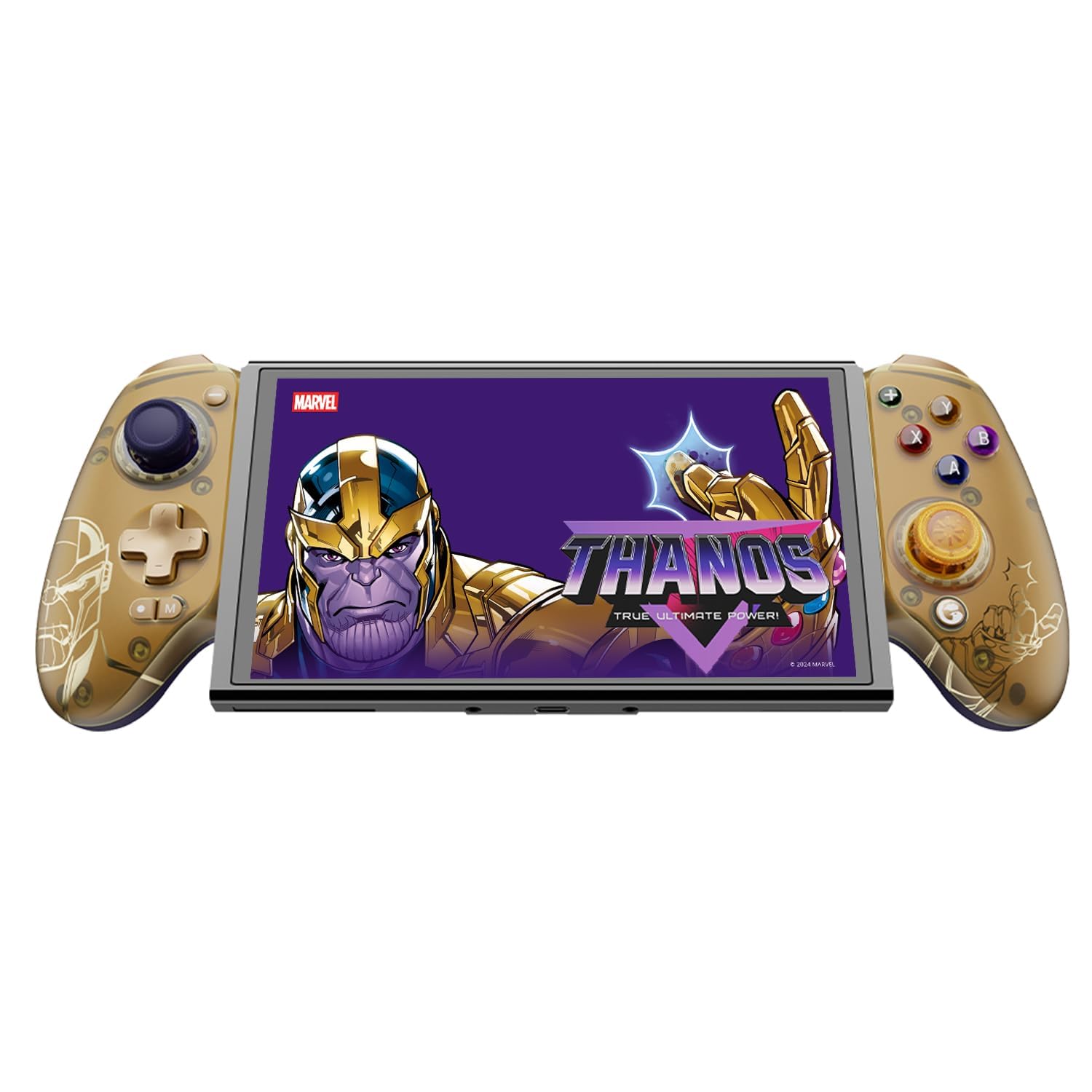
Figure 1: GameSir G8 Plus Thanos Edition Mobile Game Controller.
Налаштування
Вміст упаковки
Перевірте наявність усіх елементів в упаковці:
- GameSir G8 Plus Thanos Edition Mobile Game Controller
- Interchangeable Thumbstick Caps (3 pairs)
- Кабель USB-C
- Посібник користувача (цей документ)

Figure 2: Contents of the GameSir G8 Plus Thanos Edition package.
Сумісність пристрою
The GameSir G8 Plus is compatible with a wide range of devices:
- Android devices (Android 8.0 or later)
- пристрої iOS
- Nintendo Switch
- Tablets (4.7 to 8.4 inches)
- PC (via 2.4G receiver, sold separately, or wired)

Figure 3: Universal compatibility of the GameSir G8 Plus.
Початкове підключення
To connect your GameSir G8 Plus controller to a device:
- For Mobile Devices (Bluetooth): Extend the controller to fit your smartphone or tablet. Ensure Bluetooth is enabled on your device. Press and hold the pairing button on the controller until the indicator light flashes, then select "GameSir G8 Plus" from your device's Bluetooth settings.
- Для Nintendo Switch: Insert the Switch console into the controller. The controller should automatically connect.
- For PC (Wired): Підключіть контролер до ПК за допомогою кабелю USB-C, що постачається в комплекті.
- For PC (2.4G Wireless): Insert the 2.4G receiver (sold separately) into your PC's USB port. The controller should connect automatically.
Відео 1: Кінецьview of the Gamesir G8 Plus Bluetooth Marvel Licensed controller, demonstrating its design and features.
Операційна
Основні характеристики та елементи керування
- Джойстики на ефекті Холла: Experience precise 360° control with anti-drift technology, ensuring longevity and accuracy.
- Тригери ефекту Холла: Optimized triggers provide smooth and quick response, ideal for various game genres.
- Кнопки «Назад», які можна налаштувати: Two additional back buttons (L4/R4) allow for instant button mapping, enhancing gameplay customization.
- Розпізнавання руху: A built-in 6-axis gyroscope enhances motion control, particularly useful for compatible Switch games and motion-sensitive gameplay.
- Тактильний зворотний зв'язок: Console-level haptic feedback provides realistic and immersive sensations during gameplay.

Figure 4: Explanation of GameSir Hall Effect Sticks.

Рисунок 5: Перемикання режимів запуску для різних типів гри.

Figure 6: Motion Control capabilities with built-in 6-axis gyro.

Figure 7: Realistic and immersive haptic sensation.
Налаштування
- Magnetic Faceplates: The controller features magnetic faceplates that can be easily removed and swapped for personalized aesthetics or maintenance.
- Interchangeable Thumbstick Caps: Three pairs of thumbstick caps with varying heights are included, allowing users to customize control feel.
- GameSir App: The GameSir app (Android exclusive) allows for real-time customization, including button mapping and sensitivity adjustments, for personalized gameplay.

Figure 8: Free customization options for the controller.

Figure 9: Advanced features of the GameSir G8 Plus.
Video 2: Introduction to the GameHub App, showcasing its features for game management and controller customization.
Перемикання режимів
The controller supports various modes for different platforms. To switch between modes, press the corresponding key combination:
| Режим | Індикатор будинку | Спосіб підключення | Сумісна платформа |
|---|---|---|---|
| Android | Зелений | Controller + A | Android 8.0 або новіших версій |
| DS4 | Синій | Controller + B | iOS |
| Перемикач | Червоний | Controller + X | Перемикач |
| G-Touch | Блакитний | Controller + Y | Додаток GameSir |
*У робочому стані натисніть відповідну комбінацію клавіш для переходу в потрібний режим.
Технічне обслуговування
To ensure the longevity and optimal performance of your GameSir G8 Plus controller, follow these maintenance guidelines:
- Прибирання: Використовуйте м’яку суху тканину для протирання поверхні контролера. Для стійкого бруду злегкаampПротріть тканину водою або м’яким миючим розчином. Уникайте агресивних хімікатів або абразивних матеріалів.
- Зберігання: Зберігайте контролер у прохолодному, сухому місці, подалі від прямих сонячних променів та екстремальних температур. Якщо ви не використовуєте контролер протягом тривалого часу, переконайтеся, що він повністю заряджений перед зберіганням.
- Обробка: Avoid dropping the controller or subjecting it to strong impacts. Do not attempt to disassemble the controller beyond removing the magnetic faceplates and thumbstick caps.
Усунення несправностей
If you encounter issues with your GameSir G8 Plus controller, refer to the following common troubleshooting steps:
- Контролер не підключається: Ensure Bluetooth is enabled on your device and the controller is in the correct mode (Android, DS4, Switch). Try restarting both the controller and your device. For wired connections, ensure the USB-C cable is securely connected.
- Кнопки або джойстики не реагують: Check if the controller's battery is charged. If using the GameSir App, verify that button mappings are correctly configured. For Hall Effect Joysticks, recalibration might be necessary if drift occurs (refer to GameSir App for calibration options).
- Пристрій не підходить: Ensure your device's dimensions are within the supported range of 4.7 to 8.4 inches. The controller's design accommodates devices with larger cameras.
- GameSir App Issues: Ensure your GameSir App is updated to the latest version. The app is currently exclusive to Android devices.
Для отримання додаткової допомоги зверніться до служби підтримки клієнтів GameSir.
Технічні характеристики
Detailed specifications for the GameSir G8 Plus Thanos Edition Mobile Game Controller:
| Особливість | Деталь |
|---|---|
| Сумісні пристрої | Android, iOS, Nintendo Switch, PC |
| Тип контролера | Геймпад |
| Технологія підключення | Bluetooth 5.3, USB, 2.4G (receiver sold separately) |
| Додаткові функції | Multiuse, Wireless, Hall Effect Joysticks & Triggers, 6-axis Gyroscope, Mappable Back Buttons, Magnetic Faceplates, Interchangeable Thumbstick Caps, Pass-through Charging |
| Кількість кнопок | 6 (standard face buttons) + D-pad, shoulder buttons, triggers, menu buttons, 2 back buttons |
| Апаратна платформа | Smartphone, Tablet, Nintendo Switch, PC |
| Джерело живлення | Battery Powered (500mAh per side) |
| Вага товару | 620 грамів |
| Назва моделі | G8 Plus |
| Виробник | GameSir |
| Колір | Gamesir G8 Plus Thanos Edition (Gold/Purple) |
Гарантія та підтримка
Інформація про гарантію
The GameSir G8 Plus Thanos Edition Mobile Game Controller comes with a Гарантія 1 рік. GameSir provides 12 months replacement service for product issues.
Підтримка клієнтів
If you experience any problems with your product or require further assistance, please feel free to send a message through Amazon. GameSir aims to reply within 24 hours.