
1. Вступ
Thank you for choosing the MEETION BTM011 Ergonomic Wireless Bluetooth Vertical Mouse. This device is designed to provide a comfortable and efficient computing experience by promoting a natural hand position, reducing wrist strain. It offers versatile connectivity options for multiple devices and adjustable precision to suit various tasks.

The ergonomic design of the MEETION vertical mouse helps maintain a natural hand and wrist posture, reducing discomfort compared to traditional mice.
2. Вміст упаковки
- MEETION BTM011 Ergonomic Wireless Bluetooth Vertical Mouse
- USB 2.4G Receiver (stored in the mouse battery compartment)
- Перехідник USB-A до USB-C
- Посібник користувача
3. Продукт закінчивсяview
Familiarize yourself with the various components and buttons of your MEETION BTM011 mouse.

Детальний view of the mouse components, including the Mode Switching Button, Power Switch (ON/OFF), Low Battery Indicator, Charging Indicator, DPI Speed Switch Button, 2.4G Connection Indicator, Bluetooth 1 Connection Indicator, and Bluetooth 2 Connection Indicator.
- Ліва кнопка: Стандартна функція клацання лівою кнопкою миші.
- Права кнопка: Стандартна функція клацання правою кнопкою миші.
- Колесо прокрутки: Для прокручування вгору та вниз.
- Кнопка вперед: Переміщується вперед web браузери або file дослідники.
- Кнопка Назад: Переміщується назад web браузери або file дослідники.
- Кнопка перемикання DPI: Налаштовує чутливість курсора.
- Кнопка перемикання режимів: Switches between 2.4G, Bluetooth 1, and Bluetooth 2 modes.
- Перемикач живлення (ON/OFF): Вмикає або вимикає мишу.
- Батарейний відсік: Located at the bottom, for 1x AA battery and USB receiver storage.
4. Інструкції з налаштування
4.1 Встановлення батареї
Для роботи миші потрібна одна батарейка типу АА (не входить до комплекту).
- Знайдіть кришку відсіку для батарейок на нижній частині миші.
- Відкрийте кришку.
- Вставте одну батарейку типу АА, дотримуючись правильної полярності (+/-).
- Надійно закрийте кришку батарейного відсіку.

Insert one AA battery into the compartment. The USB receiver is also stored here.
4.2 Увімкнення/вимкнення живлення
Slide the power switch located on the bottom of the mouse to the "ON" position to turn it on. Slide to "OFF" to conserve battery when not in use.
4.3 Режими підключення
The MEETION BTM011 mouse supports three connection modes: 2.4GHz wireless (via USB receiver) and two independent Bluetooth 5.3 channels (BT1 and BT2). You can connect to up to three devices simultaneously and switch between them.

The mouse supports 2.4G wireless and two Bluetooth 5.3 connections for seamless switching between devices.
4.4 2.4GHz USB Connection
- Take out the USB receiver from the battery compartment of the mouse.
- Insert the USB receiver into an available USB-A port on your computer. If your computer only has USB-C ports, use the provided USB-A to USB-C adapter.
- Увімкніть мишу за допомогою вимикача живлення.
- Press the Mode Switching Button until the 2.4G Connection Indicator (green light) lights up. The mouse should now be connected.
4.5 Підключення Bluetooth (BT1 / BT2)
- Увімкніть мишу за допомогою вимикача живлення.
- Press the Mode Switching Button to select either Bluetooth 1 (BT1) or Bluetooth 2 (BT2). The corresponding blue indicator light will blink, indicating pairing mode.
- On your device (computer, laptop, tablet, smartphone), go to Bluetooth settings.
- шукати new devices. You should find "Meetion_MS_BT1" or "Meetion_MS_BT2".
- Select the device to pair. Once paired, the blue indicator light will stop blinking and remain solid for a few seconds.

Visual guide for connecting the mouse via 2.4G USB receiver and Bluetooth modes.
5. Інструкція з експлуатації
5.1 Налаштування DPI
The mouse features 4 adjustable DPI levels: 1200, 1600, 2400, and 3200. Press the DPI Switch Button (located behind the scroll wheel) to cycle through these settings. Each press changes the cursor speed, allowing you to select the precision suitable for your task.
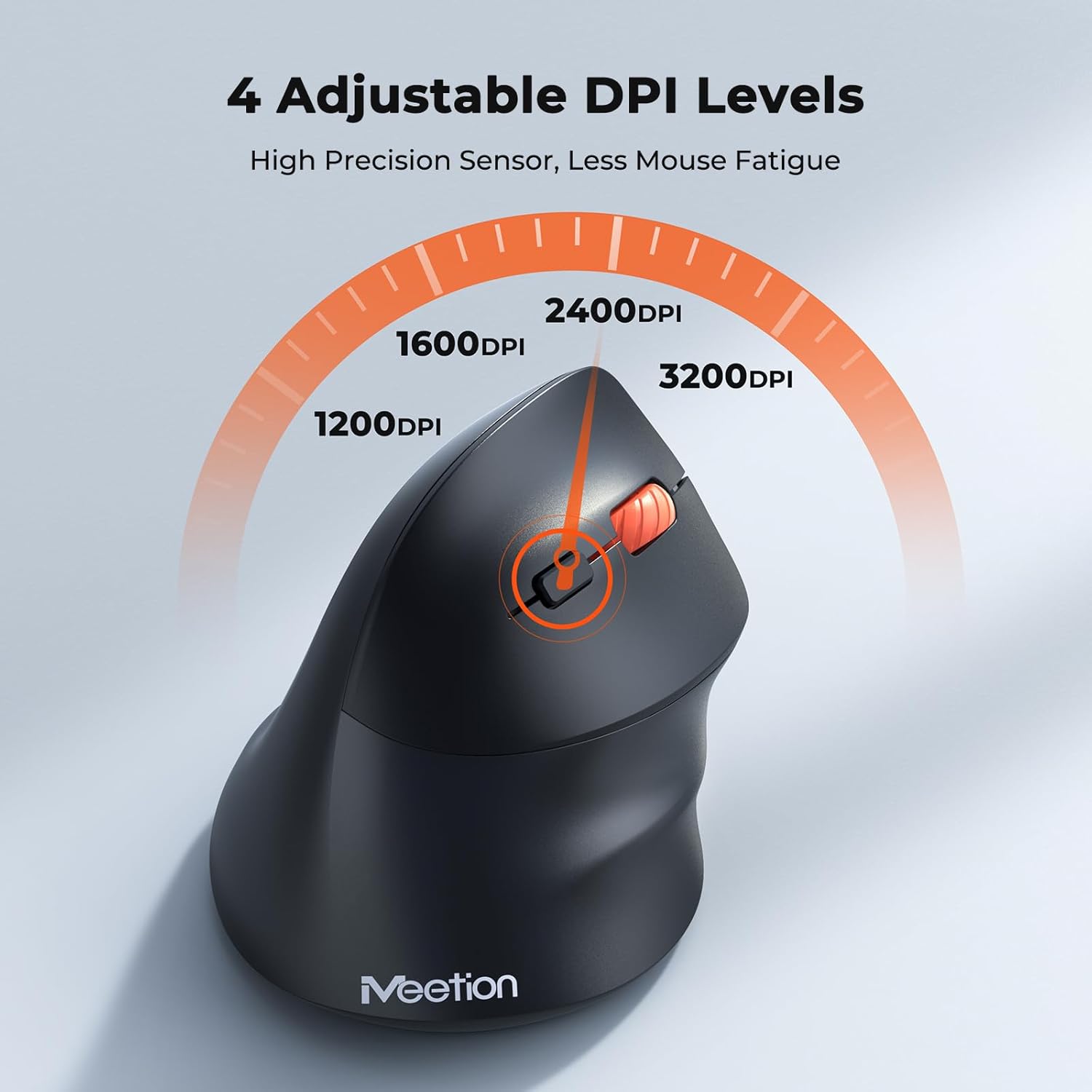
Adjust the DPI to match your preference for cursor speed and precision.
5.2 Комутація кількох пристроїв
To switch between connected devices, simply press the Mode Switching Button located on the bottom of the mouse. The corresponding indicator light (green for 2.4G, blue for BT1/BT2) will illuminate to show the active connection.
5.3 Forward/Back Buttons
Use the Forward and Back buttons, conveniently located on the side of the mouse, for quick navigation in web браузери, file дослідники та інші програми, що підтримують ці функції.
6. Управління живленням
6.1 Режим автоматичного сну
To conserve battery life, the mouse will automatically enter sleep mode after 20 minutes of inactivity. This intelligent feature helps extend the battery's operational time.
6.2 Waking the Mouse
To wake the mouse from sleep mode, simply press any button. It will instantly reconnect to the last active device.
6.3 Термін служби батареї
With typical usage, a single AA battery can power the mouse for up to 3 months. Actual battery life may vary based on usage patterns and battery quality.
7. Технічне обслуговування
Щоб забезпечити оптимальну продуктивність та довговічність вашої миші, дотримуйтесь цих рекомендацій щодо технічного обслуговування:
- Прибирання: Використовуйте м’яку суху тканину для протирання поверхні миші. Для стійкого бруду злегкаamp Можна використовувати тканину, але переконайтеся, що волога не потрапляє всередину пристрою. Уникайте використання агресивних хімікатів або абразивних засобів для чищення.
- Заміна батареї: Replace the AA battery when the low battery indicator lights up or when mouse performance degrades. Always dispose of used batteries responsibly.
- Зберігання: When not in use for extended periods, turn off the mouse and store it in a dry, cool place.
8. Вирішення проблем
If you encounter issues with your MEETION BTM011 mouse, refer to the following solutions:
| проблема | Рішення |
|---|---|
| Миша не відповідає |
|
| Рух курсора нерівномірний або повільний |
|
| Не вдається підключитися через Bluetooth |
|
| Forward/Back buttons not working |
|
9. Технічні характеристики
| Особливість | Деталь |
|---|---|
| Модель | BTM011 |
| Підключення | 2.4GHz Wireless, Bluetooth 5.3 (BT1, BT2) |
| Рівні DPI | 1200/1600/2400/3200 |
| кнопки | 7 (Left, Right, Scroll Wheel, Forward, Back, DPI Switch, Mode Switch) |
| Джерело живлення | 1 батарейки типу АА (не входять до комплекту) |
| Автоматичний режим сну | Після 20 хвилин бездіяльності |
| Сумісність | Windows, Mac OS, Linux, Android, iOS (for iPad/iPhone) |
| матеріал | пластик |
| Розміри (прибл.) | 4.4 x 3.29 x 2.74 дюйми (11.18 x 8.36 x 6.96 см) |
10. Гарантія та підтримка
10.1 Інформація про гарантію
MEETION products are designed and manufactured to the highest quality standards. This product is covered by a limited warranty against defects in materials and workmanship. Please retain your proof of purchase for warranty claims. Specific warranty terms may vary by region; refer to your local retailer or the official MEETION webсайт для подробиць.
10.2 Підтримка клієнтів
For technical assistance, troubleshooting, or general inquiries, please contact MEETION customer support:
- Електронна пошта: service@meetion.com
- Webсайт: Visit the official MEETION webсайт із поширеними запитаннями та додатковими ресурсами.