
вступ
Thank you for choosing the SWOFY D26 MP3 Player. This device combines a high-capacity music player with the versatility of an Android 13.0 system, featuring Bluetooth and Wi-Fi connectivity, a 4.7-inch HD touchscreen, and support for various streaming applications. This manual will guide you through the setup, operation, maintenance, and troubleshooting of your new device to ensure an optimal user experience.
Що в коробці
Будь ласка, уважно перевірте вміст упаковки. Якщо будь-які елементи відсутні або пошкоджені, зверніться до служби підтримки клієнтів.
- SWOFY D26 MP3 Player (x1)
- Зарядний кабель USB-C (x1)
- SD-карта на 64 ГБ (x1)
- Wired Headphones (x1)
- Захисний футляр (x1)
- Посібник користувача (x1)

Image: All components included in the SWOFY D26 MP3 Player package.
Пристрій закінчивсяview
The SWOFY D26 features a sleek design with a responsive touchscreen and essential physical controls.

Зображення: спереду view of the SWOFY D26 MP3 Player.
Ключові характеристики:
- 4.7-дюймовий сенсорний HD-екран: For intuitive navigation and media viewінж.
- Кнопка живлення: Розташована збоку для ввімкнення/вимкнення пристрою та блокування екрана.
- Кнопки гучності: Налаштуйте аудіовихід.
- Порт USB-C: Для зарядки та передачі даних.
- Гніздо для навушників 3.5 мм: Для дротового аудіовиходу.
- Слот для карт MicroSD: Для розширення пам'яті.
- Вбудований динамік: Для відтворення аудіо без навушників.
Налаштування
1. Зарядка пристрою
Before first use, fully charge the MP3 player. Connect the provided USB-C cable to the device's USB-C port and the other end to a compatible USB power adapter (not included) or a computer's USB port. The charging indicator will show the charging status.
2. Увімкнення/вимкнення живлення
- Щоб увімкнути: Натисніть і утримуйте кнопку живлення, поки екран не загориться.
- Щоб вимкнути: Press and hold the Power button, then select "Power Off" from the options on the screen.
- Щоб заблокувати/розблокувати екран: Коротко натисніть кнопку живлення.
3. Початкове налаштування
Після першого ввімкнення виконайте такі дії, як підказки на екрані:
- Виберіть потрібну мову.
- Connect to a Wi-Fi network for internet access and app downloads.
- Встановити дату й час.
4. Вставлення SD-карти
The device comes with 32GB of internal ROM and includes a 64GB SD card, providing a total of 96GB storage. It supports expansion up to 1TB via a microSD card.
- Знайдіть слот для картки microSD на бічній панелі пристрою.
- Обережно вставте карту microSD у гніздо золотистими контактами вниз, доки вона не зафіксується на місці.
- Щоб вийняти, злегка натисніть на карту, доки вона не вискочить.
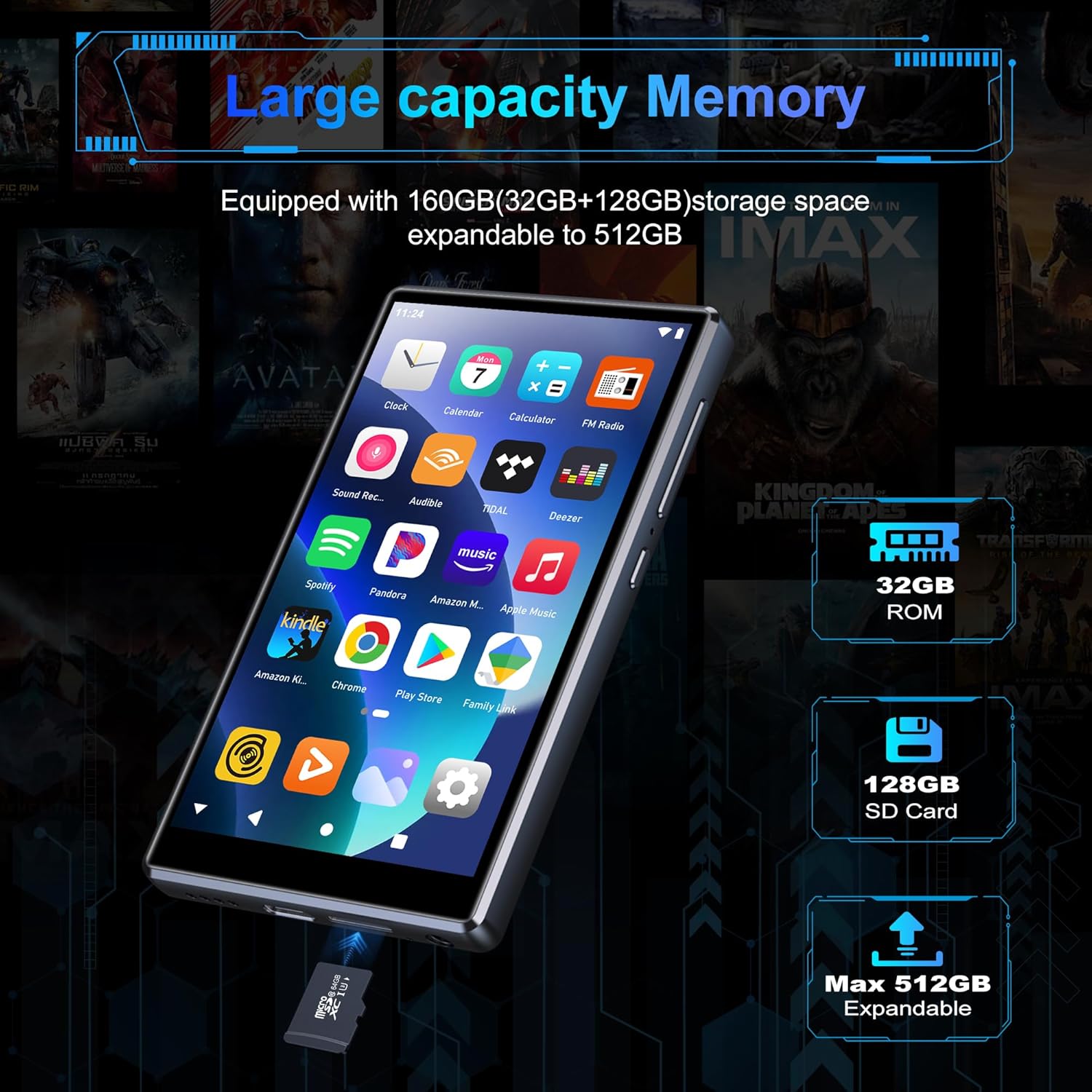
Image: Inserting an SD card for memory expansion.
Інструкція з експлуатації
1. Основна навігація
The SWOFY D26 operates like a standard Android device. Use touch gestures (tap, swipe, pinch) to navigate menus, open apps, and control media playback.
2. Підключення до Wi-Fi
- Перейти до Налаштування > Мережа та Інтернет > Wi-Fi.
- Увімкнути/вимкнути Wi-Fi On.
- Виберіть потрібну мережу зі списку та введіть пароль, якщо буде запропоновано.
- The device supports dual-band Wi-Fi (2.4GHz and 5GHz) for stable connections.
3. Підключення Bluetooth
Connect your SWOFY D26 to Bluetooth headphones, speakers, or car stereo systems.
- Перейти до Налаштування > Підключені пристрої > Bluetooth.
- Увімкнути Bluetooth On.
- Переконайтеся, що ваш Bluetooth-аксесуар перебуває в режимі сполучення.
- Виберіть аксесуар зі списку доступних пристроїв для сполучення.

Image: Bluetooth connectivity for audio playback.
4. Відтворення музики
The device supports various audio formats including MP3, OGG, FLAC, AAC, WAV, WMA, and APE. You can play music stored locally or stream from pre-installed apps.
- Місцевий Files: Використовуйте попередньо встановлений додаток музичного плеєра для перегляду та відтворення аудіо files stored on the device or SD card.
- Програми для потокового передавання: Access Spotify, Amazon Music, Deezer, Pandora, HIBY, and other streaming services via their respective apps.

Image: Enjoying music with the SWOFY D26 MP3 Player.
5. Відтворення відео
The 4.7-inch HD screen supports 720p and 1280p video playback. Supported formats include AVI, MKV, RMVB, MP4, MPG, MOV, DAT, and TS.
- Use the pre-installed video player app to watch videos stored on the device or SD card.
- Download video streaming apps from the Play Store for online content.
6. Керування додатками
The device comes with several popular apps pre-installed. You can download more apps via Wi-Fi from the Google Play Store or uninstall unnecessary ones.

Image: Pre-installed applications on the SWOFY D26.
- Встановити програми: Open the Google Play Store app, search for your desired app, and tap "Install."
- Видалення програм: Перейти до Налаштування > програми, виберіть програму та натисніть «Видалити».
7. Батьківський контроль
Utilize the parental control features to manage app access and screen time for children.
- Отримайте доступ до налаштувань батьківського контролю через пристрій Налаштування меню.
- You can restrict app installations, remove pre-installed apps, set a reset lock, and control internet and music player usage duration.
8. FM-радіо
The device includes a built-in FM radio. Connect wired headphones (acting as an antenna) to use this feature.
- Підключіть дротові навушники.
- Open the FM Radio app.
- Скануйте доступні станції.
Технічне обслуговування
1. прибирання
To clean the device, use a soft, dry, lint-free cloth. Avoid using harsh chemicals, cleaning solvents, or abrasive materials, as these can damage the screen or finish.
2. Догляд за акумулятором
The SWOFY D26 is equipped with a 2500mAh lithium battery. To maximize battery life:
- Уникайте частого повного розряджання акумулятора.
- Не піддавайте пристрій впливу екстремальних температур (гарячих або холодних).
- Unplug the charger once the device is fully charged.
- Expected battery life: Up to 60 hours music playback, 10 hours video playback, 240 hours standby.

Зображення: Ємність акумулятора та приблизний час використання.
3. Оновлення програмного забезпечення
Periodically check for software updates to ensure optimal performance and access to new features. Connect to Wi-Fi and go to Налаштування > система > Оновлення системи.
Усунення несправностей
If you encounter issues with your SWOFY D26 MP3 Player, refer to the following common solutions:
| проблема | Рішення |
|---|---|
| Пристрій не включається. | Ensure the device is charged. Connect to a charger for at least 30 minutes. If unresponsive, perform a hard reset by holding the power button for 10-15 seconds. |
| Проблеми з підключенням до Wi-Fi. | Check if Wi-Fi is enabled in settings. Ensure the password is correct. Restart the device and your Wi-Fi router. Try connecting to a different Wi-Fi network. |
| Помилка сполучення Bluetooth. | Ensure Bluetooth is enabled on both devices and the accessory is in pairing mode. Move devices closer. Restart both devices. |
| Збої або зависання програм. | Очистіть кеш і дані програми в Налаштування > програми. Uninstall and reinstall the app. Ensure sufficient storage space is available. |
| Погана якість звуку. | Check headphone connection or Bluetooth connection. Test with different headphones or speakers. Ensure audio files are not corrupted. Adjust equalizer settings if available. |
Технічні характеристики
| Особливість | Деталь |
|---|---|
| Назва моделі | D26 |
| Операційна система | Android 13.0 |
| Процесор | 8-ядерний процесор |
| ОЗУ | 4 ГБ |
| Внутрішня пам'ять (ROM) | 32 ГБ |
| SD-карта в комплекті | 64 ГБ |
| Max. Expandable Storage | До 1 ТБ (через карту microSD) |
| Розмір екрана | 4.7 дюймів |
| Роздільна здатність екрана | 720 * 1280 (HD Touchscreen) |
| Підключення | Dual-band Wi-Fi (2.4GHz & 5GHz), Bluetooth |
| Ємність акумулятора | 2500 мАг |
| Термін служби батареї (музика) | До 60 годин |
| Термін служби батареї (відео) | До 10 годин |
| Підтримувані аудіоформати | MP3, OGG, FLAC, AAC, WAV, WMA, APE |
| Підтримувані формати відео | AVI, MKV, RMVB, MP4, MPG, MOV, DAT, TS |
| Особливості | Built-in Speaker, FM Radio, Parental Controls |
| Колір | чорний |
| Розміри (Д x Ш x В) | 11.9 х 6.7 х 1 см |
| вага | 150 грамів |

Image: Internal processor and RAM details.
Гарантія та підтримка
The SWOFY D26 MP3 Player comes with a standard manufacturer's warranty. For specific warranty terms and conditions, please refer to the warranty card included in your package or contact SWOFY customer support.
For technical support, troubleshooting assistance, or any product-related inquiries, please visit the official SWOFY website or contact their customer service department. Contact information can typically be found on the product packaging or the SWOFY brand store page.
SWOFY Brand Store: Visit SWOFY Store on Amazon