
1. Вступ
This manual provides detailed instructions for the setup, operation, and maintenance of your TUINYO WH-819 Wireless Over-Ear Bluetooth Headphones. Please read this manual thoroughly before using the product to ensure proper function and longevity.
2. Продукт закінчивсяview
The TUINYO WH-819 headphones offer high-fidelity stereo sound, comfortable over-ear design, and versatile connectivity options. They are designed for extended listening periods, featuring a long-lasting battery and a foldable structure for portability.
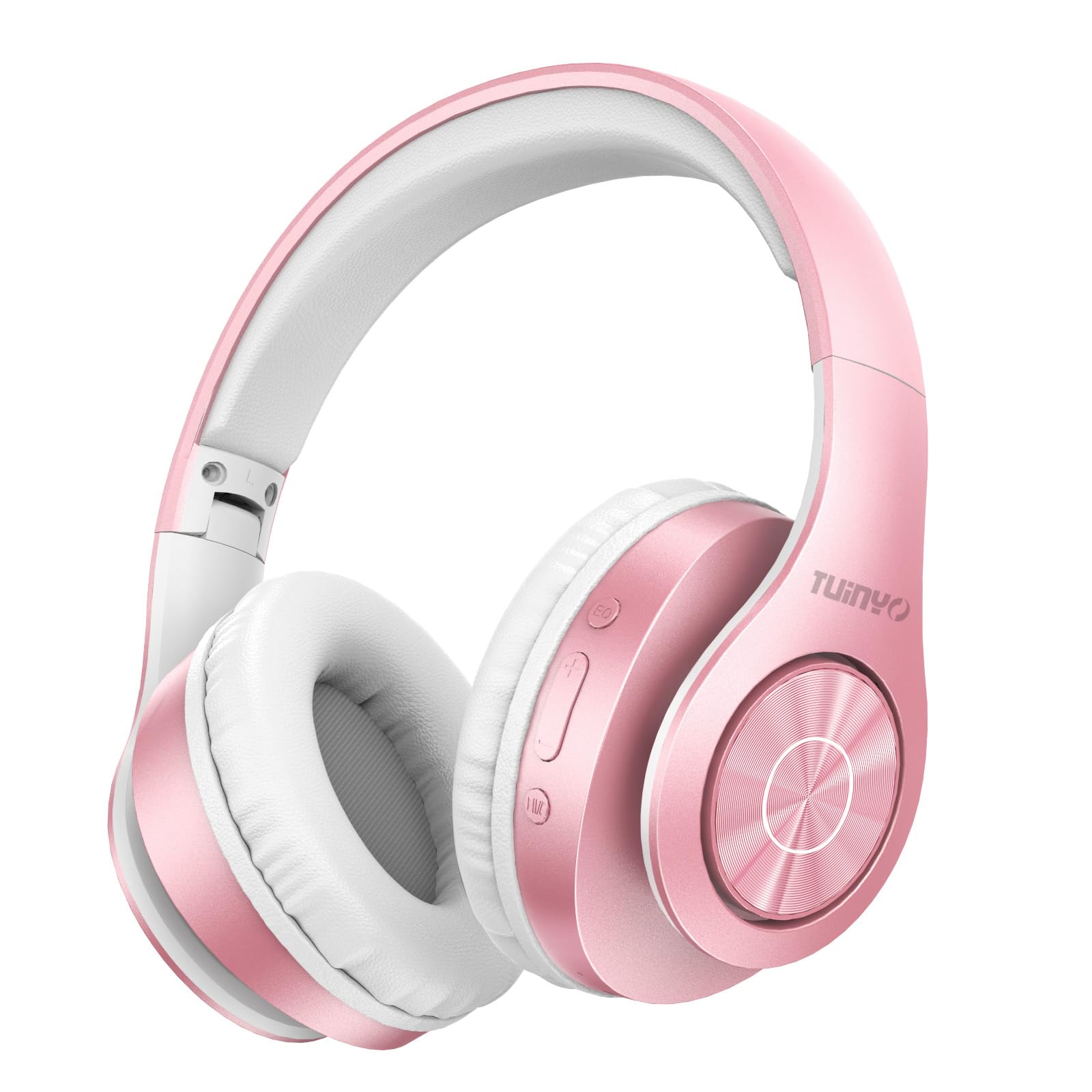
Figure 2.1: TUINYO WH-819 Rose Gold Wireless Over-Ear Bluetooth Headphones.
Відео 2.1: Оверview of the TUINYO wireless Bluetooth headphones, highlighting their design and features.
3. Вміст упаковки
Переконайтеся, що всі предмети присутні в упаковці:
- TUINYO WH-819 Wireless Over-Ear Bluetooth Headphones
- USB-кабель для зарядки
- Аудіокабель 3.5 мм
- Protective Premium Case
- Посібник користувача

Figure 3.1: Included accessories with the TUINYO WH-819 headphones.
4. Елементи керування та порти
Familiarize yourself with the headphone controls and ports:
- Кнопка живлення: Тривале натискання для ввімкнення/вимкнення живлення. Коротке натискання для відтворення/паузи музики або відповіді/завершення дзвінків.
- Кнопка збільшення гучності/наступного треку: Коротке натискання для збільшення гучності. Довге натискання для наступного треку.
- Кнопка зменшення гучності/попереднього треку: Коротке натискання для зменшення гучності. Довге натискання для попереднього треку.
- Кнопка EQ: Press to cycle through different equalizer modes (Normal, Rock, Pop, Classic, Jazz, Country).
- 3.5 мм аудіороз’єм: Для дротового підключення.
- Порт заряджання USB: Для зарядки навушників.
- Слот для карт MicroSD: Для прямого відтворення музики з карти MicroSD.

Малюнок 4.1: Детально view of headphone controls and features.
Video 4.1: A demonstration of the TUINYO headphones' folding mechanism and button controls.
5. Налаштування
5.1 Заряджання навушників
- Connect the USB charging cable to the headphone's charging port.
- Підключіть інший кінець USB-кабелю до сумісного USB-джерела живлення (наприклад, комп’ютера, адаптера живлення).
- Світлодіодний індикатор показуватиме стан заряджання (наприклад, червоний колір – заряджання, синій – повна зарядка).
- Повна зарядка зазвичай займає 2-2.5 години.
5.2 Створення пари Bluetooth
- Переконайтеся, що навушники повністю заряджені.
- Long press the Power button until the LED indicator flashes blue and red, indicating pairing mode.
- На вашому пристрої (смартфоні, планшеті, ноутбуці) увімкніть Bluetooth та знайдіть доступні пристрої.
- Select "WH-819" from the list of devices.
- Once connected, the LED indicator will flash blue slowly, and a voice prompt will confirm successful pairing.
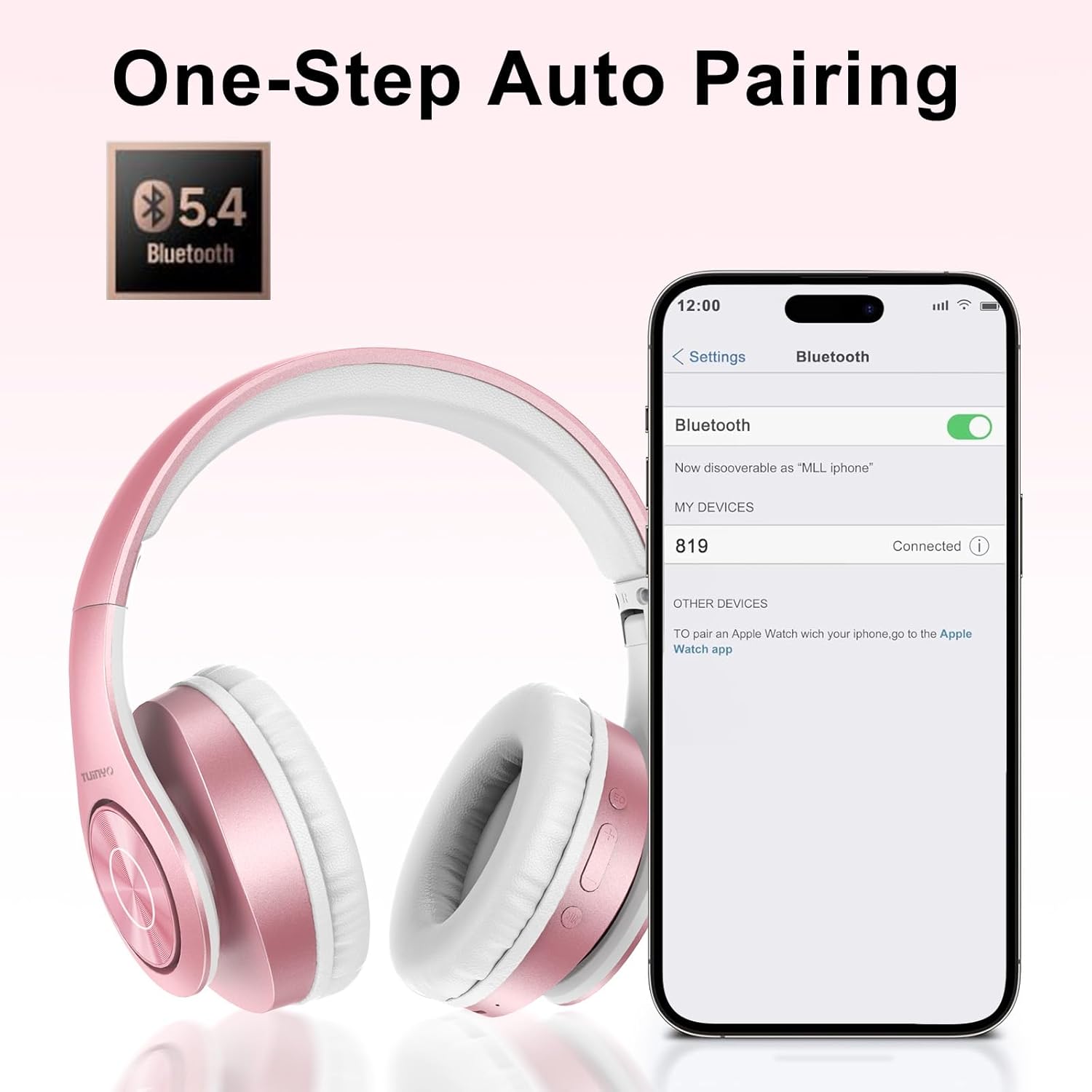
Рисунок 5.1: Процес сполучення Bluetooth на смартфоні.
6. Інструкція з експлуатації
6.1 Увімкнення/вимкнення живлення
- Увімкнення: Long press the Power button until the LED indicator lights up blue.
- Вимкнення живлення: Long press the Power button until the LED indicator turns off.
6.2 Відтворення музики
- Відтворення/пауза: Коротко натисніть кнопку живлення.
- Наступний трек: Тривале натискання кнопки збільшення гучності.
- Попередній трек: Довго натискайте кнопку зменшення гучності.
- Регулювання гучності: Short press the Volume Up or Volume Down buttons.
6.3 Керування викликами
- Відповісти/закінчити виклик: Коротко натисніть кнопку живлення.
- Відхилити виклик: Довго натискайте кнопку живлення.
6.4 Режим еквалайзера
- Press the EQ button to switch between different sound equalizer modes (Normal, Rock, Pop, Classic, Jazz, Country) to optimize your listening experience.
6.5 Дротовий режим
- Insert the 3.5mm audio cable into the headphone's audio jack and the other end into your audio device.
- The headphones will automatically switch to wired mode, and Bluetooth functionality will be disabled.
6.6 Відтворення з картки MicroSD
- Insert a MicroSD card with MP3 audio files into the MicroSD card slot.
- The headphones will automatically detect the card and begin playing music.
- Use the music playback controls (Play/Pause, Next/Previous Track, Volume) to manage your audio.
7. Технічне обслуговування
- Регулярно протирайте навушники м’якою сухою тканиною.
- Уникайте використання абразивних засобів чи розчинників.
- Зберігайте навушники в захисному чохлі, коли вони не використовуються, щоб запобігти пошкодженню.
- Тримайте подалі від екстремальних температур і вологи.
8. Вирішення проблем
| проблема | Рішення |
|---|---|
| Навушники не вмикаються. | Переконайтеся, що навушники заряджені. Підключіть до джерела живлення та спробуйте ще раз. |
| Не вдається підключитися через Bluetooth. | Ensure headphones are in pairing mode (LED flashing blue/red). Turn off and on Bluetooth on your device. Move closer to the device. |
| Немає звуку в режимі Bluetooth. | Check volume levels on both headphones and connected device. Ensure headphones are successfully paired. |
| Немає звуку в дротовому режимі. | Ensure the 3.5mm audio cable is fully inserted into both the headphones and the audio device. Check the audio source. |
| MicroSD card not playing. | Ensure the MicroSD card is inserted correctly and contains compatible MP3 audio files. |
9. Технічні характеристики
| Особливість | Деталь |
|---|---|
| Назва моделі | WH-819 |
| Технологія підключення | Бездротовий (Bluetooth), дротовий (роз'єм 3.5 мм) |
| Технологія бездротового зв'язку | Bluetooth 4.0 |
| Тип аудіо драйвера | Dynamic Driver (40mm neodymium) |
| Термін служби батареї | Up to 40 hours of music time (800mAh battery) |
| Час зарядки | 2-2.5 годин |
| Форма навушника | Надвушні |
| матеріал | Plastic, Memory-Protein Earmuffs |
| вага | 13.4 унції |
| Розміри | 8.5 x 6.22 x 4.25 дюйма (упаковка) |
| Сумісні пристрої | Tablets, Laptops, Desktops, Smartphones, Bluetooth-enabled devices |
| Рівень водонепроникності | Не водостійкий |
10. Гарантія та підтримка
Your TUINYO WH-819 headphones are covered by a 30-day warranty from the date of purchase. For any product inquiries, technical support, or warranty claims, please refer to the contact information provided with your purchase or visit the official TUINYO webсайт.