
1. Продукт закінчивсяview
The Compustar RFX-P2WR5-SF PRO R5 with LTE Pro 2-Way RFX Connectivity Upgrade Bundle is designed to enhance your vehicle's remote start and security system. This kit is not a standalone remote start system but an upgrade for existing installations. It features the PRO R5 2-way remote with a classic 1-button design and includes the Drone X1 LTE module for smartphone control. Key functionalities include Proximity Unlock, 2-way communication, and security alerts.
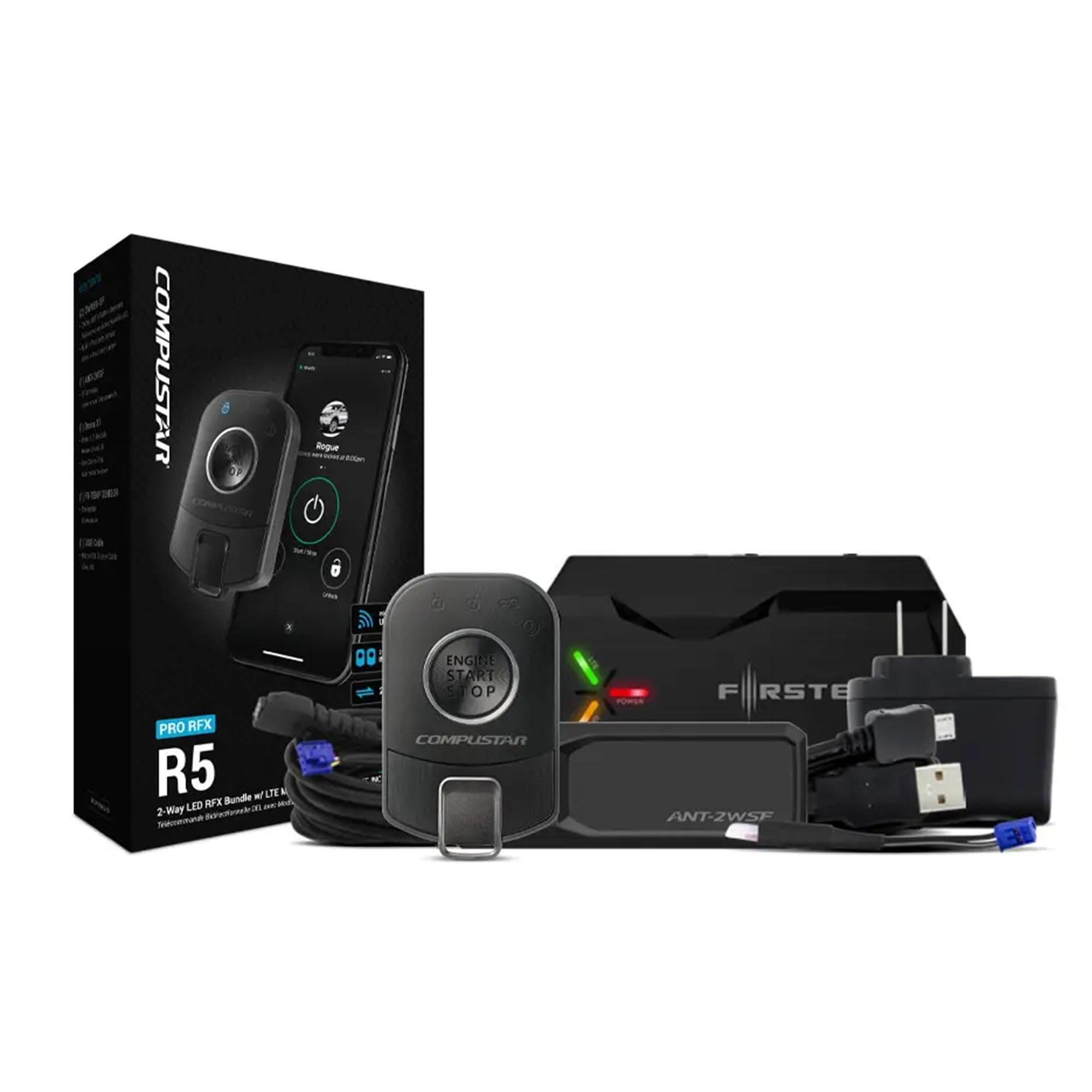
Figure 1: Compustar RFX-P2WR5-SF PRO R5 Remote and Drone X1 LTE Module.
2. Що в коробці
- Two (2) 2WR5R-SF PRO 2-way LED remote(s)
- One (1) ANT-2WSF Antenna with spread spectrum and proximity unlock capabilities
- One (1) X1-LTE Drone X1 LTE/GPS Module
- One (1) USB Charging Cable (Micro USB to USB-A)
- One (1) Thermistor (Temperature sensor)
3. Ключові характеристики
- 2-Way LED Confirmation: Receive visual feedback on remote commands.
- 2-Way Alarm Alerts: Get notified directly on your remote if your vehicle's alarm or shock sensors are triggered.
- Максимальна дальність польоту 2 милі: Extended range for remote operations.
- Управління зі смартфона: Control your vehicle via the DroneMobile app using the included Drone X1 LTE module.
- Безконтактне розблокування: Automatic hands-free unlocking when you approach your vehicle (within 3-6 feet).
- Перезаряджається USB: Convenient charging for the PRO R5 remotes.
- Водонепроникність IPX-7: Enhanced durability for the remote.
- Lock/Arm & Unlock/Disarm: Standard security functions.
4. Налаштування та встановлення
Installation of the Compustar RFX-P2WR5-SF system requires professional expertise. It is highly recommended that this system be installed by an authorized Compustar dealer to ensure proper functionality and to maintain your vehicle's warranty. The following video demonstrates the process of flashing and updating the Blade module, which is a critical step in the installation process.
4.1 Blade Module Programming
Video 1: This video demonstrates how to flash and update the Idatalink BLADE Remote Start/Security Bypass Module using a computer and the ADS-USB cable. This process is essential for configuring the module to your specific vehicle.
5. Інструкція з експлуатації
5.1 Функції дистанційного керування
The PRO R5 remote features a user-friendly 1-button design with side-mounted controls for various functions. The following video illustrates basic operations such as locking, unlocking, and remote starting your vehicle using a similar Compustar 2-way remote.
Video 2: This video demonstrates the basic operation of a Compustar 2-way remote, including locking, unlocking, and remote starting a vehicle. The PRO R5 remote operates similarly for these core functions.
5.2 Remote Start Operation
To remotely start your vehicle, press and hold the remote start button on your PRO R5 remote for three full seconds. The remote will provide confirmation once the command is received and the vehicle has started. The following video provides a general overview of remote start benefits and usage.
Video 3: This video highlights the convenience of Compustar long-range remote starters for warming up or cooling down your vehicle before entry.
5.3 Smartphone Control (DroneMobile)
The included Drone X1 LTE module enables control of your vehicle directly from your smartphone via the DroneMobile app. Download the DroneMobile app from your device's app store, create an account, and link your Drone X1 module. This allows you to lock, unlock, remote start, and track your vehicle from virtually anywhere with cellular coverage. A free 30-day trial of DroneMobile Premium is included.
5.4 Proximity Unlock
The PRO R5 remote features built-in proximity sensors that automatically unlock your vehicle's doors when you come within 3-6 feet. Ensure this feature is enabled during installation or through your system's settings.
5.5 Security Alerts
If your vehicle's alarm or shock sensors are triggered, the PRO R5 remote will alert you with a series of beeps, providing immediate notification of potential security events.
6. Технічні характеристики
| Бренд | Compustar |
| Назва моделі | RFX-P2WR5-SF |
| Особливості | Proximity Unlock, Smartphone Vehicle Control |
| Технологія підключення | LTE |
| Вага товару | 16 унції |
| Максимальна дальність | 2 миль |
| Включає пульт? | Yes (2 x 2-Way Remotes) |
| Включає акумуляторну батарею | Yes (for remotes) |
| Сумісність із Smart Home | Smart Home Compatible |
| матеріал | пластик |
7. Технічне обслуговування
To ensure optimal performance and longevity of your Compustar system, consider the following maintenance tips:
- Акумулятор дистанційного керування: The PRO R5 remotes are USB rechargeable. Monitor the battery indicator on the remote's screen and recharge as needed using the provided USB cable.
- Прибирання: Use a soft, dry cloth to clean the remote and other components. Avoid harsh chemicals or abrasive materials.
- Оновлення програмного забезпечення: Periodically check for firmware updates for your Drone X1 LTE module and remote start system through the authorized dealer or Compustar's official webсайт.
8. Вирішення проблем
If you encounter issues with your Compustar system, try the following basic troubleshooting steps:
- Пульт не відповідає: Ensure the remote's battery is charged. Try moving closer to the vehicle to rule out range issues.
- Автомобіль не запускається дистанційно: Check if the vehicle's doors are closed and locked. Ensure the hood is closed. Some systems require specific conditions (e.g., parking brake engaged for manual transmissions).
- Smartphone App Issues: Verify your phone has cellular data or Wi-Fi connectivity. Ensure the DroneMobile app is updated to the latest version. Check your DroneMobile subscription status.
- Proximity Unlock Not Working: Confirm the feature is enabled in your system's settings. Ensure the remote is within the specified range.
For persistent issues or complex problems, it is recommended to contact your authorized Compustar dealer for professional diagnosis and support.
9. Гарантія та підтримка
The Compustar RFX-P2WR5-SF PRO R5 system comes with a 3-Year PRO WarrantyБудь ласка, збережіть чек про покупку для гарантійного обслуговування.
For technical support, warranty service, or further assistance, please contact your authorized Compustar dealer or visit the official Compustar webсайт для контактної інформації.