
Ergear EGESD7W-CA
Інструкція користувача електричного столу ErGear для роботи стоячи
Model: EGESD7W-CA | Brand: ErGear
вступ
Thank you for choosing the ErGear Electric Standing Desk. This manual provides detailed instructions for assembly, operation, maintenance, and troubleshooting to ensure optimal performance and longevity of your desk. Please read this manual thoroughly before installation and use, and retain it for future reference.
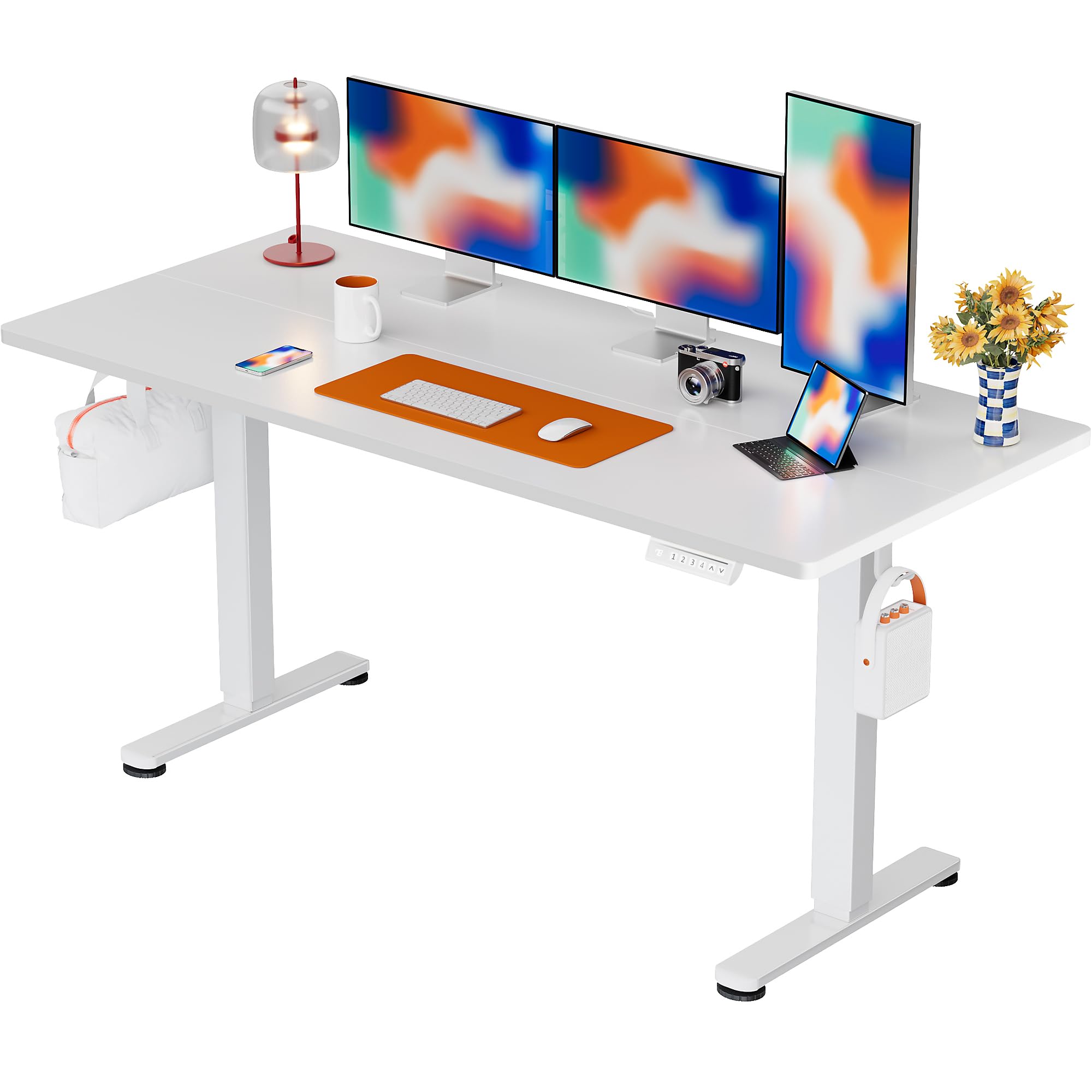
The ErGear Electric Standing Desk, 63x28 inch, in a white finish, featuring a spacious desktop and electric height adjustment capabilities.
Інформація про безпеку
- Перед складанням переконайтеся, що всі компоненти присутні та не пошкоджені. Не використовуйте, якщо якісь деталі відсутні або дефектні.
- Тримайте дітей та домашніх тварин подалі від столу під час роботи, щоб запобігти травмуванню.
- Не перевантажуйте стіл. Максимальна рекомендована вага становить 80 кг (176 фунти).
- Ensure the power cord is not pinched or damaged. Connect to a grounded outlet.
- Уникайте потрапляння рідин безпосередньо на панель керування або поблизу електричних компонентів.
- Регулярно перевіряйте всі гвинти та з'єднання, щоб переконатися, що вони щільно затягнуті та надійно закріплені.
- Цей стіл призначений лише для використання в приміщенні.
Вміст упаковки
Before beginning assembly, please verify that all the following components are included in your package:
- Desktop Boards ×2
- Leg with Motor ×1
- Ніжка ×1
- Leg Bases ×2
- Crossbar & Transmission Rod
- Controller & Power Cable
- Всі необхідні монтажні інструменти та фурнітура
Інструкції зі складання
Follow these steps carefully to assemble your ErGear Electric Standing Desk. An assembly video is also provided for visual guidance.
Official ErGear Electric Standing Desk Assembly Video. This video demonstrates the step-by-step process for setting up your desk.
Step 1: Assemble the Desk Legs
Attach the leg bases to the desk legs using the provided screws. Ensure they are securely fastened.

The stable T-shaped desk legs provide a sturdy foundation for the electric standing desk.
Step 2: Attach Side Plates and Transmission Rod
Connect the side plates to the desk legs. Insert the transmission rod fully into the left leg and secure it. If the two desk legs are not at the same height, insert the rod into the left leg and turn to adjust.
Step 3: Assemble and Attach the Desktop
Place the two desktop boards together, aligning the dowels. Secure the desktop to the assembled frame using the provided screws and brackets. Ensure all connections are tight.
Крок 4: Підключіть кабелі
Connect the motor and control panel cables to the main control box. Ensure all connections are firm and correctly oriented.
Step 5: Install Cable Hole Covers
Place the cable hole covers into the designated openings on the desktop to manage wires neatly.

Ergonomic guidelines for using the standing desk, showing optimal monitor and arm positions for both sitting and standing.
Інструкція з експлуатації
Панель управління завершенаview
The desk features an intuitive control panel with height adjustment buttons and memory presets.
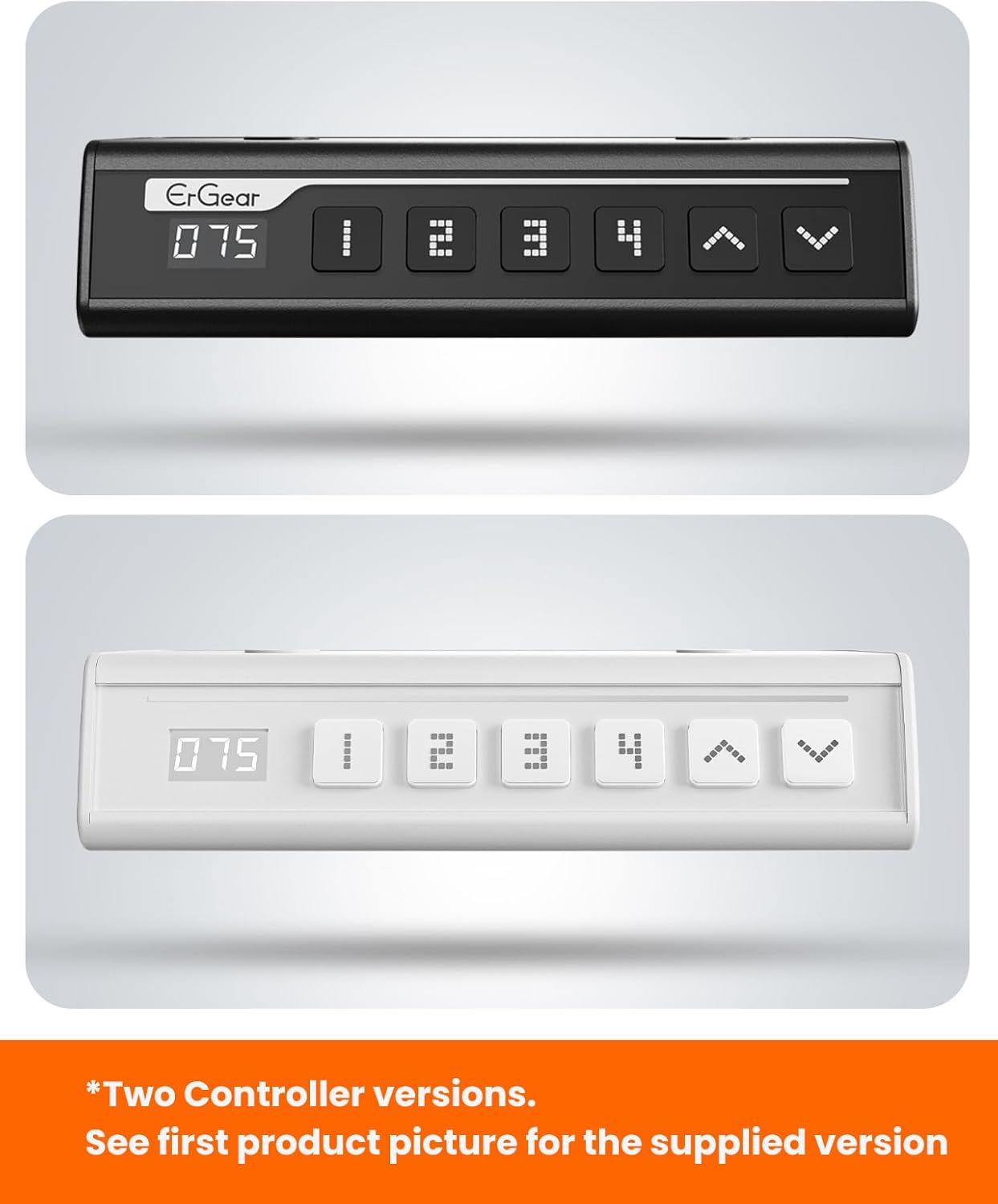
The ErGear control panel, available in two versions, features a digital height display and four programmable memory settings.
Регулювання висоти
- Використовуйте Вгору (^) і Вниз (v) arrows to smoothly adjust the desk height between 28.35 inches and 46.46 inches.
- Release the button at your desired height.
Налаштування пам'яті
The desk allows you to save up to 4 preferred height settings.
- Відрегулюйте висоту столу на потрібну вам висоту за допомогою стрілок вгору/вниз.
- Натисніть M button (or equivalent memory set button). The display will flash.
- Натисніть одну з пронумерованих кнопок попереднього налаштування (1, 2, 3 або 4) within 3 seconds to save the current height to that preset.
- Щоб викликати збережену висоту, просто натисніть відповідну пронумеровану кнопку попереднього налаштування. Стіл автоматично переміститься у збережене положення.
This video demonstrates the smooth and quiet operation of the ErGear Electric Standing Desk, showcasing its height adjustment and memory preset features.
Технічне обслуговування
- Прибирання: Протріть робочий стіл і рамку м’якою серветкоюamp тканиною. Уникайте агресивних хімікатів або абразивних засобів для чищення.
- Огляд: Periodically check all screws and connections for tightness. Re-tighten if necessary.
- Управління кабелем: Ensure cables are neatly organized and not tangled or pinched to prevent damage.
Усунення несправностей
Якщо у вас виникли будь-які проблеми з вашим електричним столом для роботи стоячи ErGear, зверніться до наступних поширених проблем та рішень:
| проблема | Можлива причина | Рішення |
|---|---|---|
| Стіл не рухається | Power cable disconnected, motor error, overloaded desk. | Check power connections. Unplug for 30 seconds and plug back in. Reduce weight on the desk. |
| Нерівномірна висота | Transmission rod not fully inserted or adjusted. | Refer to Step 2 of assembly to ensure the transmission rod is correctly installed and adjusted. |
| Шум під час роботи | Normal operation sound, loose screws. | A slight motor sound is normal. Check and tighten any loose screws on the frame. |
| Пресетні налаштування пам'яті не працюють | Неправильна процедура збереження. | Follow the memory preset instructions carefully (press M, then the number within 3 seconds). |
Технічні характеристики
| Особливість | Деталь |
|---|---|
| Бренд | ErGear |
| Номер моделі | EGESD7W-CA |
| Дизайн столу | Стоячий стіл |
| Форма | Прямокутний |
| Розміри продукту (Д x Ш x В) | 71.1 Г x 160 Ш x 118 В сантиметрів |
| Розмір | 63*28 дюйма |
| колір | Білий |
| Мінімальна висота | 28.35 дюймів |
| Максимальна висота | 46.46 дюймів |
| Товщина стільниці | 1.5 Сантиметри |
| Основний матеріал | легована сталь |
| Тип верхнього матеріалу | Engineered Wood (Walnut Wood finish) |
| Особливості | Adjustable Height, Electric, Ergonomic |
| Рекомендована максимальна вага | 176 фунтів (80 кг) |
| Потрібна збірка | Так (включає всі інструменти для складання) |
Гарантія та підтримка
ErGear is committed to providing high-quality products and customer satisfaction. This product comes with:
- 5-річний захист on the desktop and desk frame.
- 2-річний захист on motors and electrical components.
For any questions, concerns, or warranty claims, please contact ErGear customer support. You can typically find contact information on the product packaging or the official ErGear website. Please have your model number (EGESD7W-CA) and purchase details ready when contacting support.

The ErGear Electric Standing Desk seamlessly integrates into various home office environments.
Ask a question about this manual
Ask about setup, troubleshooting, compatibility, parts, safety, or missing instructions. Manuals+ will review the question and use this page’s manual context to help answer it.