
1. Вступ
The ASUS ZenScreen MB27ACF is a 27-inch 1440P transportable monitor designed to enhance multitasking and productivity. Featuring a QHD (2560 x 1440) IPS panel with a smooth 100Hz refresh rate, it offers a sleek 5.4mm profile and weighs less than 3kg, ensuring effortless portability. This monitor provides versatile stand options, including an integrated carrying handle/kickstand and a height-adjustable C-clamp, allowing for flexible configuration in various environments.

Figure 1: The ASUS ZenScreen MB27ACF monitor showcasinзавдяки елегантному дизайну та вбудованій підставці.
2. Ключові характеристики
- 27-inch QHD IPS Display: Large, frameless panel with 2560 x 1440 resolution and wide 178° viewing angles for stunning visuals.
- Частота оновлення 100 Гц: Provides a smooth viewing experience, reducing motion blur.
- USB-C з потужністю живлення 70 Вт: Single-cable solution for video, audio, and power, simplifying connectivity.
- Integrated 2.1-channel Audio: Features a subwoofer for exceptionally well-balanced sound.
- Versatile Stand Options: Includes an integrated carrying handle/kickstand, height-adjustable C-clamp with Z-axis adjustment, and partition hook kit for flexible placement.
- Технологія догляду за очима: Incorporates Blue Light Filter and Flicker-Free technology to reduce eye strain during extended use.
- Портативний дизайн: Sleek 5.4mm profile and lightweight construction (less than 3kg) for easy transport.
- Екологічно чистий: ENERGY STAR-certified energy efficiency and packaged in FSC certified paper.
3. Що в коробці
Перевірте наявність усіх елементів в упаковці:
- ASUS ZenScreen MB27ACF Monitor
- C-Clamp рука
- USB-C кабель
- Кабель HDMI
- L-подібна викрутка
- Шнур живлення та адаптер
- Partition hook x2

Figure 2: All components included with the ASUS ZenScreen MB27ACF monitor, neatly arranged in the packaging.
4. Налаштування
4.1. Фізичне налаштування
The ZenScreen MB27ACF offers multiple ways to set up your display:
- Вбудована підставка: The monitor features an Ergo Fold-out kickstand that doubles as a carrying handle. It supports the monitor at angles from 12–60° on any flat surface.
- C-Clamp Рука: For more flexible positioning, use the included Ergo C-clamp arm. This arm allows for -5° to 20° tilt, -90° to 90° swivel, -90° to 90° pivot, and extension/retraction adjustments up to 144mm, with a height adjustment range of 0–180mm.
- Partition Hook Kit: The monitor also includes a partition hook kit for hanging the display, offering additional placement options.
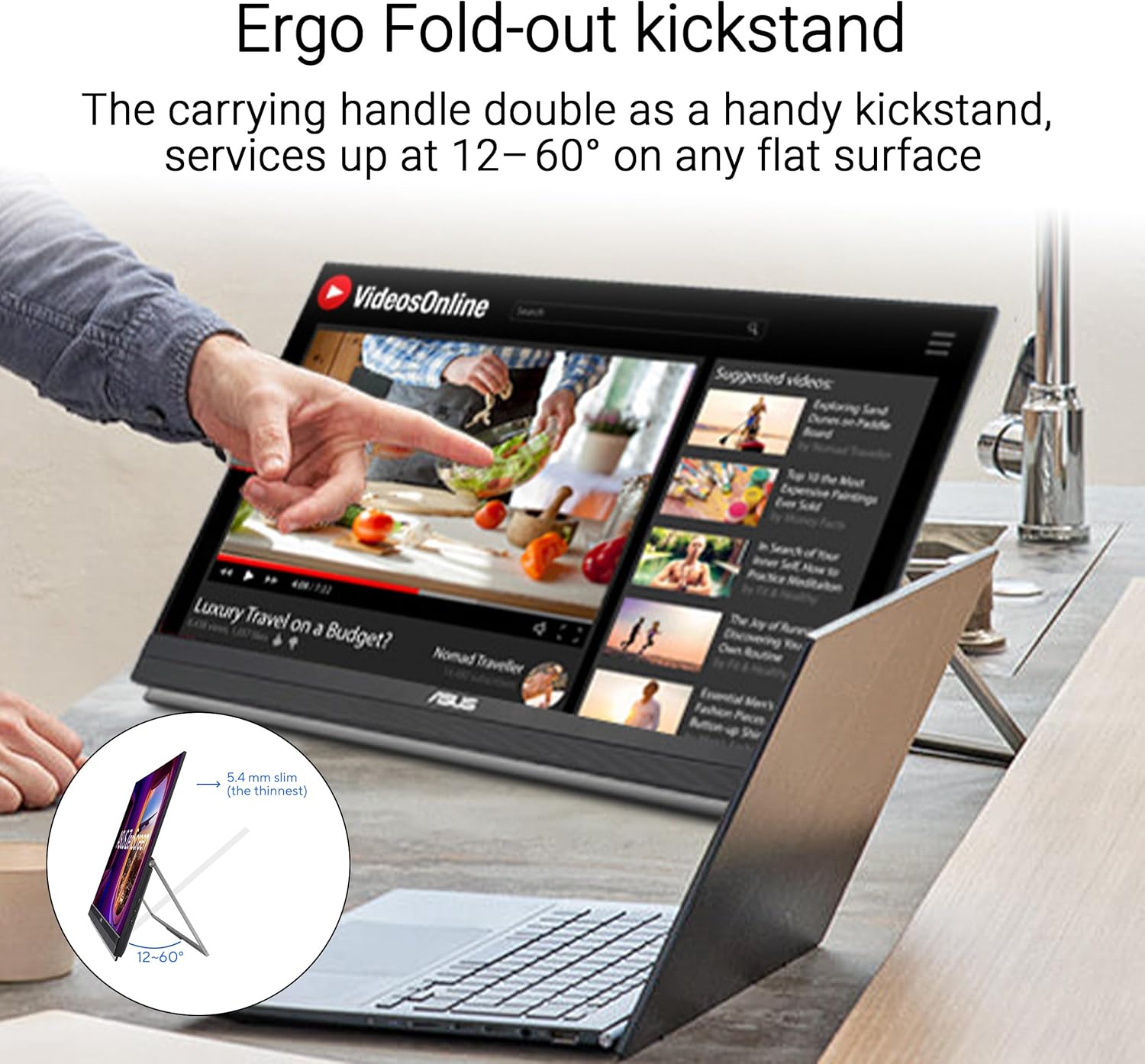
Figure 3: The monitor positioned on its integrated Ergo Fold-out kickstand, suitable for desktop use.
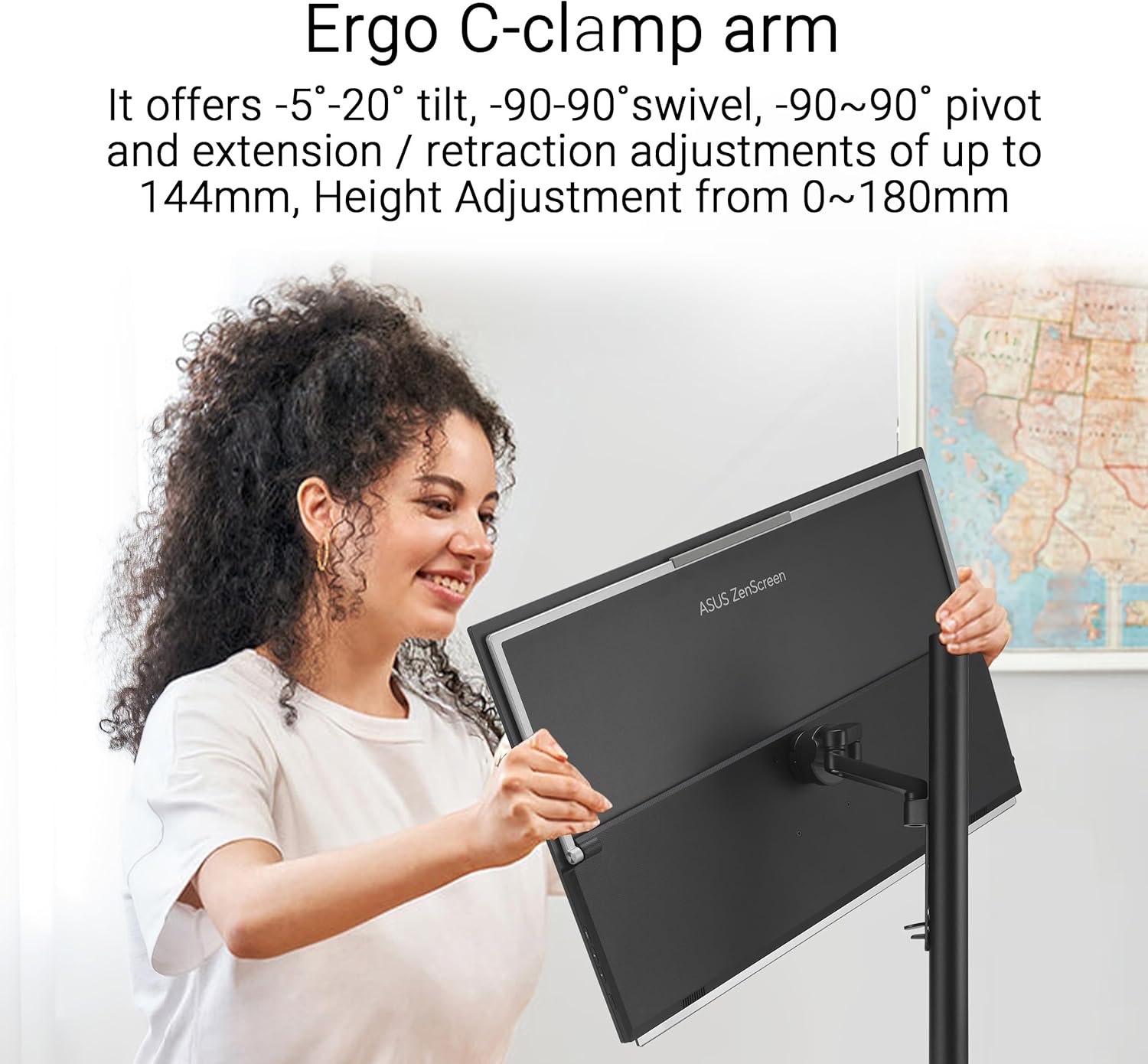
Figure 4: A user adjusting the monitor mounted on the versatile C-clamp arm, demonstrating its range of motion.
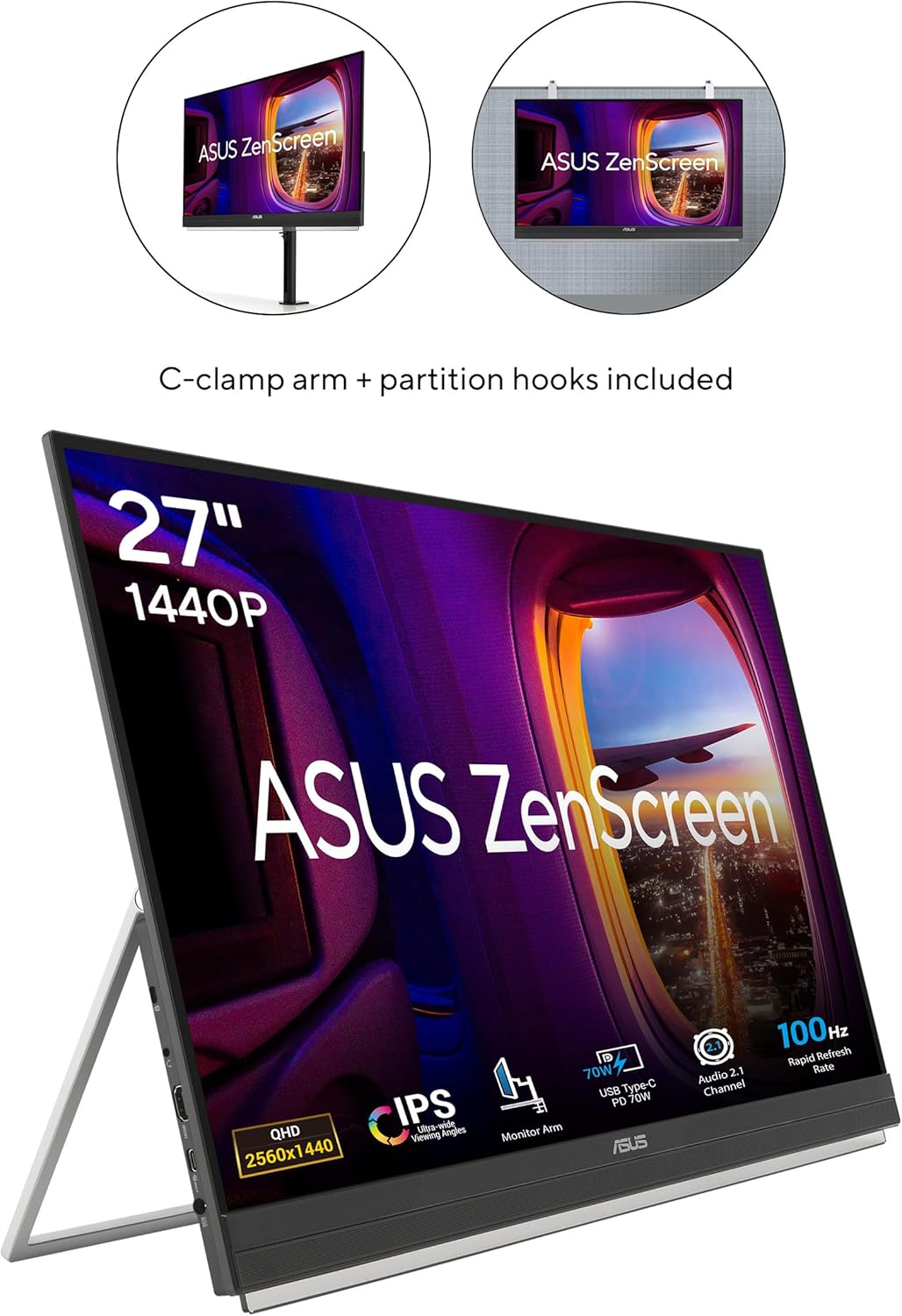
Figure 5: The monitor displayed with both the C-clamp arm and partition hooks, illustrating diverse mounting possibilities.
4.2. Підключення
The ZenScreen MB27ACF offers hassle-free connections:
- USB-C (with 70W Power Delivery): Connect your laptop or compatible device using a single USB-C cable for video, audio, and power. Ensure your device supports DisplayPort Alternate Mode (DP Alt Mode) for full functionality.
- HDMI: Use the HDMI port for video input from various devices.
- Роз'єм для навушників: Підключіть навушники або зовнішні динаміки для аудіовиходу.
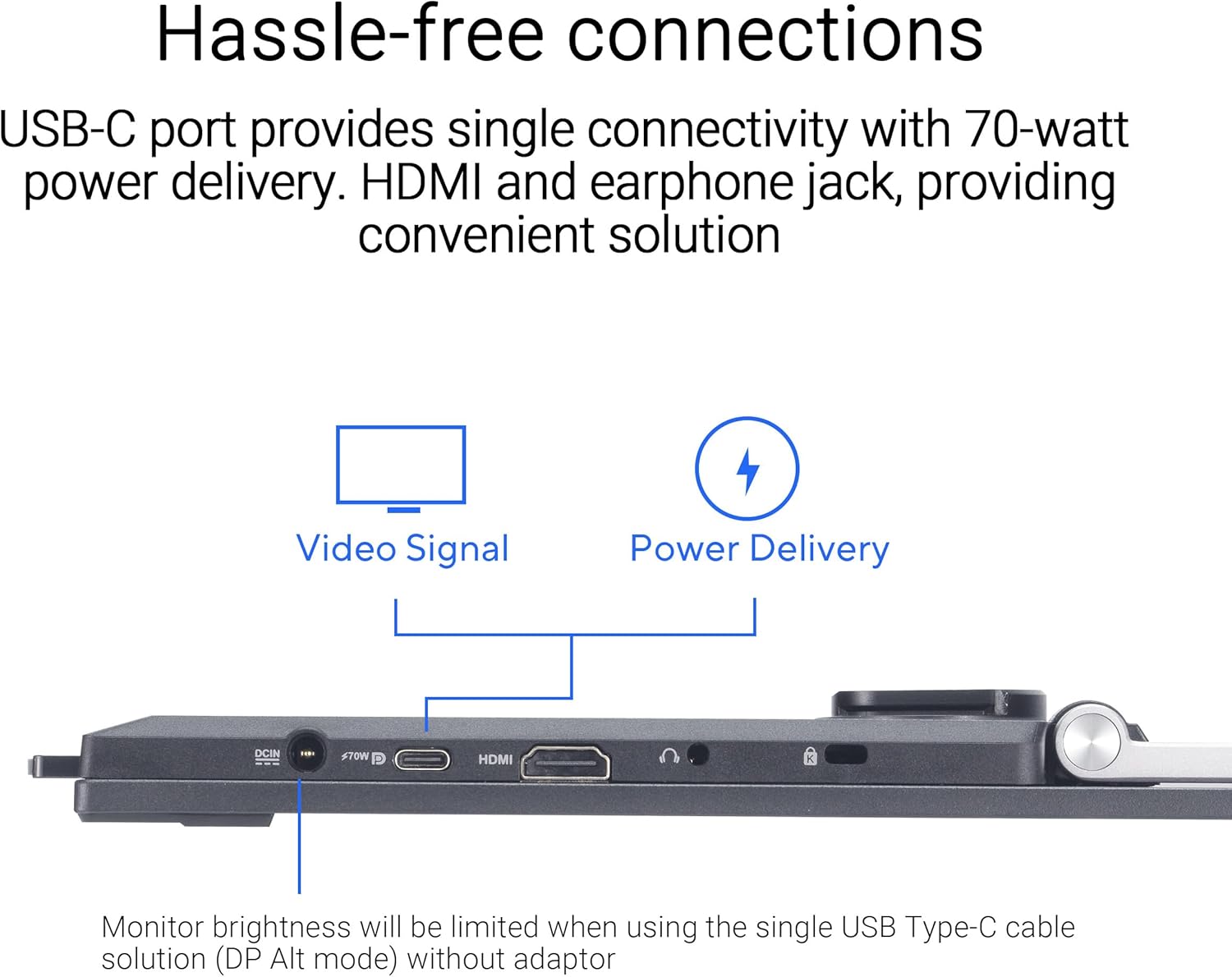
Рисунок 6: Крупний план view of the monitor's ports, including USB-C, HDMI, and earphone jack, highlighting the single-cable solution for video and power delivery.
Video 1: Official ASUS guide on how to connect the ZenScreen Portable Monitor to a laptop using a single USB-C cable.
5. Експлуатація монітора
5.1. Увімкнення/вимкнення живлення та навігація по меню
The monitor features intuitive buttons for power control and accessing the On-Screen Display (OSD) menu. Use the buttons located on the bottom bezel to navigate settings such as brightness, contrast, color modes, and input selection.
5.2. Display Modes and Orientation
The ZenScreen MB27ACF supports both horizontal (landscape) and vertical (portrait) orientations, automatically adjusting the display when rotated, especially when used with the C-clamp arm. This is ideal for tasks like coding, document review, or graphic design.
5.3. Функції догляду за очима
Щоб забезпечити комфорт viewing during prolonged use, the monitor includes ASUS Eye Care technology:
- Фільтр синього світла: Reduces harmful blue light emissions, which can cause eye strain and fatigue. Multiple filter levels are available through the OSD menu.
- Технологія без мерехтіння: Усуває мерехтіння екрана, забезпечуючи комфортніший viewнабутий досвід.
Video 2: An official ASUS video demonstrating the benefits of ASUS Eye Care technology, including Blue Light Filter and Flicker-Free features.
5.4. Аудіо
The monitor is equipped with powerful 2.1-channel audio, including a subwoofer, delivering rich and balanced sound for both work and entertainment.
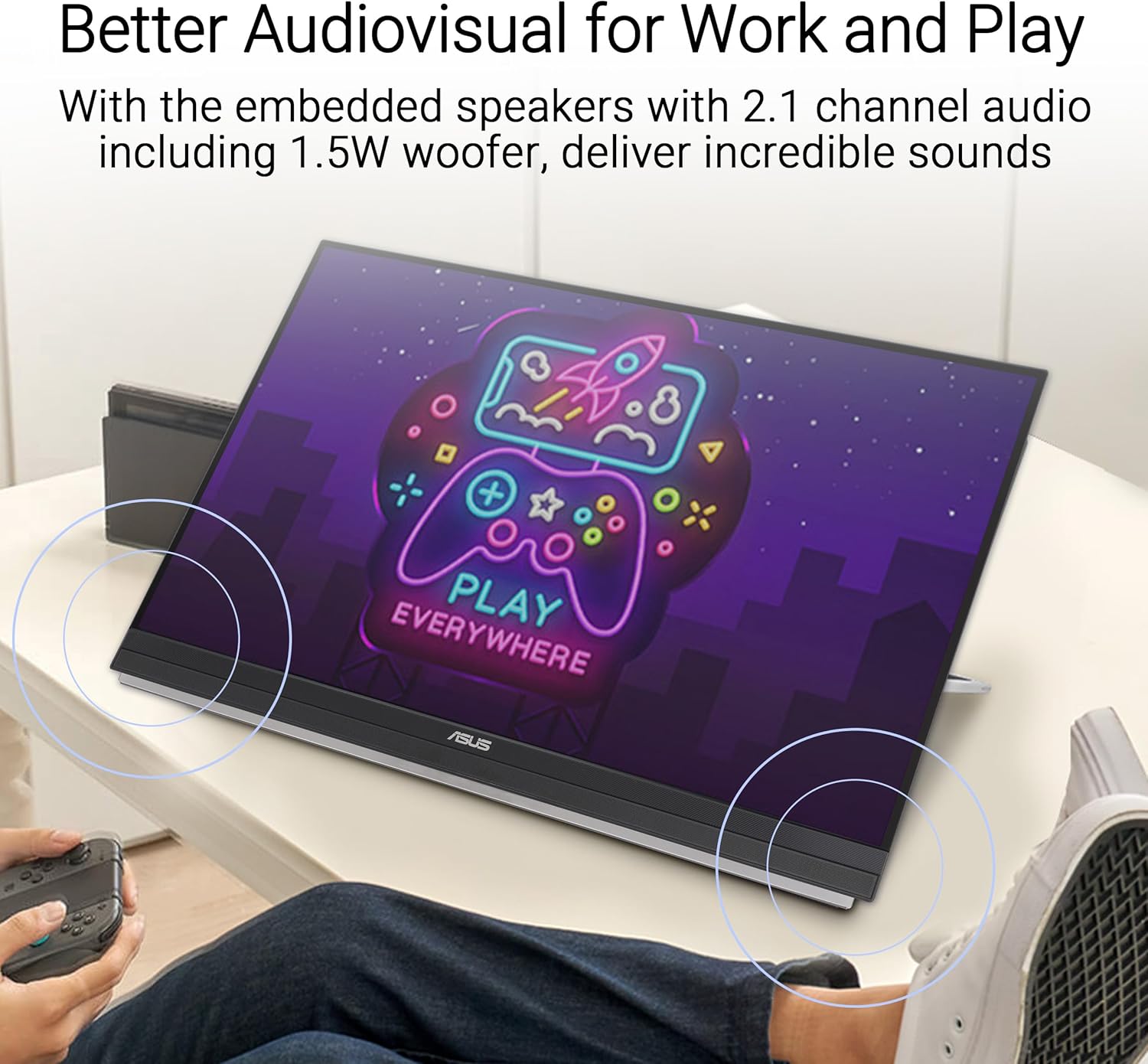
Figure 7: The monitor displaying content with visual indicators for its 2.1-channel audio system, emphasizing its sound capabilities.
6. Технічне обслуговування
6.1. Очищення монітора
- Завжди вимикайте монітор та від’єднуйте його від розетки перед чищенням.
- Злегка протріть м’якою тканиною без ворсу dampводою або м’яким, неабразивним засобом для чищення екранів.
- Avoid using alcohol-based cleaners, ammonia, or abrasive materials, as these can damage the screen surface.
- Gently wipe the screen and exterior surfaces. Do not spray liquid directly onto the screen.
6.2. Зберігання та транспортування
- When transporting the monitor, use the provided carrying handle or ensure it is securely packed in a protective case to prevent damage.
- Avoid placing heavy objects on the monitor or applying excessive pressure to the screen.
- Зберігайте монітор у прохолодному, сухому місці, подалі від прямих сонячних променів та екстремальних температур.
7. Вирішення проблем
7.1. No Signal/Black Screen
- Переконайтеся, що кабель USB-C або HDMI надійно підключено як до монітора, так і до вашого пристрою.
- Verify that your laptop's USB-C port supports DisplayPort Alternate Mode (DP Alt Mode) if using a single USB-C connection.
- Check if your laptop's display settings are configured to extend or duplicate the display to the external monitor.
- Try connecting the monitor to a different device or using a different cable to rule out cable or source issues.
7.2. Проблеми з живленням
- If the monitor is not powering on, ensure the power adapter is correctly connected to both the monitor and a working power outlet.
- When using USB-C for power, confirm your device can supply sufficient power (70W PD). If not, use the dedicated power adapter.
7.3. Display Quality Issues
- If the image is blurry or distorted, check the display resolution settings on your connected device and ensure they match the monitor's native QHD (2560 x 1440) resolution.
- Adjust brightness, contrast, and color settings via the OSD menu to optimize image quality.
8. Технічні характеристики
| Особливість | Специфікація |
|---|---|
| Бренд | ASUS |
| Номер моделі | MB27ACF |
| Розмір екрана | 27 дюймів |
| роздільна здатність | QHD ширококутний 1440p (2560 x 1440 пікселів) |
| Тип дисплея | LCD (IPS) |
| Частота оновлення | 100 Гц |
| Час відгуку | 5 мілісекунд |
| Співвідношення сторін | 16:9 |
| Поверхня екрана | Матовий |
| Яскравість | 1027.8 лм |
| Коефіцієнт контрастності | 1,500:1 (статичний) |
| Viewкут нахилу | 178 градусів |
| Підключення | HDMI, USB, USB Type-C (70W PD) |
| Аудіо | 2.1-channel with Subwoofer, Earphone Jack |
| Особливості | Blue Light Filter, Eye Care, Flicker-Free, Portable |
| Розміри предмета (Д x Ш x В) | 11.9" Г x 24.1" Ш x 29.8" В |
| Вага товару | 10.6 фунта |
| Тип монтажу | 75 x 75 (VESA compatible) |
9. Гарантія та підтримка
9.1. Інформація про гарантію
The ASUS ZenScreen MB27ACF monitor comes with a 3-річна гарантія виробника. Please retain your proof of purchase for warranty claims. For detailed terms and conditions, refer to the warranty card included in your product packaging or visit the official ASUS support webсайт.
9.2. Підтримка клієнтів
For technical assistance, product inquiries, or service requests, please contact ASUS Customer Support through their official website or the contact information provided in your product documentation. Online resources, including FAQs and driver downloads, are also available.