
1. Вступ
The MiBOXER K3S Rotating Wheel Remote provides intuitive control over LED lighting systems, allowing for precise adjustment of both color temperature and brightness. Utilizing 2.4GHz wireless technology, this remote ensures stable and responsive operation. Its ergonomic design facilitates easy handling and accurate adjustments, making it suitable for various lighting applications.
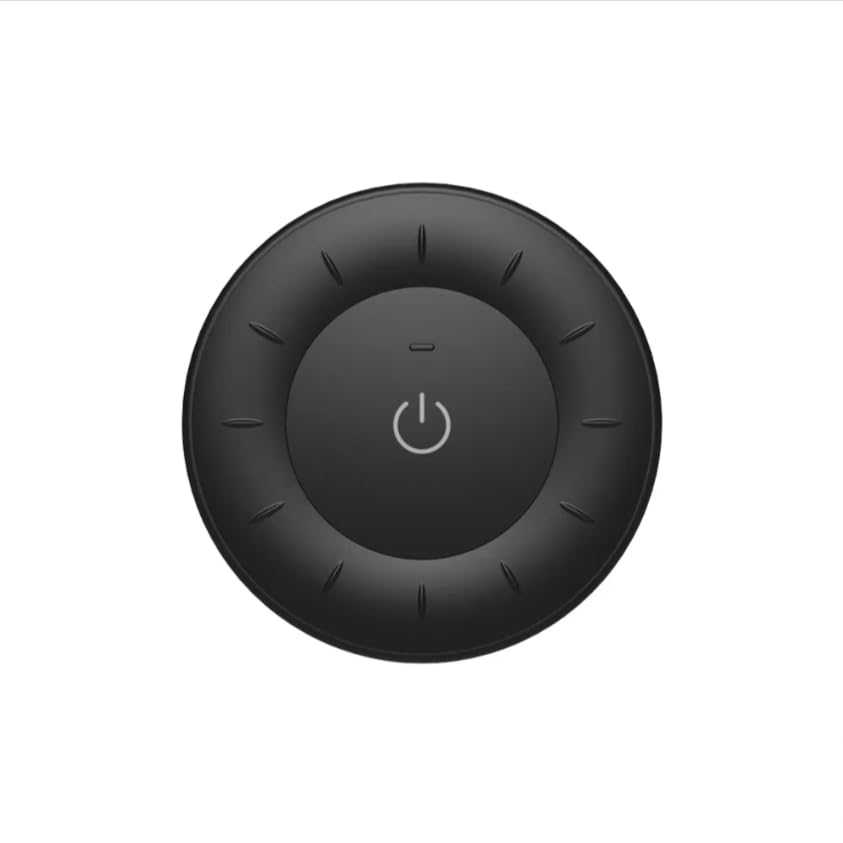
Image 1.1: MiBOXER K3S Rotating Wheel Remote (Black)
This image displays the MiBOXER K3S remote control in black, highlighting its circular design and central power button.
2. Особливості продукту
- Регульована яскравість та колірна температура: Allows fine-tuning of lighting intensity and warmth.
- Rotating Wheel Design: Provides smooth and intuitive control for easy adjustments.
- Бездротова технологія 2.4 ГГц: Ensures stable, interference-free connectivity with compatible devices.
- Ергономічний дизайн: Comfortable to hold and operate.
- Multi-Environment Compatibility: Suitable for various settings including homes, offices, and commercial spaces.
3. Вміст упаковки
Після відкриття упаковки перевірте наявність усіх компонентів:
- Пульт дистанційного керування з обертовим колесом MiBOXER K3S
- Посібник користувача
Note: CR2032 battery is purchased separately and is not included in the package.
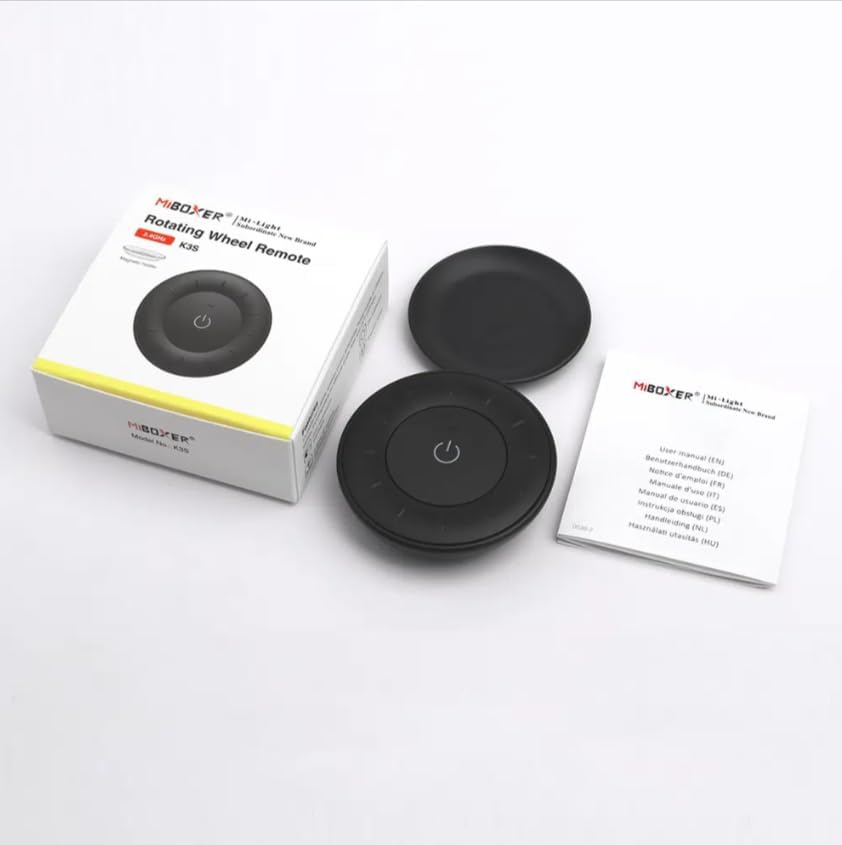
Image 3.1: Package Contents Overview
This image shows the MiBOXER K3S remote, its packaging box, and the included user manual, laid out on a surface.
4. Діаграма продукту

Image 4.1: Remote Control Components
This diagram illustrates the main components of the MiBOXER K3S remote, including the ON/OFF button, brightness/color temperature rotating wheel, and the battery compartment with Link/Unlink button.
- Кнопка ON/OFF: Central button to power the connected light on or off.
- Brightness / Color Temperature Rotating Wheel: The outer ring used to adjust brightness by default. Long press the ON/OFF button for 3 seconds to switch to color temperature adjustment mode.
- Link / Unlink Button: Located inside the battery compartment, used for pairing the remote with compatible lighting devices.
5. Налаштування
5.1 Встановлення батареї
- Знайдіть батарейний відсік на задній панелі пульта дистанційного керування.
- Відкрийте кришку батарейного відсіку.
- Вставте одну батарейку CR2032, дотримуючись правильної полярності (+/-).
- Надійно закрийте кришку батарейного відсіку.
Image 5.1: Battery Installation Area
This image shows the underside of the remote, indicating the location for the CR2032 battery and the Link/Unlink button.
5.2 Linking / Unlinking the Remote
The K3S remote uses 2.4GHz RF wireless technology to communicate with compatible MiBOXER lighting devices.
Linking Procedure:
- Ensure the light fixture you wish to control is powered off.
- Power on the light fixture.
- Within 3 seconds of powering on the light, press the "Link/Unlink" button (located inside the battery compartment) on the K3S remote тричі.
- The light should flash three times slowly, indicating successful linking.
Unlinking Procedure:
- Ensure the light fixture you wish to unlink is powered off.
- Power on the light fixture.
- Within 3 seconds of powering on the light, press the "Link/Unlink" button (located inside the battery compartment) on the K3S remote п'ять разів.
- The light should flash ten times quickly, indicating successful unlinking.
6. Інструкція з експлуатації
6.1 Увімкнення/вимкнення живлення
- Натисніть центральну ⏻ (ON/OFF) button once to turn the connected light on or off.
6.2 Налаштування яскравості
- By default, rotating the outer wheel adjusts the brightness of the light.
- Поверніть за годинниковою стрілкою, щоб збільшити яскравість.
- Поверніть проти годинникової стрілки, щоб зменшити яскравість.
6.3 Налаштування колірної температури
- To switch to color temperature adjustment mode, довге натискання the central ⏻ (ON/OFF) button for 3 seconds.
- Once in color temperature mode, rotate the outer wheel to adjust the color temperature.
- Rotate clockwise for cooler (bluer) light.
- Rotate counter-clockwise for warmer (yellower) light.
- To switch back to brightness adjustment, long press the ⏻ (ON/OFF) button for another 3 seconds.
7. Технічні характеристики
| Назва моделі | K3S |
| Бренд | MIBOXER |
| Технологія підключення | 2.4G бездротовий радіочастотний зв'язок |
| Тип управління | Яскравість, колірна температура |
| Максимальна дальність | 30 метрів |
| Тип батареї | CR2032 (purchased separately) |
| Розміри (діаметр х висота) | Ø60mm x 15mm (approx.) |
| Weight (Gross Weight per box) | 0.05 KGS (approx.) |

Image 7.1: Remote Control Dimensions
This diagram provides the physical dimensions of the MiBOXER K3S remote, showing a diameter of 60mm and a thickness of 15mm (or 19.5mm with the base).
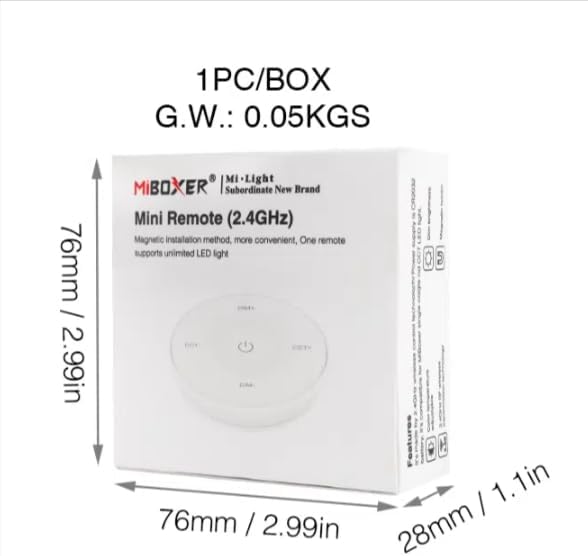
Image 7.2: Packaging Dimensions
This image displays the dimensions of the product packaging, indicating it is 76mm x 76mm x 28mm with a gross weight of 0.05 KGS.
8. Технічне обслуговування
- Тримайте пульт дистанційного керування в чистоті, протираючи його м’якою сухою тканиною.
- Avoid exposing the remote to moisture, extreme temperatures, or direct sunlight.
- If the remote is not used for an extended period, remove the battery to prevent leakage.
- Replace the battery when the remote's performance degrades or it stops responding.
9. Вирішення проблем
| проблема | Можлива причина | Рішення |
|---|---|---|
| Пульт дистанційного керування не відповідає | Низький або розряджений акумулятор | Замініть батарею CR2032. |
| Light not linking | Incorrect linking procedure or light not compatible | Ensure the light is powered on within 3 seconds of pressing the link button. Verify light compatibility with MiBOXER 2.4G RF remotes. |
| Обмежений асортимент | Перешкоди або перешкоди | Reduce distance between remote and light. Remove obstructions. Avoid areas with strong 2.4GHz interference. |
| Brightness/Color Temp adjustment not working | Пульт дистанційного керування в неправильному режимі | Long press the ON/OFF button for 3 seconds to switch between brightness and color temperature adjustment modes. |
10. Гарантія та підтримка
The product comes with a manufacturer's warranty. For specific warranty details and duration, please refer to the documentation included with your purchase or contact MiBOXER customer support.
For technical support or inquiries, please visit the official MiBOXER webсайту або зв’яжіться зі своїм відділом обслуговування клієнтів.
Виробник: Miboxer