
вступ
Thank you for choosing the SUNITEC BH880 Wireless Headset. This manual provides detailed instructions for setting up, operating, and maintaining your headset to ensure optimal performance and longevity. The BH880 headset is designed for clear communication and comfortable use in various environments, featuring advanced noise-cancelling technology and multiple connectivity options.

Image: SUNITEC BH880 Wireless Headset, showcasing its design with an adjustable microphone boom.
Що в коробці
Перевірте наявність усіх елементів в упаковці:
- 1 x SUNITEC BH880 Bluetooth Computer Headset with Microphone
- 1 кабель для заряджання Type-C
- 1 x Bluetooth Audio USB-A Dongle Adapter
- 1 х 3.5 мм аудіокабель
- 1 x Посібник користувача (цей документ)

Image: The SUNITEC BH880 headset, USB-C charging cable, USB-A dongle, and 3.5mm audio cable, illustrating the package contents.
Продукт закінченийview
Familiarize yourself with the components and controls of your SUNITEC BH880 headset.
Ключові характеристики:
- Мікрофон із штучним інтелектом та шумопоглинанням: Blocks 99% of ambient noise for clear voice transmission.
- Qualcomm QCC3034 Chipset: Provides stable and fast Bluetooth transmission with aptX HD and aptX LL support.
- Зручний дизайн: Soft dual ear pads and an adjustable headband for extended wear.
- 270° Rotatable Boom Microphone: Can be positioned on either the left or right side.
- Тривалий термін служби батареї: До 45 годин розмови на одному заряді.
- Кілька підключень: Bluetooth, USB Dongle, and 3.5mm wired connection.

Image: Close-up of the memory foam earpads, highlighting the comfort feature of the headset.

Image: Detail of the individual mute button located on the microphone boom.

Зображення: Внутрішній view highlighting the Qualcomm QCC3034 chipset, responsible for stable and fast connections.
Налаштування
1. Заряджання гарнітури
Before first use, fully charge the headset. Connect the Type-C charging cable to the headset's charging port and the other end to a USB power source (e.g., computer USB port, wall adapter). The LED indicator will show charging status. A full charge takes approximately 2 hours and provides up to 45 hours of talk time or 400 hours of standby time.
2. Увімкнення/вимкнення живлення
- Увімкнення: Натисніть і утримуйте кнопку живлення кілька секунд, доки не засвітиться світлодіодний індикатор.
- Вимкнення живлення: Натисніть і утримуйте кнопку живлення протягом кількох секунд, поки світлодіодний індикатор не згасне.
3. Параметри підключення
The SUNITEC BH880 offers three ways to connect to your devices:
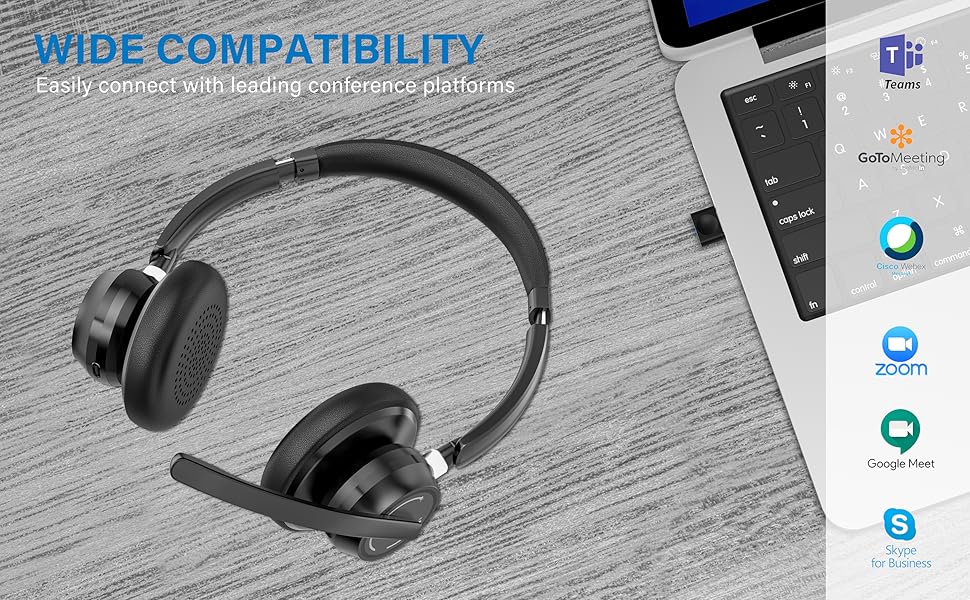
Image: Visual representation of Bluetooth, USB Dongle, and Wired connection methods for the headset.
Підключення Bluetooth:
- Переконайтеся, що гарнітуру вимкнено.
- Натисніть і утримуйте кнопку живлення, доки світлодіодний індикатор не почне блимати по черзі синім і червоним кольором, що вказує на режим сполучення.
- На своєму пристрої (смартфоні, планшеті, комп’ютері) увімкніть Bluetooth та почніть пошук нових пристроїв.
- Select "SUNITEC BH880" from the list of available devices.
- Після підключення світлодіодний індикатор повільно блиматиме синім.
Підключення USB-ключа:
This method is ideal for computers without built-in Bluetooth or for a more stable connection.
- Plug the USB-A Dongle Adapter into an available USB port on your computer.
- Power on the SUNITEC BH880 headset. It will automatically attempt to connect to the dongle.
- The LED indicator on the dongle and headset will show a solid blue light once connected.
- You may need to select the "SUNITEC BH880" as the audio input/output device in your computer's sound settings.

Image: A USB dongle being inserted into a laptop's USB port, demonstrating the dongle connection method.
Дротове підключення:
Use the included 3.5mm audio cable to connect the headset directly to devices with a 3.5mm audio jack. Note that the microphone function is not available when using the 3.5mm wired connection; the headset will function as headphones only.

Image: The headset shown with logos of popular communication platforms like Teams, Zoom, Google Meet, and Skype, indicating wide compatibility.
Інструкція з експлуатації
Основні функції:
- Збільшення/зменшення гучності: Використовуйте спеціальні кнопки регулювання гучності на навушниках.
- Відтворення/пауза: Натисніть багатофункціональну кнопку один раз.
- Наступний трек: Натисніть і утримуйте кнопку збільшення гучності.
- Попередній трек: Натисніть і утримуйте кнопку зменшення гучності.
Функції виклику:
- Відповісти/закінчити виклик: Натисніть багатофункціональну кнопку один раз.
- Відхилити виклик: Натисніть і утримуйте багатофункціональну кнопку протягом 2 секунд.
- Повторний набір останнього номера: Двічі натисніть багатофункціональну кнопку.
Функція вимкнення мікрофона:
The headset features an individual mute button on the microphone boom for quick privacy control.
- Вимкнути/увімкнути звук: Press the mute button on the microphone boom. The LED indicator on the microphone will show red when muted.
- Примітка: For PC platforms, microphone mute functionality may also be controlled via the software application (e.g., Zoom, Teams).
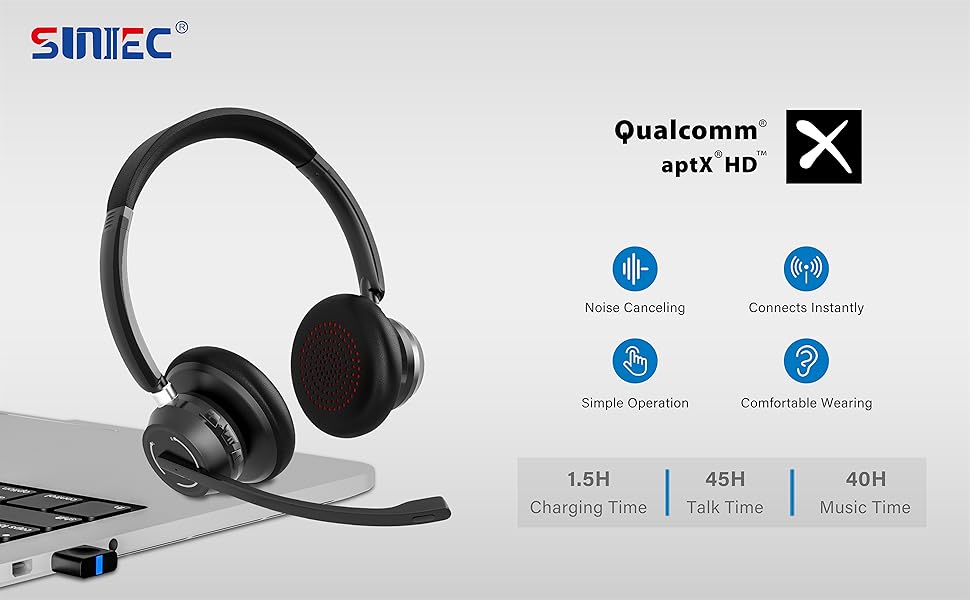
Image: A graphic demonstrating how the noise-cancelling microphone filters out background noise for clearer audio output.
Технічне обслуговування
Proper care ensures the longevity of your SUNITEC BH880 headset.
- Прибирання: Використовуйте м’яку суху тканину для очищення гарнітури. Не використовуйте абразивні засоби для чищення або розчинники.
- Зберігання: Зберігайте гарнітуру в прохолодному, сухому місці, подалі від прямих сонячних променів та екстремальних температур.
- Догляд за акумулятором: Щоб зберегти час роботи акумулятора, уникайте частого повного розряджання гарнітури. Регулярно заряджайте її, навіть якщо вона не використовується протягом тривалого часу.
- Уникайте вологи: The headset is not water-resistant. Keep it away from liquids and high humidity.
Усунення несправностей
If you encounter issues with your SUNITEC BH880 headset, refer to the following common solutions:
| проблема | Рішення |
|---|---|
| Гарнітура не вмикається. | Ensure the headset is charged. Connect it to a power source using the Type-C cable. |
| Не вдається підключитися через Bluetooth. |
|
| Немає звуку або погана якість звуку. |
|
| Мікрофон не працює. |
|
| USB Dongle not connecting. |
|
Технічні характеристики
| Особливість | Деталь |
|---|---|
| Назва моделі | BH880 |
| Технологія підключення | Wireless (Bluetooth), Wired (3.5mm), USB Dongle |
| Технологія бездротового зв'язку | Bluetooth 5.1 |
| Діапазон Bluetooth | До 15 метрів (49 фути) |
| Контроль шуму | Adaptive Noise Cancellation (Microphone) |
| Розмір звукового драйвера | 40 міліметрів |
| Тип аудіо драйвера | Динамічний драйвер |
| Імпеданс | 32 Ом |
| Форма навушника | Надвушні |
| Термін служби батареї (час розмови) | До 45 годин |
| Час зарядки | Approximately 2 Hours (Type-C) |
| Вага товару | 280 грамів (9.9 унції) |
| Розміри продукту | 5.91 x 3.94 x 1.96 дюймів |
| матеріал | пластик |
| Сумісні пристрої | Computers, Communication Software (Skype, Zoom, MS Teams, Google Meet) |
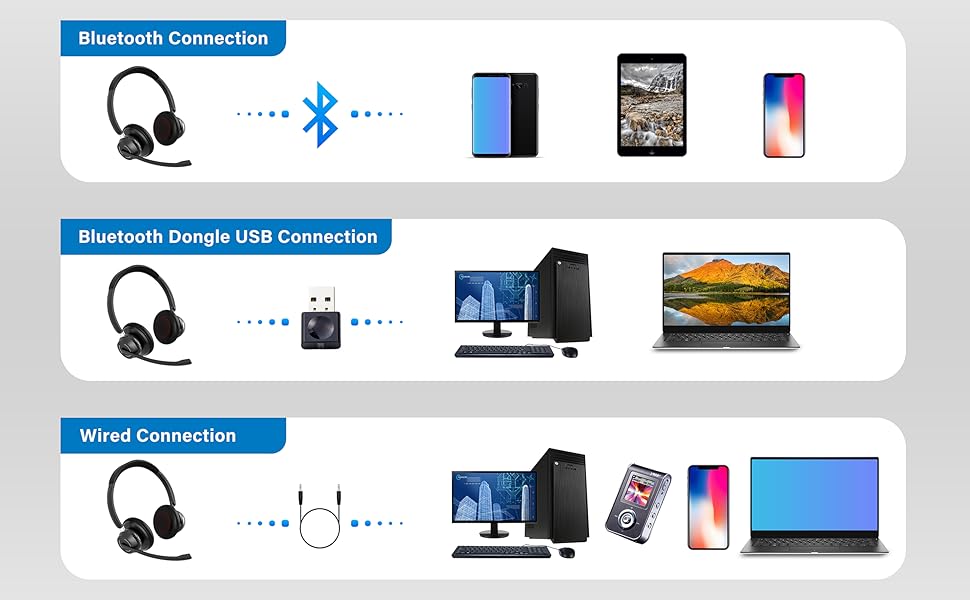
Image: An illustration highlighting the headset's battery performance, indicating up to 45 hours of wireless talk time.
Гарантія та підтримка
SUNITEC products are designed for reliability and performance. For warranty information or technical support, please refer to the contact details provided with your purchase or visit the official SUNITEC webсайт. Зберігайте чек про покупку як підтвердження покупки для гарантійних претензій.
For further assistance, you may contact SUNITEC customer service through their official channels.