
вступ
This manual provides detailed instructions for the DALI IO-8 Over-The-Ear Wireless/Wired Hi-Fi Headphones. Please read this manual thoroughly before using your headphones to ensure proper operation and to maximize your listening experience. The DALI IO-8 headphones are designed to deliver high-fidelity audio with advanced features such as Active Noise Cancellation (ANC), Bluetooth AptX Adaptive connectivity, and versatile wired options.
Вміст упаковки
Перевірте наявність усіх елементів в упаковці:
- DALI IO-8 Over-The-Ear Headphones
- USB-C Cable (for charging and digital audio)
- 3.5mm Stereo Cable (for analog audio)
- Дорожній кейс
- Ця Інструкція з експлуатації
Продукт закінченийview
Ознайомтеся з компонентами та елементами керування ваших навушників DALI IO-8.
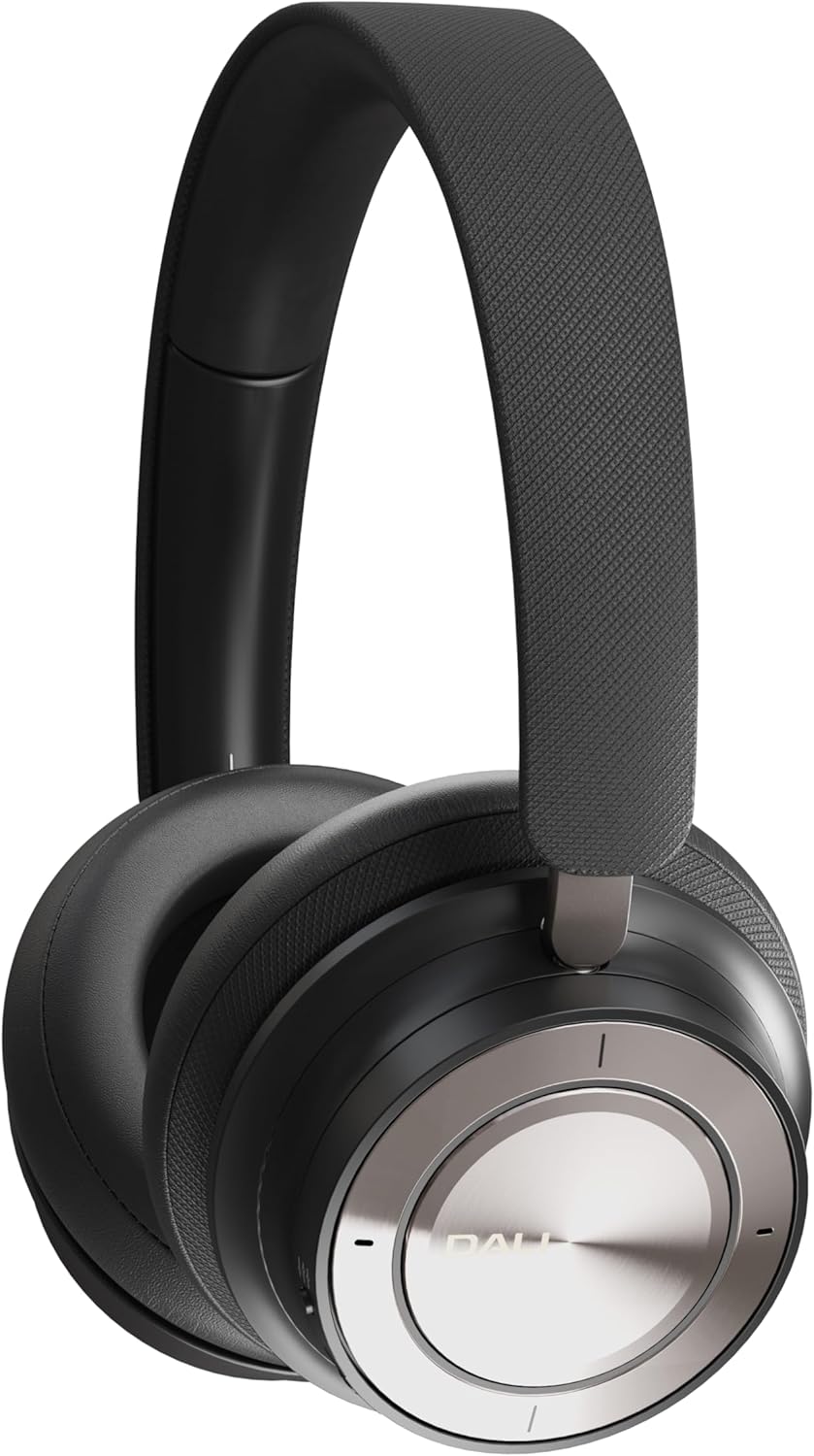
Figure 1: DALI IO-8 Headphones (Iron Black)

Рисунок 2: Зверху вниз view of DALI IO-8 headphones, highlighting the control layout on the earcups.

Figure 3: Close-up of the right earcup, showing the power button, ANC button, and USB-C port.
Елементи керування та порти:
- Кнопка живлення/Bluetooth: Located on the right earcup. Used for powering on/off and initiating Bluetooth pairing.
- Кнопка ANC: Located on the right earcup. Cycles through Active Noise Cancellation modes.
- Volume/Track Control Ring: A ring on the right earcup for adjusting volume and skipping tracks.
- Кнопка відтворення/паузи: Central button on the right earcup.
- Порт USB-C: For charging and digital audio connection.
- 3.5 мм аудіороз’єм: Для підключення аналогового аудіо.
- Світлодіодні індикатори: Provide status for power, battery, and Bluetooth connection.
Налаштування
1. Зарядка навушників
Before first use, fully charge your DALI IO-8 headphones.
- Connect the supplied USB-C cable to the USB-C port on the right earcup.
- Підключіть інший кінець кабелю USB-C до сумісного джерела живлення USB (наприклад, USB-порту комп’ютера, настінного USB-адаптера).
- Світлодіодний індикатор показуватиме стан заряджання. Повного заряду вистачає на 35 годин відтворення з увімкненим ANC.
2. Увімкнення/вимкнення живлення
- Щоб увімкнути: Press and hold the Power button on the right earcup until the LED indicator illuminates.
- Щоб вимкнути: Натисніть і утримуйте кнопку живлення, доки світлодіодний індикатор не згасне.
3. Підключення Bluetooth
Pair your DALI IO-8 headphones with a Bluetooth-enabled device.
- Переконайтеся, що навушники вимкнено.
- Натисніть і утримуйте кнопку живлення приблизно 5 секунд, доки світлодіодний індикатор не почне блимати синім і червоним кольором, що вказує на режим сполучення.
- On your device (smartphone, tablet, laptop), navigate to the Bluetooth settings and enable Bluetooth.
- Виберіть «DALI IO-8» зі списку доступних пристроїв.
- Після підключення світлодіодний індикатор почне постійно світитися синім світлом.
4. Провідне підключення
The DALI IO-8 headphones support both 3.5mm analog and USB-C digital wired connections.
- 3.5mm Stereo Cable: Connect one end of the 3.5mm stereo cable to the audio jack on the left earcup and the other end to your audio source's 3.5mm output. The headphones can be used passively in this mode, even if powered off.
- Кабель USB-C: Connect the supplied USB-C cable to the USB-C port on the right earcup and the other end to a compatible USB-C audio output on your device. This provides a digital audio connection and can also charge the headphones simultaneously.
Інструкція з експлуатації
1. Основні елементи керування звуком
- Відтворення/пауза: Press the central Play/Pause button once.
- Збільшення гучності: Rotate the outer control ring upwards.
- Зменшення гучності: Rotate the outer control ring downwards.
- Наступний трек: Rotate the outer control ring forward (clockwise).
- Попередній трек: Rotate the outer control ring backward (counter-clockwise).
2. Активне шумозаглушення (ANC)
The DALI IO-8 features multiple ANC modes to adapt to your environment.
- Press the ANC button on the right earcup to cycle through the available modes:
- ANC увімкнено: Зменшує навколишній шум.
- Режим прозорості: Allows external sounds to be heard, useful for situational awareness.
- ANC вимкнено: Вимикає шумозаглушення.
3. Режими звуку
The headphones offer two distinct sound profiles.
- Press the EQ button (if present, or refer to specific button for sound modes) to switch between:
- Режим Hi-Fi: Provides a balanced and neutral sound signature.
- Режим баса: Enhances low-frequency response for a more pronounced bass.
4. Здійснення та отримання дзвінків
When connected via Bluetooth, the DALI IO-8 headphones can be used for phone calls.
- Відповісти/закінчити виклик: Натисніть кнопку Відтворення/Пауза один раз.
- Відхилити виклик: Натисніть і утримуйте кнопку відтворення/паузи протягом 2 секунд.
- Активувати голосового помічника: Double-press the Play/Pause button (functionality may vary by device).
Технічне обслуговування
прибирання
- Протріть навушники м’якою, сухою тканиною без ворсу.
- Не використовуйте абразивні засоби для чищення, спирт або хімічні розчинники.
- Уникайте потрапляння вологи в будь-які отвори.
Зберігання
- When not in use, store the headphones in the provided travel case to protect them from dust and damage.
- Зберігати в прохолодному, сухому місці, подалі від прямих сонячних променів і екстремальних температур.
Усунення несправностей
If you encounter issues with your DALI IO-8 headphones, refer to the following common solutions:
| проблема | Можливе рішення |
|---|---|
| Немає живлення | Переконайтеся, що навушники заряджені. Підключіть їх до джерела живлення за допомогою кабелю USB-C. |
| Не вдається підключити пристрій через Bluetooth | Ensure headphones are in pairing mode (flashing blue/red LED). Turn off and on your device's Bluetooth. Move closer to the device. |
| Немає звуку в бездротовому режимі | Check if headphones are paired and connected. Adjust volume on both headphones and source device. Ensure media is playing. |
| Немає звуку в дротовому режимі | Ensure cables are securely connected. Test with a different cable or audio source. |
| АНК неефективний | Ensure ANC mode is active. Check earcup fit for a proper seal around your ears. |
Технічні характеристики
| Особливість | Деталь |
|---|---|
| Назва моделі | DALI IO-8 |
| Технологія підключення | Дротове, бездротове (Bluetooth) |
| Технологія бездротового зв'язку | Bluetooth 5.2 with AptX Adaptive |
| Гніздо для навушників | 3.5 мм джек |
| Тип аудіо драйвера | Динамічний драйвер (50 мм) |
| Діапазон частот | 10 - 43,000 Гц |
| Контроль шуму | Активне скасування шуму (ANC) |
| Термін служби батареї | До 35 годин (з активним шумозаглушенням) |
| матеріал | Шкіра |
| Форма навушника | Над вухом |
| Рівень водонепроникності | Водостійкий |
| Номер моделі товару | 203081 |
| Виробник | DALI |
Гарантія та підтримка
For warranty information and technical support, please refer to the official DALI website or contact your authorized DALI retailer. Keep your proof of purchase for warranty claims.