
вступ
Thank you for choosing the CAMECHO Android 13 Car Stereo. This manual provides detailed instructions for the installation, operation, and maintenance of your new car stereo system. Please read this manual thoroughly before installation and use to ensure proper function and to maximize your user experience. Keep this manual for future reference.
Інформація про безпеку
- Завжди звертайтеся до фахівця щодо встановлення, якщо ви не впевнені щодо будь-яких кроків.
- Ensure the vehicle's power is disconnected before starting installation to prevent electrical shock or damage.
- Не використовуйте пристрій таким чином, щоб це відволікало вас від керування автомобілем.
- Тримайте пристрій подалі від води та надмірного тепла.
- Використовуйте лише зазначені аксесуари та деталі.
Вміст упаковки
Будь ласка, перевірте, чи всі перелічені нижче предмети входять до вашої упаковки:

Image: The car stereo unit with dimensions (220mm/8.7inch width, 132mm/5.2inch height), and a list of included accessories: Power Cable, RCA Input/Output Cable, Reversing Camera Input Cable, USB Cable, GPS Antenna, Radio Antenna, Microphone, Canbus, User Manual, and Rear Camera.
- Main Head Unit (9-inch HD Touchscreen)
- Кабель живлення
- Вхідний/вихідний кабель RCA
- Вхідний кабель камери заднього виду
- USB -кабель (x2)
- GPS антена
- Радіо Антена
- мікрофон
- Декодер CANbus
- Посібник користувача
- Rear Camera (optional, if included in your specific package)
Продукт закінченийview
The CAMECHO Android 13 Car Stereo is designed to enhance your driving experience with advanced features and connectivity. Key features include:
- Операційна система: Android 13
- Процесор: 8-Core CPU
- Пам'ять: 4GB RAM + 64GB ROM
- Дисплей: 9-inch HD Touchscreen (1280*720 resolution)
- Підключення: Wireless CarPlay, Android Auto (wired/wireless), Bluetooth 5.1, WiFi, USB
- Аудіо: Built-in DSP, 32-band EQ
- Навігація: Integrated GPS (online/offline maps)
- радіо: FM/RDS-радіо
- Додаткові функції: Mirror Link, Split Screen, Steering Wheel Control, AHD Rear View Підтримка камери.

Image: Illustrates the internal components (8-Core CPU, 4GB RAM, 64GB ROM) and the DSP audio interface with 32-band EQ settings, sound field adjustments, and balance controls.

Image: Displays the user interface for Bluetooth 5.0 connectivity, FM/RDS radio tuning, WiFi internet connection, and GPS navigation with a map view.
Керівництво по установці
This section provides general installation steps. Specific vehicle models may require additional adapters or wiring harnesses. It is recommended to seek professional installation if you are not familiar with car audio systems.
- Підготуйте транспортний засіб: Disconnect the negative terminal of the car battery. Remove the original car stereo unit and trim panels carefully.
- Connect Power and Speaker Wires: Connect the main power harness from the car stereo to your vehicle's wiring harness. Ensure all connections are secure and correctly matched (e.g., constant power, accessory power, ground, speaker outputs).
- Підключення кабелів RCA: Якщо використовується зовнішній amplifiers or additional audio/video devices, connect the RCA input/output cables.
- Підключення GPS-антени: Встановіть GPS-антену в місці з чітким view of the sky, typically on the dashboard or under the windshield, ensuring it is securely attached.
- Підключення радіоантени: Connect the vehicle's radio antenna to the car stereo.
- Підключення USB-кабелів: Route the USB extension cables to a convenient location, such as the glove compartment or center console.
- Connect Rear Camera (Optional): If installing a rear camera, connect its video input to the "Reversing Camera Input" on the stereo and its power to the reverse light circuit.
- Install Canbus Decoder: Підключіть декодер Canbus, якщо ваш автомобіль цього потребує для керування на кермі або іншої інтеграції даних автомобіля.
- Тестові підключення: Before fully reassembling, reconnect the car battery and briefly test the stereo's basic functions (power on/off, radio, sound output).
- Захистіть пристрій: Mount the new car stereo into the dashboard opening. Reinstall all trim panels and secure them properly.
- Остаточна перевірка: Reconnect the car battery and perform a comprehensive test of all features.

Зображення: Задня частина view of the car stereo showing labeled connection ports: 1. Power Cable, 2. RCA Input/Output, 3. Reversing Camera Input, 4. USB Cable, 5. GPS Antenna, 6. Radio Antenna.
Початкове налаштування
- Увімкнення: Turn on your vehicle's ignition. The stereo should power on automatically.
- Налаштування мови: Перейдіть до Налаштування > система > Мови та введення щоб вибрати бажану мову.
- Wi-Fi підключення: Перейти до Налаштування > Мережа та Інтернет > Wi-Fi. Select your Wi-Fi network and enter the password to connect. This is essential for online navigation, app downloads, and updates.
- Парування Bluetooth: Access the Bluetooth application. Enable Bluetooth on your mobile device and search for the car stereo (usually named "CAMECHO" or similar). Pair the devices using the provided PIN (default is usually 0000 or 1234).
- GPS Configuration: Ensure the GPS antenna is properly connected. The system should automatically detect satellites. For offline navigation, download maps using the pre-installed "Here We Go" app or another preferred navigation application.
- Дата і час: Set the correct date and time, either manually or by synchronizing with the network.
Інструкція з експлуатації
Основні функції
- Головний екран: Access various applications and widgets from the main desktop.
- Регулювання гучності: Adjust volume using the physical knobs/buttons or on-screen controls.
- радіо: Open the FM/RDS Radio app to scan for stations, save presets, and view RDS information.
- Відтворення мультимедіа: Use the Music or Video player apps to play media from USB drives or internal storage.
Бездротові CarPlay і Android Auto
Connect your iPhone or Android smartphone for seamless integration of navigation, music, calls, and messages.
- Для iPhone (CarPlay): Connect your iPhone via Bluetooth. Once paired, open the CarPlay app on the stereo. Follow on-screen prompts to enable wireless CarPlay.
- Для Android (Android Auto): Connect your Android phone via Bluetooth. Open the Android Auto app on the stereo. Follow on-screen prompts to enable wireless Android Auto. For wired connection, use a USB cable.

Image: Shows the car stereo screen with Apple CarPlay interface for iPhone on the left and Android Auto interface for Android on the right, demonstrating wireless connectivity.

Image: Illustrates voice control for Apple CarPlay (Siri) and Android Auto (Google Assistant), along with screen mirroring functionality for both iOS (Wi-Fi) and Android (Wi-Fi/USB) devices.
GPS навігація
Use the pre-installed navigation app (e.g., Here We Go) or download your preferred navigation app from the Google Play Store (requires Wi-Fi connection). The system supports both online and offline maps.
DSP Audio Settings
Access the DSP (Digital Sound Processor) settings to customize your audio experience. Adjust the 32-band equalizer, sound field, balance, and subwoofer settings to match your preferences.
Керування на кермі (SWC)
If your vehicle supports it and the Canbus decoder is correctly installed, you can program the steering wheel buttons to control the car stereo functions (e.g., volume, track skip, mode). Refer to the stereo's settings for SWC learning/mapping.

Image: Shows a driver's hand on a steering wheel, with an overlay demonstrating the on-screen interface for mapping steering wheel control buttons to various functions like volume, track, and mode.
AHD ззаду View Камера
Коли автомобіль перемикається на задню передачу, стереосистема автоматично відображає сигнал з підключеного заднього приводу AHD. view камера, що забезпечує чітке view for safer parking. The camera features HD image quality, waterproofing, night vision, and a wide-angle lens.

Image: Displays the car stereo screen showing a rear view camera feed with parking guidelines, highlighting features like HD image, waterproof design, night vision, and wide angle.
UI Desktop Themes
Personalize your stereo's interface by choosing from 59 different UI desktop themes. Navigate to the theme settings to browse and apply your preferred visual style.
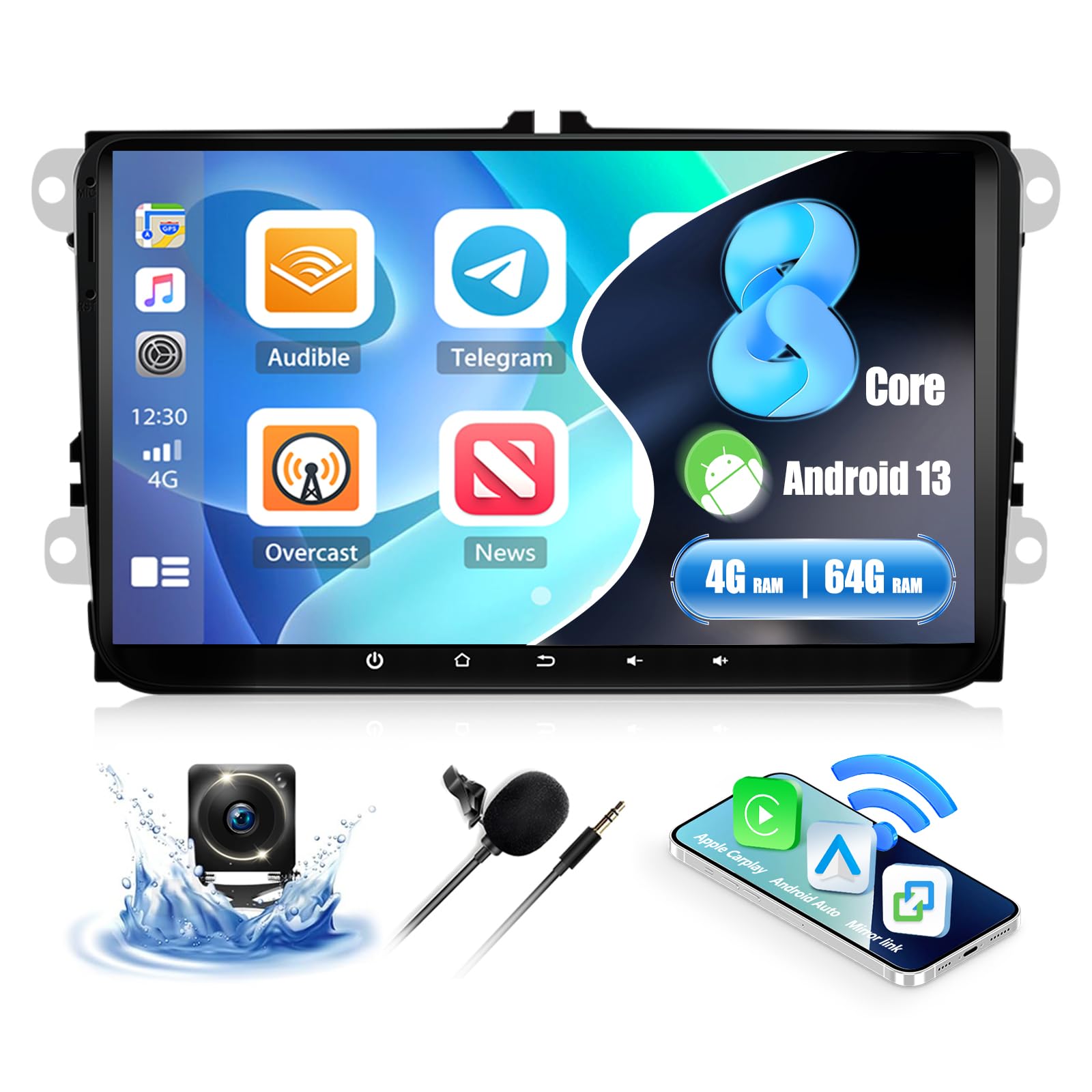
Image: Shows the car stereo screen with multiple desktop themes visible, indicating the option to change the user interface appearance.
Технічне обслуговування
- Прибирання: Використовуйте м’яку суху тканину для очищення екрана та зовнішньої поверхні. Уникайте абразивних засобів для чищення або розчинників.
- Оновлення програмного забезпечення: Periodically check for system updates via Wi-Fi in the settings menu to ensure optimal performance and access to new features.
- Резервне копіювання даних: Regularly back up important data if stored on the device.
Усунення несправностей
| проблема | Можлива причина | Рішення |
|---|---|---|
| Немає живлення | Неправильне підключення проводки; перегорілий запобіжник; нещільне з'єднання. | Перевірте з'єднання кабелів живлення. Перевірте запобіжники автомобіля. Переконайтеся, що акумулятор підключено. |
| Ні звуку | Speaker wires disconnected; Volume too low; Mute activated; Incorrect audio output settings. | Verify speaker connections. Increase volume. Check mute status. Adjust audio settings. |
| Сигнал GPS втрачено або він неточний | GPS antenna improperly placed or disconnected; Obstruction. | Переконайтеся, що GPS-антена має чіткий сигнал view неба та надійно підключений. |
| Bluetooth не підключається | Bluetooth disabled on phone/stereo; Incorrect pairing process; Interference. | Ensure Bluetooth is enabled on both devices. Re-attempt pairing. Clear previous pairings. |
| Сенсорний екран не реагує | System freeze; Software issue. | Perform a soft reset (refer to device settings for reset option or hold power button). If issue persists, contact support. |
| CarPlay/Android Auto не працює | Incorrect connection; Phone software issue; App not installed. | Ensure correct connection type (wireless/wired). Update phone OS and apps. Check phone compatibility (Samsung phones not supported for Mirror Link). |
Технічні характеристики
| Бренд | КАМЕЧО |
| Номер моделі | a923f4c1-3650-44dc-a80d-bafc401235b6 (P3=8 Core 4+64G Carplay+32EQ variant) |
| Операційна система | Android 13 |
| RAM + ROM | 4GB RAM + 64GB ROM |
| Розмір дисплея | 9 дюймів |
| роздільна здатність | 1280 x 720 HD |
| Технологія підключення | USB, Bluetooth 5.1, Wi-Fi |
| Особливості | Wireless CarPlay, Android Auto, Mirror Link, Built-in DSP, 32-band EQ, GPS Navigation, FM/RDS Radio, Split Screen, Steering Wheel Control |
| Сумісні пристрої | Смартфони, планшети |
| Режим аудіовиходу | Stereo, Surround (2.0 channels) |
| Максимальна вихідна потужність | 4 x 45 Вт |
| Робочий випtage | 12 В постійного струму |
| Розміри продукту | 10P x 10L x 10H mm (Approximate, refer to diagram for exact unit dimensions) |
Інформація про гарантію
Цей продукт CAMECHO постачається з Гарантія 1 рік з дати покупки. Ця гарантія поширюється на виробничі дефекти та несправності за умов нормального використання. Будь ласка, збережіть підтвердження покупки для пред'явлення претензій за гарантією. Гарантія не поширюється на пошкодження, спричинені неправильним встановленням, неправильним використанням, нещасними випадками або несанкціонованими модифікаціями.
Підтримка клієнтів
For technical assistance, troubleshooting, or warranty inquiries, please contact CAMECHO customer support. You can reach us via:
- Електронна пошта: CAMECHOVIP@126.com
- Онлайн: Visit the official CAMECHO store on Amazon for FAQs and additional resources.
Our support team is available to assist you with any questions or concerns regarding your product.

Image: Customer service representatives ready to provide assistance.