
1. Вступ
The Khadas Mind 2 Mini PC is a compact and powerful computing device designed for various tasks, from daily productivity to creative projects. This manual provides essential information for setting up, operating, and maintaining your device.

Figure 1: Khadas Mind 2 Mini PC, showcasing its compact design and available ports.
The device features a sleek, ultra-portable design, weighing just 435 grams and measuring only 2 cm thick. Its CNC unibody design and anodized aluminum casing provide both durability and a comfortable grip. The Khadas Mind 2 is equipped with an Intel Core Ultra 5 125H processor, 16GB of LPDDR5 memory, and a 512GB PCIe 4.0 SSD, ensuring efficient performance for diverse applications.

Figure 2: The Khadas Mind 2 Mini PC demonstrating its ultra-portable and lightweight design, easily fitting into a small bag.
Відео 1: Оверview of the Khadas Mind Portable Workstation, highlighting its features and modularity.
2. Що в коробці
Please ensure all items are present in the packaging:
- Mind 2 Mini PC
- Адаптер живлення
- Кабель USB-C
- Інструкція з експлуатації
3. Посібник із налаштування
3.1 Початкове налаштування
- Підключіть живлення: Connect the provided power adapter to the Khadas Mind 2 Mini PC and plug it into a power outlet.
- Підключення до дисплея: Use an HDMI 2.1 cable to connect the Mini PC to your monitor or TV. The device also supports Thunderbolt 4/USB4 for display output.
- Підключення периферійних пристроїв: Connect your keyboard and mouse to the available USB-A 3.2 Gen2 ports.
- Увімкнення: Натисніть кнопку живлення на пристрої, щоб увімкнути його.
Малюнок 3: Задня частина view of the Khadas Mind 2 Mini PC, illustrating the available ports for connectivity.
3.2 First-Time Operating System Configuration
Upon first boot, the Windows 11 Home operating system will guide you through the initial setup process, including language selection, network connection, and user account creation. Follow the on-screen instructions to complete the setup.
Video 2: A guide on how to set up graphics for the first time, relevant for initial OS configuration.
4. Інструкція з експлуатації
4.1 Продуктивність понадview
The Khadas Mind 2 is powered by the Intel Core Ultra 5 125H processor, featuring a three-in-one architecture (CPU, GPU, and NPU) for balanced performance. It includes 14 cores and 18 threads, with a max turbo frequency of up to 4.5GHz. The integrated Arc graphics provide enhanced visual performance, and the AI Boost NPU offers 34 TOPS of combined computing power for AI-driven tasks.

Figure 4: Detailed specifications and performance benchmarks for the Intel Core Ultra 5 125H processor.

Малюнок 5: Закінченоview of the Arc Integrated Graphics and AI Boost NPU, highlighting their performance metrics.
4.2 Connectivity and Expansion
Міні-ПК пропонує різноманітні варіанти підключення:
- Thunderbolt 4 & USB4: For lightning-fast 40Gbps data transfers and display output.
- HDMI 2.1 TMDS: Supports 18Gbps output for high-resolution displays.
- USB-A 3.2 Gen2: Two ports offering 10Gbps data transfer.
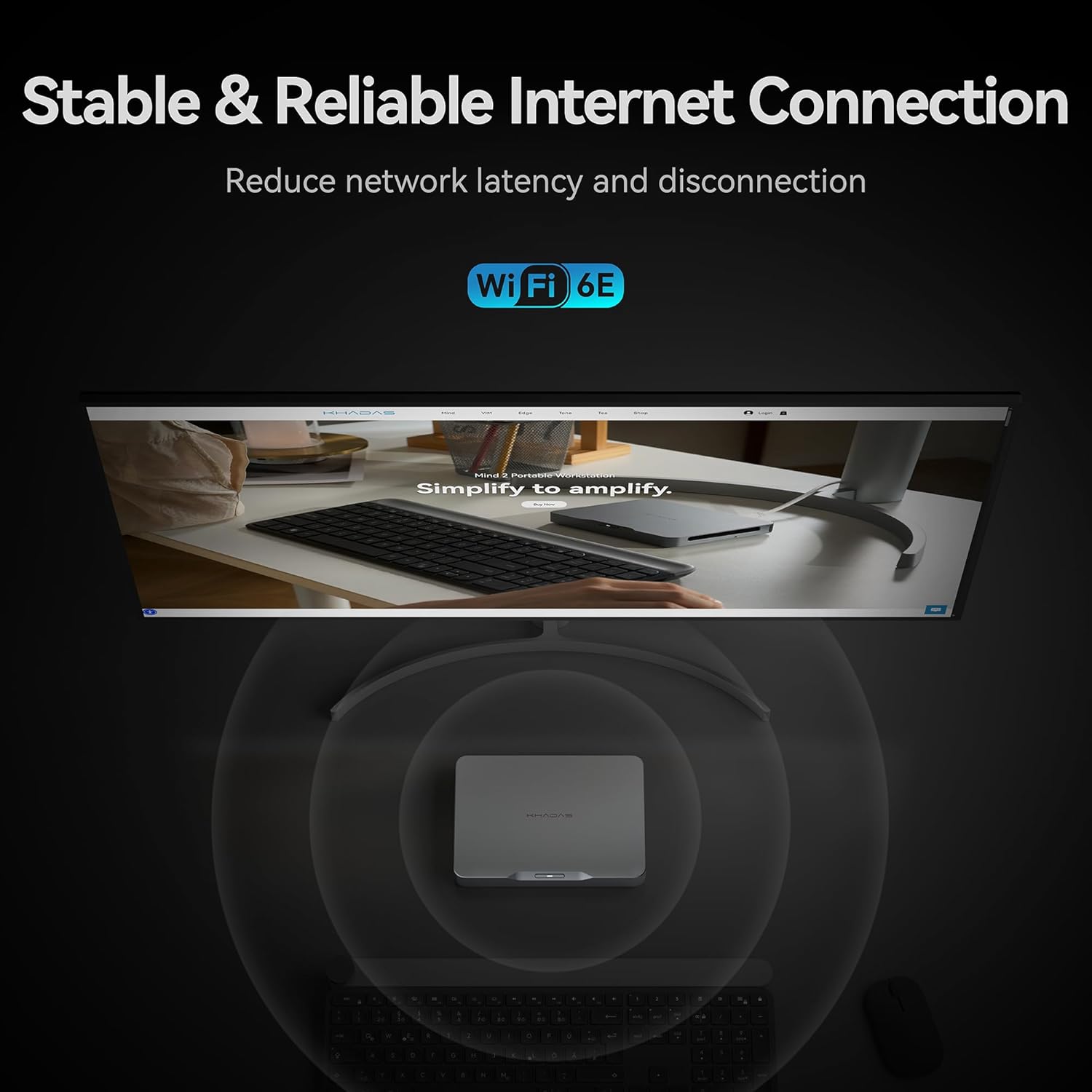
- Бездротовий: Built-in Bluetooth 5.3 and Wi-Fi 6E for seamless wireless connections.

Figure 6: Thunderbolt 4 interface and its high-speed data transfer rates compared to other ports.
For storage expansion, the device includes an M.2 2230 SSD expansion slot with an ingenious magnetic cover design, allowing for easy addition of up to 2TB PCIe 4.0 SSD storage.
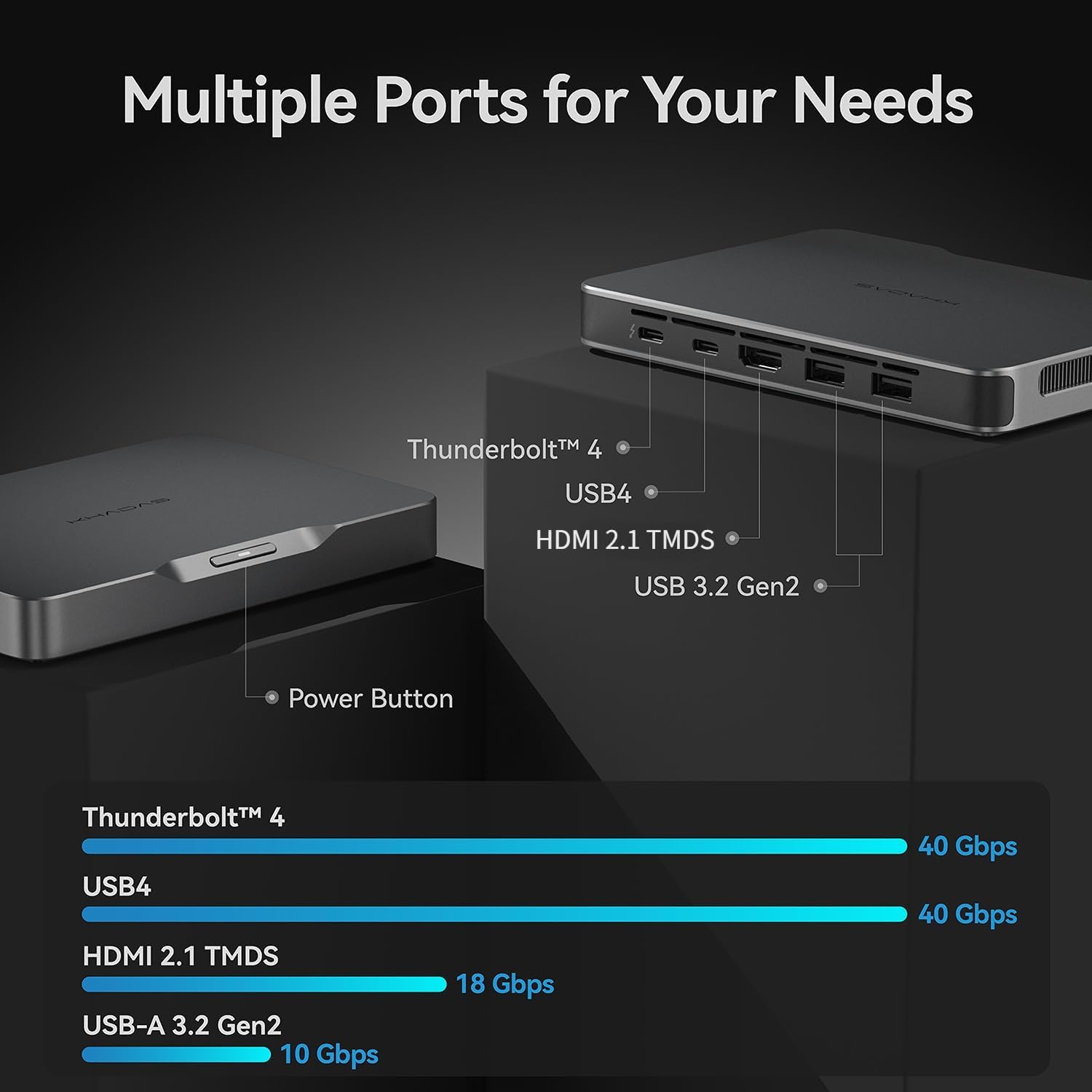
Figure 7: The M.2 2230 SSD expansion slot, designed for easy storage upgrades.
4.3 Вбудований акумулятор
The Khadas Mind 2 features a built-in 5.55Wh battery, providing up to 25 hours of standby time. This allows the device to enter sleep mode instantly upon power disconnection, preserving your work without data loss. It can wake up in just 2 seconds, enabling quick resumption of tasks.

Figure 8: Illustration of the built-in 5.55Wh battery, enabling uninterrupted mobility and standby time.
5. Технічні характеристики
| Особливість | Деталь |
|---|---|
| Процесор | Intel Core Ultra 5 125H (14 Cores, 18 Threads, up to 4.5GHz) |
| ОЗУ | 16 ГБ LPDDR5 (6400.0 МГц) |
| Зберігання | 512 GB PCIe 4.0 SSD |
| Графіка | Intel Arc Integrated Graphics (up to 2.2GHz, 8 GB VRAM) |
| Операційна система | Windows 11 Домашня |
| Бездротове підключення | Bluetooth 5.3, Wi-Fi 6E |
| Порти введення/виведення | Thunderbolt 4, USB4, HDMI 2.1 TMDS, 2x USB-A 3.2 Gen2 |
| Акумулятор | 5.55Wh (up to 25 hours standby) |
| Розміри (ДxШxВ) | 5.75 x 4.13 x 0.79 дюймів |
| вага | 15.2 унції (приблизно 435 грамів) |
6. Технічне обслуговування
6.1 Оновлення програмного забезпечення
Regularly check for and install operating system updates (Windows Update) and driver updates to ensure optimal performance and security. Visit the official Khadas website for the latest drivers and firmware for your Mind 2 Mini PC.
6.2 Очищення
To maintain optimal performance and prevent overheating, periodically clean the device. Use a soft, dry cloth to wipe down the exterior. For vents, use compressed air to gently remove dust buildup. Ensure the device is powered off and unplugged before cleaning.
7. Вирішення проблем
7.1 Немає живлення
- Ensure the power adapter is securely connected to the device and the power outlet.
- Перевірте справність розетки, підключивши інший пристрій.
7.2 Немає виводу на дисплей
- Check that the HDMI or USB-C display cable is securely connected to both the Mini PC and the monitor.
- Переконайтеся, що монітор увімкнено та налаштовано на правильне джерело вхідного сигналу.
- Try a different display cable or monitor to rule out hardware issues.
7.3 Проблеми з підключенням
- For Wi-Fi, ensure the router is working and the device is within range. Reconnect to the Wi-Fi network.
- For Bluetooth, ensure the peripheral is in pairing mode and within range.
- For USB devices, try connecting to a different USB port or restarting the Mini PC.
8. Гарантія та підтримка
The Khadas Mind 2 Mini PC typically comes with a 3-year protection plan. For detailed warranty terms and conditions, please refer to the warranty card included in your product packaging or visit the official Khadas support webсайт.
For technical support, troubleshooting assistance, or service inquiries, please contact Khadas customer support through their official website or designated channels.