
lightmaXX VEGA Dusk BSW
lightmaXX VEGA Dusk BSW Moving Head Beam User Manual
Model: VEGA Dusk BSW (LIG0019407-000)
Brand: lightmaXX
1. Вступ
Welcome to the user manual for the lightmaXX VEGA Dusk BSW Moving Head Beam. This versatile lighting fixture offers strong light intensity and a wide range of effects, designed for professional stage and event lighting. This manual provides essential information for safe and efficient operation, setup, maintenance, and troubleshooting.
2. Техніка безпеки
Read all instructions carefully before operating the device. Failure to follow these instructions may result in injury or damage to the product.
- Ensure proper ventilation. The device features a temperature-controlled fan.
- Connect to a grounded power outlet.
- Не піддавайте дощу або вологи.
- Уникайте прямого впливу світлового променя на очі.
- Від’єднайте прилад від електромережі перед чищенням або обслуговуванням.
- Ремонт повинен виконувати лише кваліфікований персонал.
- Дотримуйтеся безпечної відстані від легкозаймистих матеріалів.
3. Вміст упаковки
Переконайтеся, що всі елементи присутні після розпакування:
- 1x lightmaXX VEGA Dusk BSW Moving Head Beam unit
- 1x кабель живлення
- 2x монтажні кронштейни
- 1x Посібник користувача (цей документ)
4. Продукт закінчивсяview
The lightmaXX VEGA Dusk BSW is a high-performance moving head fixture designed for dynamic lighting applications.

Малюнок 1: Спереду view of the lightmaXX VEGA Dusk BSW Moving Head Beam, showcasing its robust design and vibrant light output.

Малюнок 2: Задня частина view of the moving head, highlighting the integrated cooling fan for temperature regulation and the model identification.
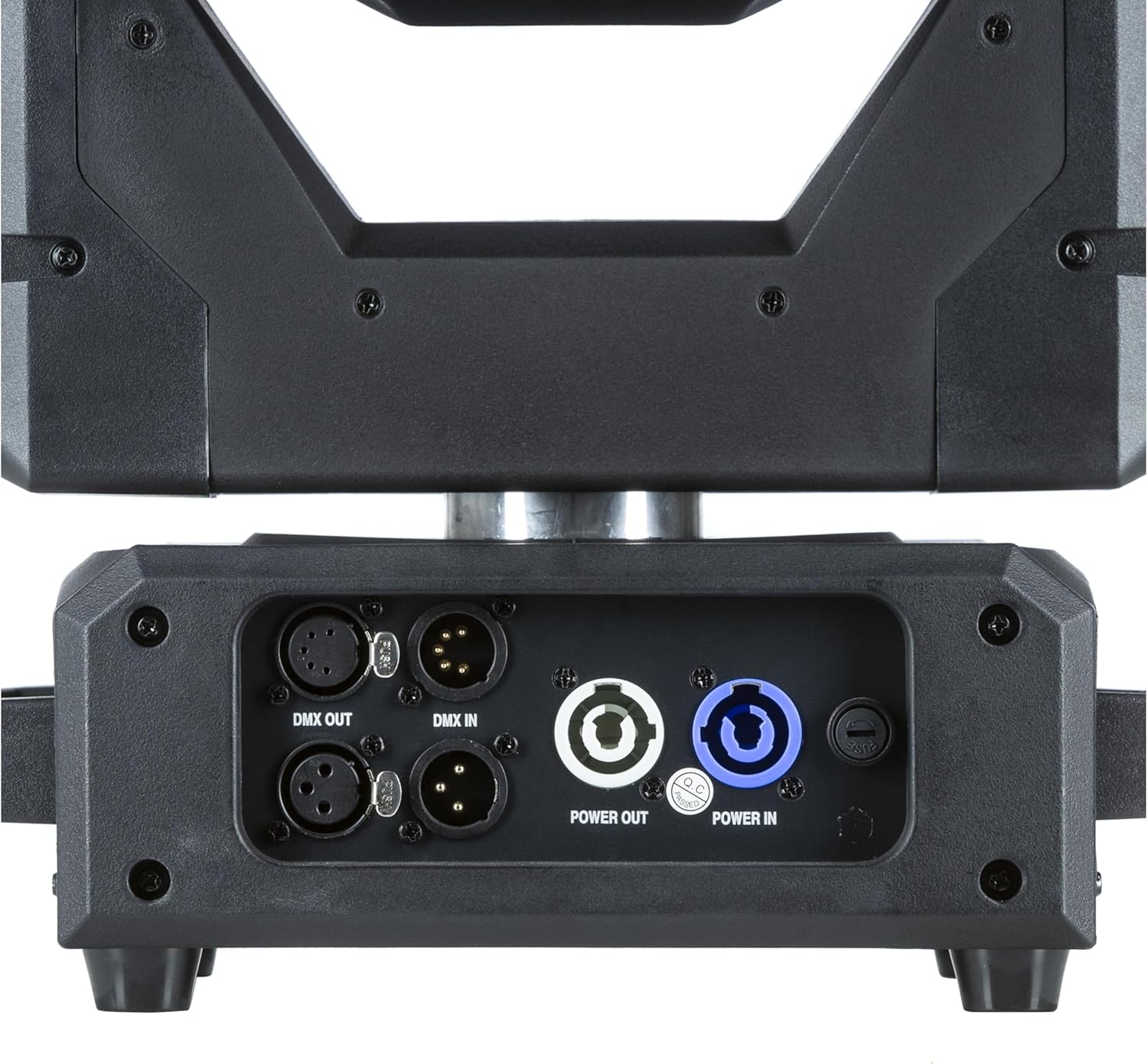
Малюнок 3: Детально view of the input/output panel, including DMX In/Out and Power In/Out connectors for versatile integration.

Figure 4: Included mounting brackets for secure installation of the moving head fixture.
5. Налаштування
5.1 Монтаж
The VEGA Dusk BSW can be mounted in various orientations (e.g., truss, floor). Use the provided mounting brackets for secure installation.
- Attach the mounting brackets securely to the fixture using the designated points.
- Ensure the mounting surface or truss is capable of supporting the fixture's weight (refer to specifications).
- Use safety cables as an additional precaution.
5.2 Підключення
Connect the fixture as follows:
- Потужність: Connect the power cable to the "Power IN" connector and then to a suitable power outlet. Use the "Power OUT" connector to daisy-chain power to other compatible fixtures if needed.
- Керування DMX: Connect a DMX controller to the "DMX IN" connector. Use the "DMX OUT" connector to daisy-chain DMX signal to other fixtures. Ensure proper DMX termination for stable signal.
6. Інструкція з експлуатації
6.1 Панель керування
The fixture features an intuitive control panel with an LCD display and navigation buttons (MENU, ENTER, UP, DOWN).

Figure 5: The control panel display, showing menu navigation and parameter adjustments.
6.2 Навігація по меню
Use the MENU button to cycle through main menu options. Use UP/DOWN to navigate within a menu and ENTER to select or confirm.
6.3 Операція DMX
The VEGA Dusk BSW can be controlled via DMX512. Set the DMX address using the control panel. Refer to the DMX channel chart, typically found in a separate appendix or on the manufacturer's website, for detailed channel assignments.
6.4 Pre-programmed Shows
The fixture includes pre-programmed shows for standalone operation. These can be accessed and selected via the control panel.
6.5 Effects and Features
The VEGA Dusk BSW offers a variety of effects, including:
- Beam effects
- Gobo patterns
- Змішування кольорів
- Pan and Tilt movement
- Строб-ефекти

Figure 6: The moving head producing a vibrant green light beam.
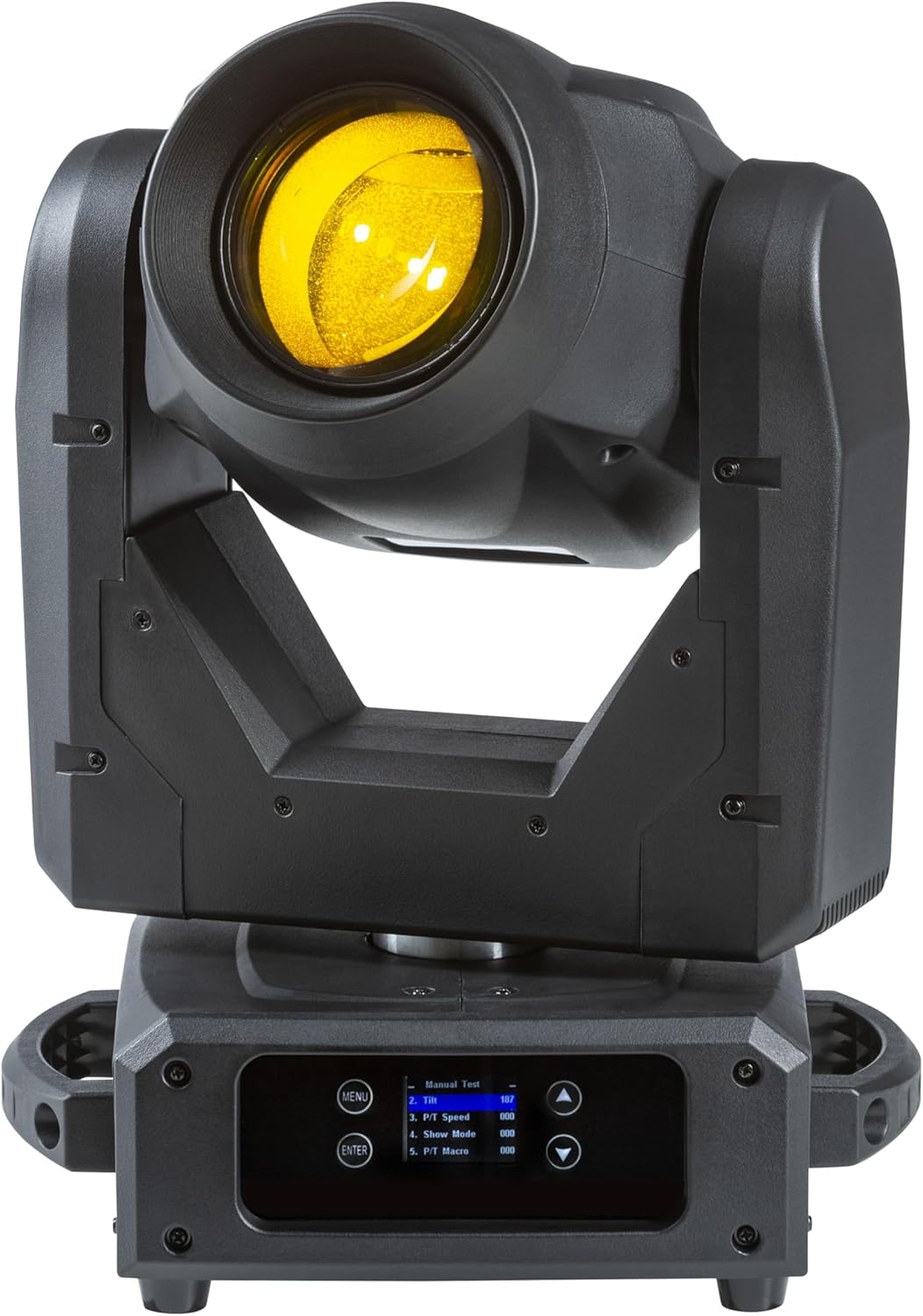
Figure 7: The moving head producing a bright yellow light beam.
7. Технічне обслуговування
Регулярне технічне обслуговування забезпечує оптимальну продуктивність та подовжує термін служби вашого приладу.
- Прибирання: Periodically clean the lenses and exterior with a soft, lint-free cloth. Do not use abrasive cleaners.
- Вентилятор та вентиляційні отвори: Ensure the cooling fan and ventilation openings are free from dust and debris. Use compressed air if necessary.
- Джерело світла: The light source is designed for long-term use. If replacement is ever required, contact qualified service personnel.
- Оновлення прошивки: Перевірте виробника webсайт для отримання будь-яких доступних оновлень прошивки.
8. Вирішення проблем
This section addresses common issues you might encounter with your lightmaXX VEGA Dusk BSW.
| проблема | Можлива причина | Рішення |
|---|---|---|
| Немає живлення | Power cable disconnected; No power from outlet; Blown fuse. | Check power cable connection; Test outlet; Replace fuse (if accessible and safe). |
| Без керування DMX | Incorrect DMX address; Faulty DMX cable; No DMX signal; Missing terminator. | Verify DMX address; Check DMX cables; Ensure DMX controller is sending signal; Add DMX terminator. |
| Fixture Overheating | Blocked ventilation; Excessive ambient temperature. | Clear vents; Ensure adequate airflow around the fixture; Operate within specified temperature range. |
| Erratic Movement | DMX interference; Mechanical obstruction. | Check DMX signal quality; Ensure no physical obstructions to pan/tilt. |
9. Технічні характеристики
| Особливість | Деталь |
|---|---|
| Модель | VEGA Dusk BSW |
| Довідка виробника | LIG0019407-000 |
| Розміри (Д x Ш x В) | 49.5 x 38.5 x 33.3 см (19.5 x 15.2 x 13.1 дюйма) |
| Вага товару | 13.49 кг (29.74 фунта) |
| Бренд | lightmaXX |
| Перша доступна дата | 10 вересня 2024 р |
| Країна походження | Німеччина |
| Протокол управління | DMX512 |
| Охолодження | Вентилятор з регулюванням температури |
10. Гарантія та підтримка
For warranty information and technical support, please contact your authorized lightmaXX dealer or visit the official lightmaXX webсайт. Зберігайте чек про покупку як підтвердження покупки.
Виробник: lightmaXX
Продавець: MUSIC STORE Professional
Ask a question about this manual
Ask about setup, troubleshooting, compatibility, parts, safety, or missing instructions. Manuals+ will review the question and use this page’s manual context to help answer it.