
вступ
Thank you for choosing the Cuifati Mini Body Camera. This manual provides detailed instructions for the proper use, setup, and maintenance of your device. Please read this manual thoroughly before operating the camera to ensure optimal performance and longevity.
Вміст упаковки
- 1 x Wearable Camera
- 1 х сумка для перенесення
- 1 х посібник користувача
- 1 х шнурок
- 1 x Back Shell Bracket
- 1 х штатив
- 1 x USB кабель
- 1 х серветка для чищення

Figure 1: Cuifati Mini Body Camera and included accessories.

Figure 2: Multi-scenario application examples for the body camera.
Продукт закінченийview
Familiarize yourself with the components and controls of your Cuifati Mini Body Camera.
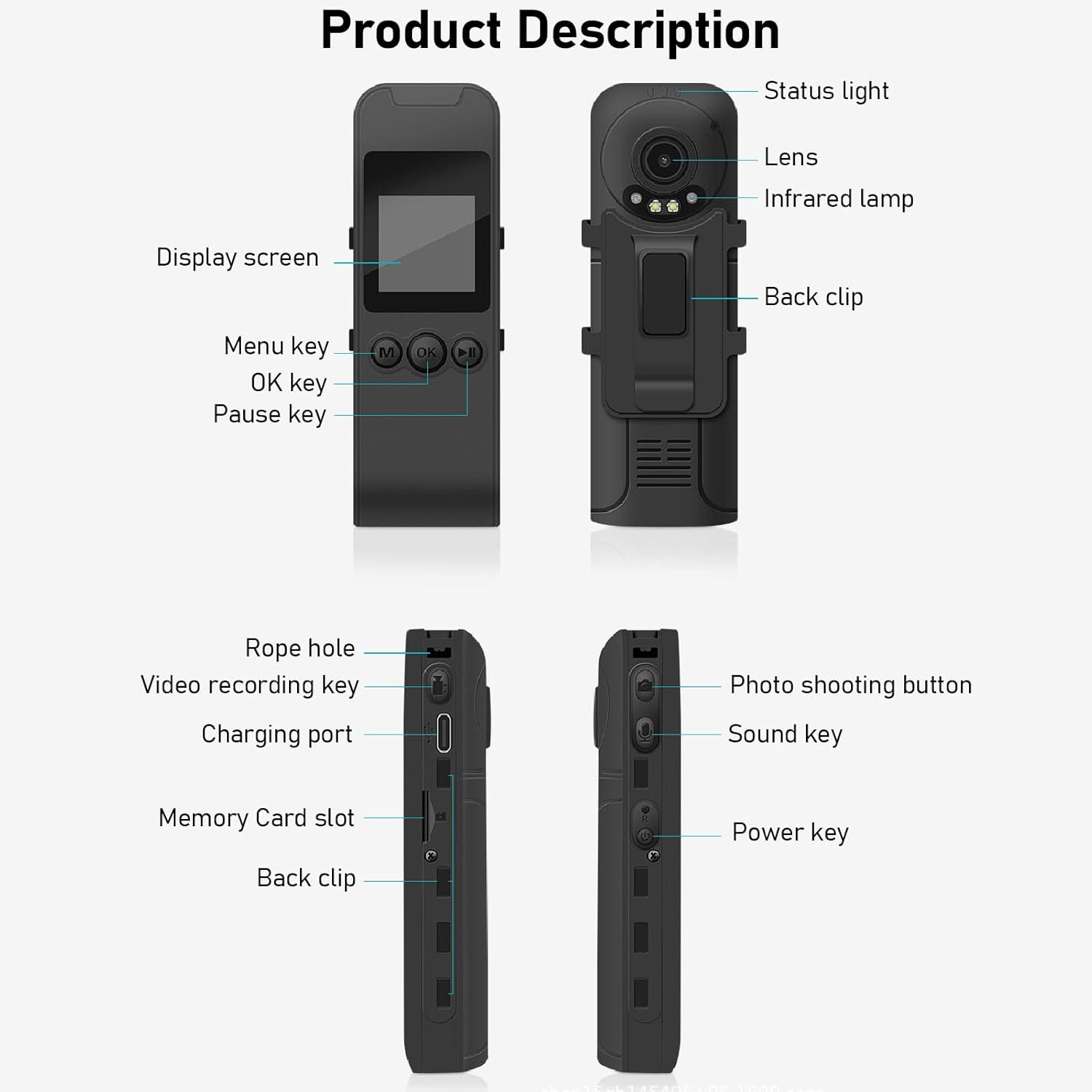
Figure 3: Labeled components of the Cuifati Mini Body Camera.
- Індикатор стану: Показує стан пристрою (наприклад, запис, заряджання).
- Об'єктив: Основна камера для зйомки відео та фото.
- Інфрачервоний Lamp: Забезпечує підсвічування для нічного бачення.
- Задній кліп: Для кріплення камери до одягу або інших поверхонь.
- Екран дисплея: 1.3-inch LCD for live view, відтворення та навігація по меню.
- Клавіша меню (M): Доступ до налаштувань пристрою.
- Клавіша ОК: Confirms selections or starts/stops functions.
- Клавіша паузи: Pauses playback or recording.
- Rope Hole: Attachment point for the lanyard.
- Video Recording Key: Починає та зупиняє відеозапис.
- Порт зарядки (Type-C): Для заряджання пристрою та підключення до комп'ютера.
- Слот для карти пам'яті: Insert microSD card for storage.
- Photo Shooting Button: Знімає нерухомі зображення.
- Sound Key: Controls audio recording.
- Ключ живлення: Вмикає або вимикає пристрій.
Налаштування
1. Зарядка батареї
Before first use, fully charge the camera's built-in lithium-ion battery. Connect the camera to a power source using the provided Type-C USB cable. The status light will indicate charging status. A full charge provides approximately 20 hours of work time and 10 hours of video recording.
Figure 4: Built-in 1200mAh battery for extended use.
2. Вставлення карти пам'яті
The camera supports up to a 256GB memory card (not included). Locate the memory card slot on the side of the camera. Gently insert the microSD card with the gold contacts facing down until it clicks into place. To remove, push the card in slightly until it springs out.

Figure 5: Memory card slot for storage expansion.
Інструкція з експлуатації
1. Увімкнення/вимкнення живлення
- Щоб увімкнути: Press and hold the Power Key until the display screen illuminates.
- Щоб вимкнути: Press and hold the Power Key until the device shuts down.
2. Запис відео
The camera records in 1440P HD at 30 frames per second with a 120° wide-angle lens and infrared night vision.
- Щоб почати запис: Press the Video Recording Key. The status light will change, and a recording indicator will appear on the screen.
- Щоб зупинити запис: Press the Video Recording Key again.
- Циклічний запис: Камера підтримує циклічний запис, автоматично перезаписуючи найстаріші files, коли карта пам'яті заповнена.
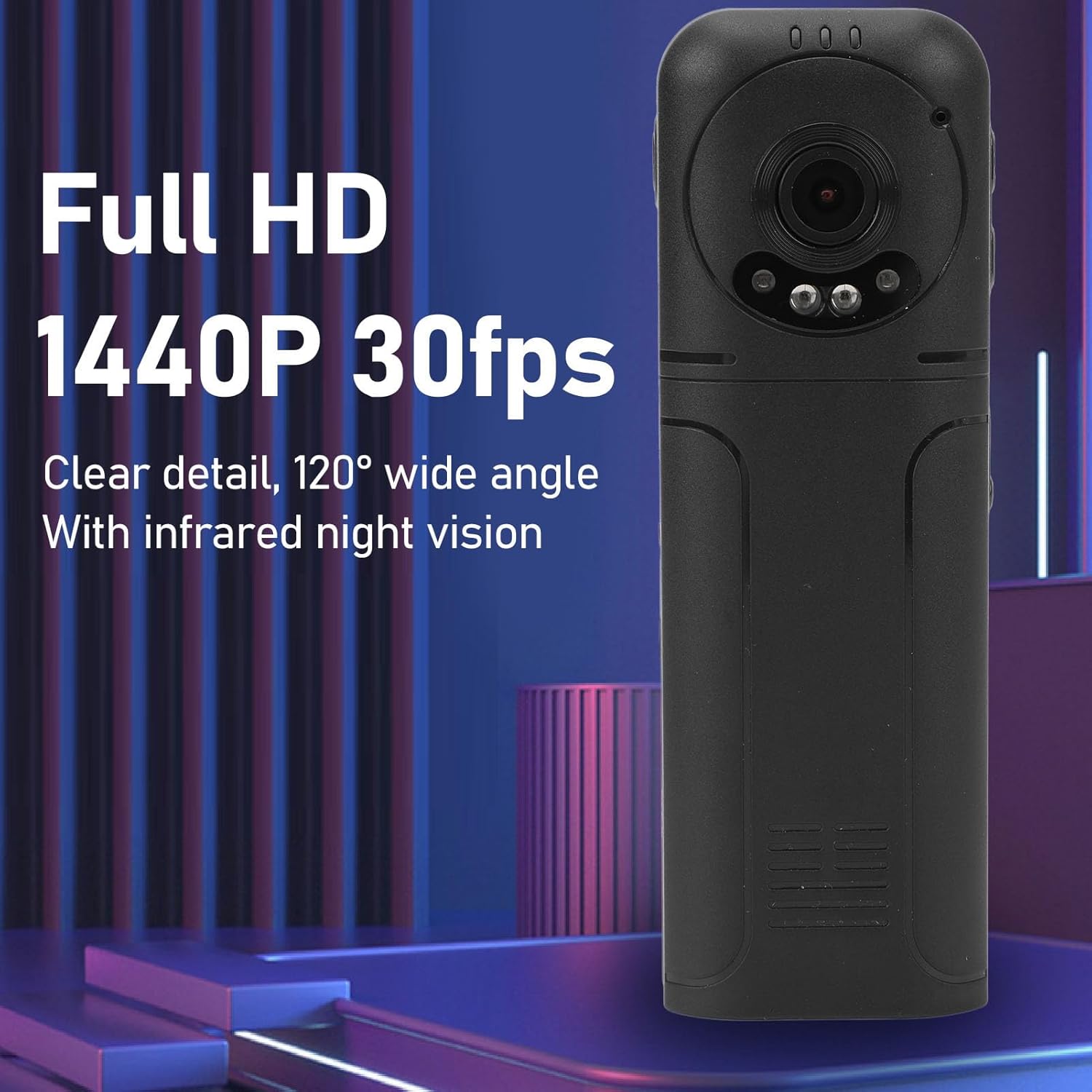
Figure 6: 1440P HD video recording with night vision.
3. Photo Taking
- Щоб зробити фото: In standby mode, press the Photo Shooting Button.
4. Запис звуку
- To Start Audio Recording: Press the Sound Key.
- To Stop Audio Recording: Press the Sound Key again.

Figure 7: Audio recording functionality.
5. Відтворення і File управління
The 1.3-inch LCD screen supports live playback, browsing, and pausing of videos, photos, and recordings directly on the device.

Figure 8: 1.3-inch color screen for on-device playback.
- Відтворення на пристрої: Use the Menu, OK, and Pause keys to navigate and play files на екрані.
- Підключення до комп'ютера: Connect the camera to a computer via the Type-C USB cable to transfer, view, or delete files.
- Функція OTG: If your mobile phone supports OTG, you can connect the camera directly to your phone for playback and file управління.
Технічне обслуговування
1. прибирання
- Use the provided cleaning cloth or a soft, dry cloth to wipe the camera body and lens.
- Не використовуйте рідкі засоби для чищення або розчинники, оскільки вони можуть пошкодити пристрій.
2. Зберігання
- Зберігайте камеру в прохолодному, сухому місці, подалі від прямих сонячних променів та екстремальних температур.
- Remove the memory card if storing for extended periods.
Усунення несправностей
Якщо у вас виникли проблеми з камерою, зверніться до наступних поширених проблем та способів їх вирішення:
| проблема | Рішення |
|---|---|
| Камера не вмикається. | Переконайтеся, що акумулятор заряджений. Підключіть до джерела живлення та спробуйте ще раз. |
| Cannot record video/photo. | Check if a memory card is inserted correctly and has sufficient free space. Format the memory card if necessary (this will erase all data). |
| Картку пам'яті не розпізнано. | Ensure the memory card is inserted correctly. Try a different compatible memory card. Format the card using the camera's menu or a computer. |
| Погана якість відео/аудіо. | Ensure the lens is clean. Check lighting conditions. For audio, ensure the microphone is not obstructed. |
| Пристрій зависає або перестає реагувати. | Натисніть і утримуйте клавішу живлення протягом 10-15 секунд, щоб примусово перезавантажити пристрій. |
Технічні характеристики
Below are the technical specifications for the Cuifati Mini Body Camera (Model CUIFATI2vg0ri8moa):
- Тип предмета: Wearable Camera
- матеріал: ABS
- Нічне бачення: 2pcs Night Vision Light Beads
- Роздільна здатність відео: 1440P (Maximum)
- Частота кадрів: 30 FPS
- Тип батареї: Літій-іонний акумулятор
- Ємність батареї: 1200 мАг (вбудований)
- Підтримка зберігання: Maximum 256GB Memory Card (Not Included)
- Порт зарядки: Тип-C
- Назва APP: For RoadCam (if applicable for advanced features)
- Назва моделі: CUIFATI2vg0ri8moa
- Виробник: КУІФАТІ
Гарантія та підтримка
For warranty information or technical support, please refer to the documentation provided at the time of purchase or contact Cuifati customer service directly. Keep your purchase receipt as proof of purchase.