
1. Інформація про безпеку
Please read all instructions carefully before using your Bukumo Home Safe Box. Keep this manual for future reference.
- Do not store backup keys inside the safe. Keep them in a secure, separate location.
- Ensure the safe is securely anchored to a wall or floor to prevent unauthorized removal.
- Тримайте сейф подалі від вологи та прямих джерел тепла.
- Do not attempt to force the safe open if the battery is dead or the code is forgotten. Use the backup keys.
- Change the default password immediately after initial setup.
- This safe is designed for security against theft. It is not certified as fireproof or waterproof.
2. Вміст упаковки
Перевірте, чи всі перелічені нижче предмети входять до вашої упаковки:
- Bukumo Home Safe Box (1)
- Spare Key (2)
- Посібник користувача (1)
- Expansion Screw (4)
- Inner Mat (1)

Рисунок 2.1: Комплектуючі
3. Продукт закінчивсяview
The Bukumo YS-HLAH-YFBW 3.1 Cub Home Safe Box is designed to secure your valuables with advanced features and robust construction.
3.1 Основні характеристики
- Велика ємність: External dimensions of 13.78'' (W) x 12.20'' (D) x 17.72'' (H) provide ampле сховище.
- Сталева конструкція: Features a 1.7'' (45mm) thickened alloy steel door with 3 x 0.7'' (20mm) solid steel structure locks.
- Anti-Pry Hinge: Hidden hinges prevent external damage and enhance security.
- Подвійні методи розблокування: Access via a programmable electronic keypad or two backup keys.
- External Battery Case: Convenient design for easy battery replacement without opening the safe.
- Сигналізація: Activates after multiple incorrect password attempts, with a mute function.
- Знімна полиця: Adjustable internal storage to accommodate various item sizes.
- Вбудована світлодіодна лампа: Sensor-activated LED illuminates the interior in low-light conditions.
- Anchoring Design: Pre-drilled holes and included bolts for secure mounting to a wall or floor.

Figure 3.1: Safe Box Internal Capacity and Dimensions

Figure 3.2: Steel Construction and Locking Bolts
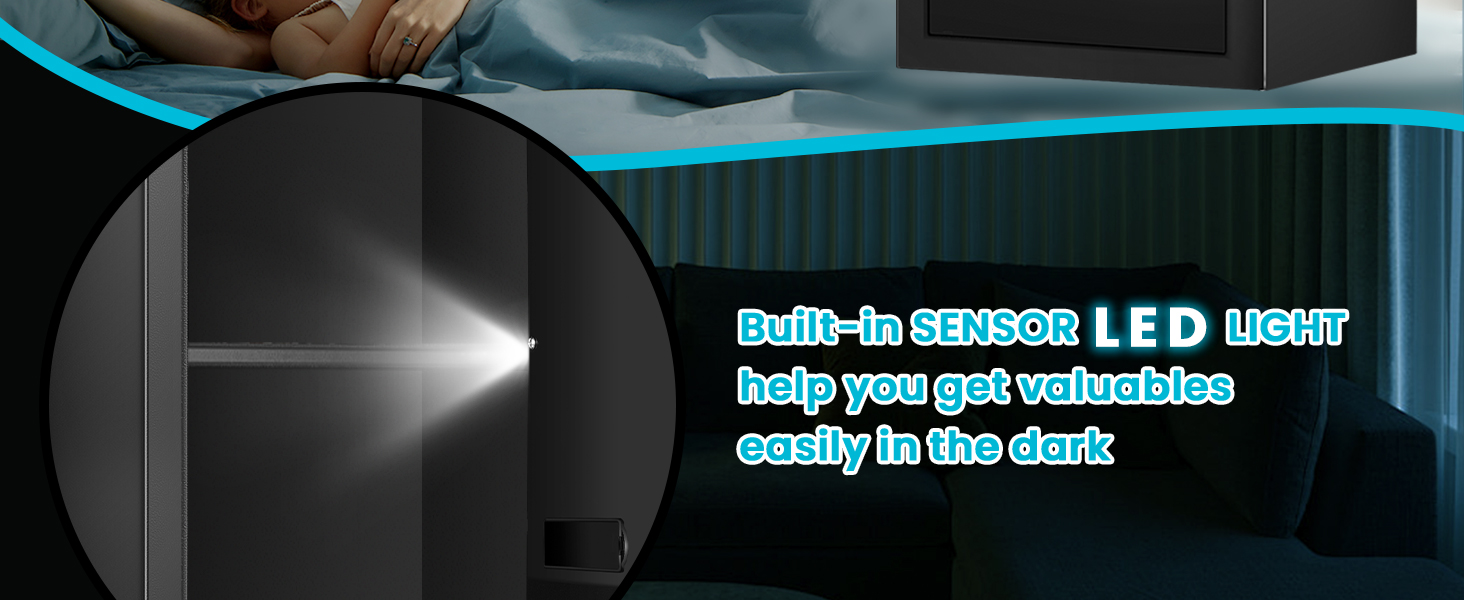
Figure 3.3: Built-in Sensor LED Light
4. Налаштування
4.1 Встановлення батареї
The electronic keypad requires batteries to operate. The external battery case design allows for easy replacement.
- Locate the external battery case on the keypad unit.
- Відкрийте кришку батарейного відсіку.
- Insert the required number of AA batteries (not included), ensuring correct polarity.
- Щільно закрийте кришку відсіку для батарейок.

Figure 4.1: External Battery Box Design
4.2 Закріплення сейфа
For enhanced security, it is recommended to anchor the safe to a wall or floor using the provided expansion screws.
- Choose a suitable location for the safe, such as a closet or against a sturdy wall.
- Mark the positions for drilling through the pre-drilled holes on the back or bottom of the safe.
- Drill pilot holes in the wall or floor at the marked positions.
- Вирівняйте сейф з просвердленими отворами та закріпіть його за допомогою розпірних гвинтів.

Figure 4.2: Wall or Closet Mounting Steps

Figure 4.3: Pre-drilled Holes and Mounting Hardware
5. Інструкція з експлуатації
5.1 Initial Opening and Setting Your Password
Upon first use, the safe can be opened with the backup key or the default password "159". It is crucial to change this default password immediately.
- Using the Backup Key: Insert one of the spare keys into the keyhole, turn it clockwise, and then turn the handle to open the safe door.
- Using the Keypad (Default Password): Enter "159" on the keypad, then turn the handle to open the safe door.
- Встановлення нового пароля:
- Відкривши дверцята сейфа, натисніть червону кнопку скидання, розташовану на внутрішній стороні дверцят.
- Enter your new 3-8 digit password on the keypad.
- Press the "#" button to confirm. The indicator light will flash, confirming the new password is set.

Figure 5.1: Two Unlocking Ways (Keypad and Key)

Figure 5.2: Password and Key Unlocking Modes
5.2 Замикання сейфа
To lock the safe, simply close the door and turn the handle counter-clockwise until it is fully engaged. The electronic lock will automatically secure the bolts.
5.3 Alarm System and Mute Function
The safe is equipped with an alarm system to deter unauthorized access.
- Сигналізація неправильного доступу: If an incorrect password is entered three consecutive times, the safe will emit a continuous warning sound for 60 seconds. If six consecutive incorrect passwords are entered, the keypad will lock for 5 minutes. The alarm can be stopped by removing batteries.
- Функція відключення звуку: To turn off the alarm sound (silent mode), long press the "1" button on the keypad. Long press "1" again to reactivate the sound.
- Низьке запам'ятовування акумулятора: The safe will indicate low battery status, prompting you to replace the batteries.

Figure 5.3: Anti-Theft Alarm System Features

Figure 5.4: Dual Alarm System Details
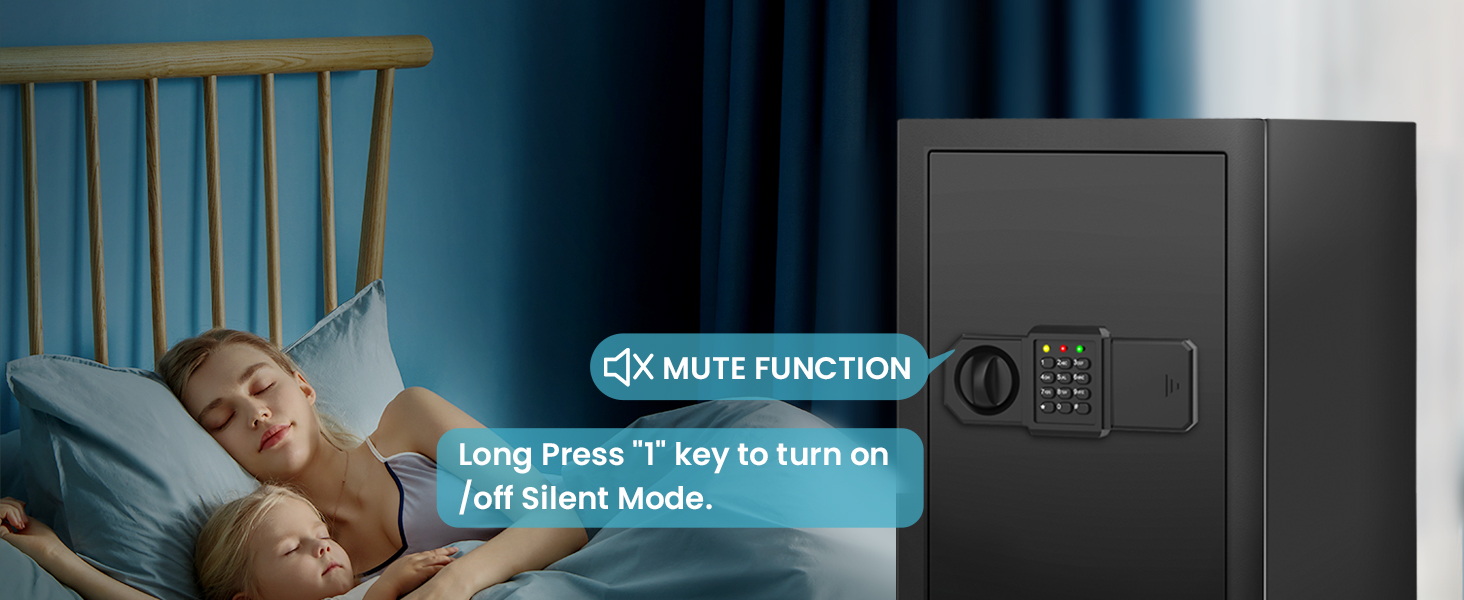
Figure 5.5: Mute Function for Silent Operation
5.4 Знімна полиця
The safe includes a removable shelf to help organize your valuables. You can adjust its position or remove it entirely to accommodate larger items.

Figure 5.6: Removable Shelf for Organization

Figure 5.7: Safe Interior With and Without Shelf
6. Технічне обслуговування
- Прибирання: Протріть зовнішню частину сейфа м’якою тканиноюamp тканиною. Уникайте абразивних засобів для чищення або розчинників.
- Заміна батареї: Replace batteries promptly when the low battery indicator appears to ensure continuous operation of the electronic lock.
- Ключове обслуговування: Keep backup keys clean and dry. Do not lubricate the keyhole.
- Регулярні перевірки: Periodically check the locking bolts and hinges for any signs of wear or damage.
7. Вирішення проблем
| проблема | Можлива причина | Рішення |
|---|---|---|
| Safe does not open with keypad. | Введено неправильний пароль. Батарейки розряджені або розряджені. Keypad is locked due to multiple incorrect attempts. | Повторно введіть правильний пароль. Replace batteries in the external battery case. Wait 5 minutes for the keypad to unlock, or use the backup key. |
| Несподівано звучить сигналізація. | Кілька неправильних введень пароля. Безпечно булоampеред с. | Введіть правильний пароль. Check the safe for signs of forced entry. |
| Дверцята сейфа не зачиняються належним чином. | Перешкода в дверній рамі. Locking bolts are not retracting fully. | Усуньте будь-які перешкоди. Ensure the handle is fully turned to retract bolts. If issue persists, contact customer support. |
| Світлодіодне світло не працює. | Батарейки розряджені або розряджені. Несправність датчика. | Замініть батареї. Зверніться до служби підтримки клієнтів, якщо проблема не зникає після заміни батареї. |
8. Технічні характеристики
| Особливість | Деталь |
|---|---|
| Бренд | Bukumo |
| Номер моделі | YS-HLAH-YFBW |
| Зовнішні розміри (Д x Ш x В) | 12.2 дюйма x 13.78 дюйма x 17.72 дюйма (31 см x 35 см x 45 см) |
| Ємність | 3.1 Cubic Feet (14 Kilograms) |
| матеріал | легована сталь |
| Тип замка | Electronic Combination Lock, Backup Key |
| Тип монтажу | Wall/Floor Mount |
| Особливості | Alarm System, Anti-Theft, Removable Shelf, Sensor Light |
| Вага товару | 27.5 фунта |
| Рівень водонепроникності | Water Resistant (Note: Not certified waterproof) |
| Потрібні батареї | Так (AA, не входить до комплекту) |
9. Гарантія та підтримка
9.1 Гарантія на виріб
Bukumo offers a five-year free product warranty. During this period, if your product experiences any quality issues, we will provide repair services and supply necessary spare parts.
9.2 Free Replacement Policy
For products that arrive in damaged condition, please send us photos of the damaged safe. You will receive a free replacement without the need to return the original damaged item.
9.3 Підтримка клієнтів
If you encounter any problems while using our products, please feel free to contact us. We are committed to providing a satisfying solution within 24 hours.
Щоб отримати підтримку, відвідайте Bukumo Store on Amazon або зверніться до контактної інформації, наданої під час покупки.