
1. Вступ
This manual provides detailed instructions for the installation, operation, and maintenance of your Luowice Solar Security Camera. This wireless outdoor camera features a 3W solar panel for continuous power, 360° pan and tilt functionality, 3MP color night vision, and is designed to be weatherproof for reliable outdoor use. Please read this manual thoroughly before use to ensure proper setup and functionality.

Image 1.1: Luowice Solar Security Camera with integrated solar panel.
2. Продукт закінчивсяview
2.1 Основні характеристики
- 100% Wire-Free Setup: Operates on WiFi and powered by a 3W solar panel, eliminating the need for frequent battery charging and complex wiring.
- Широкий кут покриття: Offers 355° horizontal and 90° vertical rotation for comprehensive area monitoring via the O-KAM PRO app.
- 3MP Color Night Vision: Provides clear, high-resolution video day and night, including full-color night vision with floodlights.
- Motion-Triggered Floodlights & Auto Tracking: Automatically activates floodlights and tracks human-shaped objects upon detection, enhancing security.
- Двостороннє аудіо: Allows real-time communication with visitors or deterrence of intruders.
- Локальне та хмарне сховище: Supports micro SD card (up to 128GB, not included) for 24/7 loop recording and optional cloud storage services.
- Водостійкий дизайн: IP66 rated, ensuring reliable performance in various severe weather conditions.
- Multi-User Sharing & Data Encryption: Securely share camera access with family members with advanced encryption.
2.2 Компоненти
Пакет зазвичай включає:
- Luowice Solar Security Camera
- 3W Solar Panel (integrated or separate with mounting bracket)
- Монтажний кронштейн і гвинти
- USB-кабель для зарядки
- Посібник користувача
3. Інструкції з налаштування
3.1 Заряджання батареї
Before initial use, fully charge the camera's internal battery using the provided USB cable. Connect the cable to the camera's charging port and a standard 5V USB power adapter (not included). The indicator light will show charging status.
3.2 Встановлення програми та створення облікового запису
- Завантажити O-KAM PRO додаток з магазину додатків вашого смартфона (iOS або Android).
- Відкрийте програму та дотримуйтесь інструкцій на екрані, щоб створити новий обліковий запис або увійти, якщо він у вас вже є.
3.3 Підключення камери до Wi-Fi
- In the O-KAM PRO app, tap the "+" icon to add a new device.
- Select your camera model or scan the QR code on the camera if prompted.
- Follow the app's instructions to connect the camera to your 2.4 GHz Wi-Fi network. Ensure your phone is connected to the same 2.4 GHz network during setup.
- Після підключення індикатор камери зміниться, і ви отримаєте підтвердження в застосунку.

Image 3.1: The camera supports 2.4 GHz Wi-Fi for stable data transmission.
3.4 Встановлення камери
Choose a location with optimal sunlight exposure for the solar panel and a clear view of the area you wish to monitor. Ensure the camera is within range of your Wi-Fi network.
- Позначте місця свердління, використовуючи монтажний кронштейн як шаблон.
- Просвердліть отвори та вставте анкери до стіни, якщо необхідно.
- Закріпіть монтажний кронштейн до стіни за допомогою шурупів.
- Attach the camera to the mounting bracket. Adjust the angle of the solar panel to maximize sunlight exposure.

Image 3.2: Camera mounted outdoors, demonstrating continuous solar power.
4. Інструкція з експлуатації
4.1 Живий View та керування панорамуванням/нахилом
Open the O-KAM PRO app and select your camera to access the live view. Use the on-screen controls to pan (355° horizontal) and tilt (90° vertical) the camera to adjust its viewкут.

Image 4.1: Remote pan and tilt control via the O-KAM PRO app.
4.2 Двосторонній аудіозв'язок
З прямого ефіру view, tap the microphone icon to speak through the camera's speaker. Tap the speaker icon to listen to audio from the camera's vicinity.

Image 4.2: Demonstrating two-way audio communication.
4.3 Виявлення руху та сповіщення
The camera features advanced motion detection with human shape recognition. When motion is detected, the camera can automatically turn on floodlights, track the object, and send instant alerts to your phone.
- Setting Detection Sensitivity: In the app settings, adjust the detection sensitivity to minimize false alarms.
- Defining Detection Zones: Create specific detection zones to focus monitoring on critical areas and ignore irrelevant movements.
- Сповіщення: Receive instant app notifications and email alerts when motion is detected.

Image 4.3: Motion detection with intelligent recognition for humans, vehicles, and pets.

Image 4.4: Configuring custom motion detection zones.
4.4 Запис і зберігання
Камера підтримує два основні способи зберігання даних:
- Micro SD Card: Insert a micro SD card (up to 128GB, not included) into the designated slot for continuous 24/7 loop recording, even without network access.
- Хмарне сховище: Optional cloud storage services are available through the O-KAM PRO app for secure, remote access to your footage.

Image 4.5: Micro SD card slot for local storage.
5. Технічне обслуговування
5.1 Очищення
- Регулярно протирайте об'єктив камери та сонячну панель м'якою серветкоюamp cloth to remove dust and debris. This ensures optimal image clarity and solar charging efficiency.
- Не використовуйте агресивні хімікати або абразивні миючі засоби.
5.2 Захист від погодних умов
The camera is IP66 weatherproof, designed to withstand rain, snow, and dust. However, extreme weather conditions may temporarily affect performance. Ensure all ports are securely sealed.
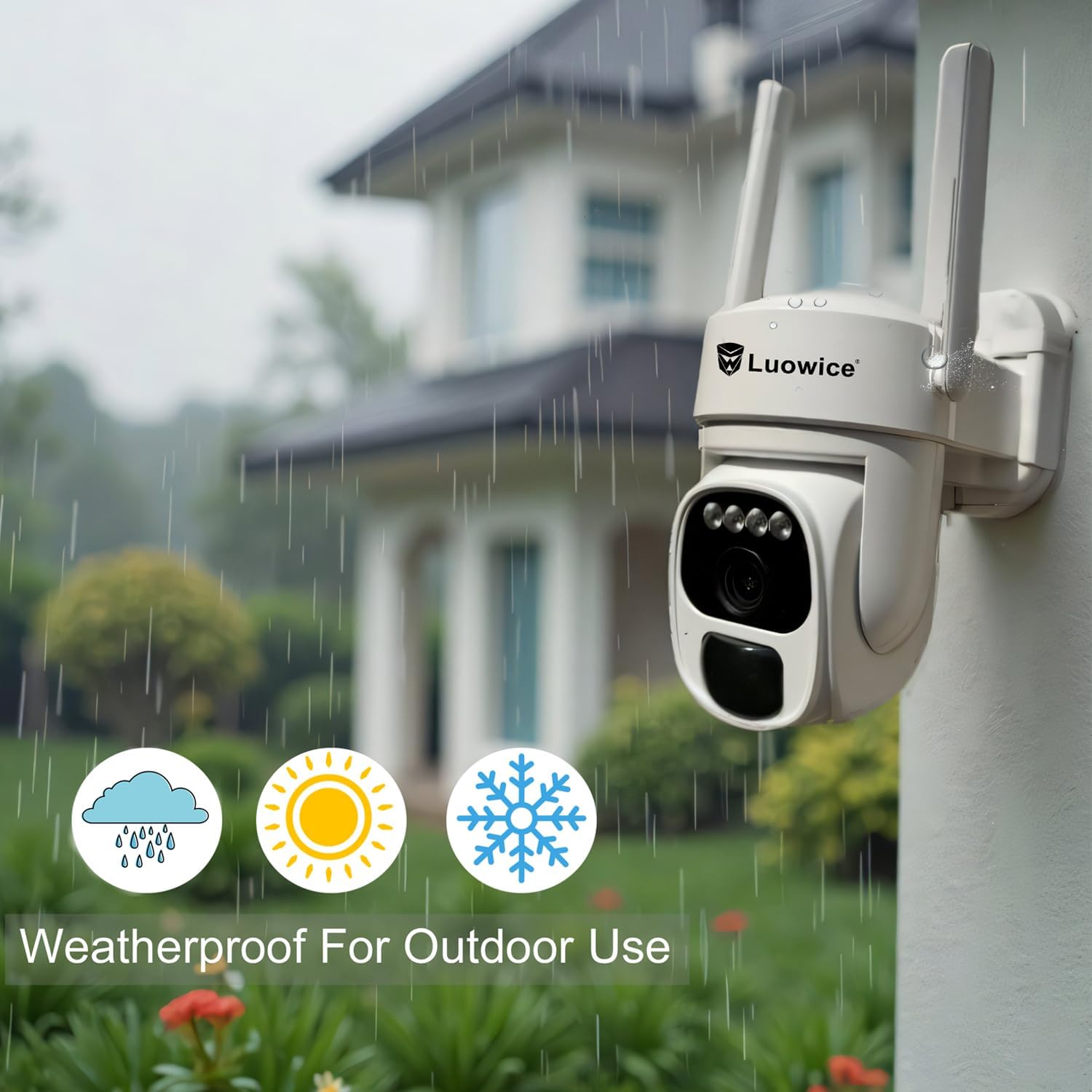
Image 5.1: The camera's weatherproof design for outdoor use.
6. Вирішення проблем
- Камера не підключається до Wi-Fi: Ensure your Wi-Fi is 2.4 GHz. Check Wi-Fi signal strength at the camera's location. Restart your router and the camera.
- Акумулятор не заряджається: Verify the solar panel is clean and receiving direct sunlight. Check the USB charging cable connection. Ensure the ambient temperature is within the operating range for charging.
- Погана якість відео: Clean the camera lens. Ensure adequate lighting. Check your internet connection speed.
- False motion alerts: Налаштуйте чутливість виявлення руху в додатку. Визначте конкретні зони виявлення, щоб виключити нерелевантні області.
- Pan/Tilt not responding: Check app connectivity. Ensure there are no physical obstructions. Restart the camera.
7. Технічні характеристики
| Особливість | Специфікація |
|---|---|
| Роздільна здатність захоплення відео | 3 Мп |
| Джерело живлення | Сонячна енергія (сонячна панель 3 Вт) |
| Протокол підключення | Wi-Fi (2.4 ГГц) |
| Діапазон повороту/нахилу | 355° по горизонталі, 90° по вертикалі |
| Нічне бачення | Color Night Vision with Floodlights |
| Параметри зберігання | Карта пам'яті Micro SD (до 128 ГБ), хмарне сховище |
| Рейтинг погодостійкості | IP66 |
| Потрібні батареї | 1 літій-іонний акумулятор (у комплекті) |
| Вага товару | 1.85 фунта |
| Розміри | 7.87 x 6.18 x 5.55 дюйма (упаковка) |
| Сумісні пристрої | Смартфони, планшети, комп'ютери |
8. Гарантія та підтримка
8.1 Інформація про гарантію
Luowice products typically come with a manufacturer's warranty. Please refer to the product packaging or the official Luowice website for specific warranty terms and conditions. Optional extended protection plans may be available for purchase.
8.2 Підтримка клієнтів
For technical assistance, troubleshooting, or warranty claims, please contact Luowice customer support through their official website or the contact information provided with your product. When contacting support, please have your product model (B0DF4TVZ7Z) and purchase details ready.