
1. Вступ
Дякуємо за покупкуasing the Salange HY300Pro Mini Projector. This manual provides essential information for setting up, operating, and maintaining your projector. Please read it thoroughly before use to ensure optimal performance and longevity of your device.
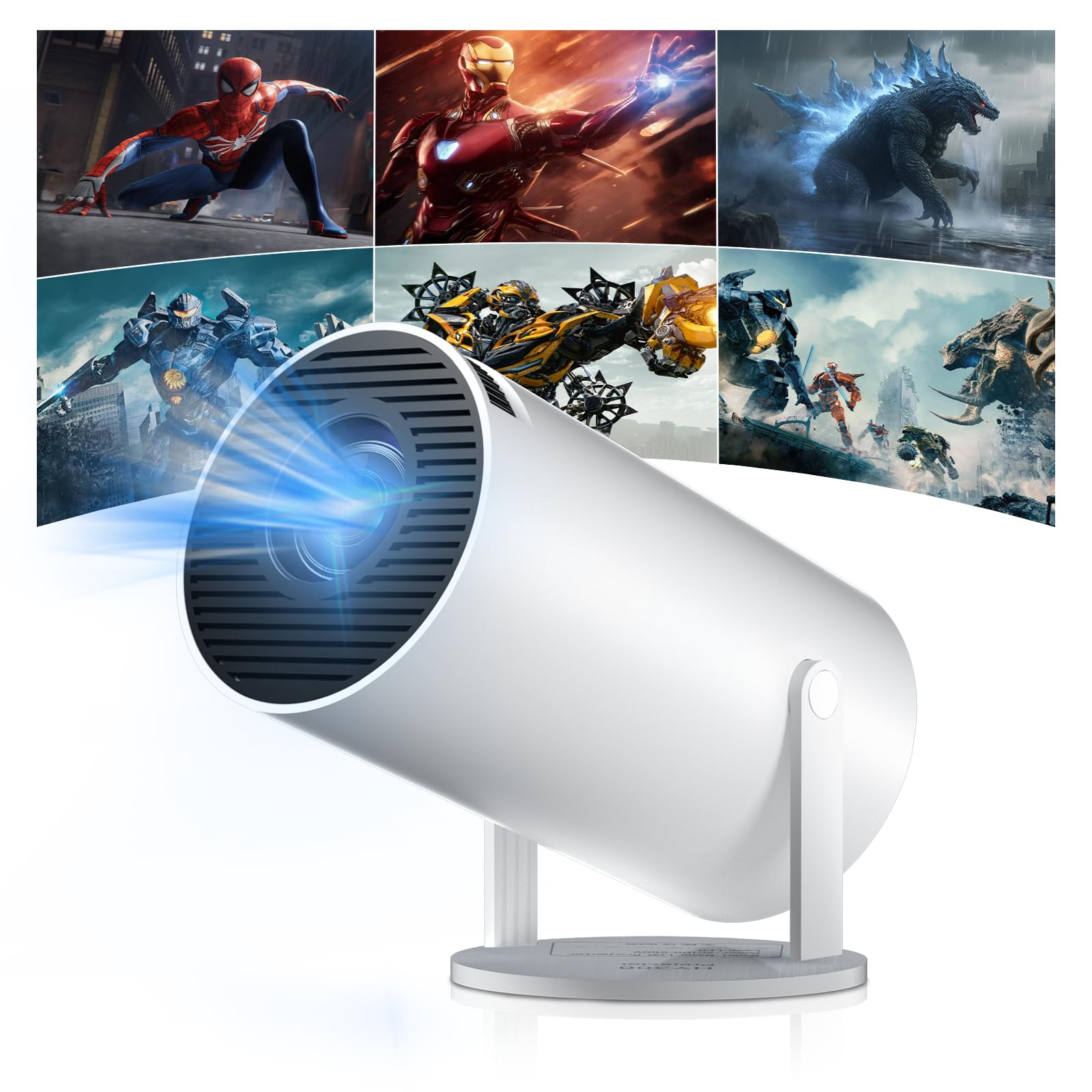
Figure 1: Salange HY300Pro Mini Projector
2. Продукт закінчивсяview
Ключові характеристики
- Dual-Band WiFi 6 & Bluetooth 5.4: Ensures fast and stable network connectivity and seamless audio pairing with external speakers or headphones.
- Операційна система Android 11.0: Supports installation of various applications directly on the projector for versatile entertainment and productivity.
- 4K Support & Native 720P Resolution: Delivers clear and vibrant images, supporting 1080P and 4K video playback.
- Обертання на 180°: Flexible projection angles for various setups, including ceiling, wall, or angled surfaces.
- Automatic Keystone Correction & Manual Focus: Intelligently corrects image distortion and allows for fine-tuning clarity.
- Компактний і портативний дизайн: Weighs only 700g, making it easy to transport for outdoor activities or different rooms.

Малюнок 2: Закінченоview of Salange HY300Pro features including 8K support, WiFi 6, Bluetooth 5.4, 180° rotation, and auto keystone correction.
Що в коробці
- 1 x Salange HY300Pro Projector
- 1 х посібник користувача
- 1 х кабель живлення
- 1 x Пульт дистанційного керування

Figure 3: Contents of the Salange HY300Pro package.
3. Налаштування
3.1 Розпакування та розміщення
- Акуратно вийміть усі компоненти з упаковки.
- Розмістіть проектор на стійкій, рівній поверхні. Забезпечте належну вентиляцію навколо пристрою.
- The projector's 180° rotation feature allows flexible placement. Adjust the projector's angle to project onto a wall, ceiling, or screen as desired.

Figure 4: Projector demonstrating 180-degree rotation for various projection surfaces.
3.2 Підключення живлення
Connect the provided power cable to the projector's power input and then to a power outlet.
3.3 Початкове увімкнення та налаштування фокуса
- Натисніть кнопку живлення на проекторі або пульті дистанційного керування, щоб увімкнути пристрій.
- The projector features automatic keystone correction. It will intelligently detect and correct image distortion to ensure a square image.
- For fine-tuning the image clarity, use the manual focus adjustment ring on the projector.

Figure 5: Illustration of automatic keystone correction and manual focus adjustment.
3.4 Мережеве підключення (Wi-Fi)
- Navigate to the 'Settings' menu on the projector's home screen.
- Select 'Network & Internet' and enable Wi-Fi.
- Choose your desired Wi-Fi network from the list and enter the password if prompted. The projector supports dual-band 2.4G + 5G WiFi 6 for fast and stable connections.

Figure 6: Visual representation of the projector's WiFi 6 capabilities for ultra-fast streaming.
3.5 Створення пари Bluetooth
- From the 'Settings' menu, select 'Connected Devices' or 'Bluetooth'.
- Увімкніть Bluetooth і знайдіть доступні пристрої.
- Виберіть зі списку Bluetooth-колонку або навушники для сполучення.

Figure 7: Projector connected to various Bluetooth audio devices.
3.6 Підключення зовнішніх пристроїв
The projector supports HDMI and USB connections.
- HDMI: Connect your laptop, game console, Blu-ray player, or TV stick using an HDMI cable. Select the corresponding HDMI input source from the projector's input menu.
- USB: Вставте USB-накопичувач для відтворення медіафайлів files directly. Access the files through the media player application on the Android OS.
4. Інструкція з експлуатації
4.1 Навігація в ОС Android
The Salange HY300Pro runs on Android 11.0, providing a smart TV experience.
- Use the remote control to navigate through the home screen, applications, and settings.
- The interface is intuitive, similar to an Android smartphone or tablet.

Figure 8: Projector displaying the Android OS home screen with various streaming apps.
4.2 Керування програмами
You can install and manage applications directly on the projector.
- Access the app store (e.g., Google Play Store) to download streaming services, games, and productivity tools.
- To uninstall an app, go to 'Settings' > 'Apps' and select the desired app.
4.3 Віддзеркалення екрана
Mirror your smartphone or tablet screen to the projector wirelessly.
- Переконайтеся, що ваш пристрій і проектор підключені до однієї мережі Wi-Fi.
- On the projector, select the screen mirroring function (e.g., 'Miracast', 'AirPlay', or 'Screen Share').
- On your smartphone/tablet, enable screen mirroring and select the projector from the list of available devices.
4.4 Налаштування зображення та звуку
Adjust various settings to optimize your viewнабутий досвід.
- Параметри зображення: Access 'Settings' > 'Display' to adjust brightness, contrast, color, and aspect ratio.
- Налаштування звуку: Access 'Settings' > 'Sound' to adjust volume, sound mode, and output device.

Figure 9: Projector displaying a large image, illustrating its ability to create a home cinema experience.
5. Технічне обслуговування
5.1 Очищення об'єктива
Використовуйте м’яку тканину без ворсу, спеціально призначену для оптичних лінз, щоб обережно протерти об’єктив проектора. Не використовуйте абразивні засоби для чищення та не докладайте надмірних зусиль.
5.2 Вентиляція
Ensure the projector's ventilation vents are clear of dust and obstructions. Blocked vents can lead to overheating and reduced performance. Periodically clean the vents with a soft brush or compressed air.
5.3 Зберігання
Якщо проектор не використовується протягом тривалого часу, зберігайте його в прохолодному, сухому місці, подалі від прямих сонячних променів та екстремальних температур. Використовуйте оригінальну упаковку або захисний футляр, щоб запобігти накопиченню пилу та пошкодженню.
6. Вирішення проблем
| проблема | Можлива причина | Рішення |
|---|---|---|
| Не відображається зображення | Power cable disconnected; Incorrect input source; Projector in standby mode. | Check power connection; Select correct HDMI/USB input; Press power button to wake up. |
| Зображення розмите | Фокус не налаштовано; проектор розташований занадто далеко/близько до екрана. | Adjust manual focus ring; Ensure projector is within optimal projection distance. |
| Ні звуку | Volume too low; Muted; Incorrect audio output selected; Bluetooth device not paired. | Збільшити гучність; Увімкнути звук; Перевірити налаштування аудіо; Повторно підключити пристрій Bluetooth. |
| Проблеми з підключенням Wi-Fi/Bluetooth | Неправильний пароль; Поза зоною дії; Перешкоди. | Verify password; Move closer to router/device; Reduce interference from other electronics. |
| Пульт не працює | Dead batteries; Obstruction; Not paired. | Replace batteries; Remove obstructions; Re-pair remote if necessary. |
7. Технічні характеристики
| Особливість | Деталь |
|---|---|
| Бренд | Саланж |
| Номер моделі | X-HY300PRO |
| Серія | Salange Mini Beamer |
| Колір | Білий |
| Тип дисплея | ЖК |
| Рідна роздільна здатність | 1280 x 720P |
| Максимальна роздільна здатність дисплея | 3840 x 2160 (підтримується 4K) |
| Технологія підключення | Bluetooth, Wi-Fi (WiFi 6) |
| Апаратний інтерфейс | Bluetooth, HDMI, USB |
| Сумісні пристрої | Smartphones, Laptops, Game Consoles, Blu-ray Players, Media Players |
| Розміри предмета (Д x Ш x В) | 9.5 х 9.5 х 15.7 сантиметрів |
| Особливості | Wi-Fi Compatible, Digital Keystone Correction, Lightweight, Portable, 180° Rotation |
| Рекомендоване використання | Бізнес, Домашній кінотеатр, Ігри, Освіта |
| Форм-фактор | Портативний |
| Тип монтажу | Кріплення на стіл |
8. Гарантія та підтримка
For warranty information and technical support, please refer to the documentation included with your purchase or visit the official Salange webсайт. Зберігайте чек про покупку для гарантійних претензій.