
zelotes F33
Інструкція користувача бездротової трекбол-миші Zelotes
Модель: F33
вступ
Дякуємо за покупкуasing the zelotes Wireless Trackball Mouse. This ergonomic mouse is designed to provide precise and comfortable cursor control, reducing strain on your wrist and arm. It features versatile connectivity options, adjustable DPI settings, and a long-lasting rechargeable battery. Please read this manual thoroughly to ensure proper use and maintenance of your device.
Що в коробці
- 1 x Trackball Bluetooth Wireless Mouse
- 1 x USB-приймач
- 1 x кабель для зарядки
- 1 х посібник користувача
Продукт закінченийview
Familiarize yourself with the components of your zelotes Wireless Trackball Mouse.

Зображення: Зверху вниз view of the zelotes F33 Wireless Trackball Mouse, showcasing its ergonomic design, trackball, and blue LED lighting.

Зображення: Збоку view of the zelotes F33 Wireless Trackball Mouse, highlighting the trackball and button layout.
Відео: Оверview of the F33 Bluetooth Trackball Mouse, demonstrating its features including rechargeable battery and DPI settings.
Посібник із налаштування
1. Заряджання миші
The mouse comes with a built-in 730mAh rechargeable battery. For the best experience, fully charge the mouse before first use.
- Connect the included USB charging cable to the charging port on the mouse.
- Підключіть інший кінець кабелю до джерела живлення USB (наприклад, USB-порту комп'ютера, настінного USB-адаптера).
- Мишу можна використовувати під час заряджання.

Image: The zelotes F33 mouse connected via its USB charging cable, illustrating the rechargeable battery feature.
2. Wireless Connection Modes
This mouse supports two wireless connection modes: 2.4GHz USB wireless and Bluetooth (BT1, BT2). It can connect to three devices simultaneously.
2.1. 2.4GHz USB Wireless Mode
- Locate the USB receiver stored in the mouse's bottom compartment.
- Підключіть USB-приймач до вільного USB-порту на вашому комп’ютері або пристрої.
- Увімкніть мишу за допомогою перемикача живлення внизу.
- Миша автоматично підключиться до приймача.
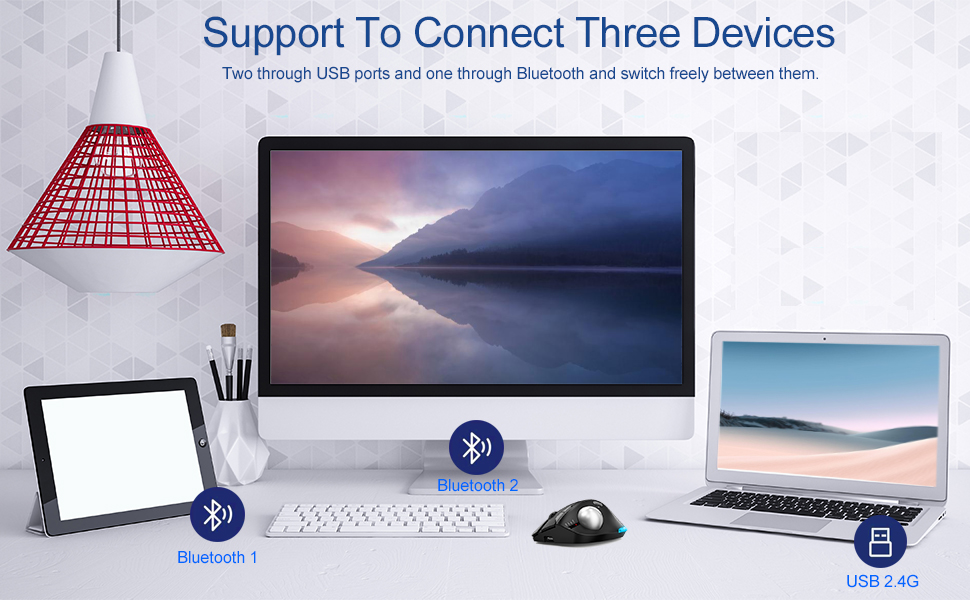
Image: Illustration of the mouse's ability to connect to three devices simultaneously: two via Bluetooth and one via 2.4G USB.
2.2. Bluetooth Mode (BT1 / BT2)
- Увімкніть мишу за допомогою вимикача живлення.
- Press the mode switch button on the bottom of the mouse to select either BT1 or BT2 mode. The corresponding indicator light will flash.
- On your device (laptop, tablet, phone), go to Bluetooth settings and search for new devices.
- Select "zelotes F33" (or similar name) from the list of available devices to pair.
- Після з’єднання індикатор перестане блимати та залишиться постійним.
3. Перемикання між пристроями
To switch control between connected devices, simply press the mode switch button on the bottom of the mouse to cycle through 2.4G, BT1, and BT2 modes.
Інструкція з експлуатації
1. Thumb Operation
The trackball is designed for thumb operation, allowing you to move the cursor precisely without moving your wrist or arm. This ergonomic design helps reduce muscle strain during prolonged use.
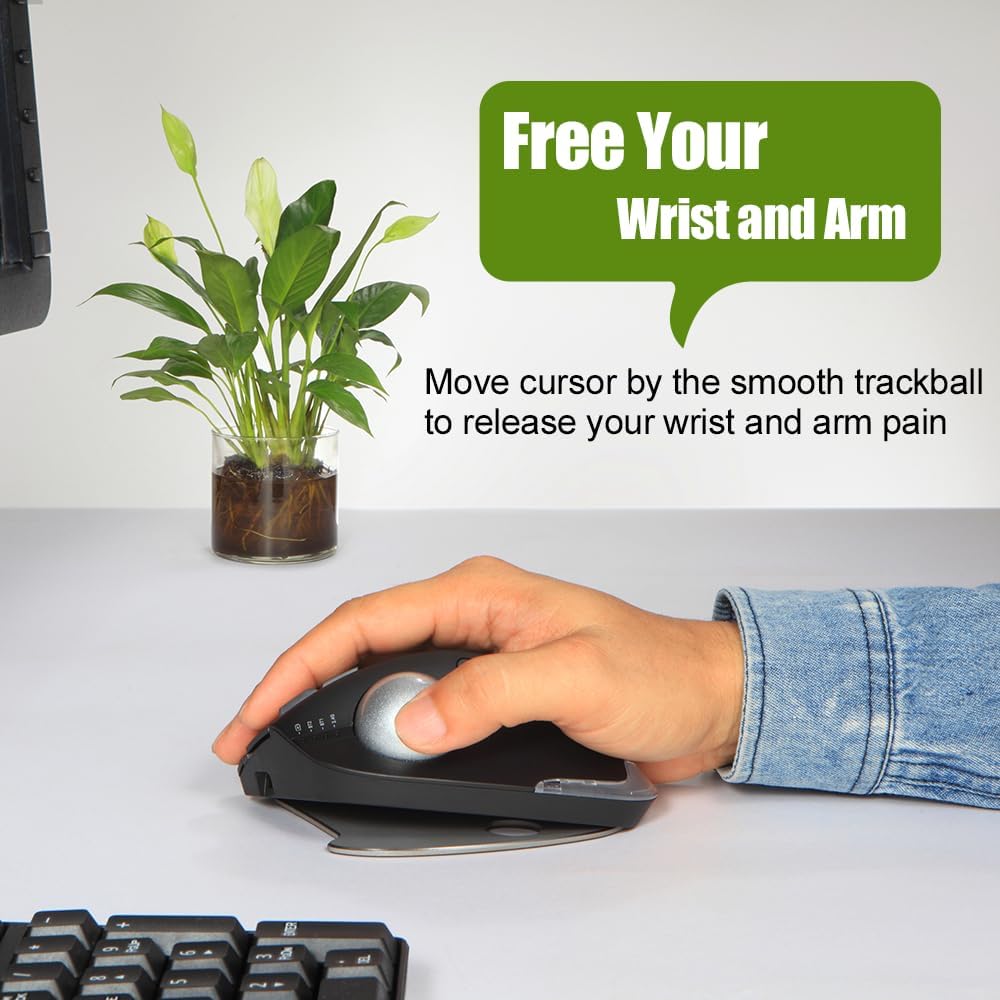
Image: A hand demonstrating the thumb-operated trackball, emphasizing the ergonomic benefit of reducing wrist and arm strain.
2. Регульовані налаштування DPI
The mouse features 5 adjustable DPI settings to suit your preference and task requirements:
- 800 DPI
- 1200 DPI
- 1600 DPI
- 2400 DPI
- 4800 DPI
Press the DPI button (usually located near the scroll wheel or on the side) to cycle through the settings. A higher DPI provides faster cursor movement, while a lower DPI offers more precise control.
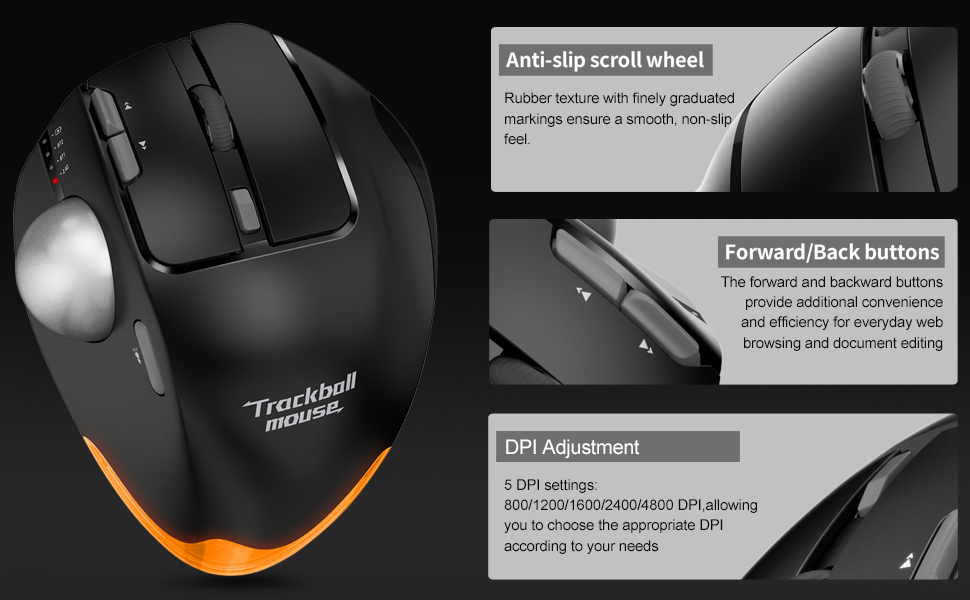
Зображення: Детальне view of the mouse highlighting the anti-slip scroll wheel, forward/back buttons, and the DPI adjustment feature.
3. Forward/Back Buttons
Conveniently located on the side of the mouse, the forward and back buttons enhance efficiency for web browsing and document editing.
4. Adjustable Angle Design
The mouse features an innovative adjustable angle design with a detachable aluminum alloy base, allowing you to switch between 0-degree and 18-degree angles. This helps maintain a natural palm position for long-term comfort.

Image: Comparison showing the zelotes F33 mouse with its base adjusted to 0-degree and 18-degree angles for ergonomic comfort.
5. Світлодіодне освітлення
The mouse features vibrant LED lighting with 16.8 million colors. You can switch lighting colors using independent buttons. The lighting can be turned off if preferred.

Image: The zelotes F33 mouse showcasing its customizable LED lighting in different colors.
Керівництво з технічного обслуговування
Regular cleaning of the trackball ensures smooth and precise movement.
Cleaning the Trackball:
- Крок 1: The trackball can be pushed out from the trackball socket at the bottom of the mouse.
- Крок 2: Remove the trackball and gently clean the trackball socket with a cotton cloth.
- Крок 3: Place the trackball back into the mouse to complete the cleaning process.
* If the surface of the trackball needs cleaning, gently wipe it with water and allow it to air dry. Avoid using chemical agents.

Image: Visual guide detailing the steps for disassembling and cleaning the trackball for optimal performance.
Усунення несправностей
| проблема | Рішення |
|---|---|
| Миша не реагує (2.4 ГГц) |
|
| Миша не підключається (Bluetooth) |
|
| Рух курсора нерівномірний або залипає |
|
| LED lights not working or stuck |
|
Технічні характеристики
- модель: F33
- Підключення: Bluetooth 5.0/3.0 + 2.4GHz USB Receiver
- Параметри DPI: 800/1200/1600/2400/4800 DPI
- Батарея: Built-in 730mAh Lithium Ion rechargeable battery
- кнопки: 8 Buttons (including trackball, scroll wheel, forward/back, DPI, mode switch)
- Розміри: 5.2 x 4 x 0.04 дюймів
- Вага товару: 13.4 унції
- Сумісність: Win11, Win10, Win8, Win7, Mac OS, Chrome OS, Android 5.0 or higher
- Особливості: Wireless, Portable, Programmable Buttons, Ergonomic Design, Rechargeable, Adjustable Angle (0°/18°), LED Lighting
- Виробник: zelotes
- Країна походження: Китай
Гарантія та підтримка
For warranty information or technical support, please refer to the product packaging or contact zelotes customer service through their official webсайт або магазин, де було придбано продукт. Зберігайте чек про покупку для гарантійних претензій.
Ask a question about this manual
Ask about setup, troubleshooting, compatibility, parts, safety, or missing instructions. Manuals+ will review the question and use this page’s manual context to help answer it.