
Codnida COD-214
Система зовнішнього відеоспостереження Codnida 4MP (модель COD-214) - Інструкція користувача
Вичерпні інструкції з налаштування, експлуатації та обслуговування.
1. Вступ
Thank you for choosing the Codnida 4MP Outdoor Surveillance Camera System. This manual provides detailed instructions to help you install, operate, and maintain your security system effectively. Please read this manual thoroughly before use and retain it for future reference.
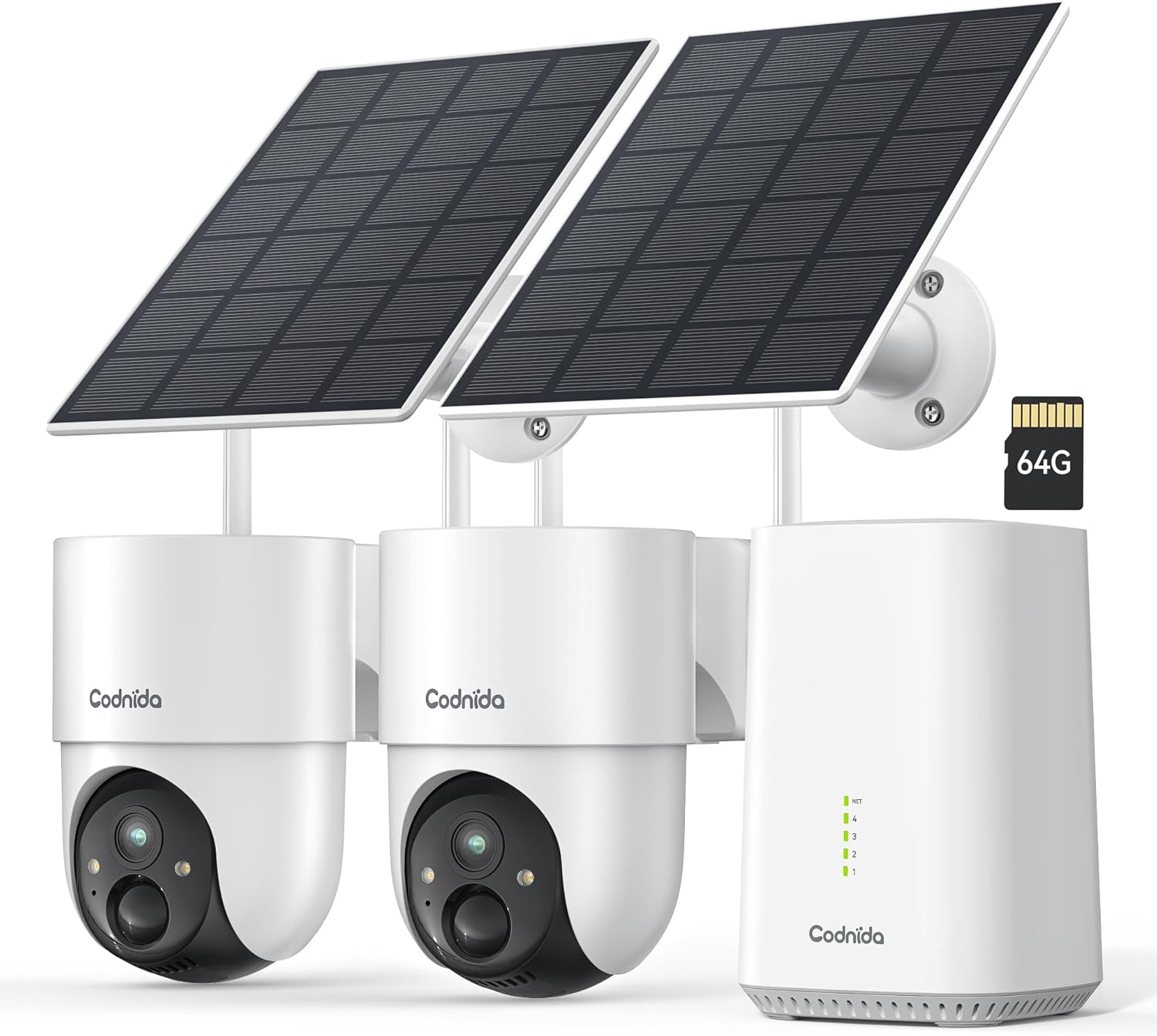
Image 1.1: Codnida 4MP Outdoor Surveillance Camera System components.
2. Вміст упаковки
Перевірте, чи всі перелічені нижче предмети входять до вашої упаковки. Якщо будь-які предмети відсутні або пошкоджені, зверніться до служби підтримки клієнтів.
- 2 x Codnida 4MP Outdoor Cameras
- 2 х сонячні панелі
- 1 x Базова станція
- 1 кабель HDMI
- 1 x адаптер живлення з кабелем
- 1 x 64GB TF Memory Card (pre-installed or separate)
- 1 x мережний кабель
- 4 кріпильних гвинтів
- 2 x попереджувальні наклейки
- 1 x Посібник користувача (цей документ)
3. Посібник із налаштування
3.1 Base Station Connection
- Connect the Base Station to a power outlet using the provided power adapter.
- Connect the Base Station to your router using the provided network cable.
- Optionally, connect the Base Station to a TV or monitor using the HDMI cable for a larger display.
3.2 Встановлення камери
The cameras are designed for outdoor use and are solar-powered, minimizing the need for frequent battery charging.
- Choose a mounting location that provides optimal sunlight exposure for the solar panel and a clear view області, яку ви бажаєте контролювати.
- Mount the camera and solar panel securely using the provided screws. Ensure the solar panel is angled to receive maximum direct sunlight.
- Connect the solar panel cable to the camera.
- Ensure the camera is within range of the Base Station's Wi-Fi signal (2.4 GHz or 5 GHz).
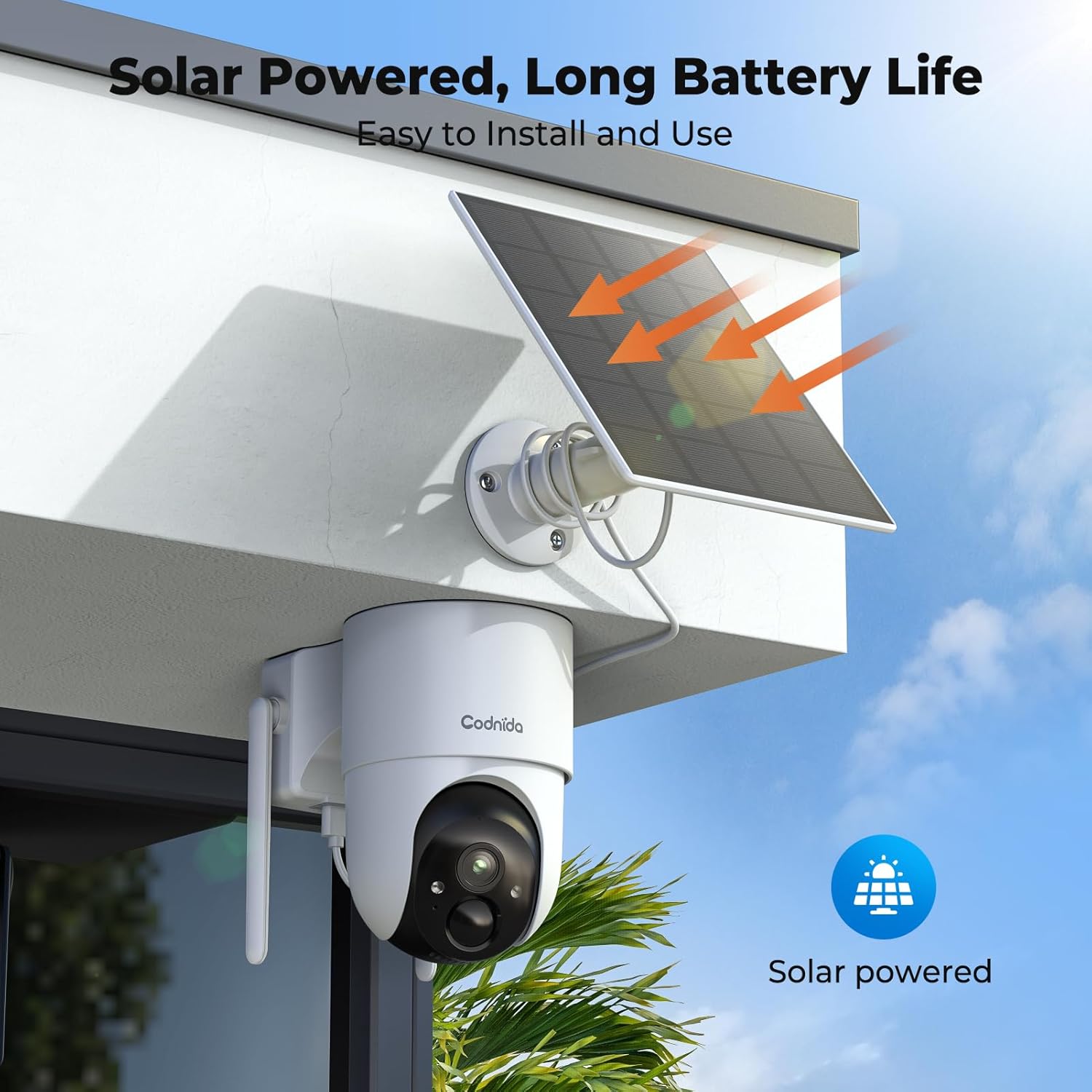
Зображення 3.2.1: Наприкладample of solar-powered camera installation.
3.3 App Setup (EseeCloud)
- Download the "EseeCloud" app from your smartphone's app store.
- Зареєструйте обліковий запис або увійдіть, якщо він у вас вже є.
- Follow the in-app instructions to add your Base Station and cameras. This typically involves scanning a QR code or manually entering device IDs.
- Після підключення ви можете view live feeds, access recordings, and configure settings.
4. Інструкція з експлуатації
4.1 Живий View і Запис
Access the EseeCloud app or a connected monitor to view жити footage from your cameras. The system supports 24/7 recording to the included 64GB TF card, providing up to 120 days of video storage.

Зображення 4.1.1: Живий ефір view display on a monitor.
4.2 Керування панорамуванням, нахилом та масштабуванням (PTZ)
The cameras offer 355° pan and 90° tilt capabilities, providing a 360° view of your surroundings. Control these movements directly from the EseeCloud app.

Image 4.2.1: Pan-Tilt control via EseeCloud app.
4.3 Виявлення руху та сповіщення
The system features PIR motion detection, capable of identifying persons, vehicles, and animals. You will receive real-time notifications on your smartphone when motion is detected in designated areas.

Image 4.3.1: PIR motion detection identifying objects.
4.4 Нічне бачення
The cameras provide crystal clear 4MP video quality, including two night vision modes: infrared and color night vision, effective up to 15 meters (65 feet).
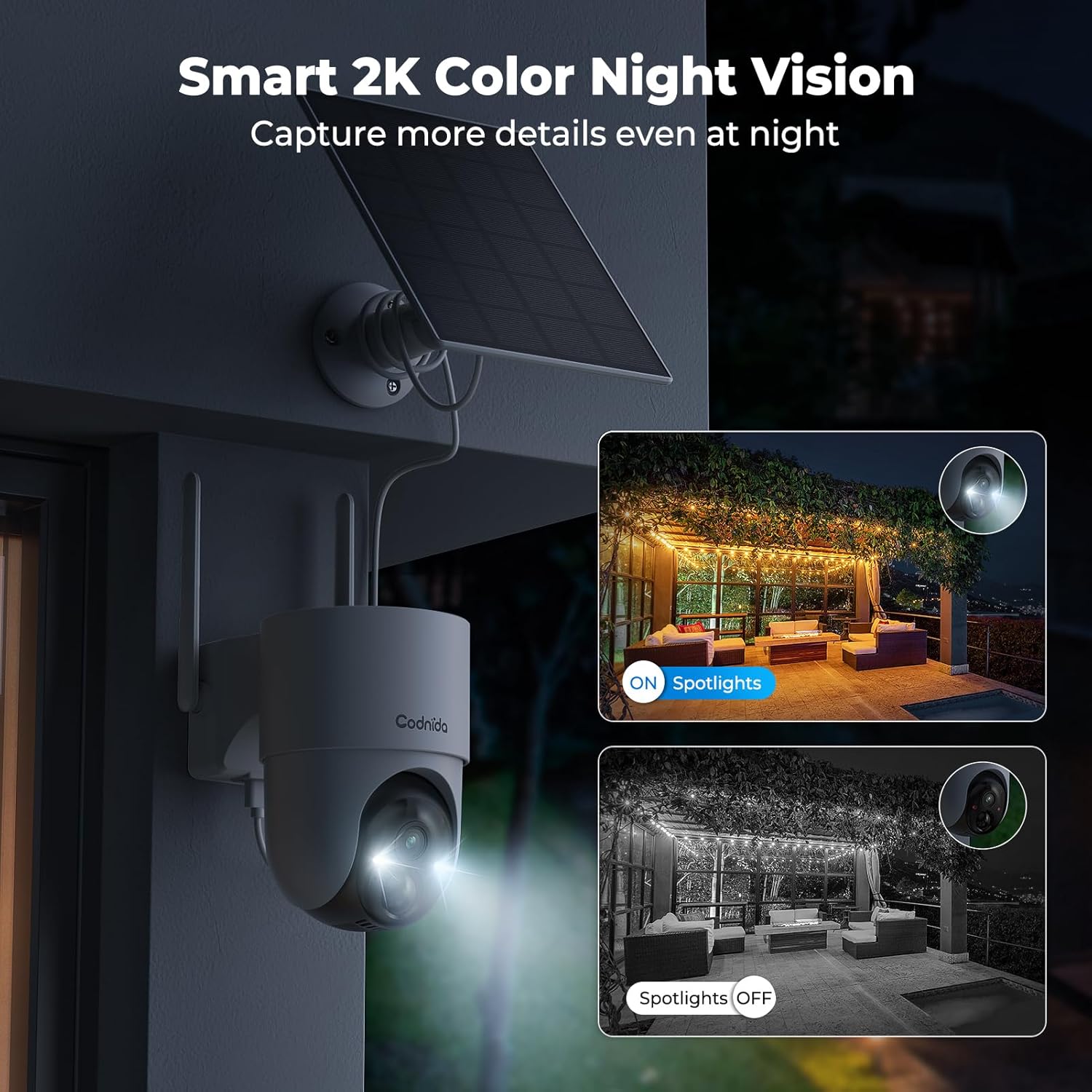
Image 4.4.1: Smart 2K color night vision with spotlights.
4.5 Двосторонній аудіозв'язок
Utilize the built-in microphone and speaker for two-way communication through the EseeCloud app. This allows you to speak to visitors or deter intruders remotely.

Image 4.5.1: Two-way audio functionality via smartphone.
5. Технічне обслуговування
5.1 Догляд за сонячними панелями
Regularly clean the surface of the solar panels to ensure optimal charging efficiency. Dust, dirt, and debris can reduce sunlight absorption. Use a soft, damp серветка для чищення.
5.2 Очищення камери
Wipe the camera lens and body with a soft, lint-free cloth to remove any smudges or dirt. Avoid using harsh chemicals that could damage the camera's finish or lens coating. The cameras are IP65 water-resistant, designed to withstand rain and snow.

Image 5.2.1: IP65 water resistance for all-weather protection.
5.3 оновлень мікропрограми
Periodically check the EseeCloud app for available firmware updates. Keeping your device's firmware updated ensures optimal performance, security, and access to new features.
6. Вирішення проблем
| проблема | Можлива причина | Рішення |
|---|---|---|
| Камера не підключається до базової станції | Out of range; Wi-Fi interference; incorrect pairing. | Move camera closer to Base Station; reduce interference; re-pair camera via EseeCloud app. |
| Немає відео | Camera offline; network issue; power issue. | Check camera power and network connection; restart Base Station and router. |
| Погана якість зображення | Dirty lens; low network bandwidth; app setting. | Clean camera lens; ensure stable Wi-Fi; select HD quality in EseeCloud app. |
| Сонячна панель не заряджається | Недостатньо сонячного світла; брудна панель; несправне з'єднання. | Relocate panel for more sun; clean panel surface; check cable connection. |
| Сповіщення про рух не працюють | Motion detection disabled; incorrect sensitivity; app notification settings. | Enable motion detection in app; adjust sensitivity; check phone notification settings for EseeCloud. |
7. Технічні характеристики
| Особливість | Деталь |
|---|---|
| Модель | COD-214 (D214) |
| Роздільна здатність відео | 4MP (1440p recording) |
| Viewкут нахилу | 360 градусів (панорамування 355°, нахил 90°) |
| Діапазон нічного бачення | 15 метрів (65 фути) |
| Зберігання | TF-карта на 64 ГБ (в комплекті) |
| Підключення | Wireless (Wi-Fi 2.4GHz/5GHz), HDMI |
| Джерело живлення | Solar Powered (Lithium-ion battery) |
| Водонепроникність | IP65 (водонепроникний) |
| Особливості | Two-way audio, Motion detection, HD Resolution, PTZ Technology, Night vision |
| Сумісні пристрої | Smartphone (EseeCloud app) |
| матеріал | пластик |
| Споживана потужність | 5 Вт |
| Тип установки | Screw-in (Wall, Ceiling, Tree, Door mounting) |
8. Гарантія та підтримка
8.1 Гарантія виробника
The Codnida 4MP Outdoor Surveillance Camera System comes with a manufacturer's warranty of 1.5 years from the date of purchase. Please retain your proof of purchase for warranty claims.
8.2 Підтримка клієнтів
For technical assistance, troubleshooting, or warranty inquiries, please contact Codnida customer support. Refer to the contact information provided on the product packaging or the official Codnida webсайт.
Ask a question about this manual
Ask about setup, troubleshooting, compatibility, parts, safety, or missing instructions. Manuals+ will review the question and use this page’s manual context to help answer it.