
вступ
This manual provides essential information for the proper setup, operation, and maintenance of your ONN 24-inch FHD Gaming Monitor, model 100027813. Please read this manual thoroughly before using the product to ensure optimal performance and safety. This monitor is designed to deliver a high-quality gaming experience with its 1080p resolution, 165Hz refresh rate, 1ms response time, and FreeSync technology.
Інформація про безпеку
Завжди дотримуйтесь наступних запобіжних заходів, щоб запобігти пошкодженню монітора та забезпечити безпеку користувача:
- Не піддавайте монітор впливу дощу або вологи, щоб уникнути небезпеки пожежі чи ураження електричним струмом.
- Не відкривайте монітор casing. Усередині немає деталей, які може обслуговувати користувач. Звертайтеся до кваліфікованого сервісного персоналу з усіх питань щодо обслуговування.
- Розмістіть монітор на стійкій, рівній поверхні, щоб запобігти його падінню.
- Забезпечте належну вентиляцію навколо монітора. Не блокуйте вентиляційні отвори.
- Використовуйте лише адаптер живлення, що постачається з монітором.
- Від’єднуйте монітор від розетки під час грози або якщо він не використовується протягом тривалого часу.
Вміст упаковки
Перевірте наявність усіх елементів в упаковці:
- ONN 24-inch FHD Gaming Monitor
- Підставка для монітора (основа та шия)
- Адаптер живлення
- DisplayPort Cable (6 ft)
- Кабель HDMI (6 м)
- Посібник користувача (цей документ)

Image: Retail box of the ONN 24-inch Gaming Monitor, highlighting key features like 165Hz, 1ms response time, DisplayPort, HDMI, and Adaptive-Sync.
Налаштування
1. Збірка підставки
- Обережно вийміть компоненти монітора та підставки з упаковки.
- Прикріпіть шийку підставки до основи підставки. Закріпіть її за допомогою наданого гвинта, якщо це можливо.
- Align the assembled stand with the mounting slot on the back of the monitor. Gently push until it clicks into place or secure with screws as per the design.
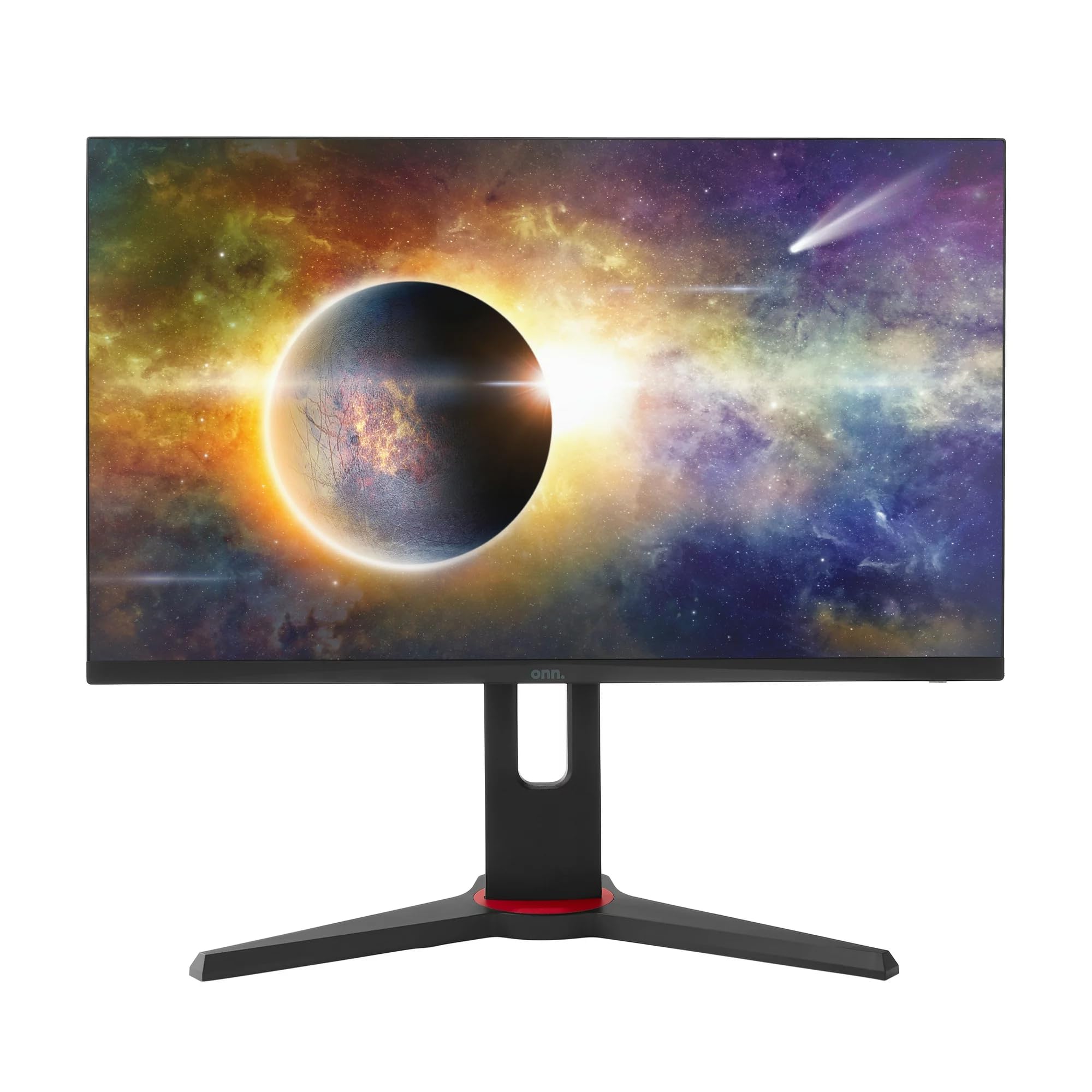
Зображення: спереду view of the ONN 24-inch Gaming Monitor, fully assembled with its stand.

Зображення: Задня частина view of the ONN 24-inch Gaming Monitor, illustrating the stand attachment and cable management area.
2. З’єднувальні кабелі
Locate the input ports on the back of your monitor:
- Потужність: Підключіть адаптер живлення до входу живлення монітора, а потім до розетки.
- Відео вхід: Connect one end of the provided DisplayPort or HDMI cable to the corresponding port on your computer's graphics card and the other end to the monitor. The monitor supports 2 HDMI inputs and 1 DisplayPort input.
- Аудіовихід (додатково): If your monitor has a 3.5mm audio jack, you can connect external speakers or headphones.

Зображення: Крупний план view of the monitor's rear ports, including HDMI 1, HDMI 2, DisplayPort (DP), and power input.
3. Початкове увімкнення
- Переконайтеся, що всі кабелі надійно підключені.
- Press the power button on the monitor (usually located on the back or bottom right).
- The monitor should display the ONN logo and then search for an input signal.
- If no image appears, ensure your computer is powered on and the correct input source is selected on the monitor (see Operating section).
Операційна
1. Увімкнення/вимкнення живлення
Press the power button to turn the monitor on or off. The power indicator light will show the monitor's status (e.g., blue for on, amber for standby).
2. Навігація по екранному меню (OSD)
Your monitor features an OSD menu for adjusting various settings. Typically, buttons on the back or bottom of the monitor control the OSD:
- Кнопка меню: Відкриває екранне меню.
- Кнопки навігації (Вгору/Вниз/Вліво/Вправо): Використовується для навігації по пунктах меню.
- Кнопка вибору/введення: Підтверджує вибір або входить до підменю.
- Кнопка виходу: Вихід з поточного меню або екранного меню.
3. Налаштування параметрів
Основні налаштування, які можна налаштувати через екранне меню, включають:
- Яскравість/Контрастність: Налаштуйте загальну яскравість та різницю між світлими та темними ділянками.
- Параметри кольору: Змінити колірну температуру, гаму та окремі рівні RGB.
- Джерело введення: Вручну виберіть між входами HDMI 1, HDMI 2 або DisplayPort.
- Частота оновлення: Ensure your graphics card and monitor are set to 165Hz for the smoothest experience. This is usually configured in your operating system's display settings.
- Час відгуку: Adjust the monitor's response time setting (e.g., 1ms) for reduced motion blur in fast-paced games.
- Технологія FreeSync: Enable FreeSync in the OSD menu and in your AMD graphics card settings to synchronize the monitor's refresh rate with your GPU's frame rate, eliminating screen tearing and stuttering.
- Режими зображення: Select from preset modes optimized for different content (e.g., Standard, Game, Movie, Text).

Image: The ONN 24-inch Gaming Monitor displayed in a typical desk setup, connected to a laptop with gaming peripherals.
Технічне обслуговування
Очищення монітора
- Завжди вимикайте монітор перед чищенням.
- Злегка протріть м’якою тканиною без ворсу dampводою або м’яким, неабразивним засобом для чищення екранів.
- Не розпилюйте засіб для чищення безпосередньо на екран. Спочатку нанесіть його на тканину.
- Уникайте використання агресивних хімікатів, абразивних губок або розчинників.
Зберігання
Якщо монітор зберігатиметься протягом тривалого часу, від’єднайте всі кабелі, упакуйте його в оригінальну упаковку (за наявності) та зберігайте в прохолодному, сухому місці, подалі від прямих сонячних променів та екстремальних температур.
Усунення несправностей
Якщо у вас виникли проблеми з монітором, зверніться до наступних поширених проблем та способів їх вирішення:
| проблема | Можливе рішення |
|---|---|
| На екрані немає зображення |
|
| Image is flickering or distorted |
|
| No sound (if using monitor speakers/audio out) |
|
| Монітор не досягає 165 Гц |
|
Технічні характеристики
Detailed technical specifications for the ONN 24-inch FHD Gaming Monitor (Model 100027813):
| Особливість | Специфікація |
|---|---|
| Номер моделі | 100027813 |
| Розмір екрана | 24 дюймів |
| роздільна здатність | Full HD 1080p (1920x1080) |
| Частота оновлення | 165 Гц |
| Час відгуку | 1 мілісекунд |
| Технологія дисплея | IPS |
| Адаптивна синхронізація | FreeSync |
| Співвідношення сторін | 16:9 |
| Коефіцієнт контрастності | 2000:1 |
| Поверхня екрана | Matte, Anti-glare with low blue light setting |
| Підключення | 2 x HDMI, 1 x DisplayPort |
| Розміри продукту (Д x Ш x В) | 61.3 х 11.3 х 37.3 см |
| Вага товару | 6.1 кг |
| Колір | чорний |
| Тип монтажу | Настільне кріплення |
| Особливе використання | Entertainment, Gaming |
Гарантія
This ONN 24-inch FHD Gaming Monitor is a renewed product. Warranty terms and conditions for renewed products may vary. Please refer to the specific warranty information provided by the seller or retailer at the time of purchase. It is recommended to retain your proof of purchase for any warranty claims.
Підтримка
For technical assistance, troubleshooting beyond this manual, or warranty inquiries, please contact the retailer or the Amazon Renewed support channel where the product was purchased. Have your model number (100027813) and proof of purchase ready when contacting support.