
1. Вступ
The MOOKA PR1 Air Purifier is designed to improve indoor air quality by effectively removing various airborne pollutants. Featuring a multi-stage filtration system, including a washable pre-filter, PM2.5 sensor, and specialized modes for pets, this device is suitable for large rooms up to 2200 sq.ft. This manual provides essential information for the safe and efficient operation and maintenance of your air purifier.

Image 1.1: The MOOKA PR1 Air Purifier, designed for home use, shown next to a dog, illustrating its effectiveness in pet-friendly environments.
2. Техніка безпеки
Будь ласка, уважно прочитайте всі інструкції з безпеки перед використанням пристрою, щоб запобігти травмам або пошкодженням.
- Завжди відключайте очищувач повітря від мережі перед переміщенням, чищенням або будь-яким технічним обслуговуванням.
- Не використовуйте прилад з пошкодженим шнуром або вилкою. Якщо шнур або вилка пошкоджені, зверніться до служби підтримки клієнтів.
- Keep the air purifier away from water or other liquids. Do not use in wet environments such as bathrooms.
- Ensure the air inlet and outlet are not blocked. Maintain at least 15 cm (6 inches) clearance from walls and furniture.
- Не вставляйте пальці або сторонні предмети у вхідні або вихідні отвори для повітря.
- Цей прилад не призначений для використання особами (включно з дітьми) з обмеженими фізичними, сенсорними чи розумовими здібностями, або з браком досвіду та знань, якщо вони не перебувають під наглядом або не отримали інструкцій щодо використання приладу особою, відповідальною за їх безпеку. .
- Use only MOOKA official replacement filters.
3. Компоненти продукту
The MOOKA PR1 Air Purifier consists of the main unit, a multi-layer filter, and a control panel.
- Основний блок: Houses the fan, motor, and air quality sensor.
- Панель керування: Located on the top of the unit, with touch-sensitive buttons and a digital display.
- Відсік фільтра: Located at the back/bottom for filter installation and replacement.

Image 3.1: An internal diagram of the air purifier, highlighting the high CADR, quiet operation, and extra-large fan for efficient air circulation.
4. Налаштування
4.1 Розпакування
- Обережно вийміть очищувач повітря з упаковки.
- Remove all plastic wrapping from the unit and the filter.
4.2 Встановлення фільтра
The filter comes pre-installed but is wrapped in plastic for protection during shipping. This plastic must be removed before first use.
- Turn the air purifier upside down or open the back cover (depending on model design).
- Поверніть кришку фільтра проти годинникової стрілки, щоб розблокувати та зняти її.
- Take out the filter and remove the plastic bag.
- Вставте фільтр назад у пристрій, переконавшись, що він правильно встановлений.
- Встановіть кришку фільтра назад і поверніть її за годинниковою стрілкою, щоб надійно зафіксувати.
4.3 Розміщення
For optimal performance, place the air purifier on a flat, stable surface in the room where purification is desired. Ensure there is adequate space around the unit for proper airflow.
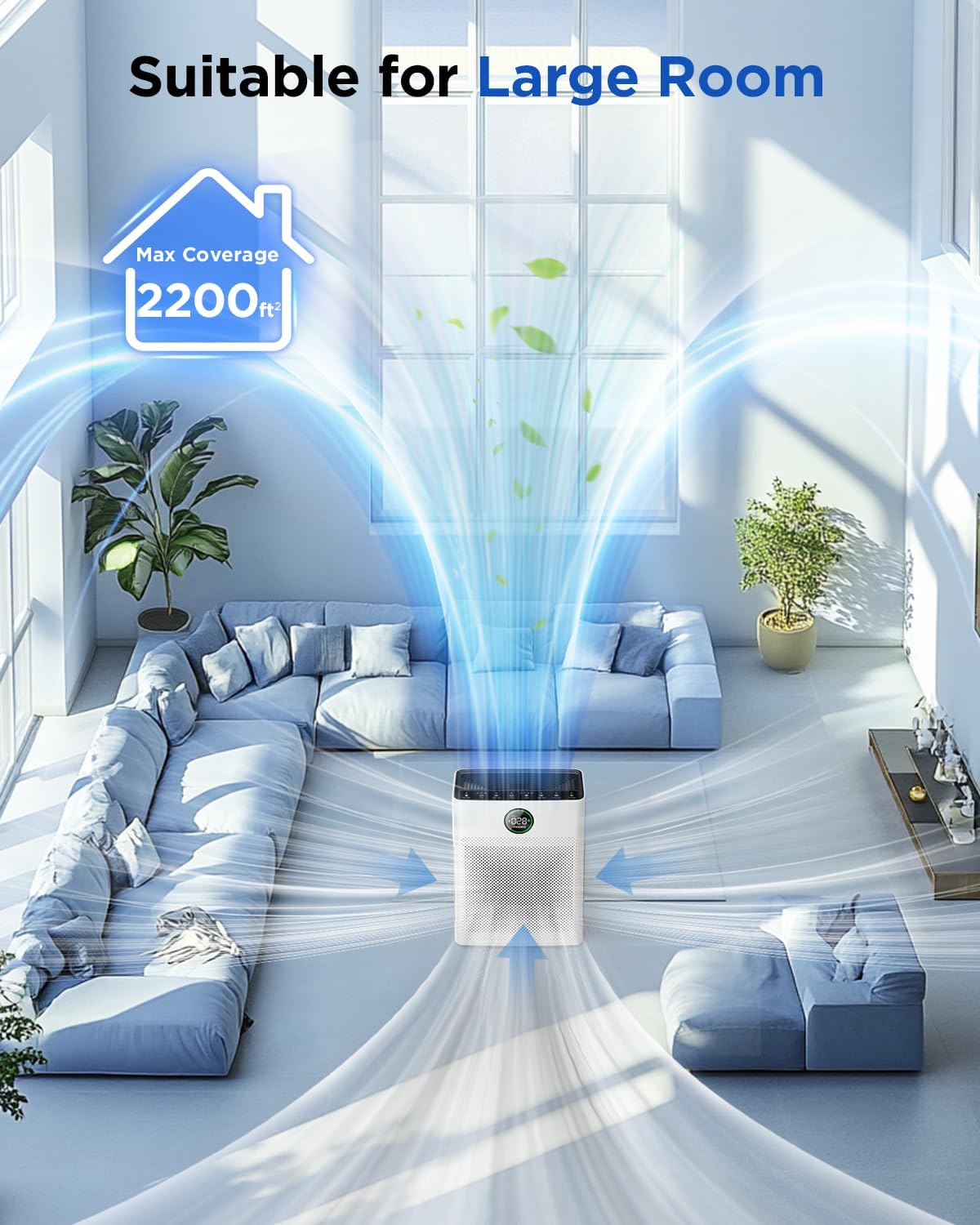
Image 4.1: The MOOKA PR1 Air Purifier positioned in a spacious living area, demonstrating its capability to purify air in large rooms up to 2200 sq.ft.
5. Інструкція з експлуатації
Ознайомтеся з панеллю керування та її функціями.
5.1 Увімкнення/вимкнення живлення
- Підключіть шнур живлення до відповідної електричної розетки.
- Натисніть потужність кнопку, щоб увімкнути або вимкнути пристрій.
5.2 Режими швидкості вентилятора
The air purifier offers 6 adjustable fan speed modes:
- Режим сну: Operates at the lowest fan speed (26dB) for quiet operation during rest.
- I, II, III: Manual fan speed settings from low to high.
- Автоматичний режим: The fan speed automatically adjusts based on the detected air quality.
- Режим домашнього улюбленця: Increases purification effect to capture pet hair and odors faster.
Натисніть швидкість кнопку для перемикання між доступними режимами.

Image 5.1: The MOOKA PR1 Air Purifier with a dog, emphasizing the 'Pet Mode' feature on the control panel, designed for pet owners.
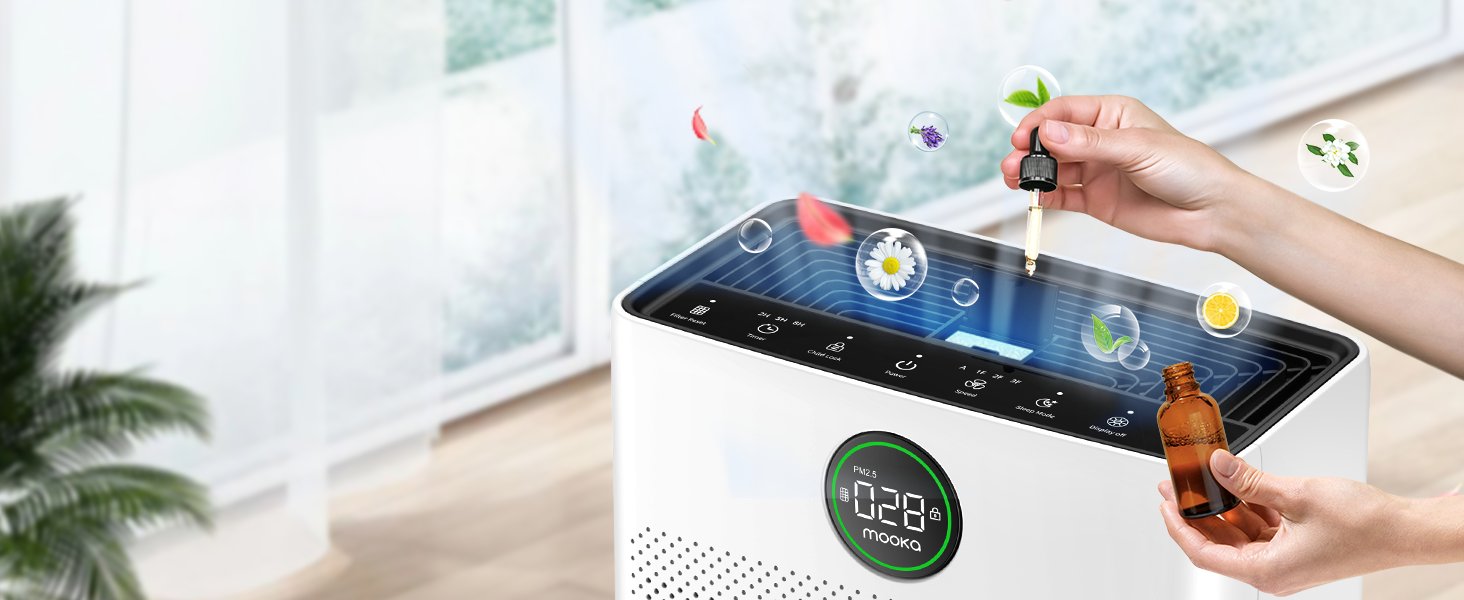
Image 5.2: The air purifier operating quietly in a bedroom at 26dB, indicating its suitability for undisturbed sleep.
5.3 Відображення якості повітря
The PR1 is equipped with a PM2.5 sensor that displays real-time air quality levels on the screen. The indicator light changes color to reflect air quality:
- Зелений: Good air quality (0-75 PM2.5)
- Помаранчевий: Moderate air quality (76-150 PM2.5)
- Червоний: Poor air quality (>150 PM2.5)
Upon powering on, the air purifier enters a preheating state, and the indicator light will flash for approximately one minute before displaying the current air quality.

Image 5.3: The air quality sensor display on the MOOKA PR1, showing PM2.5 levels and their corresponding color-coded air quality ratings.
5.4 Функція таймера
The timer allows you to set the air purifier to operate for a specific duration before automatically turning off.
- Натисніть Таймер button to select desired operating hours (e.g., 2H, 5H, 8H).
5.5 Блокування від дітей
The Child Lock feature prevents accidental changes to settings.
- Натисніть і утримуйте Блокування від дітей button for 3 seconds to activate or deactivate.
5.6 Функція аромату
The air purifier includes an aroma function to diffuse essential oils.
- Locate the aroma pad compartment.
- Add a few drops of essential oil to the aroma pad. For first-time use, moisten the pad with more essential oil.
- Закрийте відсік.

Image 5.4: A user adding essential oils to the aroma diffuser compartment of the air purifier, demonstrating the aromatherapy feature.
6. Технічне обслуговування
Регулярне технічне обслуговування забезпечує оптимальну продуктивність та подовжує термін служби вашого очищувача повітря.
6.1 Washable Pre-Filter Cleaning
The pre-filter can be cleaned to maintain efficiency.
- Від’єднайте очищувач повітря від мережі.
- Remove the pre-filter (refer to Filter Installation section).
- Rinse the pre-filter under running water to remove accumulated pet hair and dust.
- Allow the pre-filter to air dry completely in the shade before re-installing.

Image 6.1: The washable pre-filter, illustrating its ability to capture pet hair and the ease of cleaning under water.
6.2 Заміна фільтра
The air purifier has a filter replacement reminder function. The filter indicator light will illuminate when it's time to replace the filter.
- Recommended replacement frequency: Every 3-6 months for optimal purification.
- To reset the filter reminder: After replacing the filter, press and hold the Скидання фільтра кнопку протягом 3 секунд.
- Модель змінного фільтра: шукати B0DD3ZZ7ZV.

Image 6.2: The 'Pet Owners Choice' filter, designed to effectively filter pet dander, fluff, pollen, and absorb unwanted odors.
6.3 Очищення датчика
Regularly clean the PM2.5 sensor to maintain accurate air quality readings.
- The air quality sensor is located on the left back position of the unit.
- Gently wipe the sensor opening with a dry cotton swab or soft cloth to remove any dust accumulation.
7. Вирішення проблем
У цьому розділі розглядаються поширені проблеми, з якими ви можете зіткнутися.
7.1 Why does the screen show 005 air quality?
If the screen consistently displays '005' or an unexpectedly low reading, consider the following:
- Розташування датчика: The air quality sensor is located on the left back position of the unit. Ensure this area is not obstructed.
- Чистота датчика: Dust accumulation on the sensor can affect its accuracy. Refer to Section 6.3 for sensor cleaning instructions.
- Попередній нагрів: After powering on, the air purifier is in a preheating state for about one minute, during which the indicator light flashes. Wait for this process to complete for accurate readings.
- Екологічні фактори: In very clean environments, a low reading is normal.
7.2 Пристрій не вмикається
- Перевірте, чи шнур живлення надійно підключений як до пристрою, так і до електричної розетки.
- Ensure the electrical outlet is functioning by testing it with another appliance.
7.3 Poor Air Purification
- Check if the filter's plastic packaging has been removed.
- Ensure the filter is correctly installed and not clogged. Replace if necessary (refer to Section 6.2).
- Verify that the air inlet and outlet are not obstructed.
- Select an appropriate fan speed or Auto/Pet mode for the room size and air quality.
8. Технічні характеристики
| Особливість | Специфікація |
|---|---|
| Номер моделі | ПР1 |
| Розміри продукту | 12.3" Г x 6.4" Ш x 16.3" В |
| вага | 8.93 фунта |
| Покриття площі підлоги | До 2200 квадратних футів |
| Рівень шуму (режим сну) | 26 дБ |
| Колір | Білий |
| Сертифікати | CARB, ETL, DOE, FCC |
| Викид озону | немає |
| УФ світло | немає |
9. Гарантія та підтримка
MOOKA products are designed for long-term use and safety. This product is backed by authoritative certifications.
- For any questions or concerns regarding your MOOKA PR1 Air Purifier, please contact MOOKA customer support.
- Зверніться до документації щодо придбання, щоб дізнатися про конкретні гарантійні умови.