
вступ
The Bisofice S85 Pro Language Translation Device is designed to facilitate seamless communication across different languages. This device supports 16 system languages and offers translation for 138 languages online and 19 offline, ensuring effective communication in various scenarios.
It also features photo translation, intelligent recording, and other advanced functionalities to enhance your travel and business experiences, making it a convenient and practical tool for multilingual interactions.
Що в коробці
Upon unboxing your Bisofice S85 Pro, please ensure all the following items are present:
- 1x Bisofice S85 Pro Translator Device
- 1x зарядний кабель Type-C
- 1x шнурок
- 1x Посібник користувача
Налаштування
- Початкова оплата: Before first use, fully charge the device using the provided Type-C cable. The device has a 2000 mAh battery.
- Увімкнення: Press and hold the power button (usually on the side) until the screen illuminates and the Bisofice logo appears.
- Вибір мови: Follow the on-screen prompts to select your preferred system language.
- Wi-Fi підключення: To enable online translation and access all features, connect the device to a stable Wi-Fi network. Go to Settings > WLAN and select your network. Note: The device is not compatible with 5G Wi-Fi networks.
- Дата і час: Ensure the date and time settings are correct. This can usually be set automatically via the Wi-Fi connection.
For offline translation, ensure that the required language packs are downloaded in advance. Navigate to "Offline Translation" in the menu to manage downloaded languages.
Інструкція з експлуатації
1. Real-time Voice Translation
This feature allows for instant spoken translation between two selected languages.
- From the main menu, select "Online Translation" or "Offline Translation" depending on your connectivity.
- Choose the source language (the language you will speak) and the target language (the language you want to translate to).
- Press and hold the designated microphone button for your source language and speak clearly into the device.
- Release the button. The device will process your speech and provide the translation aloud and on-screen.

Figure 1: Main menu interface of the Bisofice S85 Pro, displaying various translation modes.
2. Переклад фотографій
Translate text from images, such as menus, signs, or documents.
- Select "Photo Translation" from the main menu.
- Point the device's 5MP camera at the text you wish to translate.
- Tap the screen to focus and press the capture button.
- The device will analyze the image and display the translated text on the 4-inch capacitive touchscreen.

Figure 2: The 5MP camera of the S85 Pro, capable of horizontal and vertical autofocus for photo translation.
3. Інтелектуальний запис
Record conversations and translate them in real-time or later.
- Access "Smart Recording" from the menu.
- Start recording. The device supports professional noise reduction for clearer audio.
- Record while translating or save the recording for later translation.
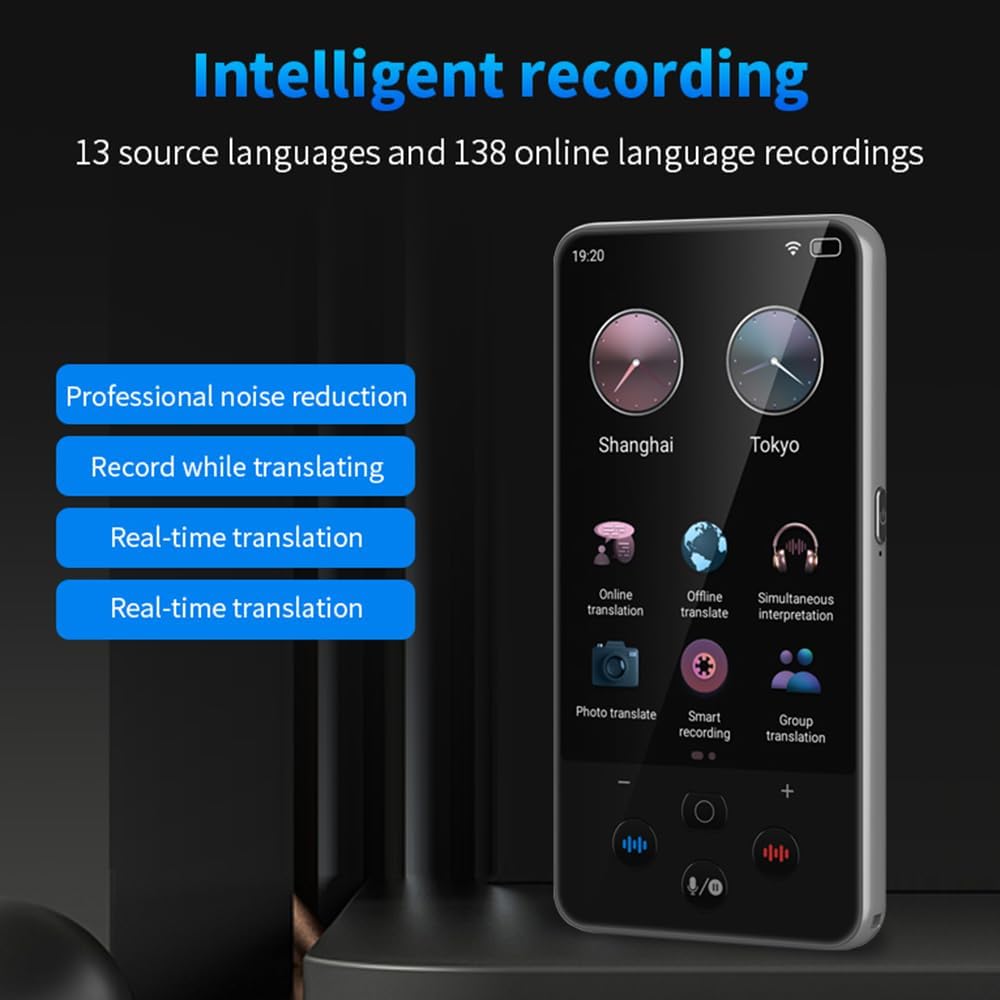
Figure 3: Intelligent recording interface, highlighting noise reduction and real-time translation capabilities.
4. Text Input Translation
Manually type text for translation, supporting Chinese/English input.
- Navigate to the text input translation feature.
- Select your desired input and output languages.
- Type your text, and the device will provide a fast translation.
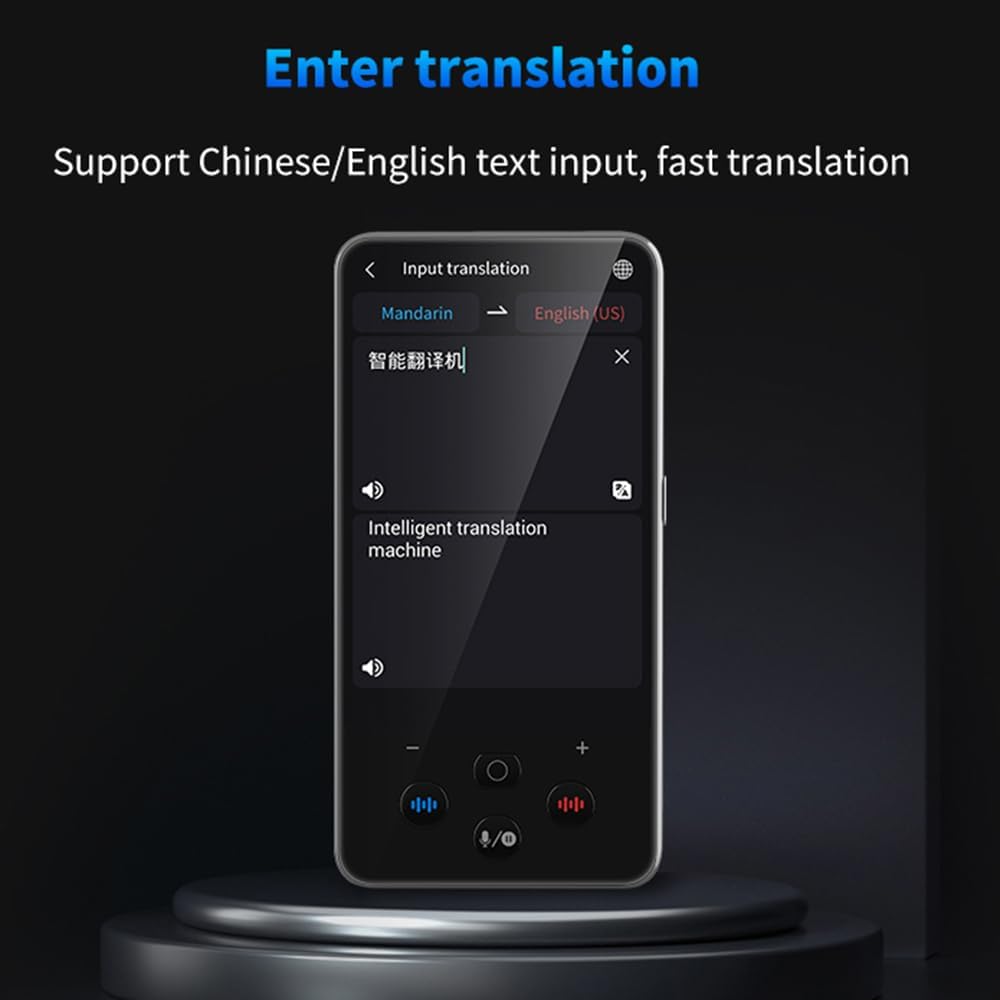
Figure 4: Text input translation screen, demonstrating fast translation from typed text.
5. Вивчення мов
Utilize the device to learn pronunciation and practice new languages.
- Access the "Language Learning" function.
- Practice speaking phrases and receive feedback on your pronunciation.

Figure 5: Language learning mode, offering pronunciation practice and rating.
Розширені функції
- Групове спілкування: Supports up to 117 people chatting in the same group communication using the device.
- Currency Exchange Conversion: Instant conversion for up to 25 currency exchange rates.
- Конвертація одиниці: Convert various units of measurement.
- Функція годинника: Відображати час і дату.
- Відтворення музики: Enjoy music directly from the device.
- Відео/аудіозапис: Capture video and audio.

Figure 6: Internal architecture of the S85 Pro, featuring a Quad-core CPU and Built-in GPU for efficient performance.

Figure 7: Battery performance details, showing the 2000mAh capacity and extended standby time.
Технічне обслуговування
- Прибирання: Використовуйте м’яку суху тканину для очищення пристрою. Уникайте абразивних засобів для чищення або розчинників.
- Зберігання: Зберігайте пристрій у прохолодному, сухому місці, подалі від прямих сонячних променів та екстремальних температур.
- Догляд за акумулятором: Щоб продовжити термін служби акумулятора, уникайте частого повного розряджання пристрою. Регулярно заряджайте його, особливо якщо ви зберігаєте його протягом тривалого часу.
- Оновлення програмного забезпечення: Періодично перевіряйте наявність оновлень програмного забезпечення, щоб забезпечити оптимальну продуктивність і доступ до нових функцій.
Усунення несправностей
| проблема | Можлива причина | Рішення |
|---|---|---|
| Пристрій не включається. | Низький заряд батареї. | Заряджайте пристрій не менше 30 хвилин. |
| Неможливо підключитися до Wi-Fi. | Incorrect password, out of range, or 5G network. | Verify password, move closer to router, ensure it's a 2.4GHz network. |
| Переклад неточний або повільний. | Poor internet connection, unclear speech, or unsupported dialect. | Ensure strong Wi-Fi, speak clearly, try a more standard pronunciation. For offline, ensure language packs are downloaded. |
| Переклад фотографій не працює. | Poor lighting, blurry image, or text not clearly visible. | Ensure adequate lighting, hold the device steady, and focus properly. |
Технічні характеристики
| Бренд | Бісофіс |
| Модель | S85 Pro (M30) |
| Процесор | ARM Cortex-A7 Quad-core, 1.3 GHz |
| Системні мови | 16 мов |
| Онлайн переклад | 138 мов |
| Офлайн-переклад | 19 мов |
| Переклад фотографій | 74 languages (online), 40 languages (offline) |
| Камера | 5 MP (rear, autofocus) |
| Дисплей | 4-inch High-Definition Capacitive Touchscreen |
| Акумулятор | 2000 мАг |
| Час зарядки | прибл. 2 години |
| Час очікування | До 240 годин |
| Розміри | 16.4 х 8.5 х 4 см |
| вага | 210 грами |
Гарантія та підтримка
For warranty information and customer support, please refer to the documentation included with your product or visit the official Bisofice webсайт. Зберігайте чек про покупку для гарантійних претензій.
Software updates are guaranteed until an unknown date, as per product specifications.